

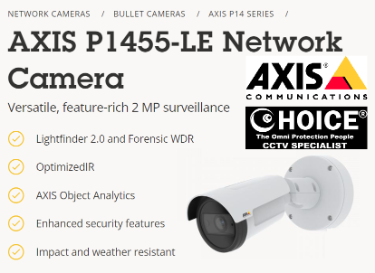
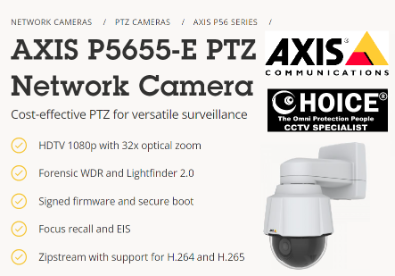


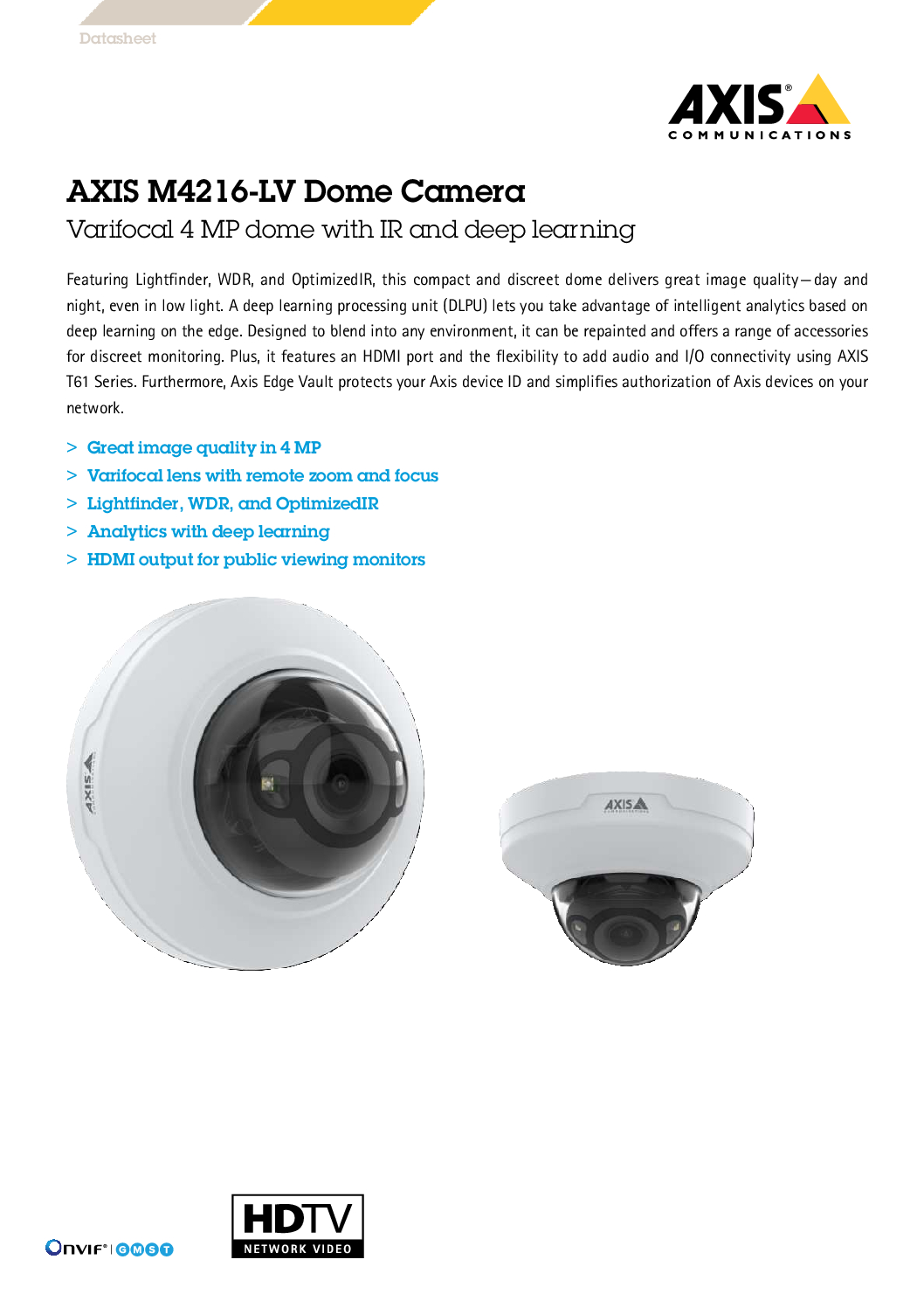
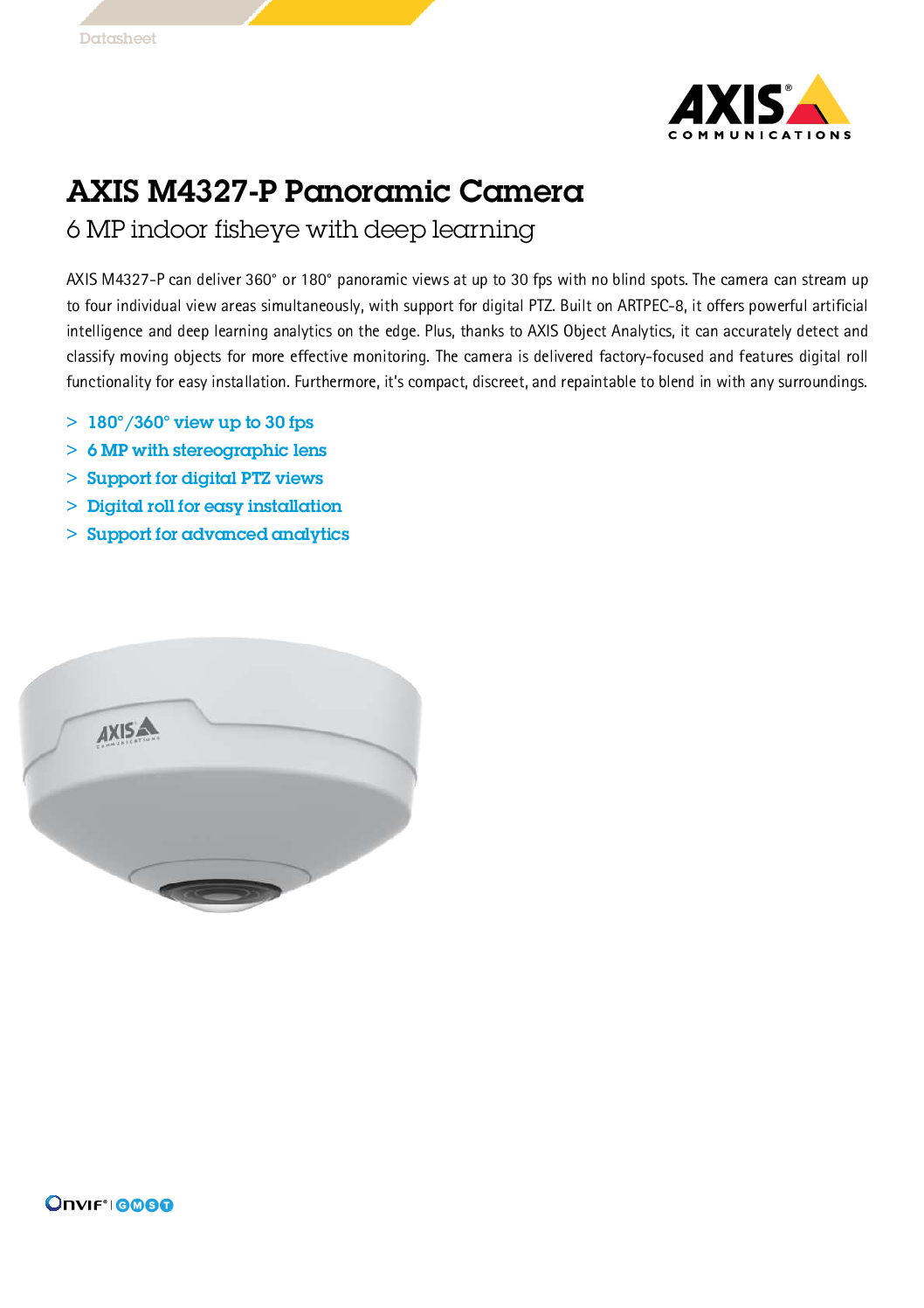


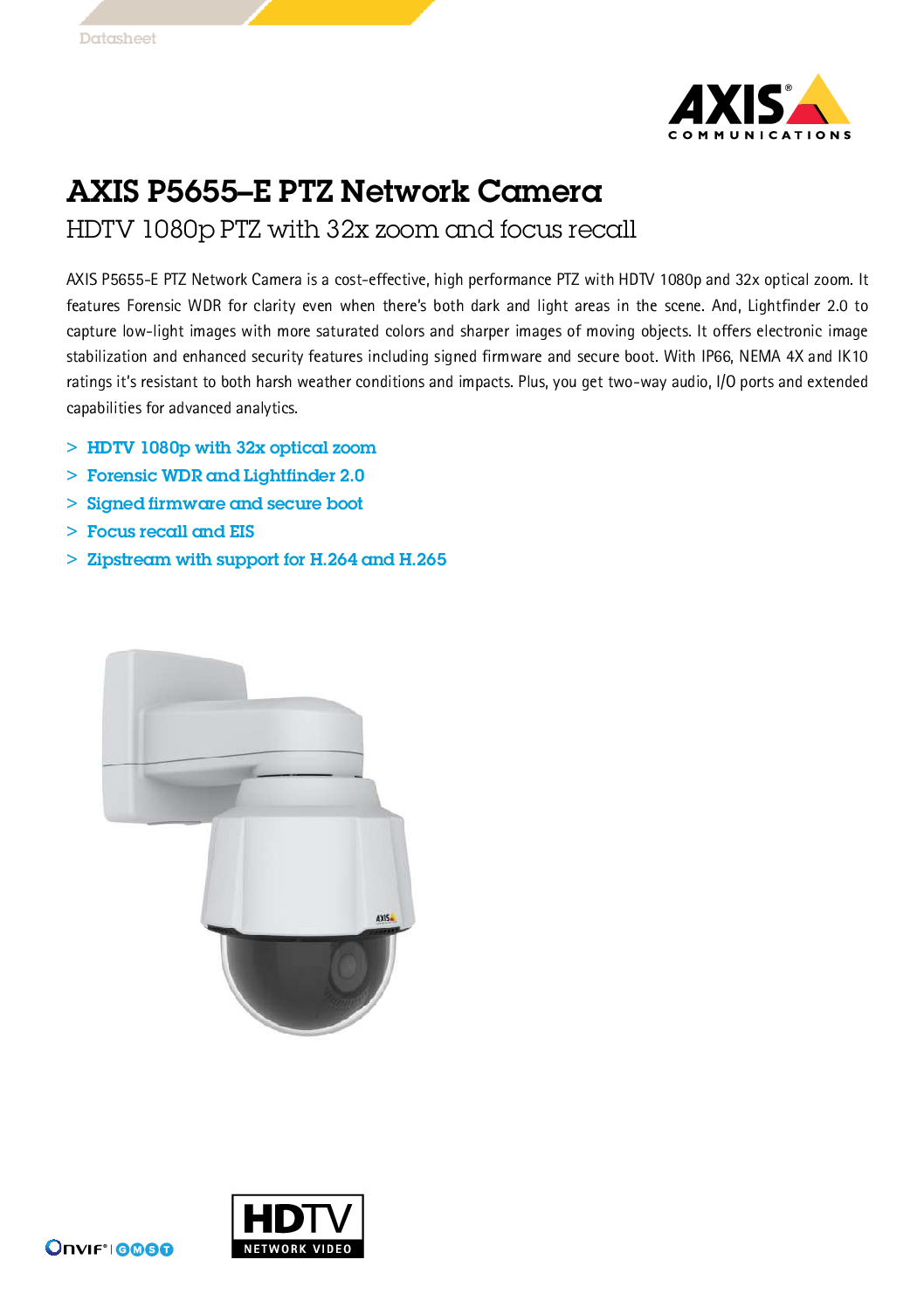
AXIS M5526-E Singapore PTZ Camera 4MP 10X Optical Zoom 60FPS Lightfinder 2.0 Forensic WDR CCTV AXIS Object Analytics AXIS ARTPEC-8
$2850.00
AXIS SINGAPORE OFFICIAL PARTNER
Supply and Maintenance AXIS CCTV IP Cameras, NVR, Turbo HD TVI Cameras, DVR, PTZ Cameras,
Access Control System, Video Intercom.
Sim Lim Square 02-81 10am-7pm Daily.
Whatsapp Enquiry Project +65 98534404, Technical Support +65 81120788, Site Visit Maintenance +65 81985572.
AXIS M5526-E Singapore PTZ Camera 4MP 10X Optical Zoom 60FPS Lightfinder 2.0 Forensic WDR CCTV AXIS Object Analytics AXIS ARTPEC-8
AXIS M5526-E PTZ Dome Camera Singapore
4MP • 10× Optical Zoom • 60FPS • Lightfinder 2.0 • Forensic WDR • IP66 • IK09
The AXIS M5526-E PTZ Camera is a compact professional indoor/outdoor PTZ network camera designed for commercial, retail, industrial and building-security applications.
It combines:
4MP Resolution
10× Optical Zoom
Up to 50/60FPS
360° Endless Pan
Lightfinder 2.0
Forensic WDR
AI-Based Object Analytics
IP66 Weather Protection
IK09 Impact Resistance
PoE
This makes it particularly suitable where a conventional fixed dome camera cannot provide sufficient coverage or where security operators need to remotely Pan, Tilt and Zoom around a monitored area.
AXIS M5526-E Full Specifications
| Specification | AXIS M5526-E |
|---|---|
| Camera Type | Indoor / Outdoor PTZ Network Camera |
| Maximum Resolution | 2688 × 1512 – 4MP |
| Image Sensor | 1/3″ CMOS |
| Maximum Frame Rate | 50/60fps |
| Optical Zoom | 10× |
| Digital Zoom | 12× |
| Lens | 4.7–47mm |
| Horizontal FOV | 59.1°–6.5° |
| Vertical FOV | 35°–3.67° |
| Pan | 360° Endless |
| Tilt | 0°–90° |
| Lightfinder | Lightfinder 2.0 |
| WDR | Forensic WDR |
| Colour Sensitivity | Approx. 0.25 lux |
| B/W Sensitivity | Approx. 0.01 lux |
| Day / Night | Yes |
| AI Processor | ARTPEC-8 + DLPU |
| Object Analytics | Human / Vehicle Classification |
| Compression | H.265 / H.264 |
| Zipstream | Yes |
| Edge Storage | microSD / microSDHC / microSDXC |
| Audio Support | Yes |
| Built-In Microphone | No |
| Alarm I/O | 4 |
| Power | PoE or 20–28VDC |
| PoE | IEEE 802.3af/at Type 1, Class 3 |
| Typical PoE Consumption | Approx. 4.2W |
| Maximum PoE Consumption | Approx. 12.95W |
| Protection | IP66 |
| Impact Protection | IK09 |
| Operating Temperature | -20°C to +50°C |
| Outdoor Ready | Yes |
4MP High-Resolution PTZ
The AXIS M5526-E provides maximum resolution of:
2688 × 1512
This gives approximately:
4 Megapixels
Compared with a conventional Full HD 1920 × 1080 PTZ, 4MP provides additional image information for:
Live Monitoring
Digital Investigation
Incident Review
Person / Vehicle Observation
General Security Surveillance
10× Optical Zoom
The M5526-E uses a:
4.7–47mm Motorized Zoom Lens
providing:
10× OPTICAL ZOOM
At wide angle:
Horizontal FOV approximately 59.1°
At telephoto:
Horizontal FOV approximately 6.5°
Conceptually:
WIDE OVERVIEW
↓
PTZ Operator Selects Target
↓
OPTICAL ZOOM
↓
10×
↓
DETAILED TARGET VIEW
Optical zoom is substantially more useful than simply enlarging a digital image because the lens physically changes focal length.
12× Digital Zoom
In addition to 10× optical zoom, the camera provides:
12× Digital Zoom
However:
Optical Zoom ≠ Digital Zoom
For forensic CCTV applications, optical zoom should generally be prioritised because digital zoom enlarges existing pixels rather than obtaining additional optical detail.
Up to 60FPS
The M5526-E supports:
Up to 50/60 Frames Per Second
This is useful where the scene contains faster movement, including:
People Walking / Running
Vehicles
Loading Operations
Warehouse Activities
Retail Incidents
Building Entrances
Industrial Operations
Higher frame rates can produce smoother motion and provide additional frames during fast-moving incidents.
However, 60FPS can increase network bandwidth and storage consumption.
For normal CCTV applications, the system designer should determine whether:
15FPS
25/30FPS
or
50/60FPS
is actually required.
360° Endless Pan
The M5526-E provides:
360° ENDLESS PAN
This means the camera can continuously rotate horizontally without reaching a conventional mechanical endpoint.
A security operator can therefore monitor:
LEFT
↓
FRONT
↓
RIGHT
↓
REAR
↓
and continue rotating.
This makes it useful for open areas where a fixed camera would only observe one direction.
PTZ Preset Positions
A professional PTZ installation can configure important viewing positions as presets.
For example:
Preset 1
Main Entrance
Preset 2
Loading Bay
Preset 3
Warehouse Entrance
Preset 4
Car Park
Preset 5
Emergency Exit
The security operator can select a preset and the camera automatically moves to the configured position.
Guard Tour
The M5526-E supports a limited guard-tour function.
A typical sequence could be:
Preset 1 – Main Entrance
↓
Preset 2 – Loading Bay
↓
Preset 3 – Car Park
↓
Preset 4 – Emergency Exit
↓
Repeat
This allows the PTZ camera to automatically patrol selected viewing positions.
For security-critical locations, remember that a PTZ camera can only point in one direction at a time.
Therefore, PTZ should often complement rather than completely replace strategically positioned fixed cameras.
Lightfinder 2.0
The M5526-E incorporates:
AXIS Lightfinder 2.0
Lightfinder technology improves image usability in challenging low-light conditions.
The camera is specified down to approximately:
Colour: 0.25 lux
Black & White: 0.01 lux
This is useful for:
Retail Stores
Warehouses
Car Parks
Building Entrances
Commercial Buildings
Industrial Facilities
Low-Light Corridors
Lightfinder improves low-light imaging but should not be confused with an infrared illuminator.
Important: No Built-In IR
The AXIS M5526-E does:
NOT have built-in IR illumination.
Therefore:
Lightfinder 2.0
improves low-light imaging.
But:
Lightfinder 2.0 ≠ Infrared Light.
If the environment becomes completely dark, additional lighting or an appropriate external illuminator may be required.
This should be considered when replacing an existing PTZ that has integrated IR.
Forensic WDR
The M5526-E supports:
Forensic WDR
This is useful in scenes containing both:
Bright Areas
and
Dark Areas
For example:
BRIGHT OUTDOOR AREA
        +
DARK BUILDING INTERIOR
        ↓
FORENSIC WDR
        ↓
MORE USABLE DETAIL
Typical applications include:
Glass Entrances
Loading Bays
Car Park Entrances
Building Lobbies
Retail Entrances
Warehouse Roller Shutters
AI Analytics with ARTPEC-8
The M5526-E is built around:
AXIS ARTPEC-8
with a:
Deep Learning Processing Unit – DLPU
This enables modern edge-based analytics.
Using AXIS Object Analytics, the camera can detect and classify objects such as:
Humans
Vehicles
and different:
Vehicle Types
depending on the analytics configuration.
A typical workflow is:
Object Enters Area
↓
Camera Analytics
↓
Human / Vehicle Classification
↓
Event
↓
Recording / Notification
↓
Security Investigation
This can reduce reliance on basic pixel-based motion detection.
H.265 + H.264 + Zipstream
The M5526-E supports:
H.265
H.264
and
AXIS Zipstream
Zipstream is designed to reduce storage and bandwidth requirements while preserving important surveillance information.
This can be valuable for:
4MP
High Frame Rate
24/7 Recording
because those settings can otherwise create significant storage requirements.
Edge Storage
The camera supports:
microSD
microSDHC
microSDXC
This enables local edge recording.
A professional architecture can use:
AXIS M5526-E
↓
microSD Edge Recording
Network Recording
↓
VMS / Recording Server
Edge storage can provide additional recording resilience, depending on system configuration.
IP66 Outdoor Protection
The M5526-E is:
IP66 RATED
This means it is designed for outdoor operation with protection against dust and powerful water jets under the applicable test conditions.
It operates from approximately:
-20°C to +50°C
making it suitable for indoor and outdoor commercial security applications.
Correct outdoor installation must still include:
Proper Cable Entry
Weatherproof Network Connections
Correct Mounting Accessories
Surge Protection Where Required
Proper Earthing / Bonding Where Applicable
IK09 Impact Resistance
The camera is also:
IK09
rated for mechanical impact resistance.
This provides additional physical protection for installations in publicly accessible or exposed areas.
Important: NOT NEMA 4X
The standard AXIS M5526-E specification lists:
IP66
and
IK09
but not:
NEMA 4X
Therefore, do not advertise the standard M5526-E as:
“NEMA 4X Anti-Corrosion”
unless a separate certified housing or specific system configuration provides that rating.
For highly corrosive environments such as:
Coastal / Marine
Chemical Plant
Offshore
Heavy Salt Exposure
a camera specifically certified for the required corrosion category should be selected.
Important: No Electronic Image Stabilization
The standard M5526-E specification does not list:
Electronic Image Stabilization – EIS
This is important when comparing it with higher-end AXIS Q-series PTZ cameras.
For installations exposed to substantial:
Wind
Pole Vibration
Structural Movement
a PTZ with EIS may be preferable.
PoE Installation
The M5526-E supports:
PoE Class 3
A typical installation is:
AXIS M5526-E
      │
      │ CAT6
      ▼
PoE NETWORK SWITCH
      │
      ▼
SECURITY NETWORK
      │
      ▼
VMS / RECORDING SERVER
      │
      ▼
SECURITY CONTROL ROOM
One network cable can carry:
Power
Network Data
This simplifies installation.
The camera can alternatively use 20–28VDC where required.
Audio & Alarm I/O
The M5526-E supports external audio and I/O connectivity.
It does not have a built-in microphone.
External devices can be integrated depending on project requirements, including:
Microphone
Alarm Input
Alarm Output
Door Contact
PIR
External Alarm System
This makes the PTZ suitable for broader security-system integration.
Ideal Applications
Retail Store
PTZ monitoring of large retail areas, entrances and high-risk locations.
Warehouse
Monitor loading bays, storage areas and operational zones.
Commercial Building
Monitor entrances, common areas and external compounds.
Car Park
Provide wide-area surveillance with operator-controlled zoom.
Industrial Facility
Monitor production and operational areas.
School / Campus
Observe large common spaces and external compounds.
Hotel
Monitor lobby, driveway and common areas.
AXIS M5526-E vs Fixed Dome
Fixed Dome
Always watches one selected area
Best for:
Entrance
Cashier
Door
Specific Corridor
M5526-E PTZ
Can Pan + Tilt + Zoom
Best for:
Large Area
Live Security Monitoring
Multiple Presets
Operator Investigation
Wide-Area Surveillance
For important security systems, a combination of:
Fixed Cameras + PTZ
is often preferable to relying entirely on PTZ cameras.
AXIS Camera Repair • Replace • Upgrade Singapore
When an existing AXIS PTZ fails, don’t immediately replace the camera.
Troubleshoot:
PoE Power
↓
CAT6 Cable
↓
Network Switch
↓
IP Address
↓
AXIS OS
↓
PTZ Mechanism
↓
Zoom / Autofocus
↓
VMS Communication
↓
Recording Server
↓
Camera Hardware
A PTZ that appears faulty may actually have:
Insufficient PoE
Network Problem
Cable Fault
IP Conflict
VMS Configuration Problem
Firmware / AXIS OS Issue
Correct fault diagnosis can prevent unnecessary camera replacement.
10 Key Benefits
- 4MP 2688 × 1512
- 10× Optical Zoom
- Up to 50/60FPS
- 360° Endless Pan
- Lightfinder 2.0
- Forensic WDR
- ARTPEC-8 + Deep Learning
- Human / Vehicle analytics
- IP66 + IK09
- PoE + Edge Storage + Audio/I/O Integration
10 Frequently Asked Questions
1. Is AXIS M5526-E a 4MP PTZ camera?
Yes. Its maximum resolution is 2688 × 1512, approximately 4MP.
2. How much optical zoom does it have?
It provides 10× optical zoom using a 4.7–47mm lens.
3. Can it rotate 360 degrees?
Yes. It supports 360° endless pan.
4. Can M5526-E record at 60FPS?
Yes. Depending on the 50/60Hz configuration, it supports up to 50/60fps.
5. Does it have Lightfinder?
Yes. It supports Lightfinder 2.0.
6. Does it have built-in IR?
No. The M5526-E does not include integrated IR illumination.
7. Does M5526-E support EIS?
No. Electronic Image Stabilization is not specified for the M5526-E.
8. Is AXIS M5526-E waterproof?
The correct terminology is IP66 weather-resistant, not “waterproof.” Outdoor cable connections and mounting must also be properly installed.
9. Is AXIS M5526-E NEMA 4X anti-corrosion rated?
No. The standard M5526-E is specified as IP66 and IK09. NEMA 4X should not be claimed for this model.
10. Where can I repair or replace AXIS M5526-E in Singapore?
Contact SGCCTV / Choicecycle CCTV Pte Ltd for AXIS CCTV troubleshooting, PTZ repair assessment, camera replacement, system upgrading, PoE/network troubleshooting and VMS integration.
SGCCTV Singapore
AXIS M5526-E PTZ CAMERA
4MP • 10× OPTICAL ZOOM • 60FPS
360° Endless Pan
Lightfinder 2.0
Forensic WDR
ARTPEC-8
Deep Learning Analytics
Human & Vehicle Detection
IP66
IK09
PoE
AXIS Camera Services Singapore
AXIS Camera Repair
PTZ Replacement
Camera Upgrade
PoE Troubleshooting
Network Configuration
VMS Integration
CCTV Maintenance
WhatsApp: +65 98534404
Email: enquiry@choicecycle.com.sg
Website: WWW.SGCCTV.COM.SG
AXIS M5526-E Singapore, AXIS M5526-E PTZ Camera, AXIS 4MP PTZ Camera, AXIS 10X Optical Zoom, 60FPS PTZ Camera Singapore, Lightfinder 2.0 Camera, Forensic WDR CCTV, AXIS Object Analytics, AXIS ARTPEC-8, Outdoor PTZ Camera Singapore, IP66 PTZ Camera, AXIS Camera Repair Singapore, AXIS Camera Replacement Singapore, AXIS Camera Upgrade Singapore, PTZ Repair Singapore, CCTV Singapore, SGCCTV.
#AXIS #AxisCommunications #AXISM5526E #PTZCamera #4MPCamera #10XOpticalZoom #60FPS #Lightfinder #ForensicWDR #ObjectAnalytics #IP66 #AxisCCTV #CCTVRepair #CCTVSingapore #SGCCTV
AXIS M5526-E Singapore PTZ Camera 4MP 10X Optical Zoom 60FPS Lightfinder 2.0 Forensic WDR CCTV AXIS Object Analytics AXIS ARTPEC-8
Advanced Environmental Monitoring & Alerts
Air Quality • Vaping & Smoking Detection • PM2.5 • CO₂ • VOC • NOx • Temperature • Humidity • CCTV Security Integration
The AXIS D6310 Air Quality Sensor is an advanced network-connected environmental monitoring device designed to complement modern CCTV, security and building-monitoring systems.
Built on the AXIS OS platform, it combines multiple environmental sensors with presence detection, audio functionality, visual indicators and network-based event management.
It can monitor:
PM1.0 • PM2.5 • PM4.0 • PM10 • CO₂ • VOC • NOx • Temperature • Humidity • Air Quality • Vaping / Smoking Events • Presence
This makes the AXIS D6310 particularly useful for:
Retail Stores • Schools • Offices • Warehouses • Commercial Buildings • Meeting Rooms • Security Facilities • Industrial Premises • Indoor Public Areas
AXIS D6310 Environmental Monitoring
| Parameter | Monitoring Capability |
|---|---|
| Temperature | -10°C to +45°C |
| Relative Humidity | 0–100% RH |
| CO₂ | 0–40,000 ppm |
| PM1.0 | 0–1,000 µg/m³ |
| PM2.5 | 0–1,000 µg/m³ |
| PM4.0 | 0–1,000 µg/m³ |
| PM10.0 | 0–1,000 µg/m³ |
| VOC Index | 0–500 |
| NOx Index | 0–500 |
| Air Quality Index | 0–500 |
| Vaping / Smoking | Detection Supported |
| Presence Detection | Built-in PIR |
| Audio Analytics | Supported |
| Humidex / Heat Index | Supported |
| Visual Warning | Multicolour LEDs |
| Audible Warning | Built-in Speaker |
| Network Power | PoE |
More Than an Air Quality Sensor
The AXIS D6310 is particularly useful for security-system projects because it is more than a conventional standalone environmental meter.
It combines:
Environmental Monitoring
PIR Presence Detection
Audio Functionality
Built-In Speaker
Multicolour LED Indicators
AXIS OS Event Management
CCTV / VMS Integration
This means environmental conditions can become actionable security events.
For example:
Abnormal Environmental Condition
↓
AXIS D6310 Detects Event
↓
Security Rule Triggered
↓
LED Warning
Audio Warning
CCTV Recording
Security Notification
Vaping & Smoking Detection
One of the strongest security applications of the AXIS D6310 is vaping and smoking detection.
A typical system can operate as:
Vaping / Smoking Event
↓
AXIS D6310 Detection
↓
Event Generated
↓
LED Warning
Audio Warning
↓
AXIS CCTV Camera Records Event
↓
Security Control Room
↓
Security Officer Investigates
This can be particularly useful for environments where unauthorised vaping or smoking is an operational concern.
Possible applications include:
Schools
Commercial Buildings
Workplaces
Warehouses
Staff Areas
Indoor Facilities
Public Buildings
Correct placement is important. Air movement, air-conditioning, ventilation and room layout can affect environmental sensing.
PM2.5 Monitoring
The AXIS D6310 can monitor multiple particulate sizes:
PM1.0
PM2.5
PM4.0
PM10
This can provide facility-management and security teams with useful information about changes in indoor particulate conditions.
A monitoring workflow could be:
Normal PM2.5 Level
↓
Particulate Level Increases
↓
Configured Threshold Reached
↓
Environmental Alert
↓
Facility Team Investigates
Potential causes could include smoke, haze infiltration, dust-generating activity or other environmental conditions.
The sensor provides measurement data; determining the actual source of elevated particulate levels may require further investigation.
CO₂ Monitoring
The D6310 supports CO₂ measurement over a specified range of:
0–40,000 ppm
CO₂ monitoring can be useful for occupied indoor environments such as:
Meeting Rooms
Classrooms
Offices
Training Rooms
Conference Rooms
Commercial Spaces
A rule can be configured conceptually as:
CO₂ Normal
↓
Room Becomes Occupied
↓
CO₂ Level Rises
↓
Configured Threshold Exceeded
↓
AXIS D6310 Generates Alert
↓
LED Indicator
Audio Warning
System Notification
This can help facility personnel identify rooms requiring attention to ventilation or occupancy conditions.
VOC & NOx Monitoring
The D6310 also monitors:
VOC Index
and
NOx Index
These provide additional environmental information beyond conventional temperature and humidity sensors.
The complete environmental picture can therefore include:
Particles
CO₂
VOC
NOx
Temperature
Humidity
This gives building operators substantially more information than a simple air-quality indicator.
Temperature & Humidity Monitoring
Temperature and relative humidity can also be continuously monitored.
Potential applications include:
Server Rooms
Network Rooms
Equipment Rooms
Warehouses
Storage Areas
Commercial Offices
Security Control Rooms
For example:
Temperature Exceeds Threshold
↓
AXIS D6310 Event
↓
Notification
↓
Facility / Security Team Investigates
The D6310 should not be treated as a substitute for dedicated life-safety, fire-detection or precision industrial environmental-control systems where such systems are required.
Built-In PIR Presence Detection
The AXIS D6310 includes a PIR presence sensor.
This allows environmental information to be combined with room-occupancy context.
For example:
Room Unoccupied
→ CO₂ Normal
then:
People Enter Room
↓
PIR Detects Presence
↓
CO₂ Gradually Increases
↓
Threshold Event
This can provide more meaningful information than analysing environmental measurements alone.
PIR presence detection should not be confused with facial recognition or personal identification.
It detects presence or movement; it does not identify the person.
Built-In Speaker & Visual Alerts
The D6310 includes:
Built-In Speaker
and
Four Multicolour LEDs
This allows the device to provide immediate local warnings.
For example:
NO VAPING APPLICATION
Vaping Detected
↓
LED Flashes
↓
Built-In Speaker Plays Warning
↓
Security Event Generated
↓
CCTV Recording Activated
A suitable warning message could inform occupants that vaping or smoking is prohibited.
This changes the device from a passive environmental monitor into an active environmental alerting system.
Historical Environmental Monitoring
The AXIS D6310 can retain environmental data using different sampling strategies.
Typical configurations include:
High Frequency
Approximately 1 sample per second
Data retention around 30 days
Balanced
Approximately 1 sample every 5 seconds
Data retention around 90 days
High Retention
Approximately 1 sample every 10 seconds
Data retention around 365 days
This historical information can help investigate recurring problems such as:
High CO₂
PM2.5 Events
Temperature Changes
Humidity Problems
Vaping Incidents
Environmental Complaints
Instead of seeing only the current reading, facility managers can investigate trends over time.
AXIS CCTV Integration
The biggest advantage for a security-system project is the ability to combine environmental events with CCTV.
A typical architecture can be:
AXIS D6310
↓
PoE Network Switch
↓
Security Network
↓
AXIS Camera Station / Compatible VMS
↙ ↘
AXIS CCTV Cameras Security Workstation
↓
Environmental Event + Video Verification
For example:
Vaping Detected
↓
D6310 Generates Event
↓
Associated AXIS Camera Starts / Marks Recording
↓
Security Operator Receives Event
↓
Video Verification
↓
Security Response
This gives operators both:
Environmental Information
and
Visual CCTV Information
Privacy-Friendly Environmental Monitoring
The D6310 is primarily an environmental sensor, not a conventional surveillance camera.
This can be useful in areas where environmental monitoring is required without installing a camera directly at the sensor location.
The unit also includes a microphone for audio-related functionality, with a physical mechanism available to disable microphone functionality.
This provides additional privacy control where audio functionality is unnecessary.
Any CCTV or audio deployment should still follow applicable organisational and privacy requirements.
Network & PoE Integration
The AXIS D6310 is designed for network-based security environments.
Connectivity includes functions such as:
PoE Ethernet
PoE Output
Digital I/O
Supervised Input
Digital Output
RS-485 / RS-422
MQTT Integration
A professional installation can therefore integrate the D6310 with other network and security infrastructure.
For example:
PoE Switch
↓
AXIS D6310
↓
Network
↓
VMS / Security Platform
↓
Security Control Room
When using the D6310 to provide PoE onward to another compatible device, the upstream PoE power budget must be properly designed.
CCTV Store Security System
Traditional retail CCTV normally focuses on:
Shoplifting
Theft
Intrusion
Cashier Monitoring
Unauthorized Access
Customer Incidents
Adding the AXIS D6310 can extend the security system into environmental monitoring:
CCTV Security
Vaping Detection
Smoking Detection
PM2.5 Monitoring
CO₂ Monitoring
Temperature & Humidity
Environmental Alerts
This creates a more comprehensive:
AXIS M5526-E Singapore PTZ Camera 4MP 10X Optical Zoom 60FPS Lightfinder 2.0 Forensic WDR CCTV AXIS Object Analytics AXIS ARTPEC-8
Recommended Store Security Architecture
A professional retail deployment could be:
AXIS CCTV Cameras
AXIS D6310 Air Quality Sensor
↓
PoE Network Switch
↓
AXIS Camera Station / VMS
↓
Recording Server
↓
Security Monitor
↓
Store Security / Management
The system can provide conventional CCTV surveillance together with environmental event monitoring.
Installation Position Is Important
Correct positioning has a significant effect on environmental-sensor performance.
Avoid simply installing the sensor wherever network cabling is easiest.
Consider:
Air-Conditioning Vents
Windows
Doors
Cooking Areas
Direct Pollution Sources
Room Airflow
Ceiling Height
Room Size
Target Monitoring Requirement
For vaping/smoking detection, ceiling installation may be appropriate depending on the environment.
For general CO₂, VOC, NOx and particulate monitoring, wall positioning may be more suitable.
The final installation location should therefore be selected according to the primary monitoring objective.
AXIS Camera Repair • Replace • Upgrade Singapore
When an existing AXIS CCTV system develops a problem, replacing the camera immediately is not always the correct solution.
A complete troubleshooting process should check:
1. AXIS Camera / Sensor
Is the device actually faulty?
2. PoE Power
Is sufficient PoE power reaching the equipment?
3. CAT6 Network Cable
Check cable condition and termination.
4. Network Switch
Check port, PoE status and network connectivity.
5. IP Address
Check for IP conflicts or network changes.
6. VLAN / Firewall
Check whether network security configuration is blocking communication.
7. AXIS OS / Firmware
Check device software and configuration.
8. VMS / AXIS Camera Station
Check whether the recording platform can communicate with the device.
9. Recording Storage
Check server and storage condition.
10. Network / Remote Access
Confirm the complete communication path.
The correct approach is:
Troubleshoot
↓
Identify Fault
↓
Repair Where Practical
or
Replace / Upgrade Where Required
This avoids unnecessarily replacing an AXIS camera when the actual problem is a PoE switch, cable, network configuration or recording server.
10 Key Benefits
- Advanced indoor air-quality monitoring
- Vaping and smoking detection
- PM1.0 / PM2.5 / PM4.0 / PM10 monitoring
- CO₂ monitoring
- VOC and NOx monitoring
- Temperature and humidity monitoring
- Built-in PIR presence detection
- Built-in speaker and multicolour visual alerts
- Integration with AXIS CCTV and security events
- Historical environmental monitoring and trend analysis
10 Frequently Asked Questions
1. What is the AXIS D6310?
The AXIS D6310 is an advanced network-connected air-quality and environmental monitoring sensor designed for integration with modern security and building systems.
2. Can AXIS D6310 detect vaping?
Yes. Vaping and smoking detection are supported applications.
3. Can it monitor PM2.5?
Yes. It monitors PM1.0, PM2.5, PM4.0 and PM10 particulate levels.
4. Does it monitor CO₂?
Yes. It supports CO₂ measurement with a specified range up to 40,000 ppm.
5. Does AXIS D6310 have a CCTV camera?
No. It should not be treated as a conventional CCTV camera. It is primarily an environmental sensor that can integrate with AXIS cameras and security systems.
6. Does it have a microphone?
Yes. Audio functionality is available, and the microphone can be physically disabled when audio functionality is not required.
7. Can the sensor give an audible warning?
Yes. The built-in speaker can provide configured audio alerts.
8. Can AXIS D6310 integrate with CCTV?
Yes. Environmental events can be incorporated into an AXIS security-system workflow and associated with CCTV recording or other configured actions.
9. Can it be used in stores, offices and schools?
Yes. Potential applications include retail, offices, schools, warehouses, meeting rooms and other commercial indoor environments, subject to appropriate installation and organisational policies.
10. Where can I buy, repair or replace AXIS security equipment in Singapore?
Contact SGCCTV / Choicecycle CCTV Pte Ltd for AXIS CCTV system troubleshooting, repair, camera replacement, upgrading, configuration and environmental-monitoring integration.
SGCCTV Singapore
AXIS M5526-E Singapore PTZ Camera 4MP 10X Optical Zoom 60FPS Lightfinder 2.0 Forensic WDR CCTV AXIS Object Analytics AXIS ARTPEC-8
ADVANCED ENVIRONMENTAL MONITORING & ALERTS
PM2.5
CO₂
VOC
NOx
Temperature
Humidity
Vaping Detection
Smoking Detection
PIR Presence Detection
Audio & Visual Alerts
CCTV Security Integration
AXIS Camera Services Singapore
CCTV Repair
Camera Replacement
System Upgrade
PoE Troubleshooting
Network Configuration
AXIS Camera Station / VMS Integration
Environmental Monitoring System
SGCCTV – Choicecycle CCTV Pte Ltd
WhatsApp: +65 98534404
Email: enquiry@choicecycle.com.sg
Website: WWW.SGCCTV.COM.SG
AXIS D6310 Singapore, AXIS Air Quality Sensor Singapore, Air Quality Monitoring Singapore, Advanced Environmental Monitoring, PM2.5 Sensor Singapore, Vaping Detection Singapore, Smoking Detection Sensor, CO2 Monitoring Singapore, VOC Sensor Singapore, NOx Monitoring, Indoor Air Quality Sensor, AXIS CCTV Singapore, AXIS Camera Repair Singapore, AXIS Camera Replacement Singapore, AXIS Camera Upgrade Singapore, CCTV Store Security System Singapore, Retail Security System Singapore, Environmental Monitoring System Singapore, SGCCTV.
#AXIS #AxisCommunications #AXISD6310 #AirQualitySensor #AirQualityMonitoring #PM25 #CO2Monitoring #VapingDetection #SmokingDetection #EnvironmentalMonitoring #StoreSecurity #AxisCCTV #CCTVRepair #CCTVSingapore #SGCCTV
I’ll keep future SGCCTV product/SEO copy free of source links by default. For the AXIS D6310, this is the practical setup:
How AXIS D6310 Works
Think of the D6310 as an IP environmental alarm sensor, similar to how an AXIS IP camera works on the network.
Air / Environment → D6310 Sensors → AXIS OS → Event Rule → Alert / CCTV / Speaker / LED / External Alarm
It continuously measures environmental conditions and can detect events such as:
- Vaping / smoking
- PM2.5 and other particulate levels
- CO₂
- VOC / NOx
- Temperature
- Humidity
- PIR presence
- Audio events when the microphone is enabled
When a configured condition is reached, the D6310 can automatically trigger an action.
1. Basic Wiring Setup
The simplest installation only needs one CAT6 cable:
Internet / LAN
      │
Router / Firewall
      │
PoE Network Switch
      │
      │ CAT6 – Data + PoE
      │
┌───────────────────────┐
│     AXIS D6310        │
│                       │
│     PoE IN  ◄─────────┘
│                       │
│     PoE OUT ─────────────► Optional AXIS Camera
│                       │
│     I/O ─────────────────► External Alarm / Relay
│                       │
│     RS485 ───────────────► Optional Integration
└───────────────────────┘
Recommended normal installation
PoE Switch → CAT6 → D6310 PoE IN
No separate 12V power adaptor is normally required when powering it through PoE.
2. PoE Passthrough to AXIS Camera
The D6310 has both:
PoE IN
and
PoE OUT
This allows an interesting installation:
PoE Switch
    │
    │ CAT6
    ▼
AXIS D6310
    │
    │ PoE OUT
    ▼
AXIS IP Camera
This can be useful where the D6310 and camera are installed near each other.
However, the upstream PoE supply must have sufficient power. When using PoE passthrough to power another device, use the correct PoE Class 4 power source and verify the downstream camera’s power requirement.
3. I/O Wiring
The D6310 has a 4-pin I/O terminal.
| Pin | Function |
|---|---|
| 1 | 0V / Ground |
| 2 | 12V DC Output |
| 3 | Configurable Input / Output |
| 4 | Configurable Input / Output |
The 12V auxiliary output is only rated for a small load, approximately 25mA, so do not connect a high-current siren directly to it.
The digital output is open-drain and supports up to approximately 100mA / 30VDC.
For a large siren, beacon or other load, use an external relay/interface and separate power supply.
4. Example: External Alarm / Beacon
A professional installation could be:
AXIS D6310
   │
   │ Digital Output
   ▼
INTERPOSING RELAY
   │
   ├────────► External Siren
   │
   └────────► Flashing Beacon

Separate PSU
   │
   └────────► Siren / Beacon Power
Then configure:
Vaping detected
→ D6310 internal LED flashes
→ D6310 speaker warning
→ Digital output activates
→ Relay activates external siren/beacon
→ CCTV recording starts
→ Security receives event
This is much better than trying to drive a large alarm directly from the D6310 output.
5. Initial Network Configuration
After connecting the D6310 to the PoE network:
Step 1 — Find its IP address
Use:
AXIS IP Utility
or
AXIS Device Manager
The D6310 should appear on the local network.
Step 2 — Open the IP address
Example:
192.168.1.150Open the device in a browser.
Step 3 — Create administrator account
Create a strong administrator password.
Step 4 — Configure network
For a permanent security installation, I recommend using either:
Static IP
or
DHCP reservation
Example:
D6310          192.168.10.50
AXIS Camera    192.168.10.51
VMS Server     192.168.10.10
Gateway        192.168.10.1
Avoid allowing critical security devices to receive unpredictable IP addresses.
6. Configure Air-Quality Thresholds
Open the D6310 web interface.
Go to approximately:
Air Quality Monitor → Settings → Threshold
You can configure acceptable ranges for supported environmental parameters.
For example:
CO₂ NORMAL
       │
       ▼
Configured Upper Threshold
       │
       ▼
CO₂ EXCEEDS LIMIT
       │
       ▼
EVENT
Then the event can trigger one or several actions.
The threshold should be selected according to the actual building/environmental requirement rather than using an arbitrary number for every site.
7. Configure Vaping / Smoking Alert
This is one of the most useful configurations.
Go to:
System → Events → Rules → Add Rule
Create:
Condition
Air Quality Monitor → Vaping or Smoking Detected
Actions
You can configure actions such as:
Run Light & Siren Profile
Play Audio Clip
Activate Digital Output
Generate Network Event
Trigger Recording
A practical configuration would be:
VAPE / SMOKE
     │
     ▼
D6310 DETECTION
     │
     ├──► RED LED FLASH
     │
     ├──► AUDIO WARNING
     │
     ├──► CCTV RECORDING
     │
     ├──► VMS EVENT
     │
     └──► SECURITY RESPONSE
8. Configure Built-In LED + Siren
The D6310 can create Light and Siren Profiles.
Go to:
Profiles → Create
For example:
Profile Name
VAPING ALERT
Light
- Pattern: Flash / Blink
- Colour: Red
- Intensity: High
- Duration: as required
Siren
Select an appropriate warning pattern or configured audio.
Then create an event rule:
Condition: Vaping / Smoking Detected
Action: Run Light and Siren Profile
Profile: VAPING ALERT
Now the D6310 itself becomes the warning device.
9. Custom Voice Warning
You can also upload an audio file.
For example:
“Warning. Vaping and smoking are prohibited in this area.”
Configure:
Media → Add
Upload the audio file.
Then:
Profiles → Create
Select the uploaded audio as the warning sound.
Finally:
System → Events → Add Rule
IF:
Vaping / Smoking Detected

THEN:
Play Custom Warning
+
Flash LED
This is particularly useful for schools, warehouses and commercial buildings because the system can immediately warn the person before security personnel arrive.
10. Trigger an AXIS CCTV Camera
This is where the D6310 becomes particularly useful as part of a security system.
        AXIS D6310
             │
       Vaping Detected
             │
             ▼
        Network Event
             │
     ┌───────┴────────┐
     ▼                ▼
AXIS CAMERA        VMS SERVER
     │                │
     ▼                ▼
RECORD VIDEO      ALERT SECURITY
You can configure the system so that an environmental event causes the associated CCTV camera to record or mark the event.
For example:
Location
Staff corridor
Devices
D6310-01
AXIS Camera-01
Rule
D6310 detects vaping
→ Record Camera-01
→ Include pre-event recording
→ Continue recording after event
→ Security operator reviews video
This gives you:
Sensor Evidence + CCTV Evidence
rather than only receiving an air-quality alarm.
11. CO₂ Alert Example
Another useful configuration:
CO₂
 │
 ▼
EXCEEDS CONFIGURED THRESHOLD
 │
 ▼
D6310 EVENT
 │
 ├──► LED WARNING
 ├──► AUDIO MESSAGE
 └──► FACILITY NOTIFICATION
Configuration:
Air Quality Monitor → Settings → Threshold
Set the required CO₂ range.
Then:
System → Events → Rules
Condition:
Air Quality Outside Acceptable Range
Sensor:
CO₂
Action:
Play Audio Clip
This can be used for meeting rooms, classrooms, offices and occupied commercial spaces.
12. PIR Presence Alert
The D6310 also has an integrated PIR sensor.
You can create:
PIR detects person
→ LED profile starts
→ Audio alert
→ CCTV event
or combine presence information with environmental monitoring.
For example:
ROOM OCCUPIED
      +
HIGH CO₂
      │
      ▼
FACILITY ALERT
13. Alert to Security Control Room
For a professional CCTV deployment, I recommend:
AXIS D6310
     │
     ▼
PoE Security Network
     │
     ▼
AXIS Camera Station / VMS
     │
     ├────────► CCTV Recording
     │
     ├────────► Operator Event
     │
     ├────────► Audio Warning
     │
     └────────► External Alarm
The D6310 supports integration technologies including:
VAPIX
MQTT
SIP
Digital I/O
RS-485 / RS-422
This gives an integrator multiple ways to connect it with CCTV, VMS, paging, automation or third-party platforms.
Recommended SGCCTV Configuration
For a store, school, office or commercial building, I would design it as:
                    INTERNET
                        │
                 ROUTER / FIREWALL
                        │
                 SECURITY VLAN
                        │
                  PoE+ SWITCH
                        │
          ┌─────────────┼─────────────┐
          │             │             │
          ▼             ▼             ▼
     AXIS D6310     AXIS CAMERA   AXIS CAMERA
          │
          │ Environmental Event
          ▼
   AXIS CAMERA STATION
          │
          ▼
   SECURITY CONTROL ROOM
          │
    ┌─────┼──────┐
    ▼     ▼      ▼
  VIDEO  ALERT  AUDIO
 RECORD  EVENT  WARNING
Example: Vape Detection
1. Person starts vaping
→ 2. D6310 detects vaping/smoking event
→ 3. Red LED flashes
→ 4. Speaker plays “No Vaping” warning
→ 5. Associated AXIS camera records
→ 6. VMS receives event
→ 7. Security officer verifies CCTV
→ 8. Security responds if required
That is the key advantage of the D6310: it converts environmental sensing into an automated security workflow, rather than simply displaying an air-quality number.
Installation note: for vaping/smoking detection, the sensor should generally be ceiling-mounted around 2.4–2.7m; for general PM/VOC/NOx/CO₂ monitoring, wall mounting around 0.9–1.8m is preferred. Keep it away from strong ventilation, doors/windows and pollution sources that could distort measurements.
AXIS M5526-E Singapore PTZ Camera 4MP 10X Optical Zoom 60FPS Lightfinder 2.0 Forensic WDR CCTV AXIS Object Analytics AXIS ARTPEC-8
The AXIS D6310 Air Quality Sensor is a cutting-edge solution designed to enhance store security systems with advanced environmental monitoring and alerts.
Perfect for retail stores, offices, and commercial premises in Singapore, this sensor integrates seamlessly with AXIS CCTV systems, giving businesses real-time insights into both security and environmental conditions.
This advanced air quality sensor makes it easy to monitor indoor air quality and ensure its adequacy.
It can detect vaping, smoking, and other pollutants, all while protecting privacy.
Key Features of AXIS D6310 Air Quality Sensor
Real-Time Air Quality Monitoring – Detects carbon dioxide (CO₂), volatile organic compounds (VOC), particulate matter, and other pollutants.
Environmental Alerts – Provides instant notifications for poor air quality, smoke, or abnormal conditions.
Integration with AXIS CCTV – Pair with Axis cameras for a complete security and safety solution.
Compact & Discreet Design – Easy to install in retail shops, offices, and sensitive indoor environments.
Edge Processing – Intelligent analytics at the device level for accurate, fast detection.
Scalable System – Can be linked with other Axis devices for smart building monitoring.
Benefits of AXIS D6310 for Store Security & Safety
Protect Customers & Staff – Maintain a healthy indoor environment by detecting air quality changes.
Early Hazard Detection – Alerts for smoke, gas, or harmful particles before they escalate into major incidents.
Enhance Store Security Systems – Works in synergy with CCTV cameras, access control, and alarm systems.
Boost Retail Confidence – Customers feel safer in shops with proactive health and security measures.
Smart Business Operations – Improve workplace productivity and reduce risks of health-related disruptions.
AXIS M5526-E Singapore PTZ Camera 4MP 10X Optical Zoom 60FPS Lightfinder 2.0 Forensic WDR CCTV AXIS Object Analytics AXIS ARTPEC-8
We provide professional installation, repair, and replacement services for AXIS security systems, including the AXIS D6310 Air Quality Sensor and Axis CCTV cameras. Our services include:
Expert installation of AXIS environmental sensors and CCTV systems
Troubleshooting and repair for faulty Axis devices
Camera and sensor replacement for system upgrades
Integration with existing store security infrastructure
With AXIS advanced technology and our professional services, you can ensure complete safety and environmental monitoring for your retail shop, office, or commercial premises in Singapore.
📞 Contact us today for a FREE quotation on AXIS sensor and CCTV installation, repair, or replacement.
✅ WhatsApp: +65 98534404
✅ Email: enquiry@choicecycle.com.sg
✅ Website: https://sgcctv.com.sg


Nunc lacus elit, faucibus ac laoreet sed, dapibus ac mi. Maecenas eu ante a elit tempus fermentum. Aliquam commodo tincidunt semper. Phasellus accumsan, justo ac mollis pharetra, ex dui pharetra nisl, a scelerisque ipsum nulla ac sem. Cras eu risus urna. Duis lorem sapien, congue eget nisl sit amet, rutrum faucibus elit.
Donec accumsan auctor iaculis. Sed suscipit arcu ligula, at egestas magna molestie a. Proin ac ex maximus, ultrices justo eget, sodales orci. Aliquam egestas libero ac turpis pharetra, in vehicula lacus scelerisque. Vestibulum ut sem laoreet, feugiat tellus at, hendrerit arcu.
Nunc lacus elit, faucibus ac laoreet sed, dapibus ac mi. Maecenas eu ante a elit tempus fermentum. Aliquam commodo tincidunt semper. Phasellus accumsan, justo ac mollis pharetra, ex dui pharetra nisl, a scelerisque ipsum nulla ac sem. Cras eu risus urna. Duis lorem sapien, congue eget nisl sit amet, rutrum faucibus elit.