
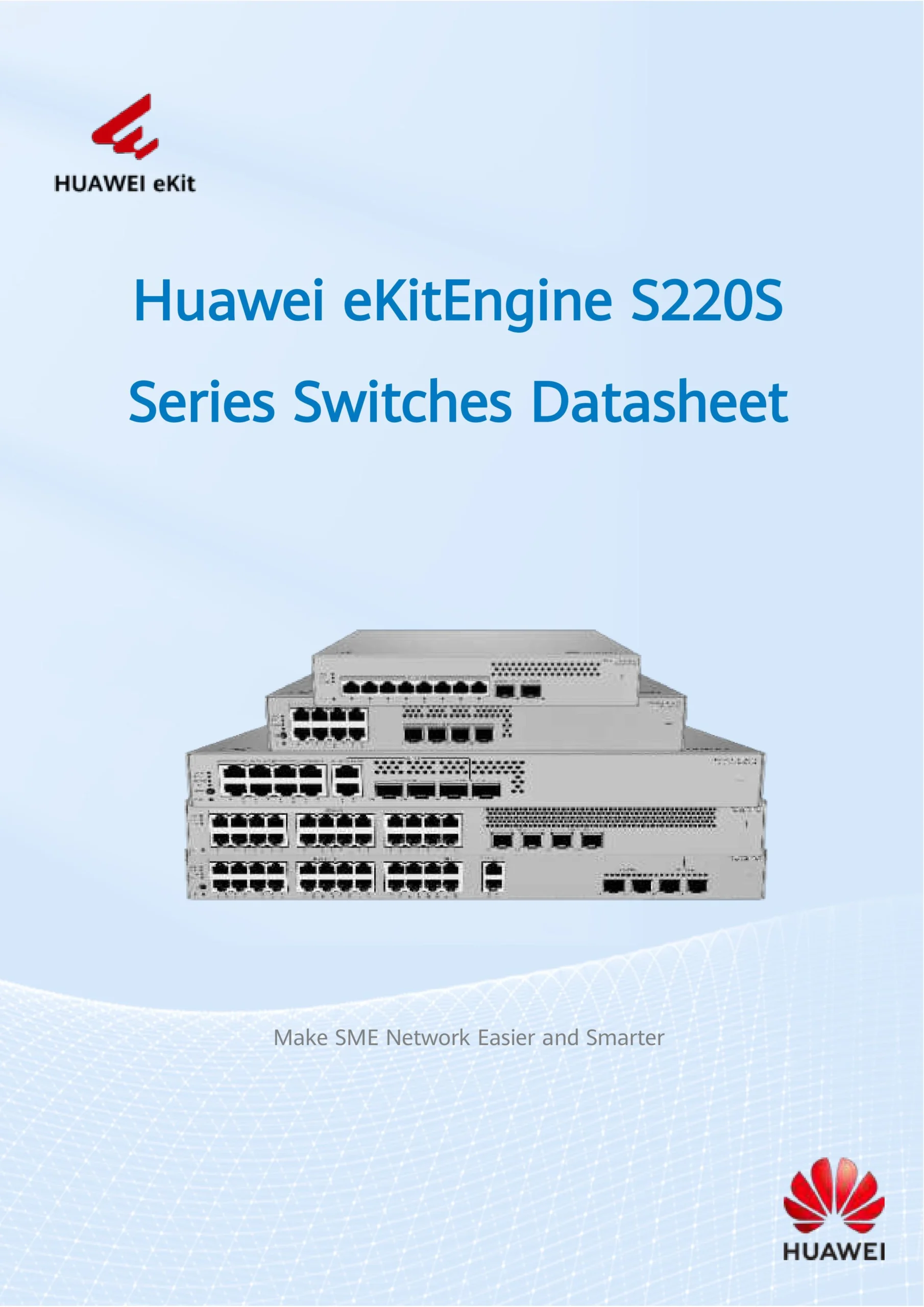
Huawei 8-Port Gigabit L2 PoE Managed Switch NEW
The Huawei 8-Port Gigabit L2 PoE Managed Switch is designed for users who require enterprise-grade stability, centralized power delivery, and intelligent Layer 2 network control in a compact and cost-efficient form factor. As a Huawei smart managed PoE switch, it delivers reliable Gigabit performance while supporting advanced switching protocols such as STP, RSTP, and MSTP, making it ideal for CCTV systems, office networks, retail environments, and SME infrastructures.
This switch combines power, intelligence, and ease of use, allowing installers and IT administrators to deploy secure and scalable networks without complex command-line configurations.
Smart Managed PoE Switching for Modern Networks
Unlike unmanaged PoE switches, the Huawei 8-port Gigabit L2 PoE managed switch provides web-based management, enabling users to configure and monitor the network visually. This makes it especially suitable for system integrators, CCTV installers, and businesses that want professional features without enterprise-level complexity.
Key Smart Management Capabilities
Web GUI configuration (no CLI required)
Real-time PoE power monitoring
Port-based VLAN and isolation
Traffic prioritization using QoS
Loop prevention and network protection
As a Huawei smart managed PoE switch, it bridges the gap between simple plug-and-play switches and fully managed enterprise equipment.
Gigabit PoE Performance for IP Cameras & Network Devices
With 8 Gigabit Ethernet PoE ports, the switch supplies both data and power over a single Ethernet cable, simplifying installation and reducing wiring costs. It supports IEEE 802.3af / 802.3at PoE standards, ensuring compatibility with most IP devices.
Typical Powered Devices
IP CCTV cameras (Hikvision, Dahua, Uniview, etc.)
Wireless access points
VoIP phones
Access control panels
IoT network devices
This makes the Huawei 8-port PoE switch a top choice for CCTV surveillance systems, especially where stable power delivery and traffic control are critical.
Huawei 8-Port Gigabit L2 PoE Managed Switch NEW
Layer 2 Switching with Enterprise Network Control
As a Huawei Layer 2 PoE managed switch, it supports advanced switching features normally found in larger enterprise networks. These features allow better traffic segmentation, higher security, and predictable performance.
Core Layer 2 Features
VLAN (802.1Q) for network segmentation
Port isolation for CCTV security
Link aggregation for bandwidth expansion
IGMP Snooping for multicast optimization
Storm control to prevent broadcast overload
These capabilities help businesses and installers build clean, secure, and efficient networks, even in multi-device environments.
STP, RSTP & MSTP – Loop Protection You Can Trust
One of the standout strengths of this model is its full support for STP, RSTP, and MSTP protocols.
Why STP / RSTP / MSTP Matter
Prevent network loops that cause downtime
Automatically block redundant links
Ensure fast network recovery during failures
Improve stability in multi-switch topologies
As a Huawei STP RSTP MSTP switch, it is especially valuable in environments with:
Multiple interconnected switches
Redundant uplinks
Expanding CCTV or office networks
This level of protection ensures 24/7 network uptime, which is critical for surveillance and business operations.
Huawei 8-Port Gigabit L2 PoE Managed Switch NEW
Ideal Use Cases
CCTV Surveillance Systems
The switch is optimized for IP camera traffic, offering VLAN isolation, PoE stability, and multicast control. It is widely used as a Huawei PoE switch for CCTV, especially in shops, factories, warehouses, and residential estates.
Office & SME Networks
For small to medium businesses, the Huawei smart managed PoE switch delivers professional features such as QoS, VLANs, and loop protection without requiring dedicated IT staff.
Retail & Hospitality
Retail outlets, cafés, and hotels benefit from centralized PoE power, segmented networks, and reliable performance for POS systems, cameras, and Wi-Fi access points.
Easy Installation & Configuration
One of the biggest advantages of the Huawei 8-port Gigabit L2 PoE managed switch is ease of deployment.
Plug-and-play PoE detection
Intuitive web management interface
No command-line knowledge required
Fast setup for installers and technicians
This makes it highly attractive to CCTV installers and system integrators who need to deploy quickly while maintaining professional network standards.
Reliability & Build Quality
Huawei is globally recognized for its network engineering excellence. This switch is built with:
Enterprise-grade components
Efficient heat dissipation
Stable firmware and long lifecycle support
High MTBF (mean time between failures)
For users asking, “Is a Huawei smart managed PoE switch reliable for long-term use?”—the answer is yes, especially in mission-critical applications like surveillance and access control.
Why Choose Huawei Over Other Brands?
Compared to many entry-level brands, Huawei offers:
Stronger network protocol support (STP/RSTP/MSTP)
Better traffic control for video streams
More stable PoE output
Long-term firmware and security support
This makes the Huawei 8-Port Gigabit L2 PoE Managed Switch a future-proof investment rather than a short-term solution.
Huawei 8-Port Gigabit L2 PoE Managed Switch NEW
Summary
The Huawei 8-Port Gigabit L2 PoE Managed Switch is a powerful, compact, and intelligent networking solution that delivers:
Smart managed PoE capabilities
Full Layer 2 features
STP, RSTP, and MSTP loop protection
Reliable power for CCTV and IP devices
Easy setup with enterprise-grade stability
Whether you are deploying a CCTV system, upgrading an office network, or building a secure SME infrastructure, this Huawei smart managed PoE switch offers the performance and reliability professionals expect.
🧑💼 1. IT Professionals & Network Administrators
✔ Need managed switches for structured networks
✔ Want VLAN, QoS, STP/RSTP/MSTP to prevent network loops
✔ Need reliable PoE for devices like APs, phones, cameras
Why they choose it: control, stability, expandability
🛠️ 2. CCTV / Security System Installers
✔ Deploying surveillance in malls, offices, factories, condos
✔ Need switches that can power PoE cameras + segment traffic
✔ Prefer managed features so video streams don’t collide
Why they choose it: stable PoE delivery + multicast handling
Huawei 8-Port Gigabit L2 PoE Managed Switch NEW
🏢 3. Small & Medium Business Owners
✔ Need a switch for office networks + VoIP phones + APs
✔ Looking for better traffic performance than an unmanaged switch
✔ Don’t have big IT teams but want professional features
Why they choose it: durable hardware + easy setup
☕ 4. Retail & Hospitality Managers
✔ Shops, cafés, hotels needing reliable PoE for POS, cameras, Wi-Fi
✔ Want to segment devices (guests vs staff networks)
Why they choose it: PoE + VLAN + traffic control in one device
🏗️ 5. Contractors & System Integrators
✔ Integrating network infrastructure in new builds or renovations
✔ Installing structured cabling & PoE powered devices
Why they choose it: standardized enterprise-grade performance
🏘️ 6. Property Developers & Facilities Managers
✔ Multi-tenanted buildings with CCTV and Wi-Fi requirements
✔ Need switches that scale and stay stable long-term
Why they choose it: durability + advanced redundancy protocols
Huawei 8-Port Gigabit L2 PoE Managed Switch NEW
📍 7. Tech Enthusiasts & Home Lab Builders
✔ Home lab networking with VLANs and PoE devices
✔ Want professional-grade setup without enterprise cost
Why they choose it: features > consumer home switches
🌐 Quick Summary of Buyer Types
| Buyer Type | Needs | Why Huawei PoE Switch |
|---|---|---|
| IT Admin | Control & performance | Managed features |
| Security Installer | CCTV + PoE cameras | Stable PoE + multicast |
| SME Owner | Office devices & APs | Easy setup + reliability |
| Retail/Hospitality | POS + Wi-Fi + CCTV | Segmented, stable network |
| Contractor | Project installs | Standardized solution |
| Facilities Manager | Long-term network | Redundancy & durability |
| Home Tech Enthusiast | Advanced home network | Enterprise-like features |
Huawei 8-Port Gigabit L2 PoE Managed Switch NEW
📦 1. Design & Engineering
Before anything is produced, engineers design the hardware and firmware:
🔌 Circuit & Board Design
Specialists create the printed circuit board (PCB) layout, placing where the Ethernet ports, power components, chips (ASICs, controllers), and PoE power circuits go.
The PCB design ensures signal quality, proper power distribution, and supports Ethernet standards like IEEE 802.3af/at for PoE.
🧠 Chipset & Firmware Development
Network ASICs (switching chips) and PoE power controllers are selected based on performance, reliability, and power requirements.
Firmware software that controls routing, VLANs, PoE power allocation, STP/RSTP/MSTP protocols, and the web management interface is written and tested.
🏭 2. Component Manufacturing
All major components are either manufactured in-house or sourced from suppliers:
🔹 PCBs
These are produced by precision PCB factories using multiple layers of copper for signal routing and ground planes.
🔹 Electronic Components
ASICs — the main switch processors
Capacitors, resistors, regulators — for power management
PoE power modules — to supply 48 V power to PoE devices
RJ45 ports & transformers — physical Ethernet connectors
All components are inspected and tested before assembly.
Huawei 8-Port Gigabit L2 PoE Managed Switch NEW
🤖 3. Assembly & Soldering
🛠️ Automated SMT Assembly
Surface Mount Technology (SMT) machines place and solder tiny components on the PCB with high accuracy.
🔄 Inspection & Rework
Optical and X-ray inspection systems check for solder defects, shorts, or misaligned components.
🧩 Final Assembly
After circuit boards pass testing, they are installed into the metal housing.
RJ45 ports, LED indicators, power connectors, cooling structures (heat sinks), and labeling are added.
⚡ 4. Firmware Loading & Testing
Now the switch starts to come to life:
🧪 Firmware Flashing
The switch’s management firmware — which enables things like VLAN, network configuration, PoE negotiation, STP/RSTP/MSTP and web UI — is uploaded to internal storage.
📊 Quality Testing
Each unit goes through:
Functional network tests (each port must transmit data correctly)
PoE power delivery testing (ensures correct PoE output per port)
Stress and temperature testing (checks long-term reliability)
Huawei 8-Port Gigabit L2 PoE Managed Switch NEW
🧰 5. Certification & Compliance
Before a network switch hits the market, it must pass industry standards and safety tests:
Ethernet standards (IEEE 802.3, 802.3af/at)
EMC / RF interference compliance
Safety approvals (CE, FCC, CB, etc.)
These certifications ensure the device works reliably and safely in real networks.
📦 6. Packaging & Shipping
Finally:
Units are labeled with model numbers, serial numbers, and compliance markings.
Packaged with power adapter (if applicable), screws, manuals, and warranty cards.
Shipped to distributors, resellers, and customers worldwide.
How to Configure Huawei 8-Port Gigabit L2 PoE Managed Switch (Web-Based)
This Huawei smart managed PoE switch is designed to be configured through a browser interface, making it suitable for CCTV installers, SMEs, and IT admins.
Huawei 8-Port Gigabit L2 PoE Managed Switch NEW
1️⃣ Initial Setup (First Power-On)
What you need
Laptop / PC
Ethernet cable
Power on the switch
Steps
Connect your laptop to any LAN port
Set your laptop IP to the same subnet as the switch
(example:192.168.1.10)Open browser → enter the switch default IP
(usually printed on the label or manual)Login with default username & password
Change admin password immediately
✅ Now you are inside the Huawei web management page
2️⃣ Basic Network Configuration (Recommended)
Change Switch IP Address
Used so the switch fits your network
Go to System → IP Settings
Set:
IP address (example: 192.168.1.2)
Subnet mask
Gateway
Save & reboot if required
Huawei 8-Port Gigabit L2 PoE Managed Switch NEW
3️⃣ PoE Configuration (Most Important for CCTV)
Check PoE Power Status
Go to PoE Management
Confirm:
PoE is enabled
Power budget is sufficient
Cameras are drawing power
Enable / Disable PoE Per Port
Used when rebooting cameras remotely
Select port → Disable PoE → wait 10 seconds → Enable again
✅ Very useful for hung or offline cameras
4️⃣ VLAN Configuration (Security & Stability)
Typical CCTV VLAN Setup
VLAN 10 → CCTV cameras
VLAN 20 → Office / Internet
Steps
Go to VLAN → VLAN Configuration
Create VLAN ID (example: 10)
Assign:
Camera ports → Access
Uplink port → Trunk
Save settings
✅ Prevents camera traffic from affecting office network
Huawei 8-Port Gigabit L2 PoE Managed Switch NEW
5️⃣ Enable STP / RSTP / MSTP (Loop Protection)
This is critical when multiple switches are connected.
Steps
Go to Spanning Tree Settings
Select:
STP (basic)
RSTP (recommended)
MSTP (advanced networks)
Enable globally
Save
✅ Prevents network loops that cause:
All cameras offline
Network freeze
NVR disconnects
6️⃣ QoS Configuration (Smooth Video Streaming)
Used to prioritize CCTV video traffic
Steps
Go to QoS Settings
Enable QoS
Set:
Camera ports → High priority
Office ports → Normal
Apply
✅ Prevents video lag during heavy network usage
Huawei 8-Port Gigabit L2 PoE Managed Switch NEW
Common Troubleshooting Guide (Very Practical)
❌ Camera Not Powering On (No PoE)
Check
Is PoE enabled on that port?
Is camera PoE compliant (802.3af/at)?
Total PoE budget exceeded?
Fix
Disable & re-enable PoE on port
Move camera to another port
Reduce number of powered devices
❌ Camera Online but No Video
Check
VLAN mismatch
IP address conflict
Uplink port not set to trunk
Fix
Ensure NVR & cameras are on same VLAN
Check camera IP range
Set uplink as trunk port
Huawei 8-Port Gigabit L2 PoE Managed Switch NEW
❌ Random Camera Disconnects
Common Causes
Network loop
Bad Ethernet cable
PoE power fluctuation
Fix
Enable RSTP
Replace cable
Check PoE power consumption
❌ Entire Network Down When New Cable Plugged In
⚠️ This is a loop issue
Fix Immediately
Enable STP / RSTP
Remove redundant cable
Label uplinks properly
❌ Cannot Access Switch Web Page
Check
Laptop IP in same subnet
Correct switch IP
Browser cache
Fix
Reset laptop IP
Try different browser
Factory reset switch if locked out
Huawei 8-Port Gigabit L2 PoE Managed Switch NEW
Best Practices (Installer Tips)
✔ Always enable RSTP
✔ Separate CCTV VLAN
✔ Label PoE ports
✔ Keep firmware updated
✔ Use Cat6 cables for PoE
✔ Monitor PoE power usage monthly
📊 Feature Comparison: Huawei vs TP-Link
🔹 Management & Control
Huawei managed PoE switch
Full Layer-2 management (VLANs, QoS, STP/RSTP/MSTP)
Web GUI for network configuration
Designed for IT or installers needing control over traffic and redundancy
TP-Link switches
TP‑Link TL‑SG108PE – Easy Smart switch
Basic VLAN, QoS, monitoring via web UI
Simple for small networks and PoE device control
TP‑Link TL‑SG2210P – Smart PoE with SFP
Better for slightly larger networks with Uplink SFP ports
TP-Link has a range from unmanaged to smart/L2 managed models – purpose suits both beginners and business users, but for full enterprise-grade Layer-2 features Huawei generally offers deeper configuration options including MSTP.
Winner (Config Flexibility): Huawei – if you need deep network control and redundancy protocols (STP/RSTP/MSTP).
🛠️ PoE Support
Huawei
Designed with PoE power delivery for IP cameras, APs, VoIP
Per-port PoE control and monitoring in web UI
TP-Link
TL-SG108PE: 4 PoE+ ports up to a 64 W budget (per TP-Link specs)
Other TP-Link PoE models (e.g., TP‑Link TL‑SG1210P or TP‑Link 8-Port Gigabit PoE Switch) may offer 8 full PoE ports, higher budgets, or dual uplinks.
Winner (PoE Power & Ports): Tie — depends on specific model: Huawei is consistent across ports; TP-Link has variety so you can choose more PoE power or more ports on models that match your budget.
Huawei 8-Port Gigabit L2 PoE Managed Switch NEW
🏢 Network Use Cases
Huawei
✔ Excellent for CCTV networks with VLANs, STP/RSTP/MSTP for redundancy
✔ Business / office networks where segmentation & control matter
TP-Link
✔ Great for SMB and SOHO networks — cost effective
✔ Easy setup for PoE devices like cameras, APs, phones
✔ Better variety (some models are unmanaged, some smart, some full managed)
Winner (Ease of Use / Budget): TP-Link — especially smart and unmanaged models make it simple for small networks.
⚙️ Advanced Features & Redundancy
Huawei
Layer-2 full support including STP/RSTP/MSTP
Better suited for networks with multiple switches to avoid loops
TP-Link
Smart models support VLANs and QoS, but advanced redundancy is limited unless in higher tier Omada or JetStream managed ranges
TP-Link Omada ecosystem adds controller-based management on higher end models (e.g., controllers + software)
Winner (Enterprise Features): Huawei — stronger built-in network protection for multi-switch setups.
💵 Price & Value
Huawei
Often positioned as a professional switch with strong reliability and enterprise-style features
TP-Link
Offers better budget diversity
You can find PoE with basic smart management at lower prices
Large ecosystem including Omada cloud management (higher models)
Winner (Budget): TP-Link — particularly if you don’t need full Layer-2 control.
Huawei 8-Port Gigabit L2 PoE Managed Switch NEW
📌 Quick Summary Table
| Feature | Huawei PoE Managed Switch | TP-Link PoE Switches |
|---|---|---|
| Layer-2 Managed (VLAN/QoS) | ✅ Full | ✅ (varies by model) |
| STP/RSTP/MSTP Redundancy | ✅ Yes | ⚠ Limited on basic models |
| PoE Ports & Power | ⚙ Good | ⚙ Varies widely |
| Ease of Setup | 🏆 Web UI | 🏆 Web UI / Plug-and-play |
| Best for CCTV/Office | 🏆 Yes | ✔ Possible |
| Budget/Beginners | ⚠ Higher | 🏆 Diverse Entry Options |
📍 Bottom Line – Which Should You Pick?
Choose Huawei if:
You’re building a managed network with segmentation
You need port security features like MSTP/STP
You’re deploying multi-switch CCTV rings or segmented office networks
Choose TP-Link if:
You want simple PoE management + VLAN without complex setup
You need budget-friendly options
You want flexibility to choose from unmanaged to smart to full managed depending on scale
Huawei 8-Port Gigabit L2 PoE Managed Switch NEW
Get Local Support & Genuine Huawei Switches – Singapore
Choicecycle (SGCCTV Singapore)
📍 Sim Lim Square #02-81, Singapore
🕚 11:00 AM – 8:00 PM
📞 WhatsApp: +65 9853 4404
📧 enquiry@choicecycle.com.sg
🌐 https://sgcctv.com.sg


Nunc lacus elit, faucibus ac laoreet sed, dapibus ac mi. Maecenas eu ante a elit tempus fermentum. Aliquam commodo tincidunt semper. Phasellus accumsan, justo ac mollis pharetra, ex dui pharetra nisl, a scelerisque ipsum nulla ac sem. Cras eu risus urna. Duis lorem sapien, congue eget nisl sit amet, rutrum faucibus elit.
Donec accumsan auctor iaculis. Sed suscipit arcu ligula, at egestas magna molestie a. Proin ac ex maximus, ultrices justo eget, sodales orci. Aliquam egestas libero ac turpis pharetra, in vehicula lacus scelerisque. Vestibulum ut sem laoreet, feugiat tellus at, hendrerit arcu.
Nunc lacus elit, faucibus ac laoreet sed, dapibus ac mi. Maecenas eu ante a elit tempus fermentum. Aliquam commodo tincidunt semper. Phasellus accumsan, justo ac mollis pharetra, ex dui pharetra nisl, a scelerisque ipsum nulla ac sem. Cras eu risus urna. Duis lorem sapien, congue eget nisl sit amet, rutrum faucibus elit.


