
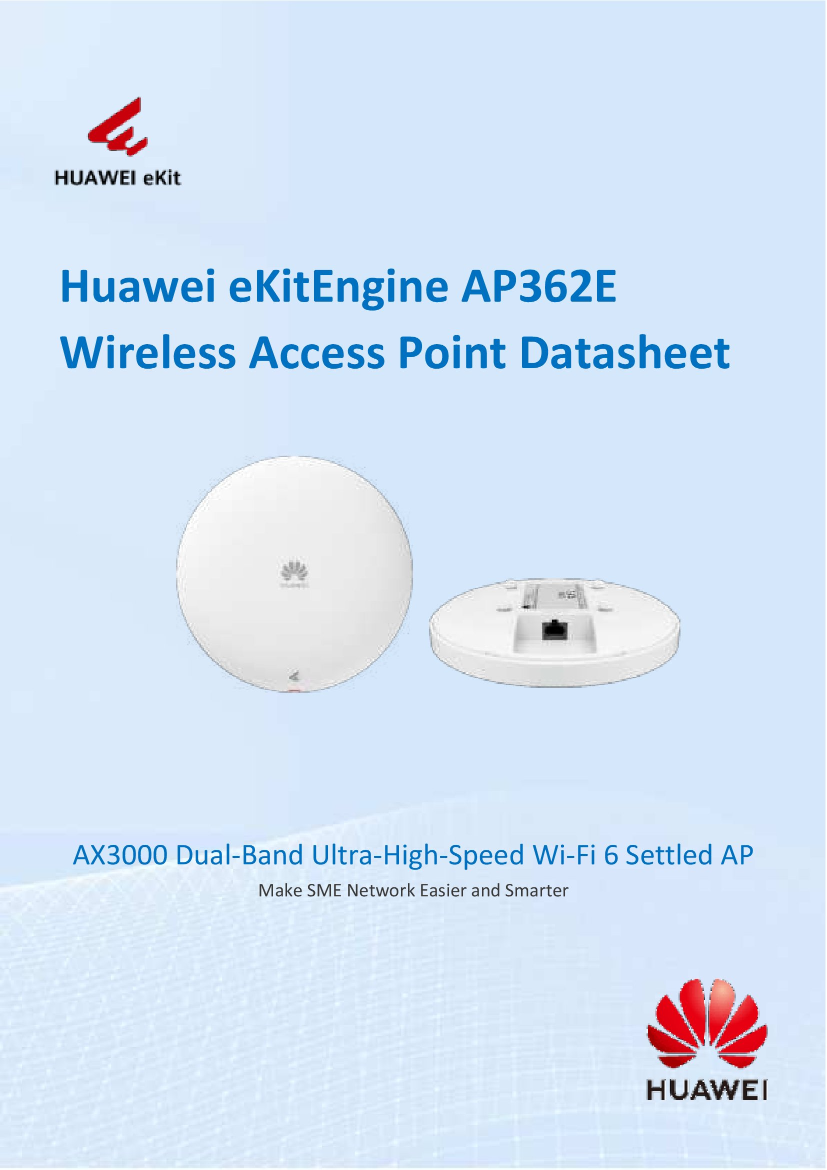
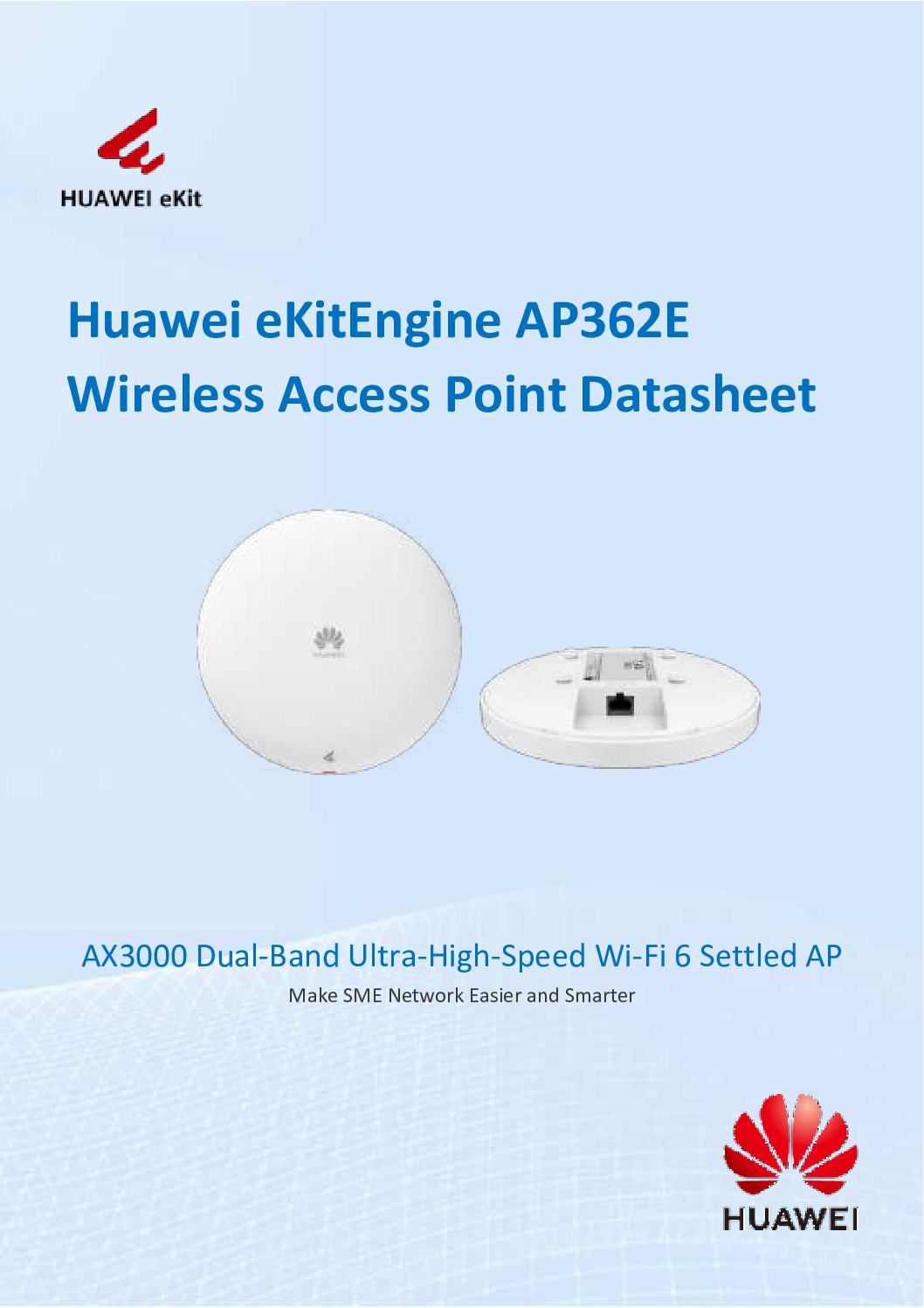
Huawei AX3000 Wi-Fi 6 Dual-band Gigabit Settled AP
The Huawei AX3000 Wi-Fi 6 Dual-band Gigabit Settled AP (AP362E) is a high-performance 802.11ax wireless access point designed to deliver fast, stable, and secure wireless connectivity for modern indoor environments. Built for businesses that demand reliability and efficiency, the AP362E combines Wi-Fi 6 technology, MU-MIMO, and Gigabit Ethernet to support multiple users simultaneously without sacrificing speed or stability.
Whether deployed in offices, retail spaces, schools, or commercial buildings, the Huawei AP362E ensures smooth network performance even in high-density usage scenarios.
Next-Generation Wi-Fi 6 Performance
Powered by Wi-Fi 6 (802.11ax), the Huawei AX3000 AP362E significantly improves network efficiency compared to traditional Wi-Fi 5 access points. Wi-Fi 6 introduces advanced technologies such as OFDMA and MU-MIMO, allowing multiple devices to transmit data at the same time. This reduces latency, improves throughput, and delivers a better user experience, especially in environments with many connected devices.
With a combined wireless speed of up to AX3000, users can enjoy faster downloads, smoother video conferencing, and more responsive cloud applications.
Dual-Band Connectivity for Stable Coverage
The AP362E operates on both 2.4GHz and 5GHz frequency bands, intelligently balancing traffic to minimize interference and congestion.
The 2.4GHz band provides wider coverage and better wall penetration.
The 5GHz band delivers higher speeds for bandwidth-intensive applications.
This dual-band design ensures consistent wireless performance across the entire coverage area, making it ideal for professional indoor deployments.
Huawei AX3000 Wi-Fi 6 Dual-band Gigabit Settled AP
MU-MIMO for High-Density Environments
In busy networks, device congestion is often the biggest performance challenge. The Huawei AX3000 AP362E solves this with MU-MIMO (Multi-User, Multiple-Input, Multiple-Output) technology. Instead of serving devices one by one, the access point communicates with multiple clients simultaneously.
This makes the AP362E especially suitable for:
Offices with many employees
Classrooms and training centers
Retail stores with customer Wi-Fi
Meeting rooms and shared workspaces
Users experience faster connections, lower latency, and more reliable network access—even during peak usage.
Gigabit Ethernet for Maximum Throughput
To fully support high-speed wireless performance, the Huawei AP362E is equipped with a Gigabit Ethernet uplink. This ensures that the wired connection does not become a bottleneck, allowing the access point to deliver its full Wi-Fi 6 potential.
The result is smooth data transmission between the wired network and wireless clients, making it suitable for applications such as:
Cloud services
HD video streaming
VoIP communications
Networked business systems
Simple Installation and Flexible Deployment
The Huawei AX3000 AP362E is designed as a settled (fixed) indoor access point, supporting both ceiling and wall mounting. Its compact and professional design blends seamlessly into office and commercial interiors.
Installation is straightforward, making it suitable for both new network deployments and upgrades from older wireless systems. Once installed, the access point provides reliable coverage with minimal maintenance.
Huawei AX3000 Wi-Fi 6 Dual-band Gigabit Settled AP
Enterprise-Grade Security and Network Control
Security is a critical requirement in modern business networks. The Huawei AP362E supports advanced wireless security standards, including WPA3, helping protect sensitive data from unauthorized access.
In addition, the access point supports enterprise network features such as:
VLAN segmentation
Centralized management
Controlled user access policies
These features allow IT administrators to maintain a secure, organized, and scalable wireless network infrastructure.
Ideal Applications
The Huawei AX3000 Wi-Fi 6 Dual-band Gigabit Settled AP | AP362E is ideal for a wide range of indoor commercial environments, including:
Corporate offices
Small and medium enterprises (SMEs)
Retail shops and malls
Educational institutions
Clinics and professional service spaces
Hotels and serviced apartments
Its balance of performance, stability, and cost-effectiveness makes it an excellent choice for businesses upgrading to Wi-Fi 6.
Huawei AX3000 Wi-Fi 6 Dual-band Gigabit Settled AP
Why Choose Huawei AX3000 AP362E
Choosing the Huawei AP362E means investing in a future-ready wireless solution that delivers real-world performance benefits. With Wi-Fi 6 efficiency, MU-MIMO capability, Gigabit uplink, and enterprise-grade security, this access point provides dependable connectivity for today’s digital workloads and tomorrow’s growing demands.
It is a smart solution for businesses looking to improve wireless speed, reduce congestion, and ensure consistent network reliability.
1️⃣ Unbox and Prepare
Take out the AP362E from the box.
Check for included accessories:
Mounting kit (ceiling/wall)
Power adapter or confirm PoE switch availability
Ethernet cable
Quick installation guide
Tip: Use PoE if possible — simplifies installation and powers the AP via Ethernet.
2️⃣ Mount the AP
Ceiling Mount: Use the mounting plate and screws included. Snap the AP onto the plate after drilling.
Wall Mount: Same process; ensure AP faces the area where Wi-Fi coverage is needed.
Keep it high and central for best coverage.
Huawei AX3000 Wi-Fi 6 Dual-band Gigabit Settled AP
3️⃣ Connect the AP
Connect Ethernet cable from your PoE switch or network port to the AP’s Ethernet port.
If not using PoE, plug in the power adapter.
Wait 30–60 seconds for the AP to boot up (LED indicator will light up).
4️⃣ Access the AP via Web GUI (No Command Line Needed)
Connect a PC/laptop to the same network as the AP.
Open a web browser.
Enter the default IP (check manual, usually something like
192.168.1.1or assigned by DHCP).Login with the default username/password (usually
admin/admin).
Tip: If you’re unsure about the IP, use Huawei’s Device Finder Tool or check your router’s DHCP client list.
Huawei AX3000 Wi-Fi 6 Dual-band Gigabit Settled AP
5️⃣ Quick Configuration via GUI
Once logged in, the Web GUI lets you configure your AP without commands:
Set SSID (Wi-Fi name)
Navigate to Wireless > SSID Configuration
Enter desired SSID name for 2.4GHz and 5GHz
Choose security type (WPA3 recommended)
Set Wi-Fi password
Enable Dual-Band
Ensure both 2.4GHz and 5GHz bands are active for maximum coverage
Adjust Channels (Optional)
Go to RF Settings → select Auto Channel for automatic interference avoidance
Set VLAN (Optional)
If your network uses VLANs, configure it in the Network Settings > VLAN section
Assign each SSID to the proper VLAN
Save & Reboot
Apply all changes and let the AP reboot if necessary
Huawei AX3000 Wi-Fi 6 Dual-band Gigabit Settled AP
6️⃣ Verify the Connection
Connect your phone or laptop to the new SSID.
Check speed and stability:
2.4GHz: good for range
5GHz: high-speed applications
Test roaming if multiple APs exist in the network
7️⃣ Optional: Centralized Management
If using multiple Huawei APs, you can manage them via Huawei AP Controller (AC):
Detect APs automatically
Push SSID configuration to all APs at once
Monitor client connections and traffic
Update firmware centrally
No CLI required — everything is done via GUI.
✅ Key Notes
PoE is highly recommended for clean installation.
Keep firmware up-to-date via the Web GUI.
Always change the default password for security.
Use auto-channel + MU-MIMO for optimized performance.
Huawei AX3000 Wi-Fi 6 Dual-band Gigabit Settled AP
How the Huawei AX3000 AP362E is Made
1️⃣ Hardware Design
- High-Performance Chipset:
The AP362E uses a Wi-Fi 6 (802.11ax) chipset optimized for high-speed, low-latency wireless communication. - Multi-Antenna Design (MU-MIMO):
Equipped with multiple internal antennas to support MU-MIMO, enabling simultaneous communication with multiple devices. - Dual-Band Radio Modules:
Separate radio circuits for 2.4GHz and 5GHz, allowing stable connections for both range and speed. - Gigabit Ethernet Port / PoE Support:
The Ethernet interface is designed for high-throughput wired connection and supports Power-over-Ethernet for simplified deployment.
2️⃣ PCB & Internal Assembly
- Printed Circuit Board (PCB):
The main logic and radio components are mounted on a multi-layer PCB, ensuring minimal interference and optimal heat dissipation. - High-Quality Capacitors & ICs:
Ensures stable power delivery and reliability under heavy traffic. - Signal Optimization:
RF (Radio Frequency) paths are carefully engineered to reduce signal loss and maximize wireless coverage.
3️⃣ Firmware & Software
- Embedded Operating System:
The AP runs Huawei’s proprietary firmware, which handles Wi-Fi 6 features, traffic management, security protocols, and network monitoring. - Wireless Optimization Algorithms:
Includes OFDMA, MU-MIMO, and beamforming technologies for high efficiency and reduced latency. - Security Features:
Built-in WPA3 encryption, VLAN support, and centralized management capabilities ensure enterprise-grade protection.
Huawei AX3000 Wi-Fi 6 Dual-band Gigabit Settled AP
4️⃣ Casing & Industrial Design
- Durable Plastic Housing:
Made from flame-retardant ABS plastic, designed to withstand indoor heat and minor impacts. - Ventilation & Heat Dissipation:
The casing includes vent holes to dissipate heat, keeping the electronics cool for reliable operation. - Aesthetic Design:
Slim and minimal, ideal for ceiling or wall mounting without disrupting interior spaces.
5️⃣ Testing & Quality Control
- Electrical Testing: Ensures the device operates at correct voltage and current.
- Wi-Fi Signal Testing: Each AP is tested for range, coverage, and interference.
- Firmware Validation: Checks that all features like MU-MIMO, dual-band, VLAN, and security protocols function correctly.
- Final Inspection: Visual check for casing integrity and proper assembly.
6️⃣ Packaging
- Once assembled and tested, the AP is packaged with:
- Mounting accessories (ceiling/wall)
- Quick installation guide
- Power adapter (if PoE not used)
This ensures ready-to-install delivery to enterprises and service providers.
📍 Where to Buy – Choicecycle (SGCCTV Singapore)
For genuine Huawei networking products, professional advice, and local support, purchase from Choicecycle (SGCCTV Singapore).
Choicecycle (SGCCTV Singapore)
📍 Store Location: Sim Lim Square #02-81, Singapore
🕒 Operating Hours: 11:00 AM – 8:00 PM
📞 WhatsApp: +65 9853 4404
📧 Email: enquiry@choicecycle.com.sg
🌐 Website: https://sgcctv.com.sg


Nunc lacus elit, faucibus ac laoreet sed, dapibus ac mi. Maecenas eu ante a elit tempus fermentum. Aliquam commodo tincidunt semper. Phasellus accumsan, justo ac mollis pharetra, ex dui pharetra nisl, a scelerisque ipsum nulla ac sem. Cras eu risus urna. Duis lorem sapien, congue eget nisl sit amet, rutrum faucibus elit.
Donec accumsan auctor iaculis. Sed suscipit arcu ligula, at egestas magna molestie a. Proin ac ex maximus, ultrices justo eget, sodales orci. Aliquam egestas libero ac turpis pharetra, in vehicula lacus scelerisque. Vestibulum ut sem laoreet, feugiat tellus at, hendrerit arcu.
Nunc lacus elit, faucibus ac laoreet sed, dapibus ac mi. Maecenas eu ante a elit tempus fermentum. Aliquam commodo tincidunt semper. Phasellus accumsan, justo ac mollis pharetra, ex dui pharetra nisl, a scelerisque ipsum nulla ac sem. Cras eu risus urna. Duis lorem sapien, congue eget nisl sit amet, rutrum faucibus elit.


