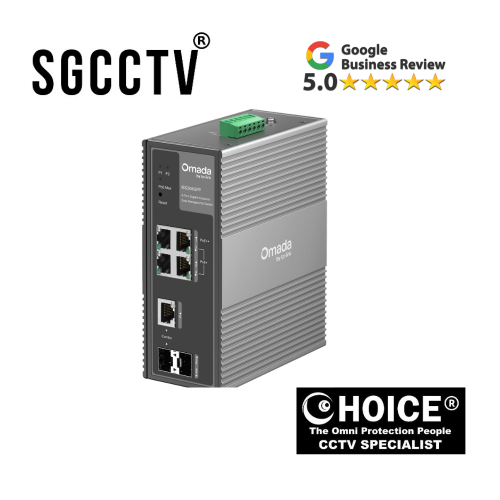
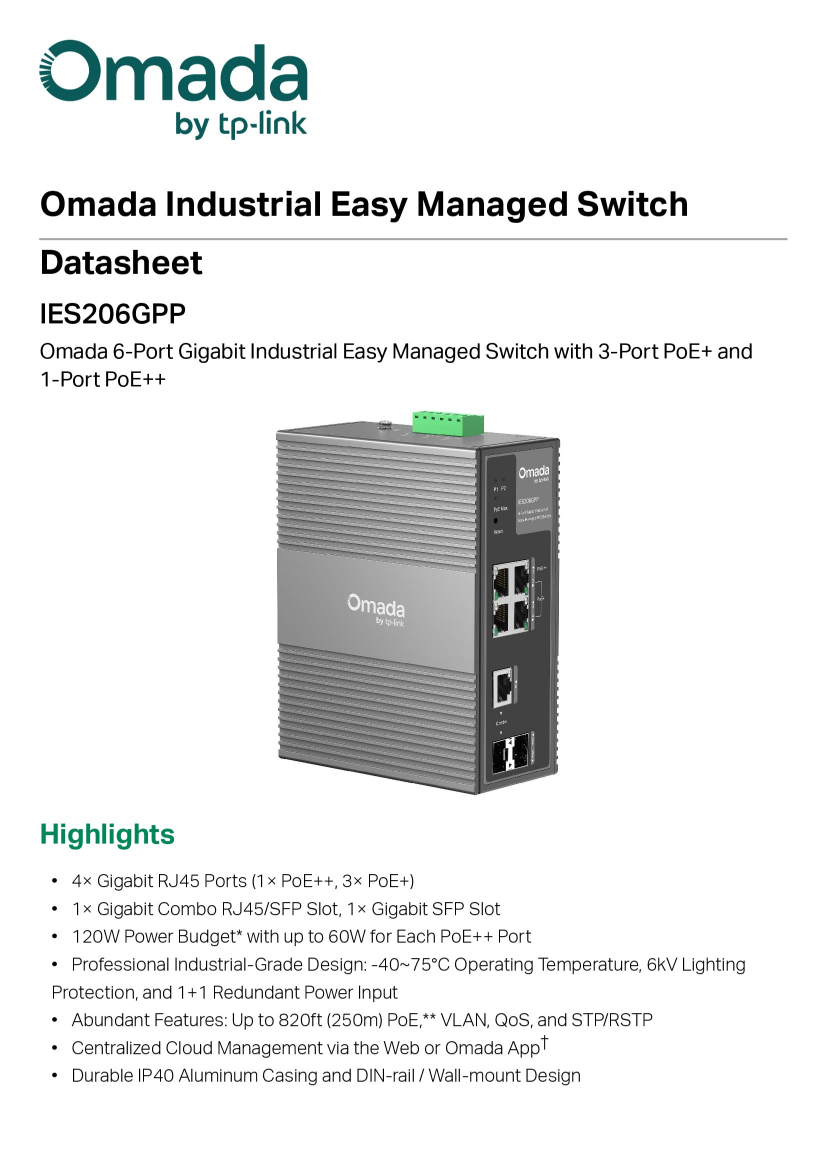

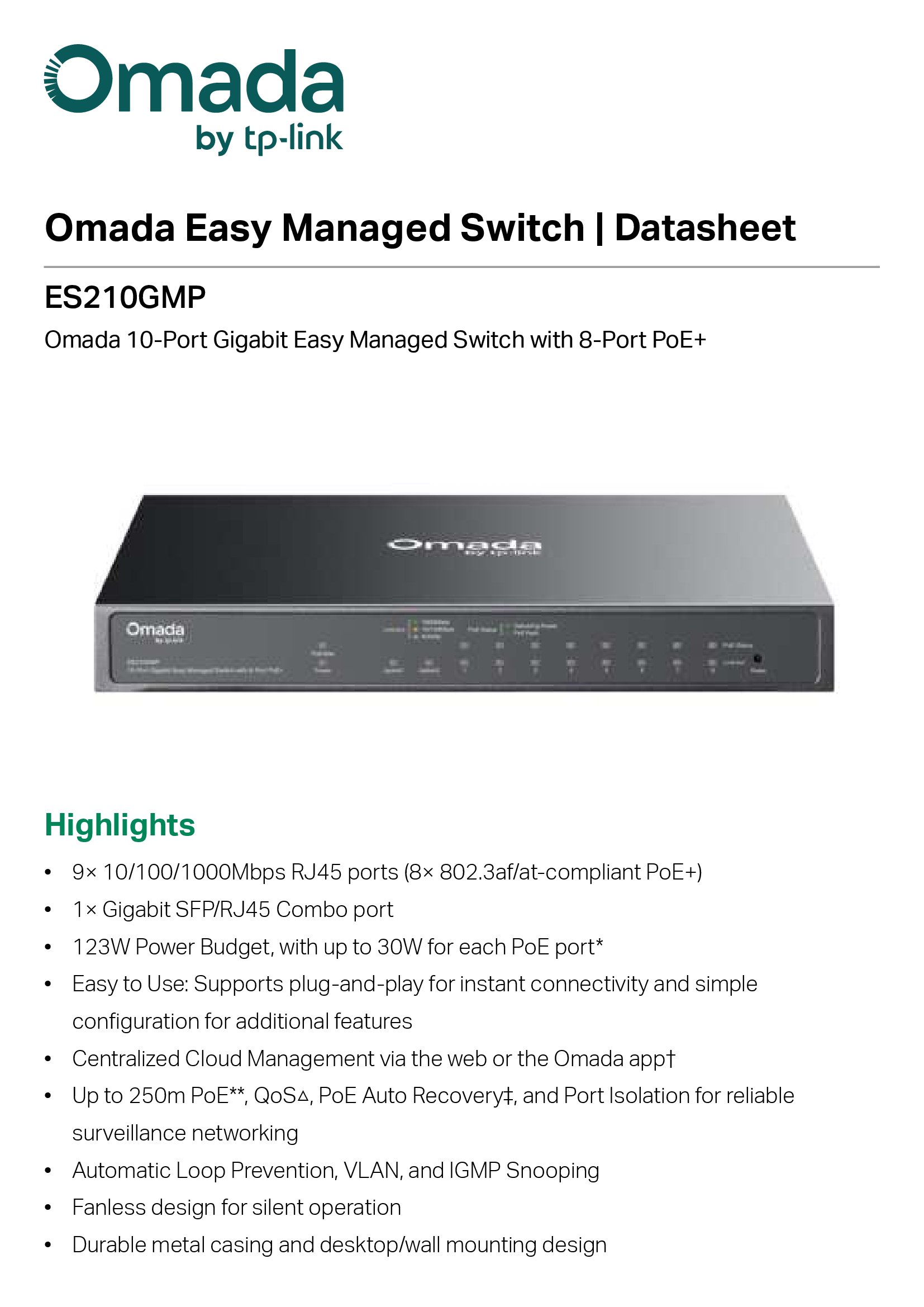
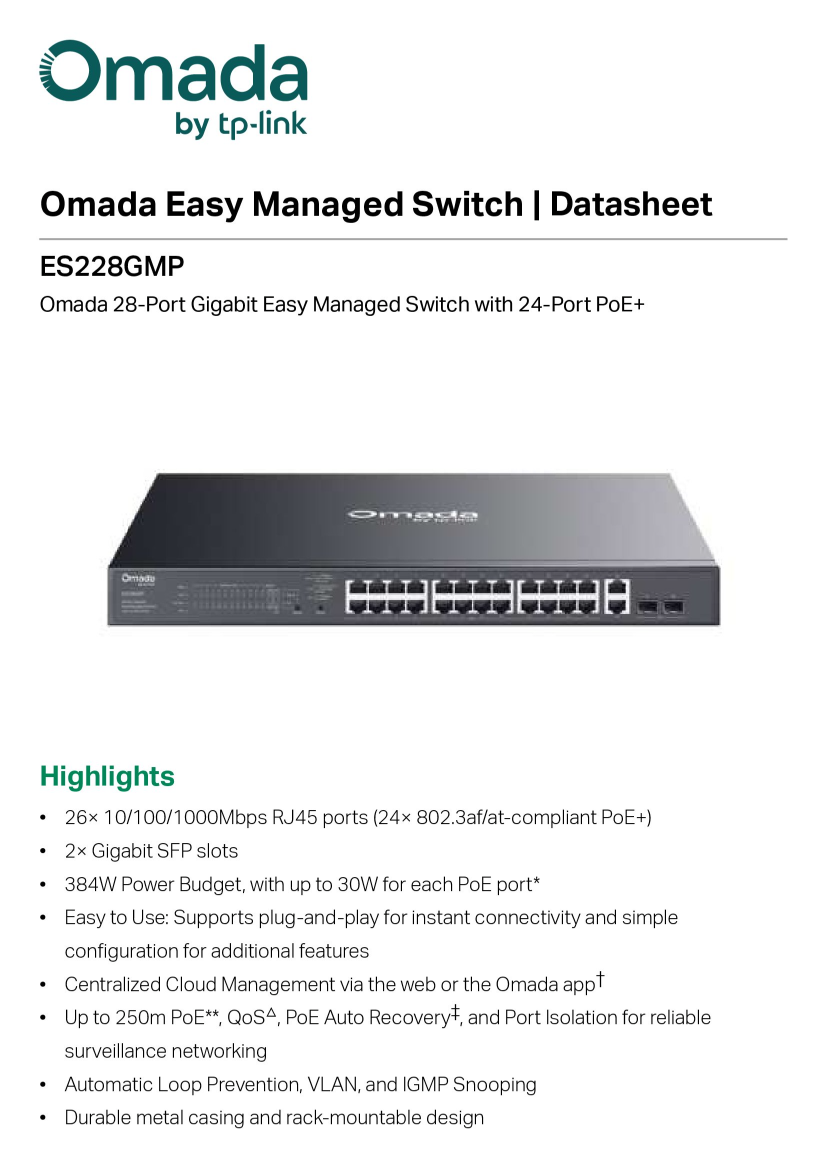
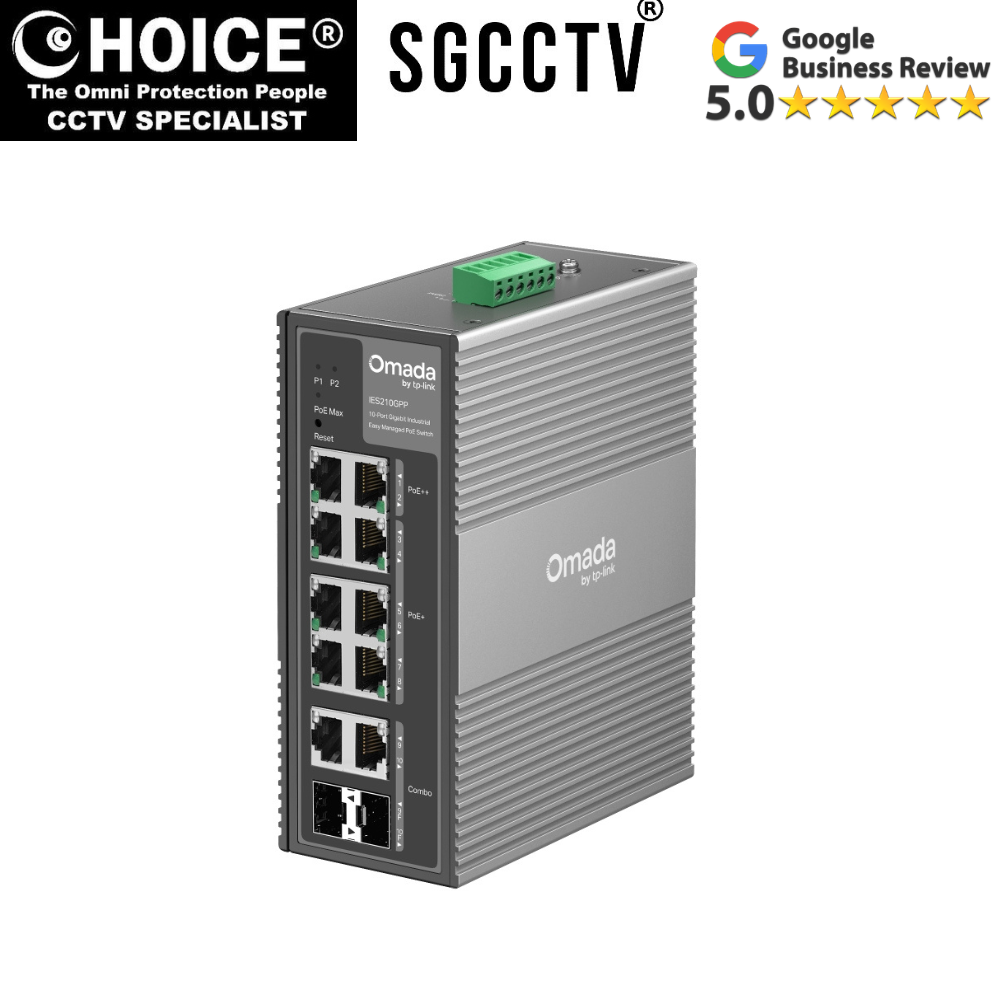
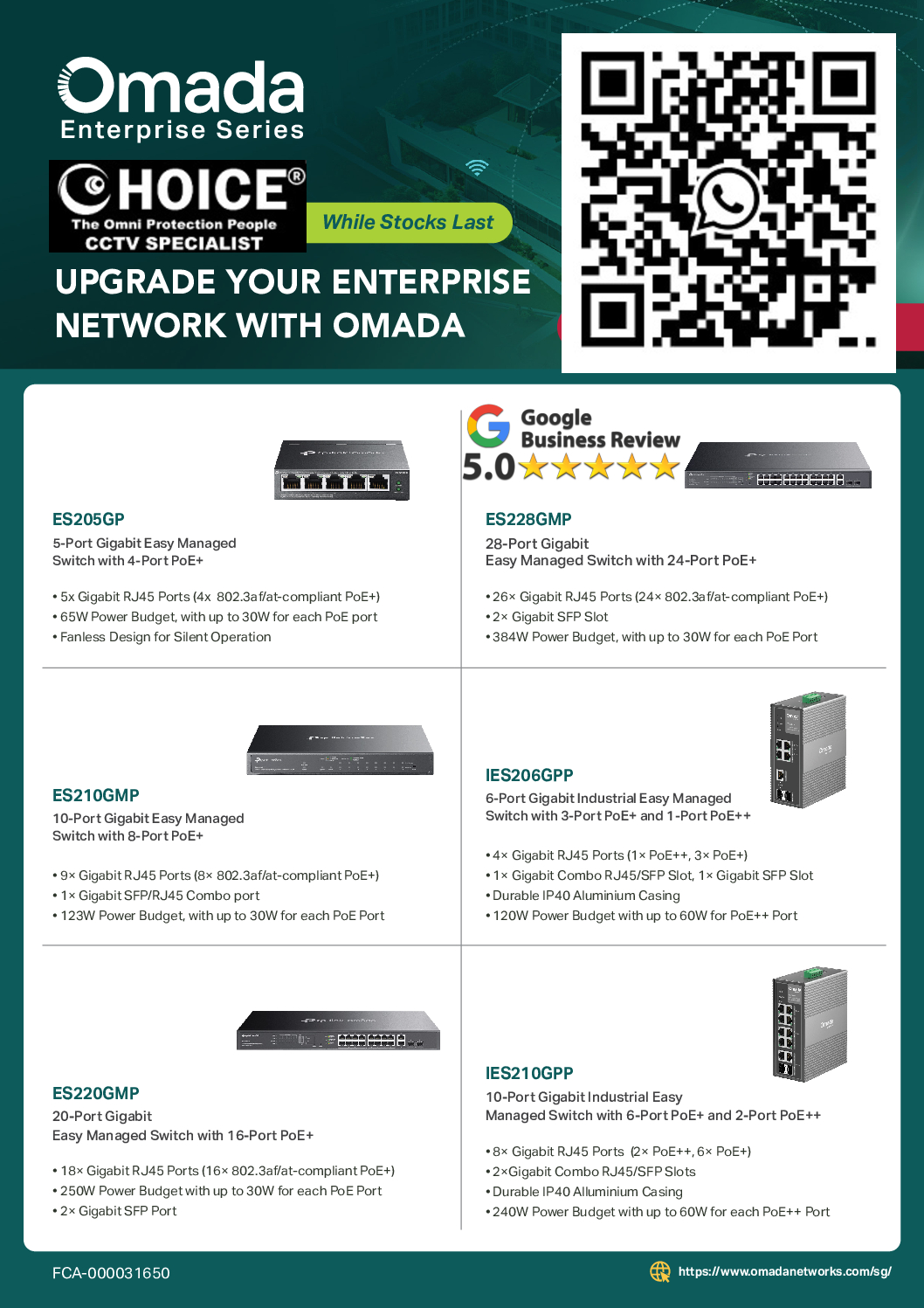
Tp-Link Omada ES206GPP 6-Port Gigabit Industrial Easy Managed Switch with 3-Port PoE+ and 1-Port PoE++ 4× Gigabit RJ45 Ports DB
$375.00
TP-LINK SINGAPORE PARTNER FULL RANGE
Supply and Maintenance VIGI CCTV IP Cameras, NVR, Turbo HD Cameras, DVR, PTZ Cameras,
WIFI ROUTER ACCESS POINT
Sim Lim Square 02-81 10am-7pm Daily.
Whatsapp Enquiry Project +65 98534404, Technical Support +65 81120788, Site Visit Maintenance +65 81985572.
Tp-Link Omada ES206GPP 6-Port Gigabit Industrial Easy Managed Switch with 3-Port PoE+ and 1-Port PoE++ 4× Gigabit RJ45 Ports
The TP-Link Omada IES206GPP 6-Port Industrial Easy Managed Switch is a rugged industrial switch designed for harsh environments, providing reliable Gigabit connectivity and PoE power to devices like IP cameras, wireless access points, and IoT equipment. Its compact design supports both PoE+ and PoE++ standards, making it ideal for industrial automation, outdoor surveillance, and factory networks.
🔑 Key Features
⚡ PoE+ and PoE++ Ports
- 3 PoE+ ports and 1 PoE++ port
- Delivers power and data simultaneously via Ethernet
- Supports high-power devices like PTZ cameras
🚀 Gigabit Connectivity
- 4 Gigabit RJ45 ports for high-speed wired connections
- Ensures smooth data transfer in industrial networks
🛠️ Industrial-Grade Design
- Wide temperature range support (-40°C to 75°C)
- Rugged metal casing resistant to dust, vibration, and harsh conditions
🧠 Easy Managed Features
- Web-based interface for easy setup
- Supports VLAN, QoS, loop prevention, and network monitoring
☁️ Omada Cloud Management (Optional)
- Integrates with TP-Link Omada SDN Controller
- Allows centralized control, remote monitoring, and device adoption
🎯 Ideal Use Cases
- Industrial automation systems
- Outdoor / factory IP cameras
- Smart buildings & IoT device networks
- Small to medium-sized outdoor surveillance setups
Tp-Link Omada ES206GPP 6-Port Gigabit Industrial
💡 Why Choose TP-Link IES206GPP
- Rugged and durable for industrial environments
- Powers both low and high-power devices with PoE+ / PoE++
- Easy to deploy and manage via web or Omada cloud
- Compact, reliable, and cost-effective
📊 Technical Highlights
- Ports: 6 total (4 Gigabit RJ45, 3 PoE+, 1 PoE++)
- PoE Power: Up to 60W PoE++ port, 30W per PoE+ port
- Management: Easy Managed
- Mounting: DIN rail / wall mount
- Operating Temp: -40°C ~ 75°C
🔧 1. Physical Installation
Step 1: Mount the switch
- Supports DIN rail or wall mount
- Choose a ventilated location, away from dust or water
Step 2: Connect devices
- PoE+ / PoE++ devices: Plug into the 3 PoE+ ports or 1 PoE++ port
- Non-PoE devices: Plug into the 4 Gigabit RJ45 ports
- Uplink: Connect one port to your router or core switch
Step 3: Power up
- Use standard industrial power input
- PoE devices will automatically receive power
Tp-Link Omada ES206GPP 6-Port Gigabit Industrial
🌐 2. Accessing the Switch
Option A: Browser
- Connect a computer to the switch
- Set computer IP in the same subnet as switch default IP (check manual, usually 192.168.0.x)
- Open browser → type switch IP
Option B: Omada Discovery Tool
- Download from TP-Link’s website
- Detects switch automatically on the network
🔐 3. Logging In
- Default username:
admin - Default password:
admin - First login will prompt you to change the password
⚙️ 4. Basic Configuration
Set static IP
- Go to Network Settings → IP
- Example:
- IP: 192.168.1.10
- Gateway: 192.168.1.1
Enable PoE
- Navigate to PoE Settings
- Enable PoE for ports connected to cameras, WiFi APs, or IoT devices
Check PoE++ device
- Ensure high-power devices (like PTZ cameras) are connected to the PoE++ port
- Verify power consumption < 60W
Tp-Link Omada ES206GPP 6-Port Gigabit Industrial
🧩 5. Advanced Features (Optional)
- VLAN → separate CCTV / office network
- QoS → prioritize traffic (video, VoIP)
- Loop Prevention → prevent network loops
- Monitoring → check connected devices, PoE usage
☁️ 6. Optional Cloud Management
Use TP-Link Omada SDN Controller:
- Install controller on PC / cloud
- Add the IES206GPP switch
- Click Adopt
✅ Benefits: remote monitoring, alerts, network configuration anywhere
⚡ 7. Example Use Cases
CCTV + IoT setup
- PoE++ port → PTZ camera
- PoE+ ports → 3 standard cameras
- Gigabit ports → NVR + router uplink
Industrial sensors / WiFi APs
- PoE+ ports → WiFi access points
- Gigabit ports → PLCs, IoT devices, computers
⚠️ 8. Common Setup Mistakes
- ❌ Using wrong cable (use Cat5e/Cat6)
- ❌ Exceeding total PoE budget
- ❌ Not configuring static IP → can’t access switch
- ❌ Forgetting to enable PoE on ports
👥 Who can buy this (common buyers)
This switch is designed for industrial and professional use, so it’s not like a basic home router — it’s for people and businesses who need reliable networking in tougher environments. Here are the main types of buyers:
Tp-Link Omada ES206GPP 6-Port Gigabit Industrial Easy Managed Switch with 3-Port PoE+ and 1-Port PoE++ 4× Gigabit RJ45 Ports
🏭 1. Industrial Facilities
- Manufacturing plants
- Warehouses
- Factories
Why they buy it:
- Wide operating temperature
- Dust/vibration resistant
- Powers industrial IoT devices & sensors
👉 Ideal for controlling machines and devices in harsh conditions.
📹 2. CCTV & Security System Installers
- Security companies
- Building management teams
Why they buy it:
- Powers PoE cameras (including PTZ via PoE++)
- Stable connection for long-term video recording
- Simple management in a rugged package
👉 Great for outdoor or large-area surveillance systems.
🌐 3. Network & IT Professionals
- System integrators
- Managed service providers (MSPs)
- IT teams in businesses
Why they buy it:
- Centralized network management
- VLAN and QoS support
- Works well with other Omada devices
- Cloud monitoring possible (Omada SDN)
👉 Offers both performance and control.
🏢 4. Businesses with Multiple Devices
- Offices with WiFi access points
- Shops with PoE devices
- Retail outlets
Why they buy it:
- Powers devices without extra power cables
- Keeps network organized
- More reliable than an unmanaged switch
👉 Compact but powerful enough for medium networks.
Tp-Link Omada ES206GPP 6-Port Gigabit Industrial Easy Managed Switch with 3-Port PoE+ and 1-Port PoE++ 4× Gigabit RJ45 Ports
📶 5. Outdoor / Smart Building Installations
- Outdoor WiFi hotspots
- Digital signage networks
- Building automation systems
Why they buy it:
- Industrial design holds up outdoors
- Supports PoE and PoE++ devices
- Works with controllers for remote monitoring
👉 Perfect for smart cities and outdoor setups.
🏠 6. Advanced Home / Tech Enthusiasts
- Home labs
- Smart home integrators
Why they buy it:
- Industrial-grade reliability
- Runs 24/7 with low noise
- Powers more demanding devices
👉 Not typical, but hobbyists & techies may choose this.
❌ Who should NOT buy this
- Normal home users with a few devices
- People wanting simple plug‑and‑play internet
- Those who don’t need PoE or rugged build
👉 For basic WiFi, a small unmanaged switch is enough.
🧠 1. Design & Engineering
Before anything physical is built, engineers work on:
Circuit board layout & logic
- Core network chip (switching engine)
- PoE controller units (to deliver power + data)
- Memory and controller chips
Power and thermal planning
- PoE+ and PoE++ power distribution
- Heat management (industrial reliability)
Rugged casing design
- Metal housing
- Shock/vibration tolerance
- Wide temperature support
💡 All of this ensures performance and reliability in industrial environments.
Tp-Link Omada ES206GPP 6-Port Gigabit Industrial
🧩 2. Manufacturing the Circuit Board (PCB)
Printing the board
- Layers of copper and insulating material get etched
- Circuit traces are created to connect each chip
Placing components
- Automated machines (pick‑and‑place) mount:
- Switching chipset
- Ethernet controller
- PoE power modules
- Capacitors, resistors, connectors
Soldering
- Surface‑mount reflow soldering bonds parts to the board
- Through‑hole soldering for connectors and rugged components
👉 This forms the electronic “brain” of the switch.
⚡ 3. PoE Power System Integration
The switch needs to:
- Provide data
- Provide power (PoE+/PoE++)
PoE controller circuitry
- Converts input power to PoE standards
- Monitors power delivery per port
- Uses protective circuitry to prevent overload
PoE++ port
- Designed to give higher power (suitable for PTZ cameras etc.)
This part is essential — it’s what makes the switch power devices over Ethernet cables.
🛠 4. Mechanical Assembly
After the PCB is ready:
Insert PCB into housing
- Rugged metal casing
- Industrial‑grade screws and fittings
Mount RJ45 and PoE ports
- Ports are fixed firmly to withstand frequent plugging/unplugging
Add mounting brackets
- DIN rail clip or wall‑mount brackets
👉 Industrial switches are built to be physically tough compared to home switches.
Tp-Link Omada ES206GPP 6-Port Gigabit Industrial
💻 5. Firmware / Software Loading
Every managed switch needs internal software:
Firmware features
- VLAN
- QoS
- Loop prevention
- PoE control
Techs load and test the firmware before final QA.
🧪 6. Quality Testing
Every unit is tested through:
🔹 Power tests
- PoE power delivery
🔹 Network tests - Gigabit transmission
🔹 Environmental tests - Heat and cold
- Vibration/shock
🔹 Port verification - All RJ45 and PoE ports
⚠️ Units failing tests are rejected — only good ones proceed.
📦 7. Packaging & Shipping
Once passed:
✔ Packaging with:
- Power cable
- Mounting kit
- Quick start guide
✔ Boxed for:
- Distribution
- Resellers
- Enterprise customers
🧠 Quick Understanding
You can understand this switch as:
- Hardware = body
- Ports, power components, metal case
- PCB + chips = brain
- Makes decisions on network traffic
- PoE system = power engine
- Gives electricity over Ethernet cables
- Firmware = intelligence
- Makes it manageable, controllable, and secure
Tp-Link Omada ES206GPP 6-Port Gigabit Industrial Easy Managed Switch with 3-Port PoE+ and 1-Port PoE++ 4× Gigabit RJ45 Ports
⚙️ 1. Built for harsh environments (industrial strength)
✔ Designed for extreme temperatures
✔ Works in factories, warehouses, and outdoor cabinets
✔ Durable metal casing resists dust and vibration
👉 If your network runs in places where normal switches fail — this one survives.
Ideal for:
- Manufacturing floors
- Power substations
- Outdoor network cabinets
⚡ 2. PoE and PoE++ support — power + data in one cable
It has:
- 3 PoE+ ports — power standard PoE devices (cameras, APs)
- 1 PoE++ port — provides extra power for high‑demand devices
- 4 Gigabit ports — for other connected devices
👉 One cable can power and connect devices, reducing wiring and costs.
Perfect for:
- High‑power PTZ cameras
- Outdoor WiFi access points
- IoT sensors in industrial sites
🌐 3. Easy Managed — not just plug‑and‑play
This is not a dumb unmanaged switch:
✔ VLAN segmentation
✔ QoS traffic prioritisation
✔ Loop prevention
✔ Web‑based configuration
👉 Gives better network stability and performance than basic switches.
☁️ 4. Works with Omada Cloud (optional)
Use the TP-Link Omada SDN Controller to:
✔ Manage remotely
✔ Monitor network health
✔ Configure multiple devices centrally
👉 Great if you’re managing many sites.
Tp-Link Omada ES206GPP 6-Port Gigabit Industrial
🔌 5. Compact & efficient
You don’t need a large full rack switch:
✔ Small footprint
✔ DIN rail or wall mount
✔ Silent operation (fanless)
Perfect for:
- Outdoor boxes
- Machine control cabinets
- Shop corners
📊 6. Better value than enterprise gear
Compared with large industrial switches or branded enterprise gear:
✔ Cheaper
✔ Easier to config
✔ Still rugged and reliable
👉 Good balance of cost vs performance.
🧠 7. Powers business‑critical devices reliably
This switch ensures:
- Continuous power to PoE devices
- Stable Gigabit connections
- Reduced downtime
Ideal for:
- CCTV surveillance systems
- Industrial IoT setups
- WiFi deployments in tough locations
Tp-Link Omada ES206GPP 6-Port Gigabit Industrial Easy Managed Switch with 3-Port PoE+ and 1-Port PoE++ 4× Gigabit RJ45 Ports
⚠️ 1. PoE device not powering
😕 Problem:
- PoE+ or PoE++ device (camera, AP) is not receiving power
✅ Possible causes:
- PoE disabled on that port
- Total PoE budget exceeded (check max per port: 30W for PoE+, 60W for PoE++)
- Bad or incompatible cable
🔧 Fix:
- Log in to switch → PoE settings → enable PoE on that port
- Check power budget → ensure total < 123W (for combined PoE)
- Use Cat5e or Cat6 cables (for PoE++)
🌐 2. Cannot access switch via web interface
😕 Problem:
- Browser cannot open IP address of the switch
🔧 Fix:
- Make sure your PC is in the same subnet as the switch default IP
- Use Omada Discovery Tool to detect the switch
- Reset switch to factory default if login/password forgotten
📶 3. Slow network or unstable connection
😕 Problem:
- Network traffic is lagging or intermittent
✅ Causes:
- Old cables (non-Gigabit)
- Port configuration mismatch
- Network congestion or loops
🔧 Fix:
- Use Cat5e or Cat6 cables
- Verify port speed = 1Gbps
- Enable QoS to prioritize critical traffic
- Enable Loop Prevention (STP)
Tp-Link Omada ES206GPP 6-Port Gigabit Industrial
🔁 4. Devices randomly disconnect
😕 Problem:
- Cameras, APs, or computers disconnect from network
✅ Causes:
- Network loops
- IP address conflicts
- Faulty cables
🔧 Fix:
- Enable loop prevention (STP/RSTP)
- Assign proper IP addresses (static or DHCP managed)
- Replace suspect cables
🌡️ 5. Switch overheating
😕 Problem:
- Switch gets very hot
🔧 Fix:
- Install in ventilated area
- Avoid stacking with other devices
- Keep dust-free
- Ensure PoE load is within limits
🔒 6. Forgot admin password
😕 Problem:
- Cannot log in to manage the switch
🔧 Fix:
- Press reset button 5–10 seconds → restores factory defaults
⚠️ All configuration will be lost
☁️ 7. Cannot connect to Omada Cloud
😕 Problem:
- Switch not appearing in SDN controller
🔧 Fix:
- Check switch internet connection
- Ensure controller is on the same network or reachable
- Use “Adopt” option in Omada Controller
Tp-Link Omada ES206GPP 6-Port Gigabit Industrial Easy Managed Switch with 3-Port PoE+ and 1-Port PoE++ 4× Gigabit RJ45 Ports


Nunc lacus elit, faucibus ac laoreet sed, dapibus ac mi. Maecenas eu ante a elit tempus fermentum. Aliquam commodo tincidunt semper. Phasellus accumsan, justo ac mollis pharetra, ex dui pharetra nisl, a scelerisque ipsum nulla ac sem. Cras eu risus urna. Duis lorem sapien, congue eget nisl sit amet, rutrum faucibus elit.
Donec accumsan auctor iaculis. Sed suscipit arcu ligula, at egestas magna molestie a. Proin ac ex maximus, ultrices justo eget, sodales orci. Aliquam egestas libero ac turpis pharetra, in vehicula lacus scelerisque. Vestibulum ut sem laoreet, feugiat tellus at, hendrerit arcu.
Nunc lacus elit, faucibus ac laoreet sed, dapibus ac mi. Maecenas eu ante a elit tempus fermentum. Aliquam commodo tincidunt semper. Phasellus accumsan, justo ac mollis pharetra, ex dui pharetra nisl, a scelerisque ipsum nulla ac sem. Cras eu risus urna. Duis lorem sapien, congue eget nisl sit amet, rutrum faucibus elit.