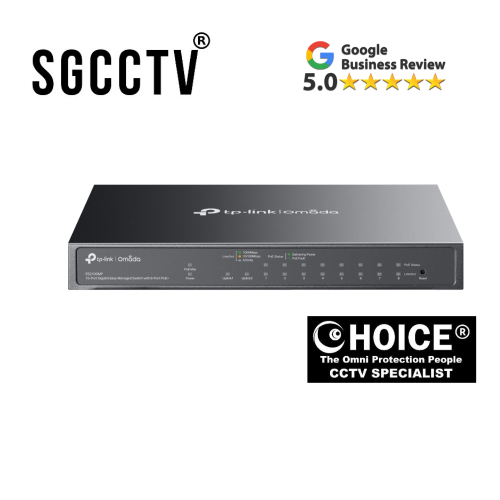

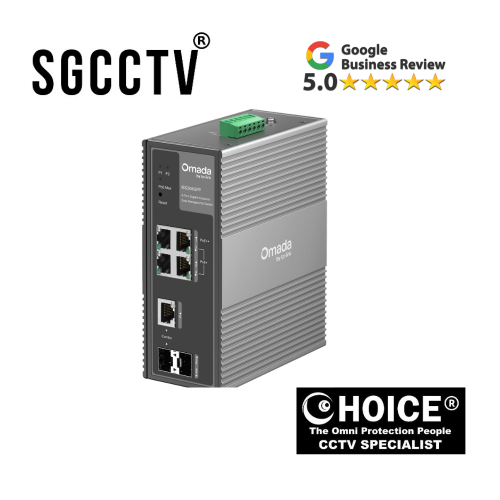
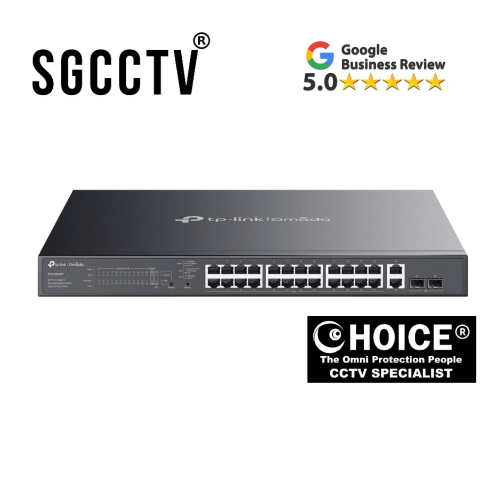
Tp-Link Omada IES210GMP 10 Port Gigabit Easy Managed Switch with 8-Port PoE+ 9× Gigabit RJ45 Ports 1× Gigabit SFP/RJ45 Combo port DB
$315.00
TP-LINK SINGAPORE PARTNER FULL RANGE
Supply and Maintenance VIGI CCTV IP Cameras, NVR, Turbo HD Cameras, DVR, PTZ Cameras,
WIFI ROUTER ACCESS POINT
Sim Lim Square 02-81 10am-7pm Daily.
Whatsapp Enquiry Project +65 98534404, Technical Support +65 81120788, Site Visit Maintenance +65 81985572.
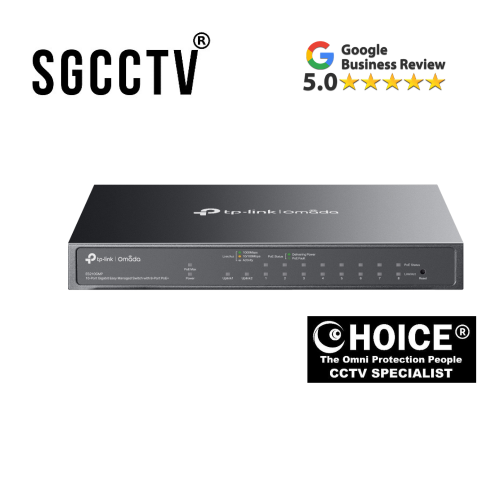
Tp-Link Omada IES210GMP 10 Port Gigabit Easy Managed Switch with 8-Port PoE+ 9× Gigabit RJ45 Ports 1× Gigabit SFP/RJ45 Combo port
TP-Link Omada IES210GMP 10-Port Gigabit Easy Managed Switch with 8-Port PoE+ – Reliable, Scalable Network Solution
Upgrade your business network with the TP-Link Omada IES210GMP 10-Port Gigabit Easy Managed Switch, a powerful and efficient solution designed for small to medium-sized enterprises. Built for performance and flexibility, this switch delivers seamless connectivity, advanced management features, and robust Power over Ethernet (PoE+) capabilities—making it ideal for IP cameras, access points, VoIP phones, and more.
Key Features
1. 10-Port Gigabit Connectivity
Enjoy high-speed networking with 9× Gigabit RJ45 ports and 1× Gigabit SFP/RJ45 combo port, ensuring fast and stable data transmission across your entire network. The combo port provides flexible uplink options, supporting both fiber and copper connections.
2. 8-Port PoE+ Power Supply
Equipped with 8 PoE+ ports, this switch simplifies deployment by delivering both power and data over a single Ethernet cable. Perfect for powering devices such as wireless access points, IP surveillance cameras, and VoIP phones without the need for additional power sources.
3. Easy Managed with Omada SDN
Integrated with Omada Software Defined Networking (SDN), the IES210GMP offers centralized cloud management, remote monitoring, and intelligent network optimization. Easily configure VLANs, QoS, and traffic prioritization through an intuitive interface.
4. High Performance & Reliability
Designed for consistent performance, this switch ensures low latency and efficient traffic handling. Its robust hardware architecture supports smooth data flow, even in high-demand environments.
5. Flexible Deployment Options
The compact and durable design allows for desktop or rack-mounted installation, making it suitable for offices, retail stores, hospitality environments, and surveillance systems.
Benefits
- Simplifies network expansion with plug-and-play PoE+ ports
- Reduces infrastructure costs by eliminating separate power supplies
- Enhances network control with smart management features
- Ensures secure and stable connectivity for critical business operations
Ideal Use Cases
- Small and medium business networks
- IP surveillance systems
- Wireless networking deployments
- VoIP communication systems
Tp-Link Omada IES210GMP 10 Port Gigabit Easy Managed Switch with 8-Port PoE+ 9× Gigabit RJ45 Ports 1× Gigabit SFP/RJ45 Combo port
🎯 Primary Buyer: Small & Medium Businesses (SMBs)
💼 Offices & SMEs
- Companies setting up internal networks (PCs, printers, servers)
- Need stable Gigabit connectivity + centralized management
- Use PoE to power:
- WiFi access points
- VoIP phones
- Security systems
👉 This switch fits perfectly because it offers 8 PoE+ ports + easy Omada cloud management
🎥 Security & CCTV Installers
🏢 Surveillance Companies / System Integrators
- Install IP cameras in:
- Offices
- Warehouses
- Retail shops
- Condos
💡 Why they buy this:
- PoE eliminates extra power cables
- Long-range PoE + reliability features (like auto recovery)
- Clean, simple deployment
📶 IT Professionals & Network Engineers
🧑💻 Managed Service Providers (MSPs)
- Handle multiple client networks
- Need:
- VLAN support
- Traffic prioritization (QoS)
- Remote/cloud management
👉 This model is “easy managed,” so it’s ideal for mid-level control without full enterprise complexity
🏪 Retail, F&B, Hospitality
🍽️ Shops, Cafés, Hotels
- Run:
- POS systems
- WiFi access points
- IP cameras
💡 They prefer this because:
- One switch powers everything
- Fanless (quiet) design for indoor environments
Tp-Link Omada IES210GMP 10 Port Gigabit Easy Managed Switch with 8-Port PoE+ 9× Gigabit RJ45 Ports 1× Gigabit SFP/RJ45 Combo port
🏠 Advanced Home Users (Prosumers)
🏡 Tech-savvy homeowners
- Build smart homes / home labs
- Use:
- Multiple access points
- NAS servers
- Cameras
🔍 Who should NOT buy it?
- Basic home users (too advanced)
- People just needing more LAN ports (cheaper unmanaged switch is enough)
- No PoE use case → wasted money
🆚 Quick Comparison (Who fits vs not)
| User Type | Good Fit? | Why |
|---|---|---|
| Small business | ✅ Yes | Needs PoE + management |
| CCTV installer | ✅ Yes | Powers multiple cameras |
| IT professional | ✅ Yes | VLAN, QoS, cloud control |
| Home user (basic) | ❌ No | Too complex |
| Gamer | ❌ No | No benefit vs cheaper switch |
🔑 Why It’s Worth Buying (Real Benefits)
1. You eliminate messy power cables
Instead of:
- LAN cable + power adapter ❌
You get:
- 1 Ethernet cable = data + power ✅
💡 Perfect for:
- CCTV cameras
- Ceiling WiFi access points
- VoIP phones
Tp-Link Omada IES210GMP 10 Port Gigabit Easy Managed Switch with 8-Port PoE+ 9× Gigabit RJ45 Ports 1× Gigabit SFP/RJ45 Combo port
2. You can manage everything remotely (like a pro)
- Cloud control via Omada system
- Monitor devices, traffic, and network health
- Configure VLANs, priorities, isolation
👉 This is a huge upgrade over cheap unmanaged switches
3. Built for reliability (not just “more ports”)
- Auto-recovery for PoE devices (auto reboot cameras if they freeze)
- Loop prevention + VLAN support
- QoS for traffic prioritization (important for video/VoIP)
👉 Translation: your network doesn’t crash randomly
4. Supports longer-distance deployments
- Up to 250m PoE range (for surveillance setups)
👉 Useful for:
- Warehouses
- Outdoor cameras
- Large homes / offices
5. Silent + business-ready build
- Fanless (no noise)
- Metal casing (durable)
Tp-Link Omada IES210GMP 10 Port Gigabit Easy Managed Switch with 8-Port PoE+ 9× Gigabit RJ45 Ports 1× Gigabit SFP/RJ45 Combo port
🧠 When It’s 100% Worth It
Buy this if you:
✅ Have IP cameras
✅ Are installing multiple WiFi access points
✅ Want clean, professional network setup
✅ Need remote monitoring / control
✅ Run a business, shop, office, or smart home
❌ When You SHOULD NOT Buy It
Don’t buy if:
❌ You just need more LAN ports
❌ You don’t use PoE devices
❌ You want something cheap/simple
❌ You don’t understand or need VLAN / management
👉 In these cases, a basic $20–$50 unmanaged switch is enough.
Tp-Link Omada IES210GMP 10 Port Gigabit Easy Managed Switch with 8-Port PoE+ 9× Gigabit RJ45 Ports 1× Gigabit SFP/RJ45 Combo port
⚖️ Quick Reality Check
| Situation | Should You Buy? | Why |
|---|---|---|
| CCTV system | ✅ YES | Power + reliability |
| Office network | ✅ YES | Control + scalability |
| Smart home (advanced) | ✅ YES | Clean setup |
| Gaming / home use | ❌ NO | Overkill |
| Just need extra ports | ❌ NO | Too expensive |
Tp-Link Omada IES210GMP 10 Port Gigabit Easy Managed Switch with 8-Port PoE+ 9× Gigabit RJ45 Ports 1× Gigabit SFP/RJ45 Combo port
🔌 1. Physical Setup (Do this first)
Step-by-step:
- Power on the switch
- Plug in the power cable
- Connect your router
- Use an Ethernet cable from your router → any port on the switch
- Connect your devices
- Plug devices into ports:
- Ports 1–8 = PoE (for cameras, APs, phones)
- Remaining ports = normal devices or uplink
- Plug devices into ports:
💡 If you’re using WiFi access points or CCTV cameras, they will power on automatically via PoE.
🌐 2. Option A — Quick Setup (No controller)
This is the fastest method if you just want basic functionality.
Steps:
- Connect your laptop to the switch
Open browser and go to:
http://192.168.0.1(or check your router’s DHCP list)
- Login (default):
- Username: admin
- Password: admin
- Change password (important)
- Configure basics:
- VLAN (optional)
- Port settings
- PoE on/off per port
👉 Done. Your network is now running.
☁️ 3. Option B — Full Setup with Omada (Recommended)
For business or advanced users, use TP-Link Omada SDN Controller.
This gives you:
- Remote cloud access
- Centralized control
- Monitoring + analytics
Tp-Link Omada IES210GMP 10 Port Gigabit Easy Managed Switch with 8-Port PoE+ 9× Gigabit RJ45 Ports 1× Gigabit SFP/RJ45 Combo port
🧑💻 How to Set Up Omada Controller
Option 1: Software Controller (Free)
- Download Omada Controller from TP-Link website
- Install on:
- PC
- Server
- NAS
Option 2: Hardware Controller
- Buy Omada controller device (OC200 / OC300)
Setup Steps:
- Launch Omada Controller
- Create account / login
- The switch will appear automatically
- Click “Adopt”
👉 Now the switch is managed centrally
⚙️ 4. Essential Configurations (What you SHOULD set)
✅ A. VLAN (Network Separation)
Example:
- VLAN 10 → Office devices
- VLAN 20 → CCTV
- VLAN 30 → Guest WiFi
👉 Keeps your network secure
Tp-Link Omada IES210GMP 10 Port Gigabit Easy Managed Switch with 8-Port PoE+ 9× Gigabit RJ45 Ports 1× Gigabit SFP/RJ45 Combo port
✅ B. PoE Management
- Enable/disable PoE per port
- Set power priority
👉 Prevents overload
✅ C. QoS (Traffic Priority)
- Prioritize:
- VoIP calls
- Video streams
👉 Avoid lag or interruptions
✅ D. Port Isolation (Security)
- Prevent devices from talking to each other
👉 Useful for:
- Guest networks
- Public WiFi
✅ E. Monitoring
- Check:
- Traffic usage
- Device status
- Power consumption
- Tp-Link Omada IES210GMP 10 Port Gigabit Easy Managed Switch with 8-Port PoE+ 9× Gigabit RJ45 Ports 1× Gigabit SFP/RJ45 Combo port
Tp-Link Omada IES210GMP 10 Port Gigabit Easy Managed Switch with 8-Port PoE+ 9× Gigabit RJ45 Ports 1× Gigabit SFP/RJ45 Combo port
🧪 5. Example Setup (Real Use Case)
Small Office Setup:
- Port 1–2 → WiFi Access Points
- Port 3–6 → IP Cameras
- Port 7–8 → VoIP Phones
- Port 9 → Uplink to router
With VLANs:
- Cameras isolated
- Office network secured
🛡️ Warranty for TP-Link Omada ES210GMP
TP-Link Omada ES210GMP Switch
👉 Warranty: 5 years (replacement warranty)
- TP-Link states that Omada series switches (like this one) come with a 5-year warranty
- It is a 1-to-1 replacement warranty, not repair:
- If faulty → they replace the unit
- Warranty starts from your purchase date
📌 What the warranty actually covers
✅ Manufacturing defects
✅ Hardware failure (normal use)
✅ Faulty ports / PoE issues
❌ What is NOT covered
❌ Physical damage (drops, water, burns)
❌ Modified or tampered device
❌ Bought from unauthorized seller / overseas grey import
Tp-Link Omada IES210GMP 10 Port Gigabit Easy Managed Switch with 8-Port PoE+ 9× Gigabit RJ45 Ports 1× Gigabit SFP/RJ45 Combo port
⚠️ Important Conditions
- You must keep your receipt
- Warranty is region-based (e.g., Singapore unit → Singapore warranty)
- Replacement unit does NOT reset warranty (still based on original date)
1. You power devices without extra cables (BIGGEST reason)
- 8 PoE+ ports (power + data in one cable)
- 123W total power budget
👉 Real benefit:
- No power adapters for:
- CCTV cameras
- WiFi access points
- VoIP phones
Why it matters: cleaner setup, faster installation, less wiring mess.
Tp-Link Omada IES210GMP 10 Port Gigabit Easy Managed Switch with 8-Port PoE+ 9× Gigabit RJ45 Ports 1× Gigabit SFP/RJ45 Combo port
2. You get business-level control (without complexity)
- VLAN (separate networks)
- QoS (prioritize traffic)
- Cloud management via Omada
👉 Real benefit:
- Separate:
- Staff network
- Guest WiFi
- CCTV system
Why it matters: better security + smoother performance.
3. It solves common network headaches automatically
- PoE Auto Recovery (restarts frozen devices)
- Loop prevention (avoids network crashes)
- Port isolation (security)
👉 Real benefit:
- Cameras don’t randomly go offline
- Network doesn’t “hang”
Why it matters: less troubleshooting, more uptime.
4. Built for real-world environments
- Fanless (silent)
- Metal casing (durable)
- Works up to 250m PoE distance (great for surveillance)
👉 Real benefit:
- Quiet in office/home
- Reliable in shops, warehouses, etc.
5. You get cloud control for FREE
- No license fees for basic cloud management
👉 Real benefit:
- Monitor your network from anywhere
- Manage multiple sites
⚠️ Honest downside (so you don’t waste money)
This is important:
- It’s “easy managed”, not full enterprise
- Fewer advanced features than higher-end switches
- Overkill if you just need extra ports
👉 Even users online say it’s closer to an “upgraded unmanaged switch with cloud control”, not a full Layer 2+ switch.
Tp-Link Omada IES210GMP 10 Port Gigabit Easy Managed Switch with 8-Port PoE+ 9× Gigabit RJ45 Ports 1× Gigabit SFP/RJ45 Combo port
🧠 Simple decision rule
✅ Buy it if:
- You use PoE devices (cameras, APs, phones)
- You want clean installation (less wiring)
- You need basic network control (VLAN, monitoring)
- You run a business / CCTV system / smart setup
❌ Don’t buy it if:
- You just need more LAN ports
- You don’t use PoE
- You want advanced enterprise features
⚖️ Bottom line
👉 This switch is worth it because it removes complexity:
- Fewer cables
- Less downtime
- Easier management
But the real truth:
If you don’t need PoE or control features, this is NOT worth it.
Tp-Link Omada IES210GMP 10 Port Gigabit Easy Managed Switch with 8-Port PoE+ 9× Gigabit RJ45 Ports 1× Gigabit SFP/RJ45 Combo port
🔍 Quick alternatives (context)
| If you want… | Better choice |
|---|---|
| Cheaper basic use | 5–8 port unmanaged switch |
| Smaller setup | TP-Link ES205GP 5-Port PoE Switch |
| Bigger system | TP-Link ES220GMP 20-Port PoE Switch |
🏭 1. Designed by the company
- The switch is designed by TP-Link Technologies
- Engineers plan:
- Number of ports (10 total)
- PoE power budget (123W)
- Features (VLAN, QoS, Omada support)
👉 This stage defines what the product can do.
🔧 2. Core components inside
Inside the switch are several key parts:
🧠 Switching Chip (ASIC)
- The “brain” of the switch
- Handles data traffic between ports at Gigabit speed
⚡ PoE Power Module
- Converts AC power → low-voltage DC
- Sends power through Ethernet cables
🌐 Ethernet PHY chips
- Control each RJ45 port
- Ensure stable network signals
💾 Flash + RAM
- Stores firmware (software)
- Runs management features
👉 These parts are sourced from semiconductor manufacturers and assembled together.
Tp-Link Omada IES210GMP 10 Port Gigabit Easy Managed Switch with 8-Port PoE+ 9× Gigabit RJ45 Ports 1× Gigabit SFP/RJ45 Combo port
🛠️ 3. PCB Assembly (the main build)
Everything is mounted on a printed circuit board (PCB):
- Automated machines place components (SMT process)
- Soldering ovens fix them in place
- Quality checks ensure no defects
👉 This is where the “electronics” physically come together.
🔩 4. Casing & hardware build
- Metal enclosure is manufactured (for durability + heat dissipation)
- Ports, LEDs, and power connectors are fitted
- Board is mounted inside the casing
👉 The metal body also acts as a heat sink (important because it’s fanless).
🧪 5. Testing & quality control
Before shipping, each unit is tested:
- Port connectivity test
- PoE power output test
- Stress/load testing
- Firmware check
👉 Faulty units are rejected at this stage.
💻 6. Firmware installation
- Software (Omada-compatible firmware) is installed
- Includes:
- Web interface
- VLAN / QoS features
- Cloud management support
👉 This is what makes it “easy managed,” not just a dumb switch.
📦 7. Packaging & distribution
- Packed with:
- Power cable
- Quick start guide
- Shipped globally to distributors and retailers
🌍 Where is it made?
Most TP-Link networking products are:
- Designed in China
- Manufactured in:
- China
- Vietnam (increasingly common)
🧠 Simple explanation
👉 Think of it like this:
- Chipset = brain
- PCB = body
- PoE module = power system
- Firmware = intelligence
All combined into one compact device.
⚖️ Why this matters to you
Knowing how it’s made tells you:
- ✔ Reliable (industrial production + testing)
- ✔ Long lifespan (solid-state, no moving parts)
- ✔ Efficient (fanless design = less failure points)
Tp-Link Omada IES210GMP 10 Port Gigabit Easy Managed Switch with 8-Port PoE+ 9× Gigabit RJ45 Ports 1× Gigabit SFP/RJ45 Combo port


Nunc lacus elit, faucibus ac laoreet sed, dapibus ac mi. Maecenas eu ante a elit tempus fermentum. Aliquam commodo tincidunt semper. Phasellus accumsan, justo ac mollis pharetra, ex dui pharetra nisl, a scelerisque ipsum nulla ac sem. Cras eu risus urna. Duis lorem sapien, congue eget nisl sit amet, rutrum faucibus elit.
Donec accumsan auctor iaculis. Sed suscipit arcu ligula, at egestas magna molestie a. Proin ac ex maximus, ultrices justo eget, sodales orci. Aliquam egestas libero ac turpis pharetra, in vehicula lacus scelerisque. Vestibulum ut sem laoreet, feugiat tellus at, hendrerit arcu.
Nunc lacus elit, faucibus ac laoreet sed, dapibus ac mi. Maecenas eu ante a elit tempus fermentum. Aliquam commodo tincidunt semper. Phasellus accumsan, justo ac mollis pharetra, ex dui pharetra nisl, a scelerisque ipsum nulla ac sem. Cras eu risus urna. Duis lorem sapien, congue eget nisl sit amet, rutrum faucibus elit.