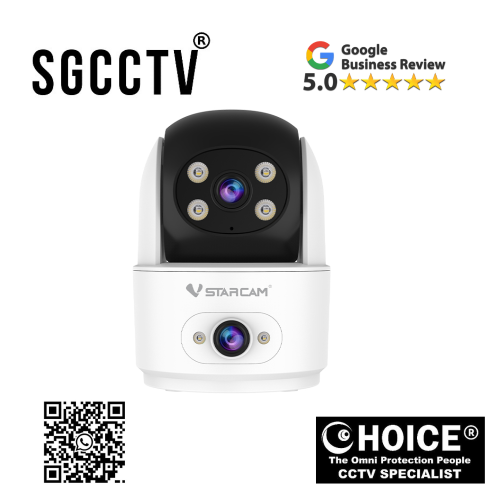
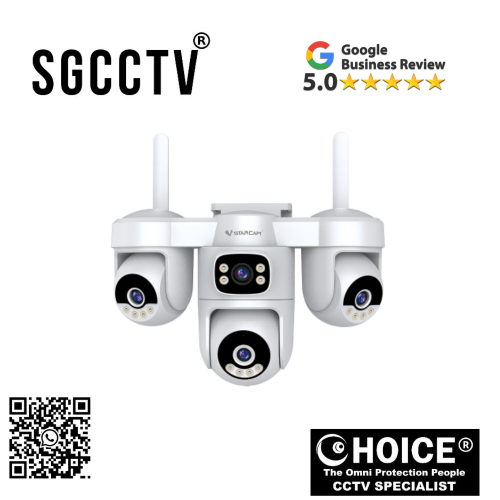
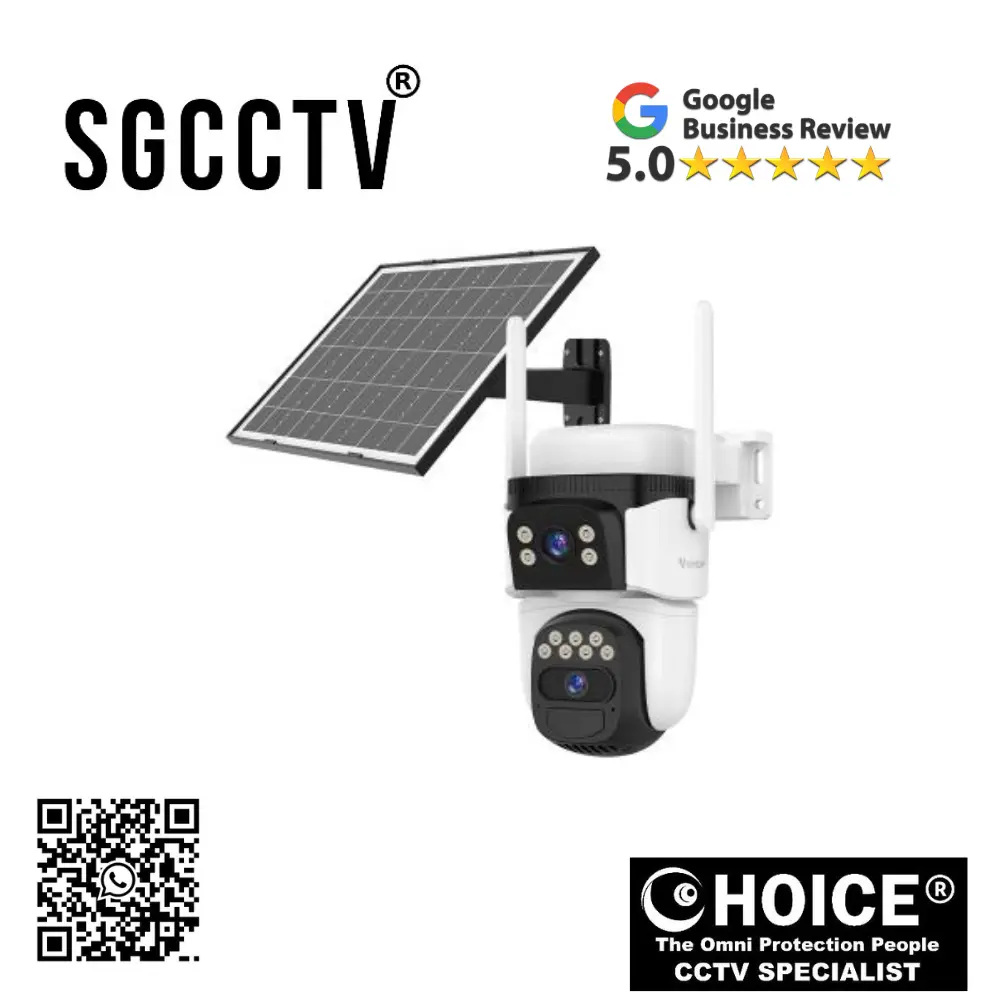

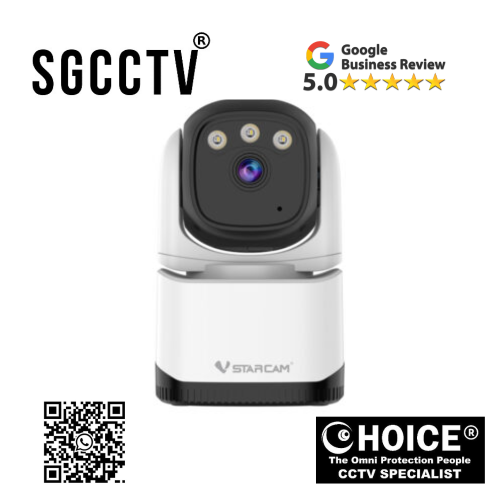
VStarcam CS996DR Dual lens dual view leaves no blind spots ISP image processing technology, preserving true colors Human detection real time NEW DB
$500.00
VSTARCAM SINGAPORE OFFICIAL PARTNER
Supply and Maintenance SGCCTV CCTV IP Cameras, NVR, Turbo HD TVI Cameras, DVR, PTZ Cameras,
Access Control System, Video Intercom.
Sim Lim Square 02-81 10am-7pm Daily.
Whatsapp Enquiry Project +65 98534404, Technical Support +65 81120788, Site Visit Maintenance +65 81985572.
VStarcam CS996DR Dual lens dual view leaves no blind spots ISP image processing technology, preserving true colors Human detection real time NEW
Introduction: Why the VStarcam CS996DR Is a Next-Generation Security Camera
In today’s rapidly evolving security landscape, standard single-lens cameras are often no longer enough. Traditional surveillance devices may capture one angle well, but they frequently leave blind spots—those dangerous unseen zones where suspicious activity can go undetected. The VStarcam CS996DR Dual Lens Dual View Security Camera is designed specifically to solve that problem through advanced dual-lens dual-view technology, giving users broader coverage, smarter visibility, and stronger protection.
The VStarcam CS996DR is engineered for users who need wider security coverage, intelligent human detection, true-color image preservation, and real-time alerts without the complexity or cost of enterprise-level systems. By combining dual-lens architecture with ISP (Image Signal Processing) technology, this camera can simultaneously monitor multiple viewing zones while preserving accurate color, detail, and image balance in various lighting conditions.
This makes it ideal for:
- Homes
- Retail stores
- Offices
- Warehouses
- Entrances
- Parking spaces
- Small businesses
- Family safety monitoring
Unlike ordinary cameras that only watch one fixed angle, the CS996DR’s dual-lens design dramatically expands visual awareness, reducing blind spots and improving evidence collection.
VStarcam CS996DR Dual lens dual view leaves no blind spots ISP image processing technology, preserving true colors Human detection real time NEW
Key Features of VStarcam CS996DR
1. Dual Lens Dual View – Leaves No Blind Spots
The biggest advantage of the CS996DR is its dual-lens surveillance system.
What This Means:
Instead of one viewing point, the camera uses two lenses to monitor multiple zones.
Benefits:
Wider surveillance coverage
Reduced blind spots
Better corner monitoring
Enhanced entry + side-angle observation
Greater area efficiency
This makes it especially useful for:
Home:
- Front gate + driveway
- Living room + hallway
- Backyard + side entrance
Business:
- Cashier + customer entry
- Storage + loading area
- Reception + side corridor
Why Dual Lens Matters More Than Standard Cameras
Traditional single-lens cameras often require:
- More cameras
- More wiring
- More setup
- More cost
VStarcam CS996DR:
Dual lens = More coverage with fewer devices
This can reduce:
Installation complexity
Power points needed
Monitoring gaps
VStarcam CS996DR Dual lens dual view leaves no blind spots ISP image processing technology, preserving true colors Human detection real time NEW
2. ISP Image Processing Technology – Preserving True Colors
One of the standout technologies in the CS996DR is its ISP (Image Signal Processing) system.
What ISP Does:
ISP technology processes raw camera sensor data into cleaner, more realistic visuals.
It Enhances:
- Color accuracy
- White balance
- Sharpness
- Contrast
- Dynamic range
- Noise reduction
Real-World Advantages:
Better Skin Tones:
Useful for facial identification
Better Vehicle Recognition:
Accurate vehicle colors
Better Clothing Detail:
Important for suspect tracking
Better Day/Night Transition:
Prevents washed-out footage
Why True Color Matters in Security
Imagine needing evidence and only seeing:
- Washed out blue
- Gray shadows
- Overexposed lights
With ISP processing, users get:
More usable evidence
Better identification
Stronger visual reliability
VStarcam CS996DR Dual lens dual view leaves no blind spots ISP image processing technology, preserving true colors Human detection real time NEW
3. Human Detection with Real-Time Alerts
Motion alerts are common—but intelligent alerts are far more useful.
The VStarcam CS996DR uses human detection AI to identify actual human movement while reducing false alarms.
Reduces False Alerts From:
- Pets
- Moving leaves
- Rain
- Shadows
- Light changes
Improves Detection For:
Intruders
Visitors
Delivery arrivals
Suspicious loitering
Real-Time Alert Benefits:
Instant smartphone push notifications
Faster response time
Remote monitoring confidence
Better security management
4. Smarter Home Security for Families
The CS996DR is not just about crime prevention.
Useful for:
Parents:
- Child safety
- Nanny oversight
- Entry alerts
Elder Care:
- Movement monitoring
- Visitor tracking
Property Owners:
- Tenant area surveillance
- Delivery protection
VStarcam CS996DR Dual lens dual view leaves no blind spots ISP image processing technology, preserving true colors Human detection real time NEW
5. Commercial Security Benefits
For businesses, blind spots can cost money.
CS996DR Helps Monitor:
Retail:
- Checkout + entry
Warehouse:
- Inventory + worker movement
Office:
- Reception + hallway
Café:
- Counter + seating zones
Installation Flexibility
The camera is suitable for:
Indoor:
- Hallways
- Shops
- Offices
Outdoor (protected setup):
- Front gate
- Porch
- Garage entry
How to Set Up VStarcam CS996DR
Step 1: Install the Camera
Mount strategically where dual-view coverage maximizes visibility.
Step 2: Power On
Use the recommended adapter.
Step 3: Download VStarcam App
Install and register device.
Step 4: Connect to WiFi
Follow QR pairing or app instructions.
VStarcam CS996DR Dual lens dual view leaves no blind spots ISP image processing technology, preserving true colors Human detection real time NEW
Step 5: Configure Human Detection
Set:
Motion zones
Alert sensitivity
Notification schedule
Step 6: Optimize Dual Lens Angles
Position for:
Main entrance + side access
Hallway + room
Common Problems and Solutions
Problem 1: Overlapping Views
Fix:
Adjust physical angle for better coverage separation.
Problem 2: Too Many Notifications
Fix:
Enable human-only detection.
Problem 3: Color Looks Off
Fix:
Check lighting + ISP settings.
Problem 4: WiFi Delay
Fix:
Move router closer or reduce interference.
VStarcam CS996DR Dual lens dual view leaves no blind spots ISP image processing technology, preserving true colors Human detection real time NEW
How the VStarcam CS996DR Is Made
Stage 1: Product Design
Engineers identify blind spot issues in standard cameras.
Stage 2: Dual Lens Engineering
Two optical modules calibrated for broader surveillance.
Stage 3: ISP Chip Integration
Image processors optimize:
Color
Contrast
Dynamic range
Stage 4: AI Software Training
Human movement datasets improve alert relevance.
Stage 5: PCB Manufacturing
Mainboard integrates:
- Processor
- WiFi
- Sensor control
- Storage
- Dual camera sync
Stage 6: Housing Design
Body structure ensures:
Heat control
Lens alignment
Wireless stability
VStarcam CS996DR Dual lens dual view leaves no blind spots ISP image processing technology, preserving true colors Human detection real time NEW
VStarcam CS996DR vs Standard Single-Lens Camera
CS996DR:
Dual Lens
Dual View
True Color ISP
Human Detection
Fewer blind spots
Standard Camera:
Single view
Narrower coverage
More blind spots
Basic motion alerts
Who Should Buy the VStarcam CS996DR?
Ideal Buyers:
Homeowners
Retail operators
Parents
Office managers
Landlords
Warehouse operators
Why This Camera Is a Strong Value
Main Advantages:
Better coverage
Smarter alerts
More realistic footage
Fewer devices needed
Better evidence
VStarcam CS996DR Dual lens dual view leaves no blind spots ISP image processing technology, preserving true colors Human detection real time NEW
Final Verdict: Is the VStarcam CS996DR Worth It?
The VStarcam CS996DR Dual Lens Dual View Camera is designed for people who want smarter surveillance than basic cameras can provide.
Best For:
Broader monitoring
Blind spot reduction
Accurate color imaging
Human-focused alerts
Modern home & business security
By combining dual-lens hardware, ISP true-color technology, and real-time AI detection, the CS996DR offers a major step up from standard WiFi cameras.
For users who want stronger protection with fewer blind spots, this model delivers impressive value.
Why Buy the VStarcam CS996DR Dual Lens Dual View Camera & How to Set It Up – Complete Buyer + Installation Guide
Introduction: Why the VStarcam CS996DR Is More Than a Standard Indoor Security Camera
The VStarcam CS996DR is built for users who want smarter, wider, and more practical security than traditional single-lens indoor cameras can provide. According to VStarcam’s official specifications, it features dual-lens dual-view coverage, human detection, full-color night vision, two-way audio, 2.4GHz WiFi, Pan 310° / Tilt up to 115°, TF card support up to 256GB, and O-KAM Pro app integration. Its design focuses on reducing blind spots while providing both panoramic and detail-focused surveillance in one device.
If you need:
Better room coverage
Child or elderly monitoring
Shop or office oversight
Corridor / doorway security
Fewer blind spots
Then the CS996DR can be a strong value choice.
WHY BUY THE VStarcam CS996DR?
1. Dual Lens Dual View = Fewer Blind Spots
The biggest reason people choose the CS996DR is simple:
Two lenses monitor more than one angle at once.
Unlike basic cameras that only face one direction, the CS996DR combines:
Pan/Tilt upper lens for active tracking
Fixed lower lens for broader overview
This means you can monitor:
Entry door + room interior
Hallway + side angle
Child play area + doorway
Cashier + customer zone
Real Benefit:
Instead of buying two lower-end cameras, you may cover more with one smarter unit.
VStarcam CS996DR Dual lens dual view leaves no blind spots ISP image processing technology, preserving true colors Human detection real time NEW
2. Human Detection Helps Reduce False Alerts
The camera supports:
Human detection
Human framing
Person tracking
Area detection
This matters because many cheap cameras trigger alerts from:
- Curtains moving
- Pets
- Shadows
- Light changes
CS996DR Benefit:
More relevant alerts focused on people rather than random movement.
3. Full-Color Night Vision + F2.0 Aperture
The F2.0 aperture allows more light intake for clearer nighttime footage, while ISP processing helps preserve more accurate color. VStarcam highlights both full-color and black-and-white night modes depending conditions.
Why this matters:
Better face visibility
Better clothing color recognition
Improved evidence
Better room awareness at night
4. Pan & Tilt Coverage for Indoor Flexibility
Official Motion Range:
Pan: 310°
Tilt: 115°
This makes it useful for:
Living rooms
Shops
Offices
Nursery rooms
Corridors
VStarcam CS996DR Dual lens dual view leaves no blind spots ISP image processing technology, preserving true colors Human detection real time NEW
5. Two-Way Audio for Real Interaction
Built-in speaker + microphone means:
Talk to family
Speak to children
Warn suspicious visitors
Monitor elderly relatives
Remote communication
6. Affordable Smart Security
Compared with many enterprise systems, the CS996DR focuses on:
Smart indoor surveillance
App convenience
Dual view
Better practical coverage
WHO SHOULD BUY THIS?
Best For Homeowners:
Parents
Pet owners
Elder care
Apartment security
Best For Business:
Small retail stores
Clinics
Tuition centers
Offices
VStarcam CS996DR Dual lens dual view leaves no blind spots ISP image processing technology, preserving true colors Human detection real time NEW
Best For Rental / Property:
Airbnb hosts
Landlords
Shared offices
HOW TO SET UP VStarcam CS996DR – STEP BY STEP
Step 1: Unbox Everything
Inside packaging typically includes:
Camera
Power adapter
USB cable
Mounting accessories
Manual
Step 2: Choose Best Installation Spot
Ideal Placement:
High shelf
Wall mount
Ceiling corner
Reception desk
Avoid:
- Direct sunlight
- Thick wall WiFi dead zones
- Behind glass glare
Step 3: Power the Camera
Connect to DC5V adapter and wait for startup.
Tip:
Wait until indicator or voice prompt confirms boot.
VStarcam CS996DR Dual lens dual view leaves no blind spots ISP image processing technology, preserving true colors Human detection real time NEW
Step 4: Download O-KAM Pro App
VStarcam officially uses:
O-KAM Pro app
Basic Process:
- Install app
- Register account
- Allow permissions
Step 5: Add Device
Usually by:
QR scan
or
Device UID entry
Step 6: Connect to WiFi
Important:
CS996DR primarily supports:
2.4GHz WiFi (not 5GHz)
If setup fails:
- Disable VPN
- Move near router
- Confirm correct password
- Avoid mesh handoff issues
Step 7: Configure Security Features
Enable:
Human detection
Motion zones
Push alerts
Full-color night mode
Recording schedule
Step 8: Insert Storage
Supports:
TF / MicroSD up to 256GB
Optional cloud storage also available.
VStarcam CS996DR Dual lens dual view leaves no blind spots ISP image processing technology, preserving true colors Human detection real time NEW
BEST SETTINGS FOR MOST USERS
Home:
Human detection ON
Push alerts ON
Night vision Auto
Motion zone = entry points
Shop:
Continuous recording
Alert zones around cashier
Speaker enabled
COMMON SETUP PROBLEMS & FIXES
Problem 1: Cannot Connect to WiFi
Fix:
- Use 2.4GHz only
- Reset device
- Move closer to router
Problem 2: QR Scan Fails
Fix:
- Increase screen brightness
- Clean lens
- Manual UID entry
Problem 3: Too Many Alerts
Fix:
- Human-only detection
- Reduce sensitivity
- Zone customization
Problem 4: Night Vision Too Bright
Fix:
- Reposition away from reflective walls
- Adjust light settings
MAINTENANCE TIPS
Weekly:
Check live feed
Test alerts
VStarcam CS996DR Dual lens dual view leaves no blind spots ISP image processing technology, preserving true colors Human detection real time NEW
Monthly:
Clean lens
Review storage
Update firmware
FINAL VERDICT – IS THE VStarcam CS996DR WORTH BUYING?
YES if you want:
Dual lens wider coverage
Better indoor protection
Human detection
Full-color night vision
Fewer blind spots
Child / family / business monitoring
MAYBE NOT if you need:
Outdoor weatherproofing
PoE networking
Enterprise NVR integration priority
Bottom Line
The VStarcam CS996DR is a strong option for users who want broader indoor security without jumping to expensive professional systems. Its dual-lens architecture, human AI, pan/tilt flexibility, and true-color ISP processing make it especially appealing for practical home and small business surveillance. Official specs also confirm app support, TF card recording, and wide motion coverage.
VStarcam CS996DR Warranty Guide – Full Coverage, Claim Process, What’s Protected & Buyer Protection Tips
Introduction: Why Warranty Matters for the VStarcam CS996DR
When investing in a smart dual-lens security camera like the VStarcam CS996DR, warranty coverage is a major part of long-term value. A camera may have excellent features like dual-lens coverage, human detection, and ISP true-color imaging—but reliable warranty support protects you if hardware issues, manufacturing faults, or early failures happen.
VStarcam’s official store states that many products include a 1-year warranty, with an additional year upon registration plus lifetime support through official channels. VStarcam’s broader FAQ also notes that warranty terms can vary by product or seller, commonly ranging from 3 to 12 months unless otherwise specified. This means your exact warranty often depends on whether you purchase from the official store, authorized distributor, or marketplace seller.
VStarcam CS996DR Dual lens dual view leaves no blind spots ISP image processing technology, preserving true colors Human detection real time NEW
Standard VStarcam CS996DR Warranty Coverage
Official Store / Authorized Seller:
Commonly Advertised:
1-Year Manufacturer Warranty
Plus:
Additional 1 Year upon eligible registration (official channel promotions)
Bonus:
Lifetime technical support from VStarcam official ecosystem
What the Warranty Usually Covers
1. Manufacturing Defects
If the CS996DR has hardware faults under normal use, warranty may cover:
Defective dual-lens module
Sensor malfunction
WiFi board issues
Speaker or microphone faults
Power circuit failure
Factory motherboard defects
2. Firmware / Software Defects
If official firmware causes:
Device boot loops
Setup failure
App pairing issues caused by system defects
Motion or human detection malfunction due to official software
3. Factory Component Failure
Examples:
- Night vision LEDs fail early
- Pan/Tilt motor defect
- Lens synchronization issue
- TF card slot hardware problem
VStarcam CS996DR Dual lens dual view leaves no blind spots ISP image processing technology, preserving true colors Human detection real time NEW
What Warranty Usually Does NOT Cover
Physical Damage:
Not typically covered:
- Dropping the camera
- Water damage beyond rated conditions
- Burnt adapter from wrong voltage
- Lightning surge
- Fire or flood damage
User Misuse:
Common exclusions:
- Unauthorized opening/disassembly
- Custom firmware flashing
- Wrong power supply
- Improper installation damage
Wear & Accessories:
Often excluded:
- MicroSD card issues
- Cosmetic scratches
- Mounting wear
- Third-party accessories
Important Warranty Documents to Keep
Always Save:
Receipt / Invoice
Seller order confirmation
Camera UID / serial
Box label
Registration email (if extended warranty applies)
Without proof of purchase, claims may become difficult.
How to Claim Warranty for VStarcam CS996DR
Step 1: Diagnose the Issue
Prepare:
Product model
UID
App version
Fault description
Photos / videos
VStarcam support specifically asks for account details, product UID, issue description, and screenshots/video where possible.
Step 2: Contact Official Support
Main Support:
support@vstarcam.com
App Support:
Eye4 / O-KAM Pro in-app support depending model ecosystem
Official Support Hours:
Monday–Friday UTC+8 support listed in product FAQ
VStarcam CS996DR Dual lens dual view leaves no blind spots ISP image processing technology, preserving true colors Human detection real time NEW
Step 3: Troubleshooting Review
Support may request:
Factory reset
Firmware update
LAN test
WiFi reconfiguration
Step 4: Repair / Replacement Decision
Depending on seller + warranty status:
Replacement
Repair
Parts support
Buying From Official Store vs Marketplace Seller
Official / Authorized Seller Advantages:
Better:
Clearer warranty
Easier support
Registration bonus
Faster replacement
Marketplace Risks:
Possible:
- Seller-only warranty
- Shorter local warranty
- Overseas return shipping
- Region-specific support limitations
For example, some local sellers list 1-year local warranty, but terms may differ from official store coverage.
Singapore Buyer Tip
For Singapore customers, buying from a trusted local distributor can be valuable because:
Benefits:
Faster exchange
Physical support
Local troubleshooting
Easier communication
Common Warranty Mistakes to Avoid
Mistake 1:
Using wrong adapter voltage
Mistake 2:
Discarding invoice
Mistake 3:
DIY internal repair
Mistake 4:
Ignoring firmware support steps
VStarcam CS996DR Dual lens dual view leaves no blind spots ISP image processing technology, preserving true colors Human detection real time NEW
How to Extend Camera Lifespan Beyond Warranty
Monthly:
Clean lens
Check alerts
Review WiFi
Test SD card
Every 6 Months:
Firmware updates
Motor movement test
Speaker/mic check
Power adapter inspection
Signs You Should Claim Warranty Quickly
Watch for:
Pan/Tilt failure
Lens desync
Random offline despite stable network
Dead LEDs
No human detection function
Constant rebooting
Early claims are generally easier to validate.
Realistic Warranty Expectations
Best Case:
Quick replacement for factory defects
Moderate:
Remote troubleshooting + repair
Worst:
User damage exclusion
Final Verdict: Is VStarcam CS996DR Warranty Good?
Strengths:
1-year official warranty commonly promoted
Potential extra year with registration
Lifetime support messaging
Global support infrastructure
VStarcam CS996DR Dual lens dual view leaves no blind spots ISP image processing technology, preserving true colors Human detection real time NEW
Watch Outs:
Coverage can vary by seller
Registration may matter
Marketplace listings may differ
Pro Buyer Advice Before Purchase
Ask Seller:
Is this official VStarcam stock?
Exact warranty duration?
Local replacement or overseas repair?
Registration eligibility?
Adapter warranty included?
Conclusion
The VStarcam CS996DR generally offers competitive warranty protection when purchased through official or reliable sellers, especially if you secure:
1-Year standard warranty
Registration extension
Local support
For best protection, buy from trusted distributors, register when possible, and keep all purchase records.
VStarcam CS996DR Dual lens dual view leaves no blind spots ISP image processing technology, preserving true colors Human detection real time NEW
Why Buy From Choicecycle (SGCCTV Singapore)?
Choosing the right seller matters just as much as choosing the right camera.
Choicecycle (SGCCTV Singapore) helps customers with:
- Product advice
- CCTV recommendations
- Installation guidance
- Setup support
- Local troubleshooting
🛒 Get It From Choicecycle (SGCCTV Singapore)
Website: https://sgcctv.com.sg
WhatsApp: +65 9853 4404
Email: enquiry@choicecycle.com.sg
Location: Sim Lim Square #02-81, Singapore
Operating Hours: 11 AM – 8 PM

Donec accumsan auctor iaculis. Sed suscipit arcu ligula, at egestas magna molestie a. Proin ac ex maximus, ultrices justo eget, sodales orci. Aliquam egestas libero ac turpis pharetra, in vehicula lacus scelerisque. Vestibulum ut sem laoreet, feugiat tellus at, hendrerit arcu..


Nunc lacus elit, faucibus ac laoreet sed, dapibus ac mi. Maecenas eu ante a elit tempus fermentum. Aliquam commodo tincidunt semper. Phasellus accumsan, justo ac mollis pharetra, ex dui pharetra nisl, a scelerisque ipsum nulla ac sem. Cras eu risus urna. Duis lorem sapien, congue eget nisl sit amet, rutrum faucibus elit.
Donec accumsan auctor iaculis. Sed suscipit arcu ligula, at egestas magna molestie a. Proin ac ex maximus, ultrices justo eget, sodales orci. Aliquam egestas libero ac turpis pharetra, in vehicula lacus scelerisque. Vestibulum ut sem laoreet, feugiat tellus at, hendrerit arcu.
Nunc lacus elit, faucibus ac laoreet sed, dapibus ac mi. Maecenas eu ante a elit tempus fermentum. Aliquam commodo tincidunt semper. Phasellus accumsan, justo ac mollis pharetra, ex dui pharetra nisl, a scelerisque ipsum nulla ac sem. Cras eu risus urna. Duis lorem sapien, congue eget nisl sit amet, rutrum faucibus elit.