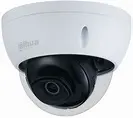
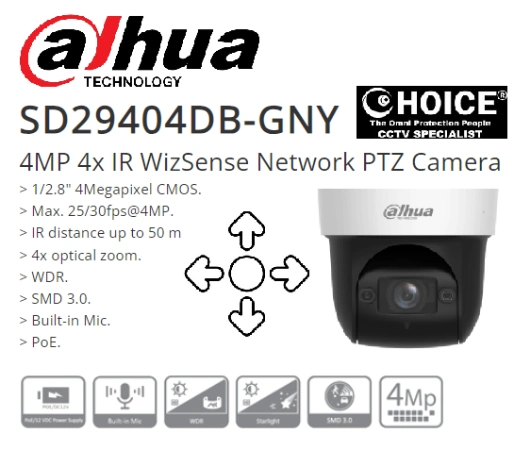
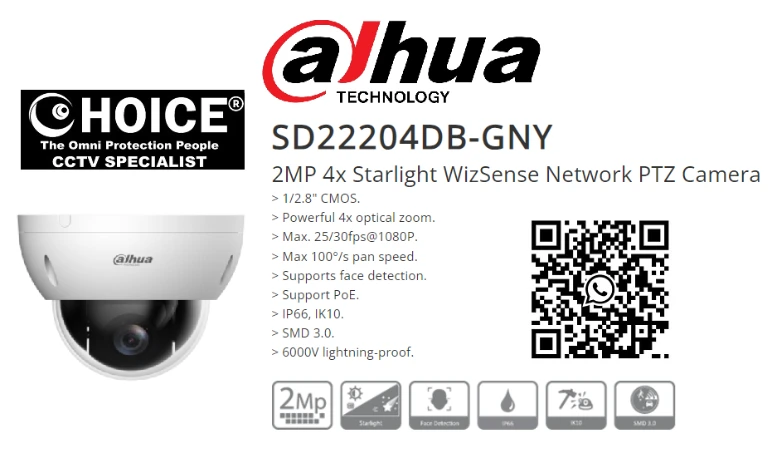
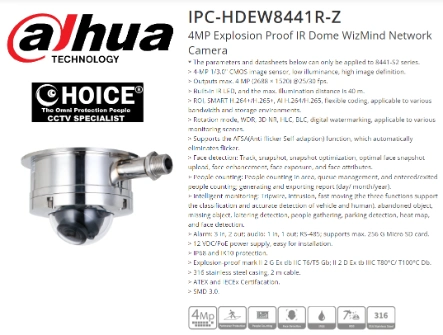

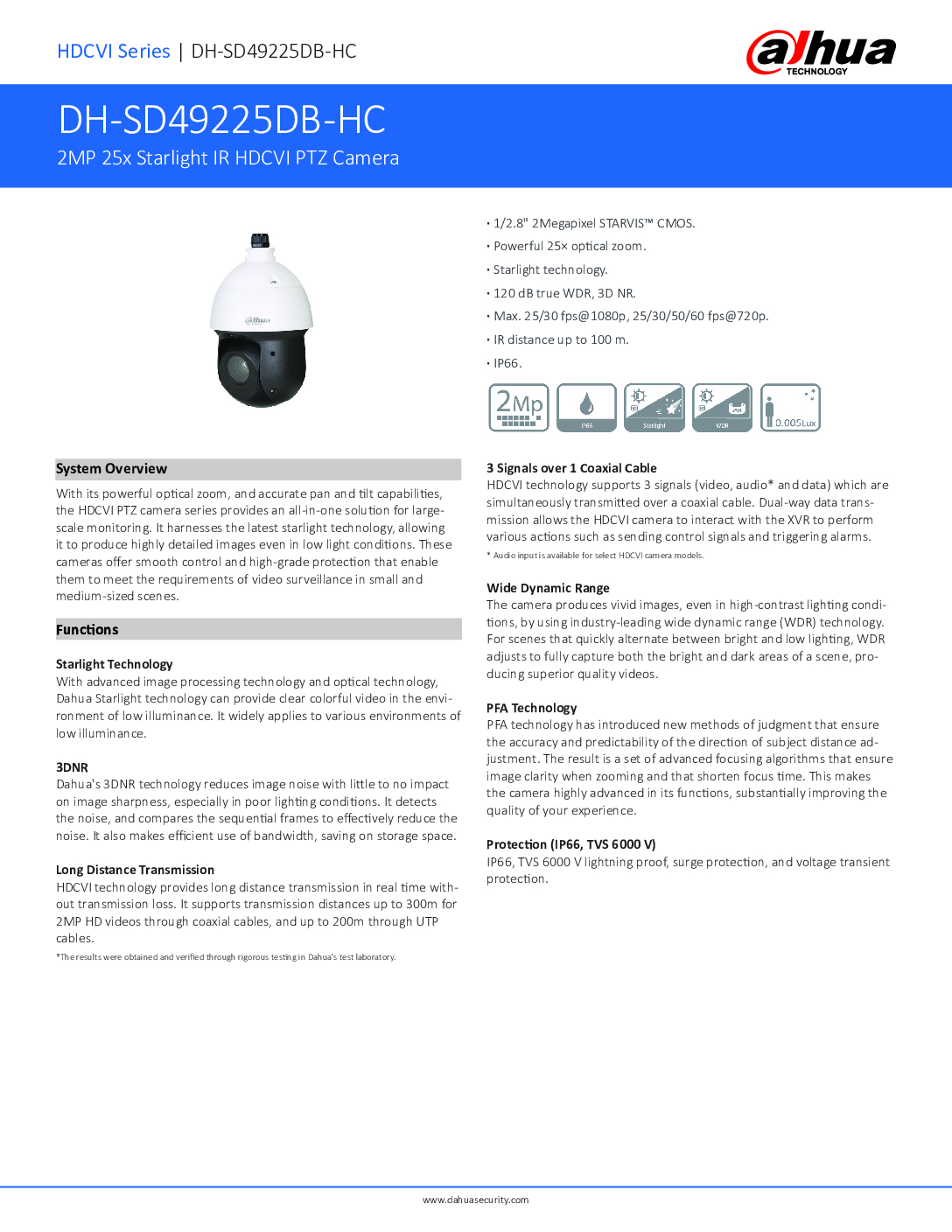
DAHUA PTZ 25X HDCVI SD49225DB-HC 2MP Full HD 25x Zoom Starlight Nigh Vision IP66 Infrared 100meter CCTV CAMERA Repair Replace
$590.00
DAHUA SINGAPORE OFFICIAL PARTNER FULL RANGE
Supply and Maintenance DAHUA CCTV IP Cameras, NVR, Turbo HD TVI Cameras, DVR, PTZ Cameras,
Access Control System, Video Intercom.
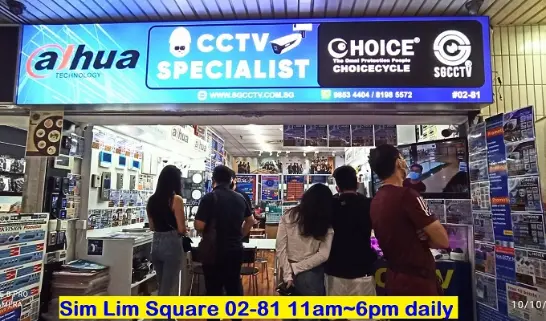
Sim Lim Square 02-81 10am-7pm Daily.
Whatsapp Enquiry Project +65 98534404, Technical Support +65 81120788, Site Visit Maintenance +65 81985572.
DAHUA PTZ 25X HDCVI SD49225DB-HC 2MP Full HD 25x Zoom Starlight Nigh Vision IP66 Infrared 100meter CCTV CAMERA Repair Replace
⭐ DAHUA PTZ 25X HDCVI SD49225DB-HC – 2MP Full HD PTZ Camera Repair & Replacement in Singapore
Looking for professional repair, servicing, or replacement of your Dahua PTZ 25X HDCVI SD49225DB-HC 2MP camera in Singapore?
CHOICECYCLE CCTV provides fast, reliable, and affordable technical support for all Dahua PTZ models including the popular SD49225DB-HC 25x Optical Zoom Starlight PTZ.
This rugged Full HD PTZ camera is widely used in commercial, industrial, warehouse, and outdoor environments due to its 100-metre IR night vision, powerful 25x zoom, and IP66 weatherproof durability. When it fails, loses focus, or stops rotating, your entire security system is affected — and that’s where we come in.
🔧 Common Issues with Dahua SD49225DB-HC That We Repair
Our engineers specialise in troubleshooting:
✔ PTZ motor failure / camera not rotating
✔ Zoom motor stuck or not focusing
✔ Blurry or unclear day/night image
✔ HDCVI signal interference / no display
✔ Water ingress, moisture, lens fogging
✔ Camera rebooting repeatedly
✔ Power supply / lightning / surge damage
✔ IR LED not turning on at night
✔ Rusted brackets / loose mounting
✔ Torn or damaged PTZ cables
We repair onsite at your premises or provide 1-for-1 replacement when parts are no longer available.
🎯 Dahua SD49225DB-HC 25X PTZ Camera Key Features
This PTZ camera remains one of Dahua’s most dependable HDCVI solutions:
- 2MP Full HD Resolution (1080P)
- 25X Optical Zoom for long-range clarity
- Starlight Low-Light Technology for brighter night images
- 100m IR Night Vision using powerful infrared LEDs
- 360° Endless Pan / 90° Tilt Range
- HDCVI Transmission up to 700m over coaxial
- Wide Dynamic Range (WDR)
- IP66 Weatherproof Housing
- Ideal for factories, warehouses, carparks, buildings & perimeters
If your unit is outdated or beyond repair, we offer upgrade options to HD-CVI 4MP/5MP/8MP PTZ models or IP PTZ equivalents with AI analytics.
🛠 Why Choose CHOICECYCLE CCTV for Dahua PTZ Repair or Replacement?
We are one of Singapore’s established CCTV specialists with:
- Over 15 years experience in PTZ repair, replacement & configuration
- Expertise in Dahua, Hikvision, Hanwha Wisenet, Uniview PTZ systems
- Support for both HDCVI and IP PTZ technologies
- Full onsite diagnosis, motor testing, lens calibration & cabling checks
- Fast turnaround time for commercial & government sites
- Stock for replacement PTZ cameras, power supplies & brackets
- Optional cloud backup storage & remote monitoring setup
- 0% UOB Credit-Card Instalment for upgrades (Singapore only)
Whether you need a quick fix or a full system upgrade, our technicians ensure your security system works reliably 24/7.
💡 When Should You Replace Instead of Repair?
Replacement is recommended when:
- Camera is over 5–7 years old
- PTZ motor parts are discontinued
- Severe water damage or lightning burn
- Image sensor is failing or noisy
- IR LEDs fully damaged
- You wish to upgrade to AI-enabled PTZ or 4MP/8MP resolutions
We will assess and advise the most cost-effective solution.
📞 Contact Us for Dahua PTZ SD49225DB-HC Repair or Replacement in Singapore
Looking for trustworthy support? We provide same-day onsite service.
CHOICECYCLE CCTV Pte Ltd
📱 WhatsApp: +65 9853 4404
📧 Email: enquiry@choicecycle.com.sg
🌐 Website: https://sgcctv.com.sg
📍 Sim Lim Square #02-81 (Project Sales & Technical Support)
DAHUA PTZ 25X HDCVI SD49225DB-HC 2MP Full HD 25x Zoom Starlight Nigh Vision IP66 Infrared 100meter CCTV CAMERA Repair Replace
DAHUA CCTV CAMERA PTZ
DAHUA BUDGET IP CAMERA DH-ED125-E DH-SF125-E || DAHUA CCTV DOME 2MP HDW2241TP-S ||
DAHUA IP CAMERA IPC-HDW2249T-S-IL || DAHUA CCTV DOME 4MP HDW2441TP-S ||
DAHUA CCTV DOME 4MP DH-IPC-DHBW2441R || DAHUA CCTV DOME 4MP DH-IPC-DHBW2441E-S ||
Panoramic Network Fisheye IPC-EBW8630 || DAHUA CCTV Pan-Tilt-Zoom DH-SD29204T-GN-W ||
DAHUA CCTV Pan-Tilt-Zoom SD22404DB-GNY || DAHUA CCTV Pan-Tilt-Zoom SD22204DB-GNY ||
Dahua IVS Camera SD3A400-GN-A-PV ||
Dahua IMOU Cue C22P No Drilling Wall Ceiling || DAHUA IMOU CRUISER 4G ||
CCTV CAMERA BRACKET PFA135 PFA152-E LR1002 ||
DAHUA CCTV DVR NVR
DAHUA 32CH NVR NVR5432-EI DHI-NVR5832-EI || DAHUA 32CH NVR NVR5432-EI DHI-NVR5832-EI ||
Dahua Network Video Recorder NVR5432-EI || DAHUA 64CH NVR DHI-NVR5464-EI NVR5864-EI ||
DAHUA ACCESS CONTROL VIDEO INTERCOM || DAHUA Face Recognition Control DHI-ASI3213A-W ||
DAHUA VIDEO INTERCOM VTH2421FB(W)-P ||
DAHUA SWITCH SOLUTIONS
DAHUA Drone Thermal Camera DHI-UAV-V3300 || Industrial Drone Thermal Camera with Gimbal ||
Video Wall System LS550UDM-EG Display Panels || Solar-Powered CCTV DH-SD6C3432XB-HNR-AGQ-PV 4MP 32X ||
Solar-Powered CCTV KIT DH-PFM364L-D1
DAHUA PTZ 25X HDCVI SD49225DB-HC 2MP Full HD 25x Zoom Starlight Nigh Vision IP66 Infrared 100meter CCTV CAMERA Repair Replace
🔧 How to Install & Configure Dahua PTZ SD49225DB-HC (25X HDCVI 2MP)
Complete Step-by-Step Setup Guide
The Dahua SD49225DB-HC is an HDCVI-based PTZ dome camera that uses coaxial cabling and supports up to 700m transmission. Installation requires correct mounting, power supply, PTZ control wiring, and DVR configuration.
Below is the complete workflow.
🛠 Tools & Items Required
Dahua SD49225DB-HC PTZ Camera
24V AC power supply (or as specified)
Coaxial cable (RG59) & BNC connectors
PTZ control wires (RS485 A/B)
Dahua HDCVI DVR (XVR recommended)
Drill, screws, wall plugs
Network tester (optional)
Surge protection device (recommended)
1️⃣ Mounting the Dahua PTZ Camera
Choose a stable surface: wall, ceiling, pole, or bracket.
Ensure full 360° pan clearance (no obstruction).
Mark the drilling points using the mounting plate.
Install anchors, screws, and bracket.
Mount the camera securely and tighten the locking screws.
Important: PTZ cameras must be firmly mounted — any vibration will affect zoom/focus.
2️⃣ Cabling & Power Connection
✔ A. Video Cable (HDCVI)
Use coaxial RG59 with BNC connectors.
Connect camera → BNC → DVR video input.
✔ B. Power
The SD49225DB-HC uses 24VAC.
Connect 24VAC+ and 24VAC- from power adapter to camera input.
Avoid sharing power with other heavy-load devices.
✔ C. PTZ Control Wiring (RS485)
Connect RS485 A → DVR A
Connect RS485 B → DVR B
Use twisted-pair cable (Cat5/6 pair is fine).
Polarity matters — wrong polarity = PTZ not moving.
DAHUA PTZ 25X HDCVI SD49225DB-HC 2MP Full HD 25x Zoom Starlight Nigh Vision IP66 Infrared 100meter CCTV CAMERA Repair Replace
3️⃣ DVR Configuration (Dahua XVR / HDCVI DVR)
Step 1: Add the HDCVI Channel
Go to Menu > Camera > Channel Type
Ensure the BNC port used is set to HDCVI
Step 2: Enable PTZ Settings
Open Menu
Select Setting > PTZ
Choose the PTZ channel
Set:
| PTZ Parameter | Setting |
|---|---|
| Protocol | DAHUA |
| Address (ID) | 1 (default) |
| Baud Rate | 9600 |
| Data Bits | 8 |
| Parity | None |
| Stop Bits | 1 |
If the customer already changed the PTZ address, match accordingly.
Step 3: Test PTZ Control
Open Live View
Right-click and select PTZ Control
Test:
Up / Down
Left / Right
Zoom In / Out
Focus
IR & Preset functions
If the camera does not respond:
Re-check RS485 A/B polarity
Confirm “Dahua Protocol + Baud Rate 9600”
Ensure power supply is stable
4️⃣ Set Presets & Tour Functions
Set a Preset
Go to PTZ Control
Aim the camera (Zoom + Focus)
Click Preset
Choose a preset number (1–80)
Save
Create an Auto-Tour
Go to PTZ > Tour
Add preset points in sequence
Set speed
Save
Click Start Tour
Use cases:
✔ Perimeter patrol
✔ Carpark sweeping
✔ Warehouse monitoring
5️⃣ Optimize Image Settings
Go to Camera > Image:
Brightness: 45–55
Contrast: 35–45
Sharpness: 40–55
WDR: Enable for backlight environments
DNR: Enable for low-light noise reduction
Day/Night: Auto
For outdoor lighting variations, enable Starlight Mode.
6️⃣ Night Vision & IR Settings
The SD49225DB-HC supports up to 100m IR distance.
Set under Camera > Conditions:
IR Mode: Auto
Smart IR: ON
Exposure: Auto / Slow Shutter for very dark areas
If IR is not switching:
Check photocell sensor
Verify power supply cannot drop under load
7️⃣ Maintenance Checklist
✔ Clean dome bubble
✔ Check bracket bolts every 6–12 months
✔ Inspect RS485 terminal and coax connectors
✔ Test zoom/focus motor
✔ Update DVR firmware
✔ Replace lightning/surge protector yearly
💡 Professional Tip
If the PTZ is installed outdoors:
Install a surge protector on both power & coaxial lines.
PTZ motors are sensitive to lightning spikes.
📞 Need Installation or Configuration Help in Singapore?
CHOICECYCLE CCTV provides:
✔ Dahua PTZ installation
✔ PTZ repair & replacement
✔ DVR configuration
✔ Cabling & power upgrade
✔ Surge protection setup
✔ Maintenance contracts
Contact Us:
📱 WhatsApp: +65 9853 4404
📧 enquiry@choicecycle.com.sg
🌐 https://sgcctv.com.sg
📍 Sim Lim Square #02-81
DAHUA PTZ 25X HDCVI SD49225DB-HC 2MP Full HD 25x Zoom Starlight Nigh Vision IP66 Infrared 100meter CCTV CAMERA Repair Replace


Nunc lacus elit, faucibus ac laoreet sed, dapibus ac mi. Maecenas eu ante a elit tempus fermentum. Aliquam commodo tincidunt semper. Phasellus accumsan, justo ac mollis pharetra, ex dui pharetra nisl, a scelerisque ipsum nulla ac sem. Cras eu risus urna. Duis lorem sapien, congue eget nisl sit amet, rutrum faucibus elit.
Donec accumsan auctor iaculis. Sed suscipit arcu ligula, at egestas magna molestie a. Proin ac ex maximus, ultrices justo eget, sodales orci. Aliquam egestas libero ac turpis pharetra, in vehicula lacus scelerisque. Vestibulum ut sem laoreet, feugiat tellus at, hendrerit arcu.
Nunc lacus elit, faucibus ac laoreet sed, dapibus ac mi. Maecenas eu ante a elit tempus fermentum. Aliquam commodo tincidunt semper. Phasellus accumsan, justo ac mollis pharetra, ex dui pharetra nisl, a scelerisque ipsum nulla ac sem. Cras eu risus urna. Duis lorem sapien, congue eget nisl sit amet, rutrum faucibus elit.
Related Products
HIKVISION USB WEBCAM DS-U102 Auto Follow Zoom Microphone Live Stream Camera Schools Educators Proposal & Presentation live stream with All Meeting Platform
Save35.3%Save $300.00Only$550.00 Original price was: $850.00.$550.00Current price is: $550.00.