
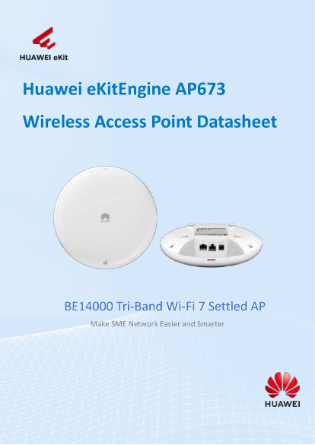


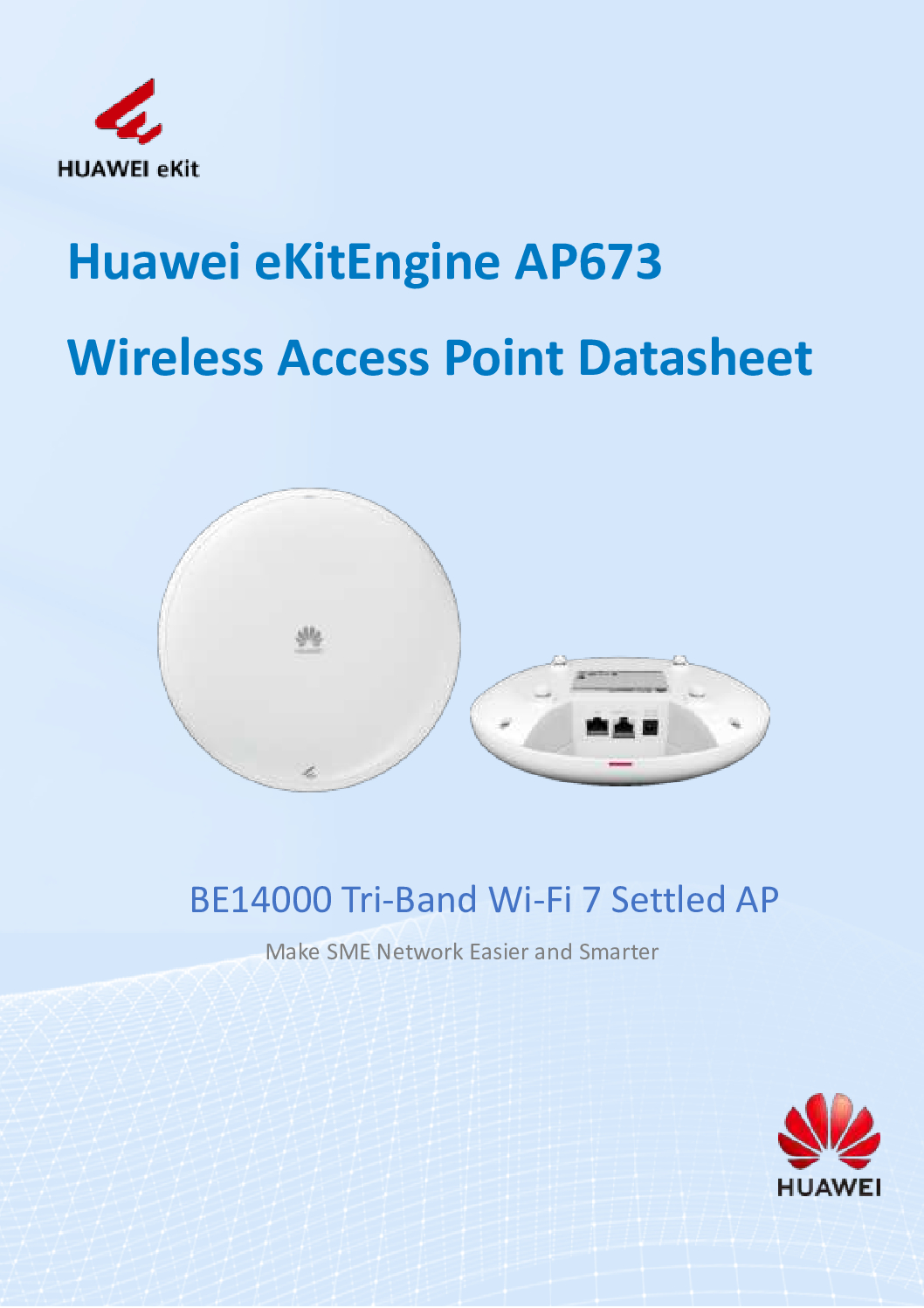
HUAWEI BE14000 Wi-Fi 7 Tri-Band 5GE Settled AP DB
in stock
$622.00
HUAWEI SINGAPORE OFFICIAL PARTNER
Supply and Maintenance HUAWEI SWITCH Access Control System, Video Intercom.
Sim Lim Square 02-81 10am-7pm Daily.
Whatsapp Enquiry Project +65 98534404, Technical Support +65 81120788, Site Visit Maintenance +65 81985572.
in stock
HUAWEI BE14000 Wi-Fi 7 Tri-Band 5GE Settled AP NEW
The Huawei BE14000 Wi‑Fi 7 Tri-Band 5GE Access Point (AP673) is a cutting-edge enterprise-grade wireless solution designed to meet the demands of modern high-density networks. Engineered for speed, reliability, and low latency, this 5GE access point delivers seamless connectivity across multiple devices, making it ideal for smart offices, campuses, and large-scale enterprise deployments.
Key Features of Huawei BE14000 Wi-Fi 7 Tri-Band 5GE AP
1. Tri-Band Wi-Fi 7 Technology
The BE14000 supports the latest Wi-Fi 7 tri-band technology, allowing simultaneous connections across multiple bands. This ensures ultra-fast data transfer rates, efficient spectrum utilization, and minimal interference, even in high-density environments.
2. 5GE Ethernet Connectivity
Equipped with 5GE ports, the AP673 ensures high-speed wired connections to the network backbone, supporting heavy traffic loads and low-latency data transmission. Perfect for bandwidth-intensive applications like 4K/8K video streaming, cloud collaboration, and IoT devices.
3. Low-Latency Performance
Designed for latency-sensitive applications, the Huawei BE14000 provides reliable, low-latency connections, making it ideal for video conferencing, online gaming, and industrial automation environments.
HUAWEI BE14000 Wi-Fi 7 Tri-Band 5GE Settled AP NEW
4. High Device Capacity
With advanced multi-user MIMO technology, this AP supports a large number of simultaneous device connections without compromising speed or stability. Enterprises can easily scale their networks without worrying about performance degradation.
5. Intelligent Network Management
Huawei’s intelligent AP management system enables centralized monitoring and optimization. Network administrators can manage traffic, allocate bandwidth, and maintain QoS (Quality of Service) to ensure smooth operations across all connected devices.
6. Security and Reliability
The AP673 comes with robust security features including WPA3 encryption, secure guest access, and advanced intrusion detection, safeguarding enterprise networks from unauthorized access and cyber threats.
Applications of Huawei BE14000 Wi-Fi 7 Tri-Band 5GE Access Point
Enterprise Offices: High-speed connectivity for large numbers of employees and devices.
Smart Campuses: Seamless Wi-Fi coverage for lecture halls, labs, and dormitories.
Industrial IoT: Reliable connections for sensors, robotics, and automation systems.
Public Venues: Stadiums, airports, and convention centers requiring dense device connectivity.
HUAWEI BE14000 Wi-Fi 7 Tri-Band 5GE Settled AP NEW
Why Choose Huawei BE14000 Wi-Fi 7 AP?
Future-Proof Technology: With Wi-Fi 7, your network is prepared for next-generation devices.
High-Speed Tri-Band Wi-Fi: Efficient multi-band connectivity for heavy data traffic.
Low Latency: Ideal for applications where every millisecond matters.
Scalable and Manageable: Supports network growth without complexity.
Investing in the Huawei BE14000 ensures your organization enjoys high-performance, reliable, and secure wireless connectivity, keeping your network ahead of the curve.
1. Unboxing and Pre-Installation Check
Before installation, make sure you have:
Huawei BE14000 AP unit
Mounting bracket and screws
Ethernet cables (Cat6 or higher recommended for 5GE)
PoE injector or PoE-enabled switch (if using PoE)
Laptop or PC for initial configuration
Tip: Ensure the AP is powered off and the network is disconnected before mounting.
HUAWEI BE14000 Wi-Fi 7 Tri-Band 5GE Settled AP NEW
2. Physical Installation
Step 1: Choose the Installation Location
Select a central location with minimal obstructions for optimal Wi-Fi coverage.
Avoid placing the AP near thick walls, metal objects, or devices that may cause interference.
Ensure the location is near a 5GE Ethernet connection or a PoE-enabled switch.
Step 2: Mount the AP
Use the provided mounting bracket.
Screw the bracket into the wall or ceiling securely.
Attach the AP onto the bracket until it clicks into place.
Ensure the AP is level and stable.
Step 3: Connect the Ethernet Cable
Connect a Cat6 (or higher) Ethernet cable from the AP’s 5GE port to your network switch or router.
If using PoE, ensure the switch supports 802.3bt or a compatible PoE injector is used.
Power on the AP; the LED indicators should light up, showing initialization status.
HUAWEI BE14000 Wi-Fi 7 Tri-Band 5GE Settled AP NEW
3. Initial Configuration
Huawei APs can be configured via the Huawei iMaster NCE-Campus controller or directly via web GUI / SSH. Here’s a simple web GUI setup:
Step 1: Access the AP
Connect a PC to the same network as the AP.
Find the AP’s default IP (usually via DHCP from your router).
Open a web browser and enter the AP’s IP address.
Step 2: Login
Default credentials:
Username:
adminPassword:
admin(check the manual; some units require initial setup via Huawei controller)
Step 3: Change Default Password
Immediately change the default password to enhance security.
HUAWEI BE14000 Wi-Fi 7 Tri-Band 5GE Settled AP NEW
4. Configure Network Settings
Step 1: Set SSID and Security
Navigate to Wi-Fi Settings → SSID Configuration.
Create your wireless network name (SSID).
Select Wi-Fi 7 or Tri-Band mode.
Set encryption to WPA3 for maximum security.
Step 2: Assign VLANs (Optional)
If your network uses VLANs, assign VLAN IDs to separate traffic for security or QoS purposes.
Step 3: Enable QoS / Traffic Management
Prioritize latency-sensitive applications like video conferencing or VoIP.
Huawei APs support intelligent traffic scheduling for low-latency performance.
5. Advanced Settings
Band Steering: Enable to automatically guide devices to the optimal band (2.4 GHz, 5 GHz, or 6 GHz).
Load Balancing: Ensures that multiple devices are evenly distributed across APs in multi-AP deployments.
Firmware Update: Check Huawei’s support site and update the AP to the latest firmware for optimal performance and security.
HUAWEI BE14000 Wi-Fi 7 Tri-Band 5GE Settled AP NEW
6. Test and Verify
Connect a device to the Wi-Fi SSID.
Verify speed using a tool like Speedtest.net.
Check signal strength across the area to ensure complete coverage.
Monitor device connections through the web GUI or iMaster NCE-Campus.
7. Optional: Centralized Management via Huawei Controller
For enterprise networks:
Add the AP to the Huawei iMaster NCE-Campus controller.
Configure multiple APs at once, manage firmware updates, and monitor network health.
Enables advanced analytics, automatic RF optimization, and zero-touch provisioning.
HUAWEI BE14000 Wi-Fi 7 Tri-Band 5GE Settled AP NEW
Who Needs to Buy the Huawei BE14000 Wi‑Fi 7 Tri‑Band 5GE Access Point
The Huawei BE14000 Wi‑Fi 7 Tri‑Band 5GE Access Point isn’t just another wireless device — it’s a high‑performance, enterprise‑grade networking solution designed for environments where speed, capacity, and reliability matter. This makes it ideal for:
🔹 Enterprises & Corporate Offices
Large offices with multiple departments and high user density need robust wireless coverage. The tri‑band Wi‑Fi 7 capability ensures thousands of devices (laptops, VoIP phones, conferencing tools) can connect simultaneously without congestion or lag.
🔹 Educational Institutions & Campuses
Universities and schools with lecture halls, labs, and dormitories require seamless connectivity over large areas. With low latency and high throughput, the BE14000 supports e‑learning platforms, video streaming, and campus‑wide connectivity with ease.
🔹 Hotels, Resorts & Hospitality
Guests expect fast, reliable internet on every floor and in every room. The Huawei BE14000 provides consistent high‑speed Wi‑Fi that enhances guest satisfaction — from streaming entertainment to business conferencing.
🔹 Retail & Commercial Spaces
Malls, showrooms, and retail outlets need a network that can handle POS systems, inventory IoT devices, digital signage, and customer Wi‑Fi — all securely and simultaneously. The BE14000’s advanced tri‑band performance delivers it.
🔹 Industrial & IoT Deployments
Factories, warehouses, and smart facilities increasingly rely on connected sensors, automation, and mobile devices. The low latency and high device capacity of this access point ensure industrial apps run without interruption.
🔹 Event Venues & Conference Halls
Events and conferences demand high‑density Wi‑Fi where thousands of participants connect at once. With band steering and intelligent load balancing, the BE14000 efficiently manages peak usage times.
🔹 Managed Service Providers (MSPs)
MSPs installing or managing networks for multiple clients benefit from the BE14000’s centralized management compatibility (e.g., Huawei iMaster NCE), making deployment, monitoring, and upkeep streamlined.
HUAWEI BE14000 Wi-Fi 7 Tri-Band 5GE Settled AP NEW
📅 Product Lifespan & Warranty Expectations
🛠 Warranty Period
Enterprise access points from Huawei typically come with a limited hardware warranty, often ranging from 1 to 5 years, depending on the specific model and region. Some WLAN products—including enterprise APs—can have up to a 5‑year maximum hardware warranty under Huawei’s enterprise warranty policies.
Local sellers sometimes offer 2–3 year manufacturer warranties on similar Wi‑Fi 7 access points.
📌 Important: Warranty covers hardware faults within that period, not the total usable lifespan of the product.
🔋 Typical Operational Lifespan
Although official warranty is limited, the actual working life span of a high‑quality enterprise access point like the Huawei BE14000 is usually longer:
🕒 3–7 Years (Common Expectation)
Most enterprise‑grade Wi‑Fi access points—including next‑gen Wi‑Fi 7 models—are expected to stay in use 3 to 5 years before people consider upgrading, mainly due to evolving technology and new Wi‑Fi standards.
Some networks plan for a refresh cycle around ~5 years, even if the hardware continues to function beyond that.
🔄 Beyond Warranty
In real‑world deployments, such devices often continue to operate well past their warranty period—sometimes 7‑10 years or more—provided they aren’t physically damaged and environmental conditions are good.
Eventually, newer Wi‑Fi generations and increasing performance demands (e.g., more users, higher speeds) push organizations to upgrade even if the old AP still “works.”
HUAWEI BE14000 Wi-Fi 7 Tri-Band 5GE Settled AP NEW
📊 Summary
| Factor | Typical Expectation |
|---|---|
| Manufacturer warranty | ~1 to 5 years depending on region/model |
| Practical working life | ~3 to 7 years under normal use |
| Extended use potential | 7+ years until technology becomes outdated |
👉 In practice, you can expect reliable performance for at least 3–5 years, with the hardware often remaining functional beyond that, but industry standards and evolving Wi‑Fi needs usually drive upgrades sooner than outright failure.
How the Huawei BE14000 Wi‑Fi 7 Tri-Band 5GE Access Point is Made
The Huawei BE14000 AP673 is a high-performance enterprise-grade access point built with precision engineering, advanced electronics, and robust materials to deliver fast, reliable, and secure wireless connectivity.
1. Hardware Design
Tri-Band Antenna System: The AP integrates a tri-band antenna array, including 2.4 GHz, 5 GHz, and 6 GHz radios, to maximize coverage and capacity. These antennas are carefully designed for beamforming, allowing signals to be directed to connected devices for stronger connections.
High-Speed 5GE Ethernet Ports: The device includes 5GE Ethernet interfaces to support wired backhaul, ensuring ultra-low latency and high-throughput performance.
Robust PCB (Printed Circuit Board): The internal circuits are mounted on a multi-layer PCB with high-frequency materials, optimized for Wi-Fi 7 standards. Signal integrity is critical for maintaining speed and reducing interference.
2. Processor and Memory
The AP is powered by a high-performance network processor capable of handling multi-user MIMO, low-latency packet processing, and intelligent traffic management.
Memory Modules: The device includes RAM and flash memory to store configuration settings, firmware, and temporary network data, ensuring smooth operation even under heavy network load.
3. Firmware and Software
Huawei Wi-Fi 7 Firmware: The AP runs Huawei’s proprietary firmware optimized for Wi-Fi 7 tri-band operation, including features like OFDMA, MU-MIMO, band steering, and low-latency scheduling.
Security Protocols: Advanced encryption and security features such as WPA3 and intrusion detection are built into the software layer.
Management Compatibility: The device supports centralized management via Huawei iMaster NCE-Campus, enabling network-wide monitoring, firmware updates, and configuration.
4. Enclosure and Thermal Design
Durable Housing: The AP’s enclosure is made from high-quality plastics and metals to withstand indoor environmental conditions.
Heat Dissipation: Strategic ventilation and heat sinks are used to prevent overheating, even during prolonged high-speed operation.
HUAWEI BE14000 Wi-Fi 7 Tri-Band 5GE Settled AP NEW
5. Assembly Process
Component Mounting: SMD (Surface Mount Device) components are placed on the PCB using automated pick-and-place machines.
Soldering & Inspection: Components are soldered using precision reflow ovens, followed by automated optical inspection (AOI) for quality assurance.
Firmware Installation: The Wi-Fi 7 firmware is loaded and tested for network functionality.
Antenna and Casing Assembly: Antennas, casings, and mounting brackets are assembled.
Quality Control Testing: Each AP undergoes RF testing, Ethernet throughput tests, and environmental stress tests before shipping.
6. Final Product
The result is a highly reliable, enterprise-grade Wi-Fi 7 access point capable of delivering ultra-fast, low-latency, and secure connectivity in offices, campuses, industrial sites, and public venues.
Why You Should Buy the Huawei BE14000 Wi‑Fi 7 Tri-Band 5GE Access Point
Choosing the right wireless access point is crucial for modern businesses and institutions. The Huawei BE14000 Wi‑Fi 7 Tri-Band 5GE Access Point (AP673) delivers high-speed, low-latency, and future-ready connectivity, making it the ultimate choice for organizations that demand reliable wireless networks. Here’s why customers choose it:
1. Future-Proof Wi-Fi 7 Technology
With tri-band Wi-Fi 7 support, the BE14000 ensures your network is ready for next-generation devices. Customers investing in this AP won’t need frequent upgrades as device speeds and demands increase.
2. Ultra-Fast 5GE Connectivity
The AP673 comes with 5GE Ethernet ports, providing blazing-fast wired backhaul. This ensures consistent high-speed performance for data-intensive applications, video conferencing, cloud computing, and IoT deployments.
3. Low Latency for Seamless Experiences
Applications like video calls, online collaboration, and interactive digital systems require low-latency networks. This access point guarantees minimal lag, ensuring smooth operations for employees, students, and guests alike.
4. High Device Capacity
With advanced multi-user MIMO technology and intelligent traffic management, the BE14000 supports a large number of connected devices simultaneously, making it ideal for offices, campuses, hotels, and event venues.
5. Enterprise-Grade Reliability and Security
Huawei designs its APs with robust security features such as WPA3 encryption, intrusion detection, and secure guest access. Customers gain peace of mind knowing their network is safe from unauthorized access and cyber threats.
6. Easy Management and Scalability
Whether managing a single AP or a large deployment, the BE14000 is fully compatible with Huawei iMaster NCE-Campus, allowing centralized control, automated firmware updates, and real-time monitoring. Businesses can scale their networks without complexity.
7. Proven ROI
Investing in the BE14000 means reducing downtime, improving employee productivity, and enhancing customer satisfaction. Its long lifespan and future-ready design maximize the value of your network investment.
HUAWEI BE14000 Wi-Fi 7 Tri-Band 5GE Settled AP NEW
Choicecycle (SGCCTV Singapore) – Your Trusted Wi-Fi Partner
For inquiries, purchases, and installation support, contact Choicecycle today:
WhatsApp: +65 9853 4404
Email: enquiry@choicecycle.com.sg
Website: https://sgcctv.com.sg
Store Location: SGCCTV Choicecycle, Sim Lim Square #02-81, Singapore
Operating Hours: 11 AM – 8 PM


Nunc lacus elit, faucibus ac laoreet sed, dapibus ac mi. Maecenas eu ante a elit tempus fermentum. Aliquam commodo tincidunt semper. Phasellus accumsan, justo ac mollis pharetra, ex dui pharetra nisl, a scelerisque ipsum nulla ac sem. Cras eu risus urna. Duis lorem sapien, congue eget nisl sit amet, rutrum faucibus elit.
Donec accumsan auctor iaculis. Sed suscipit arcu ligula, at egestas magna molestie a. Proin ac ex maximus, ultrices justo eget, sodales orci. Aliquam egestas libero ac turpis pharetra, in vehicula lacus scelerisque. Vestibulum ut sem laoreet, feugiat tellus at, hendrerit arcu.
Nunc lacus elit, faucibus ac laoreet sed, dapibus ac mi. Maecenas eu ante a elit tempus fermentum. Aliquam commodo tincidunt semper. Phasellus accumsan, justo ac mollis pharetra, ex dui pharetra nisl, a scelerisque ipsum nulla ac sem. Cras eu risus urna. Duis lorem sapien, congue eget nisl sit amet, rutrum faucibus elit.
Reviews
There are no reviews yet.