

DATA CABINET SERVER RACK WM6409 9U SWITCH DATA CENTRE Network Cabinet PA System CCTV Security System Network Switch UPS
in stock
$237.50
CHOICE Brand and SGCCTV Brand are Singapore IPOS Trade Mark Registered.
Widely deployed in Shopping Malls, Residential, Commercial, Office, Warehouse.
Specialist in all Security System CCTV Camera Door Access Alarm Switch
Technical Support at Sim Lim Square 02-81 11am~7pm Daily +65 98534404 +65 81985572
in stock
DATA CABINET SERVER RACK WM6409 9U SWITCH DATA CENTRE Network Cabinet PA System CCTV Security System Network Switch UPS
DATA CABINET SERVER RACK WM6409 9U Singapore
9U Network Cabinet for CCTV, NVR, DVR, PoE Switch, PA System, UPS & Data Centre Equipment
The WM6409 9U Data Cabinet Server Rack is a compact and practical 19-inch network cabinet designed to organize, protect and centralize CCTV, networking, communication and ELV equipment.
For small and medium installations where a large 18U or 42U floor-standing rack is unnecessary, the WM6409 9U Server Rack provides an efficient solution for housing compatible network switches, PoE switches, CCTV NVR/DVR, patch panels, routers, fibre equipment, PA equipment, PDU and compact UPS equipment.
It is suitable for CCTV security systems, office networks, server rooms, retail shops, warehouses, factories, schools, commercial buildings and small data-centre distribution points.
One 9U Cabinet for Multiple Systems
A properly planned WM6409 installation can centralize equipment for:
CCTV Security System
Network & Data System
PoE Switches
DVR / NVR Recording
Door Access System
Video Intercom
PA System
Wi-Fi Network
Fibre Network
UPS Backup Power
Instead of leaving switches, recorders and power adapters exposed on tables or shelves, the equipment can be professionally organized within a dedicated network cabinet.
Ideal for CCTV Security Systems
The WM6409 is particularly useful for smaller CCTV installations.
A typical IP CCTV architecture is:
IP CAMERAS
↓
CAT6 NETWORK CABLE
↓
PATCH PANEL
↓
GIGABIT PoE SWITCH
↓
CCTV NVR
↓
Monitor / LAN / Remote Viewing
The PoE switch and NVR can be centralized inside the rack, together with network and power accessories.
For traditional DVR-based systems:
CCTV Cameras → DVR → Network Switch → Router/Firewall → Authorized Remote Access
A centralized cabinet makes troubleshooting easier because the primary CCTV equipment is located together.
Network Switch & PoE Switch Cabinet
Network switches are among the most common devices installed inside a 9U rack.
The cabinet can accommodate compatible:
8-Port PoE Switches
16-Port PoE Switches
24-Port Network Switches
Managed Gigabit Switches
Fibre Switches
Patch Panels
A typical office or security network can be arranged as:
INTERNET / WAN
↓
ROUTER / FIREWALL
↓
NETWORK SWITCH
↓
CCTV • Computers • Wi-Fi AP • Door Access • Intercom
For professional installations, managed switches can also provide VLAN segmentation between CCTV, office networks, access control and other systems.
Data Centre & Server Room Applications
Although a 9U cabinet is much smaller than a full 42U data-centre rack, it can be useful as an edge, branch or network distribution cabinet.
Typical applications include:
Small Server Rooms • Branch Offices • Telecom Rooms • IDF Locations • Network Distribution Points • Security Rooms • ELV Rooms
The cabinet can house switches, patch panels, fibre equipment and compact network appliances close to the devices they serve.
For actual servers, always check equipment depth, weight, cooling and rail requirements. A device being described as “19-inch rack mount” does not automatically mean it will physically fit a compact 9U cabinet.
PA System Equipment
The WM6409 can also accommodate suitably sized PA and network-audio equipment.
Examples include:
Paging Controllers • Audio Processors • Network Audio Interfaces • Zone Controllers • Audio Sources • Compact Amplifiers
PA amplifiers can be heavy and generate considerable heat, so equipment dimensions and ventilation requirements must be checked carefully.
A high-power amplifier should not be installed in a compact rack merely because its front panel is 19-inch compatible.
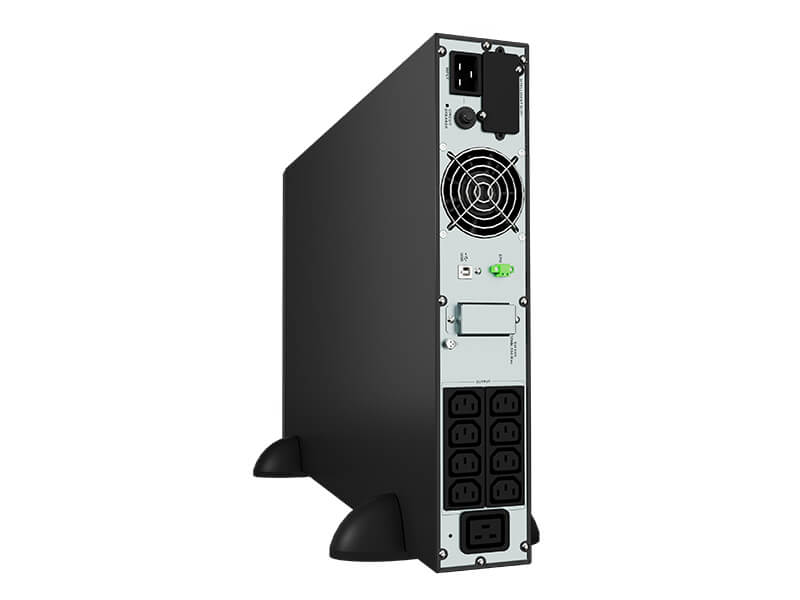
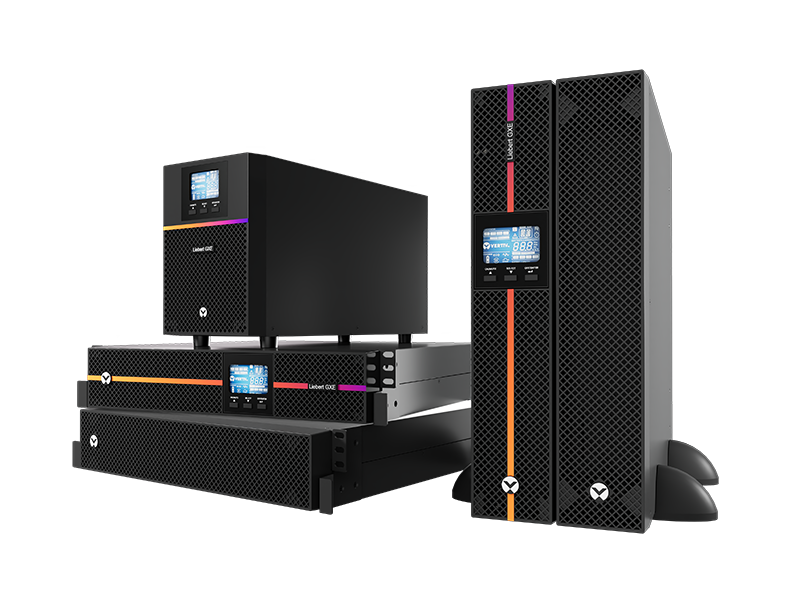
UPS Backup Power
For security and network systems, a UPS — Uninterruptible Power Supply can help keep critical equipment operating during short AC power interruptions.
A typical arrangement is:
230VAC
↓
UPS
↓
PDU
↓
NVR + PoE Switch + Router + Network Equipment
For CCTV systems, backing up only the NVR is usually insufficient if continued camera operation is required.
If IP cameras are powered by a PoE switch:
UPS → PoE Switch → IP Cameras
should also be considered.
UPS capacity must be calculated according to the actual wattage and required backup runtime.
PDU Power Distribution
A suitable Power Distribution Unit (PDU) provides organized AC power distribution for rack equipment.
Instead of using multiple loose extension sockets:
AC Mains → UPS → Rack PDU → Equipment
can provide a cleaner arrangement.
The PDU must be correctly rated for the total connected electrical load.
Recommended WM6409 9U Rack Layout
A typical small CCTV/network installation could be:
┌──────────────────────────────┐
│ U9   CAT6 PATCH PANEL        │
├──────────────────────────────┤
│ U8   CABLE MANAGEMENT        │
├──────────────────────────────┤
│ U7   GIGABIT PoE SWITCH      │
├──────────────────────────────┤
│ U6   NETWORK / FIBRE SWITCH  │
├──────────────────────────────┤
│ U5   ROUTER / FIREWALL       │
├──────────────────────────────┤
│ U4                           │
│ U3   CCTV NVR / DVR          │
├──────────────────────────────┤
│ U2   SHELF / ACCESSORIES     │
├──────────────────────────────┤
│ U1   PDU / POWER             │
└──────────────────────────────┘
The actual configuration depends on the equipment’s rack-unit height, chassis depth, weight and ventilation requirements.
Professional Cable Management
Good cable management is essential even in a small 9U cabinet.
Use suitable:
CAT6 Patch Panels • Cable Management Panels • Fibre Patch Panels • Rack Shelves • Cable Labels • Hook-and-Loop Straps
Cables should be identified at both ends.
For example:
CAM01 → SW01-P01
CAM02 → SW01-P02
NVR01 → SW01-P24
UPLINK → CORE-SW01
This significantly reduces troubleshooting time during future maintenance.
Avoid forcing excessive spare cable behind switches or the NVR, where it may obstruct ventilation.
How to Install WM6409 9U Server Rack
Before installation, prepare an equipment schedule showing every device that will be installed.
Step 1 — Select the Location
Choose a dry, secure and adequately ventilated indoor location.
Avoid areas exposed to water, excessive humidity, direct sunlight, heavy dust, corrosive chemicals or excessive temperature.
Step 2 — Check the Mounting Structure
For wall-mounted installations, ensure the wall and mounting hardware can support the combined weight of the cabinet plus all installed equipment.
Do not install a heavily loaded rack on an unsupported lightweight partition.
Step 3 — Plan Equipment Position
Install heavier equipment lower in the cabinet wherever practical.
Allow adequate space for:
Rear connectors • Power plugs • CAT6 cables • Fibre bend radius • Ventilation • Maintenance
Step 4 — Install Rack Equipment
Secure equipment using the appropriate rack screws, cage nuts, brackets and shelves.
Do not leave heavy equipment unsecured.
Step 5 — Route Data and Power
Organize network, CCTV, fibre and power cabling separately where appropriate.
Avoid running sensitive data cabling tightly alongside high-current AC cabling unnecessarily.
Step 6 — Connect UPS and PDU
Where backup power is required:
AC → UPS → PDU → Critical Equipment
Confirm that the UPS and PDU ratings exceed the actual connected load with appropriate engineering margin.
Step 7 — Test the System
After installation, test:
Network Connectivity • PoE Output • CCTV Recording • Remote Viewing • UPS Backup • PDU • Equipment Temperature
Finally, label all cables and lock the cabinet.
Safety Precautions
Do Not Overload the Rack — check the cabinet, shelf and mounting limits before adding heavy equipment.
Check Wall Strength — wall-mount safety depends on the wall construction and anchoring system, not only the cabinet rating.
Electrical Safety — AC power and fixed electrical work should be performed by appropriately qualified personnel.
Proper Earthing — ensure the rack and relevant equipment are correctly earthed/bonded where required.
Maintain Ventilation — PoE switches, NVRs, UPS units and amplifiers generate heat. Never block ventilation openings.
UPS Battery Safety — batteries can produce very high fault currents. Never short battery terminals or use incompatible batteries.
Keep Equipment Secure — lock the cabinet after commissioning to restrict unauthorized access to CCTV recordings and network infrastructure.
Keep the Rack Dry — standard indoor network cabinets should not be treated as outdoor waterproof enclosures unless specifically rated for that purpose.
8 Major Benefits
1. Compact 9U Design — ideal where a large server rack is unnecessary.
2. Centralized CCTV Equipment — keeps NVR/DVR, PoE switch and network equipment together.
3. Professional Network Organization — suitable for patch panels, switches, routers and fibre equipment.
4. Cleaner Installation — reduces exposed equipment and loose cabling.
5. PA & ELV Applications — suitable for compatible audio, access-control and communication equipment.
6. UPS & PDU Integration — allows properly sized backup-power and distribution equipment to be incorporated.
7. Easier Maintenance — labelled and centralized equipment simplifies troubleshooting.
8. Future Expansion — spare rack units can be reserved for additional switches, patch panels or other equipment.
Ideal Applications
CCTV Security System • DVR • NVR • PoE Switch • Network Switch • Data Centre • Server Room • PA System • Door Access • Video Intercom • Wi-Fi Network • Fibre Network • Office Network • Retail Shop • Warehouse • Factory • Commercial Building
10 FAQ
1. What is the WM6409 9U Data Cabinet?
It is a compact rack cabinet designed to organize compatible network, CCTV, communications and ELV equipment.
2. Can it store a CCTV NVR or DVR?
Yes, provided the recorder’s dimensions, mounting method and ventilation requirements are compatible.
3. Can I install a PoE switch?
Yes. PoE and network switches are common equipment for this type of rack.
4. Is 9U enough for a CCTV system?
For many smaller installations, 9U can provide sufficient capacity for a patch panel, cable manager, PoE switch, NVR and network accessories. Calculate the required rack units before purchase.
5. Can it be used for PA equipment?
Yes, for suitably sized PA equipment. Check amplifier depth, weight and heat output before installation.
6. Can a UPS be installed inside?
Potentially. The UPS must physically fit and comply with the cabinet’s weight and ventilation limitations. Larger UPS systems should normally be installed separately.
7. Why use a PDU inside the rack?
A PDU provides organized power distribution to multiple rack devices and reduces reliance on loose extension sockets.
8. Can it be used in a data centre?
Yes, for suitable edge-network or distribution applications. Large server installations normally require deeper and larger server racks.
9. How should equipment be arranged?
Patch panels and switches are commonly positioned higher, while heavier equipment should generally be located lower for better stability.
10. Why use a cabinet instead of putting the NVR and switch on a shelf?
A rack provides better equipment organization, physical protection, cable management, serviceability and controlled access.
WM6409 9U Data Cabinet Server Rack Singapore | Network Cabinet for CCTV NVR DVR PoE Switch PA System UPS
Meta Description
WM6409 9U Data Cabinet Server Rack Singapore for CCTV NVR, DVR, PoE switch, network switch, PA system, PDU and compatible UPS. Compact network cabinet for CCTV security systems, server rooms, offices and data centres.
SEO Keywords
WM6409 Singapore, WM6409 9U, 9U Server Rack Singapore, 9U Network Cabinet, Data Cabinet Singapore, CCTV Server Rack, NVR Cabinet, DVR Cabinet, PoE Switch Cabinet, Network Switch Rack, PA System Rack, UPS Cabinet, PDU Rack, Data Centre Cabinet, CCTV Network Cabinet
#WM6409 #9UServerRack #ServerRack #DataCabinet #NetworkCabinet #CCTV #CCTVSingapore #NVR #DVR #PoESwitch #NetworkSwitch #DataCentre #PASystem #SGCCTV #ChoicecycleCCTV
DATA CABINET SERVER RACK WM6409 9U Singapore
19-Inch Wall Mount Network Cabinet for CCTV, Network Switch, NVR, PA System & IT Equipment
The WM6409 9U Data Cabinet Server Rack is a compact 19-inch wall-mount network cabinet designed to organize, protect and centralize CCTV, networking, communications and other compatible rack equipment.
With a 600mm width × 450mm depth, lockable toughened-glass front door, removable lockable side panels, top/bottom cable access and ventilation, the WM6409 is well suited to smaller equipment rooms, CCTV control points, offices, retail shops, warehouses and communications installations. (sgcctv)
Key Specifications
| Specification | WM6409 9U |
|---|---|
| Rack Capacity | 9U |
| Rack Standard | 19-inch |
| Width | 600mm |
| Depth | 450mm |
| Construction | SPCC Cold-Rolled Steel |
| Front Door | Toughened Glass, Lockable |
| Side Panels | 2 × Removable, Lockable |
| Cable Entry | Top & Bottom |
| Ventilation | Front & Side Air Vents |
| Maximum Loading | 60kg |
| Protection | IP20 |
| Colour | Black |
The current WM6409 listing specifies a 60kg loading capacity and IP20 protection. Published WM6409 dimensional references differ slightly on overall height—approximately 463–501mm—so confirm the physical batch dimension where installation clearance is critical. (sgcctv)
One Cabinet — Multiple Security & Network Systems
The WM6409 provides a centralized location for compatible:
Network Switches • PoE Switches • Patch Panels • CCTV NVR/DVR • Routers • Fibre Equipment • PA Equipment • PDU • UPS Equipment
A typical installation can be organized as:
INTERNET / LAN / FIBRE
↓
Router / Firewall
↓
Patch Panel
↓
Gigabit / PoE Network Switch
↓
CCTV Cameras • Wi-Fi AP • Door Access • IP Intercom
with the NVR, PDU and other suitably sized equipment installed within the same rack.
1. Standard 19-Inch Rack
The WM6409 uses the widely adopted 19-inch equipment mounting format, making it suitable for many standard rack-mount networking and security devices. (Sim Lim Square)
Typical equipment includes:
- 1U/2U PoE network switches
- Patch panels
- Cable-management panels
- CCTV NVR/DVR equipment
- Fibre termination equipment
- Rack PDUs
- Compact PA equipment
Always check equipment depth and rear cable clearance—not only the 19-inch front width—before installation.
2. Ideal for CCTV Security Systems
For an IP CCTV installation:
IP CAMERAS
↓
CAT6 CABLING
↓
PoE SWITCH
↓
NVR
↓
LAN / Remote Monitoring
The WM6409 can keep the switch, recorder, patching and power equipment together in one protected cabinet.
This improves cable organization and makes future CCTV maintenance considerably easier.
3. Network Switch & Data Cabling
The cabinet is also useful as a small communications rack.
A typical data-network configuration is:
Incoming LAN/Fibre
↓
Router / Firewall
↓
Patch Panel
↓
24-Port Gigabit Switch
↓
Office LAN • CCTV • Wi-Fi • Access Control • Intercom
Centralizing the connections reduces loose equipment and makes individual network circuits easier to identify and troubleshoot.
4. PA System Equipment Cabinet
The WM6409 can also accommodate appropriately sized PA system equipment, such as:
Audio Processors • Paging Interfaces • Network Audio Equipment • Compact Amplifiers • Power Distribution
However, PA power amplifiers can be deep and generate significant heat. Check equipment depth, weight, ventilation requirements and rack-unit consumption before specifying a 450mm-deep cabinet.
5. UPS & Power Protection
A UPS can protect critical security and networking equipment against short-duration mains interruptions.
Possible arrangement:
230VAC
↓
UPS
↓
PDU
↓
PoE Switch + Router + NVR + Network Equipment
But not every rack UPS will physically fit a 450mm-deep WM6409. Confirm the UPS chassis depth, battery configuration, weight and required front/rear clearance before purchase.
6. Lockable Toughened-Glass Door
The front of the cabinet uses a lockable toughened-glass door, providing visibility of equipment while restricting casual access.
Two keys are included in the current product specification. (Sim Lim Square)
This is particularly useful for installations in:
Offices • Shops • Control Rooms • Security Rooms • Server Rooms • Electrical/ELV Rooms
7. Removable Side Panels
The cabinet incorporates two removable side panels with locks, improving access during installation and maintenance. (sgcctv)
Technicians can access equipment from the side for:
Cable termination • Equipment replacement • Patch-cord management • Power connections • Troubleshooting
without dismantling the entire rack.
8. Top & Bottom Cable Entry
Dedicated top and bottom cable access provides flexibility when routing:
CAT6 • Fibre Optic • CCTV • Power • PA Speaker • Access Control • Intercom
cabling into the cabinet. (Sim Lim Square)
Separating signal/data cabling from AC power wherever practical also improves maintainability and reduces unnecessary electrical interference.
8 Major Benefits
1. Compact 9U Design — suitable where a full-height floor-standing rack is unnecessary.
2. Standard 19-Inch Format — supports a wide range of compatible rack equipment.
3. 600 × 450mm Footprint — practical for CCTV and network installations with limited space.
4. Wall Mount or Suitable Self-Standing Installation — provides flexible installation options. (SafeTrolley)
5. Lockable Front & Side Access — helps prevent unauthorized access to network and security equipment.
6. Organized Cable Management — top and bottom cable entry keeps wiring more manageable.
7. Ventilated Construction — air vents help dissipate equipment heat; additional cooling should be engineered where heat loads require it.
8. Multi-System Application — suitable for CCTV, networking, PA, access control and other ELV infrastructure.
Recommended 9U Rack Layout
A typical small CCTV/network cabinet could be arranged:
┌──────────────────────────────┐
│ U9  PATCH PANEL              │
├──────────────────────────────┤
│ U8  CABLE MANAGEMENT         │
├──────────────────────────────┤
│ U7  GIGABIT PoE SWITCH       │
├──────────────────────────────┤
│ U6  NETWORK / FIBRE          │
├──────────────────────────────┤
│ U5  ROUTER / FIREWALL        │
├──────────────────────────────┤
│ U4                           │
│ U3  CCTV NVR                 │
├──────────────────────────────┤
│ U2  SHELF / ACCESSORIES      │
├──────────────────────────────┤
│ U1  POWER / PDU              │
└──────────────────────────────┘
The actual rack layout should be designed according to equipment depth, weight, ventilation, cable bend radius and power requirements.
Ideal Applications
CCTV Security Systems • Network Switch Cabinets • Data Networks • Small Server Rooms • PA Systems • Door Access Systems • Video Intercom • Fibre Networks • Office Networks • Retail Shops • Warehouses • Commercial Buildings • Security Control Rooms
10 FAQ
1. What is the WM6409?
The WM6409 is a compact 9U, 19-inch network/data cabinet intended for organizing compatible CCTV, network and communications equipment. (sgcctv)
2. What size is the WM6409?
It is 600mm wide × 450mm deep. Published listings show slightly different overall heights, so verify the actual unit when exact clearance is important. (Sim Lim Square)
3. Is it a standard 19-inch rack?
Yes. It uses the standard 19-inch equipment mounting format. (Sim Lim Square)
4. Can I install a CCTV NVR inside?
Yes, provided the NVR’s width, depth, ventilation and mounting arrangement are compatible with the cabinet.
5. Can it hold a PoE switch?
Yes. Rack-mount PoE and network switches are among its primary applications.
6. Can it be wall mounted?
Yes. The WM6409 is designed as a wall-mount cabinet and can also be used in an appropriate self-standing configuration. (SafeTrolley)
7. Is the front door lockable?
Yes. The cabinet has a lockable toughened-glass front door, and the current specification includes two keys. (Sim Lim Square)
8. Can a UPS be installed inside?
Potentially, but check the UPS dimensions and weight first. Many higher-capacity rack UPS models are deeper than a 450mm cabinet and should not be assumed to fit.
9. Is the WM6409 waterproof?
No. The specified protection rating is IP20, so this is an indoor cabinet rather than an outdoor/weatherproof enclosure. (sgcctv)
10. What is its maximum loading capacity?
The current WM6409 specification states 60kg maximum loading capacity. (sgcctv)
WM6409 9U Data Cabinet Server Rack Singapore | 600x450mm Network Cabinet for CCTV, PoE Switch, NVR, PA & UPS
Meta Description
WM6409 9U Data Cabinet Server Rack Singapore with standard 19-inch mounting, 600x450mm cabinet, lockable glass door, removable side panels and cable access. Ideal for CCTV NVR, PoE network switch, PA system, data network and compatible UPS equipment.
WM6409 Singapore, 9U Server Rack Singapore, 9U Network Cabinet, Data Cabinet Singapore, CCTV Server Rack, CCTV Network Cabinet, Wall Mount Server Rack, 600×450 Server Rack, PoE Switch Cabinet, NVR Cabinet Singapore, Network Switch Rack, PA System Cabinet, Data Centre Rack Singapore, 19 Inch Server Rack, Security System Cabinet
#ServerRack #NetworkCabinet #DataCabinet #WM6409 #9UServerRack #NetworkRack #CCTV #CCTVSingapore #PoESwitch #NetworkSwitch #NVR #DataCentre #SecuritySystem #SGCCTV #ChoicecycleCCTV
CHOICECYCLE CCTV offer the best DATA CABINET SERVER RACK WM6409 9U SWITCH DATA CENTRE Network Cabinet PA System CCTV Security System Network Switch UPS.
DATA CABINET SERVER RACK WM6409 9U – Network Cabinet for CCTV, PA System, and UPS in Singapore
Looking for a compact and durable data cabinet for your networking and security equipment? The WM6409 9U Data Cabinet Server Rack is designed to provide efficient storage for network switches, CCTV systems, PA systems, and UPS units. Whether you need installation, repair, or replacement, CHOICECYCLE SGCCTV offers professional data cabinet solutions in Singapore to ensure your IT infrastructure is secure and well-organized.
Key Features of WM6409 9U Data Cabinet Server Rack
1. 9U Rack Space for Secure Equipment Storage
- Designed to house network switches, NVR/DVR systems, servers, and routers.
- Ideal for offices, data centers, CCTV setups, and PA systems.
2. Sturdy & Durable Construction
- Heavy-duty steel frame provides long-lasting durability.
- Glass front door with a lock for enhanced security.
3. Efficient Cooling & Ventilation
- Pre-installed ventilation slots for efficient heat dissipation.
- Supports additional cooling fans to prevent overheating.
4. Wall-Mountable & Space-Saving Design
- Compact 9U size is ideal for small server rooms, security centers, and IT setups.
- Wall-mount option saves space and allows easy cable management.
5. Versatile Compatibility
- Supports 19-inch standard rack-mountable devices.
- Compatible with CCTV security systems, NVRs, PoE switches, PA amplifiers, and UPS units.
WM6409 9U Data Cabinet Installation & Repair Services in Singapore
Need installation, setup, or repair? We provide:
✅ Data Cabinet Installation – Securely mount and configure network switches, CCTV systems, and UPS units.
✅ Network Cabinet Repair & Replacement – Fix broken hinges, locks, and damaged panels.
✅ Cable Management & Organization – Ensure neat and tangle-free wiring for easy maintenance.
✅ Cooling System Optimization – Prevent overheating and ensure optimal performance.
Why Choose CHOICECYCLE SGCCTV?
✔ Trusted Network & Security System Supplier in Singapore
✔ Expert Installation, Repair, and Maintenance Services
✔ Affordable Pricing with High-Quality Service
✔ Fast & Reliable Technical Support
📍 Visit Us: Sim Lim Square #02-81, Singapore
📞 Call/WhatsApp: +65 98534404
📧 Email: enquiry@choicecycle.com.sg
🌐 Website: www.sgcctv.com.sg
Upgrade your network and security system with the WM6409 9U Data Cabinet Server Rack today! 🔧🔌📡
This 9U Wall Mount Server Rack WM6409 can be either wall-mounted or self standing. It is great to organize your CCTV XVR, DVR, NVR or other network equipment.
The 9U Wall Mount Server Rack WM6409 comes with a welded frame and removable side panels. This cabinet comes standard with a lockable glass door and cable entries from the top and bottom.
- Standard 19″ Server Rack
- Color: Black
- H*W*D: 463*600*450mm
- Material: SPCC cold-rolled steel
- Toughened glass front door
- 2 Keys included
- Reinforced with hardened steel plate
- 2 Removable Side Panels With Key Locks
- Top and Bottom access for cabling
- Air vents on both front and side door
- Loading capacity: 60KG
- Protection: IP20
- 1 year warranty
How to Install the WM6409 9U Data Cabinet Server Rack
Correct installation of the WM6409 9U Network Cabinet is important for equipment protection, ventilation, cable management and technician safety. Before installation, prepare the proposed rack layout and confirm that every PoE switch, NVR, patch panel, router, PA device, PDU and UPS is compatible with the cabinet’s 19-inch mounting format, available depth and load capacity.
1. Select a Suitable Installation Location
Install the cabinet in a dry, secure and well-ventilated indoor location. Avoid areas exposed to rain, water pipes, excessive humidity, direct sunlight, corrosive chemicals, heavy dust or excessive heat.
For CCTV and network applications, select a location that provides convenient access to incoming CAT6, fibre, CCTV, power and communication cables while allowing sufficient space to open the front door and remove the side panels for maintenance.
As an IP20 indoor cabinet, the WM6409 should not be treated as a weatherproof outdoor enclosure.
2. Check the Wall and Mounting Structure
Before wall mounting, confirm that the wall or supporting structure can safely carry the combined weight of the cabinet and all installed equipment.
Use appropriate structural anchors and mounting hardware for the actual wall construction. Do not mount a heavily loaded cabinet onto an unsuitable lightweight partition without adequate reinforcement.
The stated cabinet load rating must not be interpreted as confirmation that the wall itself can support the same load.
3. Plan the 9U Equipment Arrangement
Prepare the rack layout before installing equipment.
A practical arrangement may include:
Patch Panel → Cable Manager → PoE Switch → Router/Firewall → NVR → Shelf → PDU
Place heavier equipment lower in the cabinet wherever practical to improve stability and reduce mechanical stress.
Check the equipment depth plus rear connector and cable-bend clearance. A device may be 19-inch rack compatible but still be too deep for a 450mm-deep cabinet.
4. Install Network and CCTV Equipment
Secure each rack-mounted device using the appropriate cage nuts, rack screws, brackets or manufacturer-supplied mounting hardware.
CAT6 and fibre cables should be properly dressed using cable-management accessories. Clearly label connections such as:
CAM01 • CAM02 • NVR • PoE Switch • LAN • WAN • Access Control • PA
Good labelling substantially reduces troubleshooting time during future maintenance.
5. Install Power Distribution and UPS
Connect the rack equipment through a suitable PDU and properly protected electrical supply.
Where UPS backup is required:
230VAC → UPS → PDU → Network/CCTV Equipment
Do not assume every UPS can be installed inside the WM6409. UPS systems and battery packs can be heavy, deep and heat-generating. Confirm dimensions, weight, ventilation and manufacturer installation requirements first.
Safety Precautions
Electrical Safety: AC electrical work should be carried out by appropriately qualified personnel. Isolate power before installing, relocating or servicing power-distribution equipment. Never work on exposed live electrical conductors.
Earthing: Ensure the rack and relevant electrical equipment are properly earthed/bonded where required by the equipment manufacturer’s instructions and applicable electrical requirements.
Do Not Overload: Never exceed the cabinet, shelf, wall-mounting, PDU or circuit ratings. The 60kg cabinet rating does not mean every wall installation can safely support 60kg.
Ventilation: PoE switches, NVRs, UPS units and PA amplifiers generate heat. Do not block ventilation openings. Maintain the equipment manufacturer’s required clearance and consider additional cooling where the calculated heat load requires it.
Separate Power and Data: Keep AC power cables appropriately separated from data, CCTV and low-voltage signal cabling. This improves safety, cable management and resistance to electrical interference.
UPS Battery Safety: UPS batteries can deliver very high fault current. Never short battery terminals, use damaged battery cables or install incompatible batteries. Follow the UPS manufacturer’s battery-isolation and replacement procedures.
Secure the Cabinet: Keep the front and side panels locked after commissioning to reduce unauthorized access to the NVR, network switch, firewall and other security-critical equipment.
Final Inspection: Before handover, check all rack screws, mounting anchors, power connections, earthing, ventilation, cable labels and network connections. Test the UPS and verify that critical CCTV/network equipment remains operational during the intended backup-power test.
Recommended Installation Principle
Plan → Mount → Earth → Install Equipment → Manage Cables → Connect Power → Test Network → Test UPS → Label → Lock
A properly installed WM6409 9U cabinet provides a cleaner, safer and more maintainable foundation for CCTV, network, PA, access control and other security-system infrastructure.
1. Collection from SGCCTV Choicecycle Sim Lim Square CCTV SPECIALIST #02-81 11am~8pm. Whatsapp 90254466 for stock level before visit.
- Size and Form Factor:
- Height: 9U (rack units), indicating the vertical space available for mounting equipment.
- Dimensions: 600x450mm, specifying the width and depth of the rack.
- Mounting Type:
- Vertical Wall Mount: Designed to be mounted on a wall, saving floor space and providing easy accessibility.
- Construction:
- Sturdy Construction: Built with durable materials to support the weight of servers and networking equipment.
- Ventilation:
- Cooling Features: Ventilation holes, fans, or other cooling mechanisms to prevent overheating of equipment.
- Cable Management:
- Cable Management System: Cable trays, rings, or channels to organize and route cables neatly, ensuring easy maintenance.
- Security:
- Lockable Doors: Secure access with lockable front and rear doors to prevent unauthorized access.
- Lockable Side Panels: Additional security for side access.
- Accessibility:
- Front and Rear Access: Easy access to both the front and rear of the equipment for maintenance and installation.
- Compatibility:
- Standard Rack Mounting: Designed to accommodate standard rack-mountable equipment.
- Adjustable Mounting Rails: Allow flexibility in positioning equipment within the rack.
- Grounding:
- Grounding Features: Proper grounding to ensure the safety of equipment and personnel.
- Load Capacity:
- Weight Capacity: Clearly specified load capacity to ensure the rack can support the installed equipment.
- Rack Unit Markings:
- Rack Unit Markings: Indicators to help align and mount equipment at the appropriate height within the rack.
- Powder Coating:
- Protective Finish: Powder coating or other finishes for protection against corrosion.
When selecting a server rack, it’s essential to consider your specific needs, the size and weight of your equipment, and the available space for installation.
Always check the product specifications and user reviews for the specific model you are interested in to ensure it meets your requirements.
A data cabinet, also known as a server rack or network rack, is a specialized enclosure designed to house and organize networking equipment.
Servers, and other computing devices in a data center or IT environment.
It provides a secure and organized space to store and manage various hardware components.
Data cabinets are typically made of sturdy metal construction and consist of a framework with multiple mounting slots.
Or “rack units” (U) that allow for the installation of standardized equipment.
The most common rack unit size is 1.75 inches (44.45 mm) in height.
The overall height of a data cabinet is measured in rack units, such as 42U or 24U, indicating the number of available slots for equipment.
The main purpose of a data cabinet is to provide a centralized location for housing servers, switches, routers, patch panels, power distribution units (PDUs).
The cabinet helps to manage and organize cables, optimize airflow for cooling, and provide physical security for the equipment.
Data cabinets often include features such as removable side panels, front and rear doors (usually perforated or meshed for ventilation).
Adjustable mounting rails, cable management systems, and provisions for power distribution and cooling systems.
They may also have locking mechanisms to restrict access to authorized personnel.
By using a data cabinet or server rack, organizations can efficiently utilize space, improve cable management.
Simplify maintenance and troubleshooting, and enhance overall security and organization of their IT infrastructure.
DATA CABINET SERVER RACK WM6409 9U SWITCH DATA CENTRE Network Cabinet PA System CCTV Security System Network Switch UPS


Nunc lacus elit, faucibus ac laoreet sed, dapibus ac mi. Maecenas eu ante a elit tempus fermentum. Aliquam commodo tincidunt semper. Phasellus accumsan, justo ac mollis pharetra, ex dui pharetra nisl, a scelerisque ipsum nulla ac sem. Cras eu risus urna. Duis lorem sapien, congue eget nisl sit amet, rutrum faucibus elit.
Donec accumsan auctor iaculis. Sed suscipit arcu ligula, at egestas magna molestie a. Proin ac ex maximus, ultrices justo eget, sodales orci. Aliquam egestas libero ac turpis pharetra, in vehicula lacus scelerisque. Vestibulum ut sem laoreet, feugiat tellus at, hendrerit arcu.
Nunc lacus elit, faucibus ac laoreet sed, dapibus ac mi. Maecenas eu ante a elit tempus fermentum. Aliquam commodo tincidunt semper. Phasellus accumsan, justo ac mollis pharetra, ex dui pharetra nisl, a scelerisque ipsum nulla ac sem. Cras eu risus urna. Duis lorem sapien, congue eget nisl sit amet, rutrum faucibus elit.


Reviews
There are no reviews yet.