
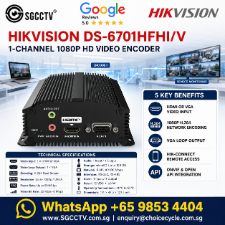

HIKVISION DS-6701HFHI/V Video Encoder Singapore Video Encoder IP video stream video-management system video source HDMI or VGA
in stock
$498.00
HIKVISION SINGAPORE OFFICIAL PLANTINUM PARTNER
Supply and Maintenance HIKVISION CCTV IP Cameras, NVR, Turbo HD TVI Cameras, DVR, PTZ Cameras,
Access Control System, Video Intercom.
Sim Lim Square 02-81 10am-7pm Daily.
Whatsapp Enquiry Project +65 98534404, Technical Support +65 81120788, Site Visit Maintenance +65 81985572.
in stock
HIKVISION DS-6701HFHI/V Video Encoder Singapore Video Encoder IP video stream video-management system video source HDMI or VGA
HIKVISION DS-6701HFHI/V Video Encoder Singapore
1-Channel HDMI / VGA to IP Network Video Encoder
H.264 | Up to 1080p | Dual Stream | HDMI + VGA Input | ONVIF | microSD | Alarm I/O
The HIKVISION DS-6701HFHI/V is a professional 1-channel HD network video encoder designed to convert an existing HDMI or VGA video source into an H.264 IP video stream.
This is especially useful when a legacy or standalone video source needs to be integrated into a network-based CCTV recording or video-management system without replacing the original equipment. Hikvision describes the encoder as converting a captured display input into an H.264 IP stream compatible with DVR/NVR recording and software platforms. (Hikvision)
Key Specifications
| Specification | HIKVISION DS-6701HFHI/V |
|---|---|
| Video Encoder Channels | 1 Channel |
| HDMI Input | 1 × HDMI |
| VGA Input | 1 × VGA |
| VGA Loop Output | 1 Channel |
| Maximum Input | Up to 1080p / UXGA |
| Encoding Resolution | UXGA / 1080p / SXGA / 720p / XGA / WD1 / 4CIF / CIF |
| Video Compression | H.264 |
| Main Stream | Up to 1080p |
| Dual Stream | Yes |
| Video Bitrate | 32 Kbps–8192 Kbps, up to 16 Mbps |
| Audio Input | 1 × 3.5mm |
| Audio Output | 1 × 3.5mm |
| Audio Compression | G.711u / G.711a / AAC |
| Network | RJ45 10/100 Mbps Ethernet |
| Local Storage | microSD up to 128GB |
| Network Storage | NAS / iSCSI / IPSAN |
| RS-485 | 1 × Half Duplex |
| RS-232 | 1 |
| Alarm Input | 1 |
| Alarm Output | 1 |
| ONVIF | Supported |
| Power | 12VDC |
| Consumption | ≤6W |
| Operating Temperature | -10°C to +55°C |
| Dimensions | 114 × 47.5 × 127.5mm |
| Weight | ≤1kg |
These specifications are from Hikvision’s official DS-6701HFHI/V documentation. (Hikvision)
What Does the DS-6701HFHI/V Do?
The key function is:
HDMI / VGA VIDEO SOURCE
↓
DS-6701HFHI/V VIDEO ENCODER
↓
H.264 NETWORK STREAM
↓
LAN / IP NETWORK
↓
NVR / VMS / Monitoring Software
Instead of replacing a video source simply because it does not provide an IP stream, the encoder can capture its HDMI or VGA display output and make that video available over the network. (Hikvision)
HDMI Input — Up to 1080p
The DS-6701HFHI/V provides 1 × HDMI video input.
Supported HDMI input formats include:
1600 × 1200 @ 60Hz
1920 × 1080 @ 60Hz
1280 × 1024 @ 60Hz
1280 × 720 @ 60Hz
1024 × 768 @ 60Hz
The encoded output can reach 1080p, depending on the incoming video signal and configuration. (Hikvision)
Important Audio Note
The official datasheet states that audio embedded in the HDMI video input is not supported.
For audio, use the encoder’s dedicated 3.5mm audio input. (Hikvision)
VGA Input + VGA Loop Output
The unit also provides:
1 × VGA INPUT
1 × VGA LOOP OUTPUT
The VGA input supports a broad range of PC/display resolutions, including UXGA, 1080p, SXGA, 1440×900, 1366×768, 720p, XGA, 800×600 and 640×480. (Hikvision)
The loop output is useful when the original video still needs to remain visible on a local monitor.
Original VGA Source
↓
DS-6701HFHI/V
↙︎ ↘︎
Local VGA Monitor IP Network Stream
This allows the local display and remote network monitoring system to operate together.
H.264 Network Video Encoding
The DS-6701HFHI/V converts the incoming video to:
H.264
with configurable bitrate from 32 Kbps to 8192 Kbps, with support up to 16 Mbps. (Hikvision)
The encoder supports resolutions including:
1080p • UXGA • SXGA • 720p • XGA • WD1 • 4CIF • CIF
Frame rate is configurable from 1/16 fps up to full frame rate, with full frame rate being 25/30 fps depending on the input signal. (Hikvision)
Dual Stream Support
The encoder supports:
DUAL STREAM
This allows different streams to be configured for different purposes.
For example:
Main Stream → NVR Recording
Sub Stream → Remote Viewing
The sub-stream supports lower resolutions including WD1, 4CIF, 2CIF, CIF and QCIF. (Hikvision)
This helps balance image quality against available network bandwidth.
Audio Input & Two-Way Audio
The encoder includes:
1 × 3.5mm Audio Input
1 × 3.5mm Audio Output
and supports:
G.711u • G.711a • AAC
audio compression. (Hikvision)
The audio interface can therefore be incorporated into applications where the video source needs a separate audio channel or two-way audio functionality.
ONVIF Network Integration
The DS-6701HFHI/V supports ONVIF together with common IP networking protocols. (Hikvision)
This is valuable when integrating the encoder into a compatible IP video-surveillance environment.
Network protocols listed by Hikvision include:
IPv4/IPv6 • HTTP • HTTPS • FTP • SMTP • RTMP • SNMP • ONVIF • NTP • RTSP • RTP/RTCP • TCP • UDP • DHCP
among others. (Hikvision)
Local & Network Storage
The encoder supports both local and network storage.
Local Storage
microSD card up to 128GB
Network Storage
NAS / iSCSI / IPSAN
Hikvision specifies support for up to 4TB per single network hard disk. (Hikvision)
This provides additional recording flexibility beyond simply transmitting a live stream.
RS-485 + RS-232
For professional system integration, the encoder includes:
1 × RS-485
1 × RS-232
The RS-485 interface operates in half-duplex mode. (Hikvision)
These serial interfaces can be useful in specialized CCTV, industrial and integrated security applications.
Alarm Input & Output
The DS-6701HFHI/V also provides:
1 × Alarm Input
1 × Alarm Output
This allows external alarm devices or other control equipment to participate in the overall video-security architecture. (Hikvision)
5 Major Benefits
1. Convert HDMI/VGA Video to IP — transforms an existing display source into an H.264 network video stream.
2. Preserve Existing Equipment — useful for integrating legacy or specialized equipment into a network CCTV environment instead of replacing the complete source system.
3. Up to 1080p Encoding — supports high-definition video encoding for compatible input signals. (Hikvision)
4. Professional Integration Interfaces — ONVIF, RS-485, RS-232, alarm I/O, audio and network storage provide substantial integration flexibility.
5. Local + Network Recording — supports microSD, NAS, iSCSI and IPSAN storage options. (Hikvision)
Typical Applications
The DS-6701HFHI/V can be useful for integrating video from:
Industrial Equipment Displays • Computer VGA Outputs • HDMI Video Sources • Legacy Security Equipment • Specialized Monitoring Systems • Control-Room Displays • Maritime Systems • Existing CCTV Infrastructure
Hikvision’s current maritime solutions material, for example, still lists the DS-6701HFHI/V as a 1-channel encoder and describes its role as converting captured display input to an H.264 IP stream. (Hikvision)
Example System Architecture
EXISTING HDMI / VGA EQUIPMENT
↓
HIKVISION DS-6701HFHI/V
HD Network Video Encoder
↓
H.264 IP STREAM
↓
NETWORK SWITCH
↓
↙︎ ↘︎
NVR / Recording VMS / Monitoring
↓
Control Room / Remote Operator
This is the key selling point of the product: convert a non-network display output into an IP video source.
10 FAQ
1. What is the HIKVISION DS-6701HFHI/V?
It is a 1-channel HD network video encoder that converts HDMI or VGA display input into an H.264 IP video stream. (Hikvision)
2. Does it have HDMI input?
Yes. It provides 1 HDMI input and supports input resolutions including 1080p/60Hz.
3. Does it support VGA?
Yes. It has 1 VGA input plus 1 VGA loop output, making it suitable for PC and legacy display sources. (Hikvision)
4. What is the maximum encoding resolution?
It supports encoding up to 1080p/UXGA, depending on the source and configuration.
5. Which video codec does it use?
The DS-6701HFHI/V uses H.264 video compression. Do not confuse it with newer Hikvision encoder families that may support H.265/H.265+. (Hikvision)
6. Does it support HDMI audio?
No. Hikvision’s datasheet specifically states that audio for the HDMI video input is not supported. A separate 3.5mm audio input is provided. (Hikvision)
7. Does it support ONVIF?
Yes. ONVIF is included among its supported network protocols.
8. Can it record to a microSD card?
Yes. It supports a microSD card up to 128GB. (Hikvision)
9. Does it support alarm connections?
Yes. It provides 1 alarm input and 1 alarm output, together with RS-485 and RS-232 serial interfaces.
10. What is the main reason to use this encoder?
It is particularly useful when an existing HDMI or VGA video source needs to be transmitted, viewed or recorded through an IP video-surveillance network without replacing the original source equipment. (Hikvision)
HIKVISION DS-6701HFHI/V Singapore | HDMI VGA to IP H.264 Video Encoder | 1080p Network Encoder
Meta Description
HIKVISION DS-6701HFHI/V 1-channel video encoder Singapore converts HDMI or VGA video into H.264 IP network streams with up to 1080p encoding, dual stream, ONVIF, audio, microSD, RS-485, RS-232 and alarm I/O.
HIKVISION DS-6701HFHI/V Singapore, Hikvision Video Encoder, HDMI to IP Encoder Singapore, VGA to IP Encoder, H264 Video Encoder, 1080p Network Encoder, CCTV Video Encoder Singapore, HDMI Network Video Encoder, VGA Network Encoder, ONVIF Video Encoder, Hikvision Encoder Singapore, HDMI CCTV Encoder, Video to IP Converter, Network Video Server Singapore, DS-6701HFHI/V
#HIKVISION #DS6701HFHIV #HikvisionSingapore #VideoEncoder #NetworkEncoder #HDMIEncoder #VGAEncoder #HDMItoIP #VGAtoIP #H264 #ONVIF #CCTVEncoder #VideoSurveillance #SGCCTV #ChoicecycleCCTV
HIKVISION DS-6701HFHI/V Video Encoder Singapore Video Encoder IP video stream video-management system video source HDMI or VGA
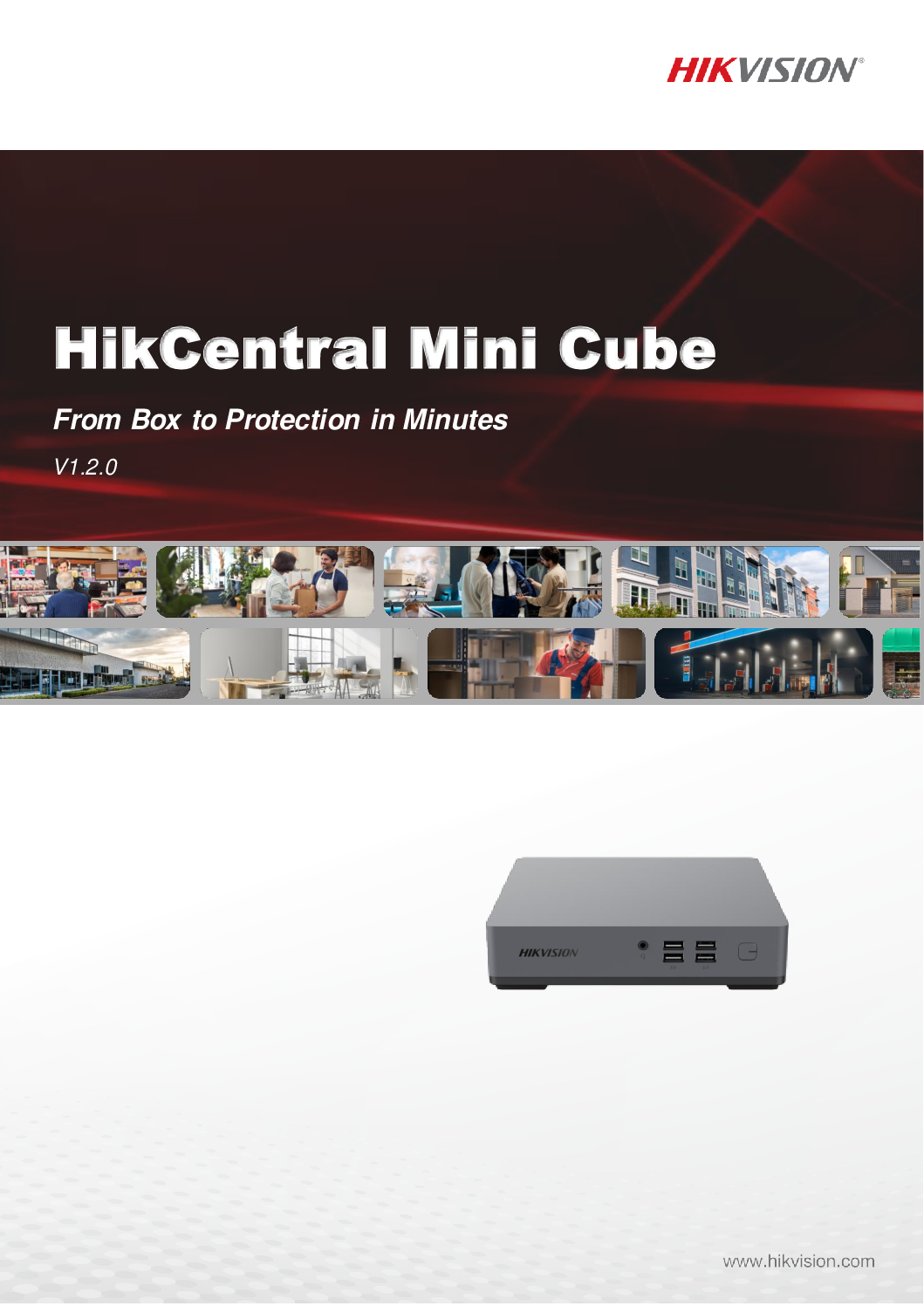
The HIKVISION HikCentral Mini Cube Server is a compact all-in-one security management server designed to centralise CCTV video surveillance, access control, ANPR/LPR, facial recognition, people counting, alarms and intelligent security applications through the HikCentral platform.
Instead of operating separate software for CCTV cameras, door access, vehicle number plate recognition and intelligent analytics, HikCentral provides a centralised security management platform for operators, security command centres and building management teams.
The Mini Cube concept is particularly attractive for small and medium-sized installations that want a dedicated security server without deploying a conventional large rack-mounted enterprise server.
Key Applications
- CCTV Video Management
- Live View & Playback
- Centralised Multi-Camera Monitoring
- Door Access Management
- Access Control Events
- ANPR / LPR
- Vehicle Plate Search
- Facial Recognition
- Human Body Recognition
- People Counting
- Alarm & Event Management
- Smart Search
- Security Dashboard
- Centralised User Management
- Map-Based Security Management
Hikvision’s HikCentral Professional platform supports core Video and Access Control applications, while intelligent video functions can include face and ANPR applications depending on the connected equipment and activated licensing. (Hikvision)
One Server – Centralised Security Management
A conventional security installation may contain several independent systems:
CCTV Software
Door Access Software
ANPR / LPR Software
Facial Recognition
People Counting
Alarm Monitoring
HikCentral provides a platform for bringing compatible security applications together under centralised management.
A typical architecture can be:
CCTV Cameras + NVR + Door Access + ANPR Cameras + Facial Recognition Cameras → Network → HikCentral Mini Cube Server → Security Operator
This gives the operator a unified security management environment rather than repeatedly switching between unrelated applications.
HIKVISION DS-6701HFHI/V Video Encoder Singapore Video Encoder IP video stream video-management system video source HDMI or VGA
CCTV Video Management
HikCentral provides professional video surveillance management functions such as:
- Multi-Camera Live View
- Recorded Video Playback
- Event Search
- Alarm Monitoring
- Camera Management
- User Permissions
- Security Maps
- Intelligent Search
- Remote Security Operations
Hikvision describes its current HikCentral Professional video application as supporting customised video views and fast event location using thumbnails, tags and smart search. (Hikvision)
Door Access Control Management
HikCentral can also integrate compatible HIKVISION access control equipment.
Access control capabilities can include:
- Door Management
- Personnel Management
- Card Access
- Facial Authentication
- Fingerprint Authentication
- PIN Access
- QR Code Credentials
- Multi-Door Interlocking
- Anti-Passback
- Multi-Factor Authentication
- Access Events
- Video Verification
This allows CCTV and door access events to be managed within the same security platform. (Hikvision)
ANPR / LPR Vehicle Recognition
Compatible HIKVISION ANPR / LPR cameras can be integrated for vehicle security applications.
Depending on the licensed configuration, applications can include:
- Automatic Number Plate Recognition
- Vehicle Entry Monitoring
- Vehicle Exit Monitoring
- Number Plate Search
- Vehicle List Management
- Plate Matched / Mismatched Alarms
- Vehicle Event Investigation
- Entrance & Exit Management
Hikvision’s licensing documentation specifies dedicated ANPR functionality for camera management, vehicle lists, historical number-plate searches and plate-match alarms. (Hikvision)
Facial Recognition
With compatible HIKVISION intelligent cameras and the appropriate HikCentral resources, facial recognition applications can provide:
- Face Capture
- Facial Search
- Person Investigation
- Face Comparison
- Access Control by Face
- Security Event Verification
The HikCentral Mini Cube manual specifically provides resource configuration for Facial and Human Body Recognition cameras, confirming that these intelligent camera resources can be managed through the platform when properly licensed and configured. (Hikvision)
People Counting & Business Intelligence
Compatible intelligent cameras can provide useful operational data beyond conventional CCTV surveillance.
Applications can include:
- People Counting
- Customer Traffic Analysis
- Queue Analysis
- Heat Mapping
- Occupancy Analysis
- Business Intelligence Reports
Hikvision documents people counting, queue statistics and heat-map analytics within the HikCentral ecosystem. Some reporting capabilities require the appropriate Business Intelligence module/license. (Hikvision)
Important – HikCentral Licensing
HikCentral Mini Cube should not be described simply as “No License Required.”
Hikvision states that after installation, the client has a temporary license covering a specified number of devices and limited functions.
For proper long-term deployment and additional functionality, the server can be activated using purchased license codes.
Licensing can depend on:
- Number of CCTV Channels
- Access Control Resources
- ANPR Cameras
- Facial / Human Body Recognition
- Business Intelligence
- Other HikCentral Applications
The advantage is that the system can be expanded according to project requirements rather than necessarily purchasing every application at the beginning. (Hikvision)
Pre-Installed & Pre-Configured Solution
SGCCTV can supply the HikCentral Mini Cube as a prepared security management solution with services such as:
- HikCentral Software Installation
- Windows Configuration
- Network Configuration
- CCTV Device Integration
- NVR Integration
- Door Access Integration
- ANPR Configuration
- Facial Recognition Configuration
- User Account Configuration
- License Activation
- Security Hardening
- System Testing
- Operator Training
This reduces the amount of onsite commissioning work compared with starting from a completely blank server.
HIKVISION DS-6701HFHI/V Video Encoder Singapore Video Encoder IP video stream video-management system video source HDMI or VGA
Why Use a Dedicated Mini Cube Server?
A dedicated HikCentral server provides several practical advantages:
- Centralised Security Management
- Compact Hardware
- Dedicated Security Platform
- Reduced Server-Room Space
- Lower Hardware Complexity
- Easier Deployment
- Easier Maintenance
- CCTV + Access Integration
- Expandable Licensing
- Suitable for SME & Enterprise Applications
Ideal Applications
The HIKVISION HikCentral Mini Cube Server is suitable for:
- Offices
- Factories
- Warehouses
- Condominiums
- Commercial Buildings
- Shopping Centres
- Schools
- Hospitals
- Hotels
- Car Parks
- Industrial Facilities
- Security Command Centres
- Building Management Offices
- Multi-Site CCTV Systems
- Enterprise Security Systems
SGCCTV HikCentral Installation & Support Singapore
SGCCTV – Choicecycle CCTV Pte Ltd provides complete HikCentral and integrated security solutions including:
- HikCentral Server Supply
- HikCentral Installation
- HikCentral License Activation
- CCTV Integration
- NVR Integration
- Door Access Integration
- ANPR / LPR Integration
- Facial Recognition Integration
- People Counting
- AI CCTV
- Network Configuration
- Server Rack Installation
- UPS Backup Power
- Cybersecurity Hardening
- Preventive Maintenance
- Remote Technical Support
- HikCentral Troubleshooting
Contact SGCCTV Singapore
Website: https://sgcctv.com.sg
Email: enquiry@choicecycle.com.sg
WhatsApp: +65 98534404
Frequently Asked Questions
1. What is the HIKVISION HikCentral Mini Cube Server?
HikCentral Mini Cube is a compact server solution designed to run the HikCentral security management platform for centralised management of compatible CCTV, access control and intelligent security applications.
2. Can HikCentral Mini Cube manage CCTV cameras?
Yes. HikCentral supports centralised CCTV management including live viewing, playback, events, alarms and video investigation.
3. Can it manage HIKVISION door access?
Yes. HikCentral supports compatible access control devices and functions such as personnel, doors, credentials, permissions, access events and video verification.
4. Does HikCentral support ANPR / LPR?
Yes. With compatible ANPR cameras and the appropriate licensing/configuration, HikCentral supports vehicle plate recognition, plate search, vehicle lists and related alarms.
5. Does it support facial recognition?
Yes. Compatible facial and human-body recognition cameras can be configured as intelligent resources in HikCentral, subject to the applicable licenses and system configuration.
6. Can it support people counting?
Yes. HikCentral supports people-counting applications with compatible intelligent cameras. Advanced Business Intelligence reporting may require an additional module/license.
7. Is HikCentral Mini Cube completely license-free?
No. Hikvision states that the software initially provides a temporary license for a specified number of devices and limited functions. Permanent and expanded functionality requires the appropriate license activation.
8. Can licenses be expanded later?
Yes. HikCentral uses modular licensing, so additional supported resources and applications can be activated according to project requirements.
9. Can SGCCTV pre-install and configure HikCentral?
Yes. SGCCTV can provide HikCentral server preparation, software configuration, network setup, device integration, license activation, testing and technical support.
10. Why choose SGCCTV for HikCentral Singapore?
SGCCTV provides integrated CCTV + HikCentral + Door Access + ANPR/LPR + Facial Recognition + Networking + Server + UPS solutions, allowing the complete security infrastructure to be designed, commissioned, troubleshot and maintained as one system.
#Hikvision #HikCentral #HikCentralProfessional #HikCentralMiniCube #VideoManagementSystem #VMS #AccessControl #ANPR #LPR #FacialRecognition #PeopleCounting #AICCTV #CCTVSingapore #SGCCTV #Choicecycle
For the product title, I recommend “HIKVISION HikCentral Mini Cube Server – Pre-Installed VMS | CCTV + Access Control + ANPR/LPR + Facial Recognition | License Expandable” rather than “No License.” Hikvision’s own Mini Cube documentation explicitly includes license activation and resource allocation. (Hikvision)
Hikvision HikCentral Professional official page
HIKVISION HikCentral Mini Cube Server Video Management Access Control ANPR LPR Facial Recognition People Counting SGCCTV
The HIKVISION DS-D5065UC-C is a professional 65-inch 4K UHD CCTV surveillance monitor engineered specifically for security monitoring, CCTV control rooms, command centres, guardhouses, security operation centres and other applications requiring reliable 24 hours × 7 days continuous operation.
Unlike an ordinary consumer television intended mainly for entertainment, the DS-D5065UC-C is designed for video security, high reliability and stability.
With a native 3840 × 2160 4K UHD resolution at 60Hz, 65-inch LED-backlit display, 350 cd/m² brightness, wide 178° horizontal and vertical viewing angles, narrow bezel and multiple video inputs, the DS-D5065UC-C provides a large professional display for viewing multiple CCTV cameras simultaneously.
Key Specifications
- Brand: HIKVISION
- Model: DS-D5065UC-C
- Type: Professional CCTV / Security Monitor
- Screen Size: 65 inches
- Resolution: 3840 × 2160 UHD 4K
- Refresh Rate: 60Hz
- Backlight: LED
- Brightness: 350 cd/m²
- Viewing Angle: 178° Horizontal / 178° Vertical
- Contrast Ratio: 1200:1
- Response Time: 8ms
- Color Depth: 8-bit
- Color Gamut: 72% NTSC
- Reliability: 7 × 24 Hours
- HDMI 2.0: 1 Port
- HDMI 1.4: 1 Port
- VGA: 1 Port
- Audio Input: 1 Port
- USB: 1 Port
- Built-In Speakers: 2 × 7W
- Power Supply: 100–240VAC, 50/60Hz
- Maximum Power Consumption: ≤190W
- Standby Consumption: ≤0.5W
- VESA Mount: 300 × 300mm
- Net Weight: Approximately 18.6kg without stand
Designed for CCTV Security – 24/7 Operation
One of the strongest advantages of the HIKVISION DS-D5065UC-C is its 7 × 24-hour reliability rating.
Security monitoring does not stop after office hours.
CCTV command centres may require live camera displays continuously:
24 Hours a Day × 7 Days a Week × 365 Days a Year
The DS-D5065UC-C is designed specifically for surveillance environments requiring high reliability and stability.
This makes it an excellent choice for:
- CCTV Control Rooms
- Security Command Centres
- Security Operations Centres
- Guardhouses
- Building Management Rooms
- Factory Security Rooms
- Data Centres
- Transport Facilities
- Industrial Facilities
- Enterprise Security Systems
65-Inch 4K UHD CCTV Display
The DS-D5065UC-C provides a native resolution of:
3840 × 2160 @ 60Hz
4K resolution provides four times the pixel count of Full HD 1080p.
For CCTV applications, the additional resolution is particularly valuable when displaying multiple high-resolution camera channels on one large screen.
For example, operators may display:
- 4-Camera View
- 9-Camera View
- 16-Camera View
- 25-Camera View
- 32-Camera View
- Alarm Pop-Up Windows
- Camera + Map Layouts
Actual multi-camera layouts depend on the connected NVR, decoder or video management system.
Wide 178° Viewing Angle
A security control room may have several operators viewing the same display from different positions.
The DS-D5065UC-C provides:
178° Horizontal Viewing Angle
178° Vertical Viewing Angle
This wide viewing angle helps maintain visibility when the monitor is viewed from the side rather than directly from the centre.
HDMI 2.0 for 4K CCTV
The monitor provides:
1 × HDMI 2.0
1 × HDMI 1.4
1 × VGA
This allows connection to compatible:
- HIKVISION NVR
- Enterprise NVR
- DVR
- CCTV Decoder
- Security Workstation
- PC
- Video Management Server
- Command Centre System
For full 4K display performance, the video source, output resolution and HDMI connection must also support the required 4K format.
Built-In Speakers
The DS-D5065UC-C includes 2 × 7W built-in speakers.
This is useful for CCTV applications involving compatible cameras with:
- Built-In Microphones
- Two-Way Audio
- Security Intercom
- Alarm Audio
- Recorded Audio Evidence
Audio availability depends on the complete camera, recorder and monitor configuration.
Security Command Center Application
A professional CCTV command centre can be configured as:
IP Cameras → PoE Switch → Network → NVR / CCTV Server → HDMI → HIKVISION DS-D5065UC-C
For larger enterprise systems:
Multiple CCTV Cameras → Fibre Network → Enterprise NVR / VMS Server → Decoder / Workstation → 65-Inch 4K Security Display
This provides operators with a centralised view of security cameras and alarms.
Ideal Applications
The HIKVISION DS-D5065UC-C is suitable for:
- CCTV Command Centres
- Security Control Rooms
- Guardhouses
- Commercial Buildings
- Factories
- Warehouses
- Hospitals
- Schools
- Universities
- Hotels
- Shopping Centres
- Car Parks
- Data Centres
- Transportation Facilities
- Government Facilities
- Industrial Plants
- Enterprise Security Operations
CCTV Monitor Repair & Replacement Singapore
A CCTV system may continue recording normally even when its monitor fails.
Common CCTV monitor problems include:
- Monitor No Power
- Black Screen
- No HDMI Signal
- Screen Flickering
- Display Lines
- Image Distortion
- HDMI Port Failure
- VGA Input Failure
- Backlight Failure
- Intermittent Display
- Monitor Automatically Shuts Down
- Incorrect Resolution
- NVR Display Not Showing
- Damaged Screen
- Ageing CCTV Monitor
Before replacing a monitor, technicians should determine whether the fault originates from:
Monitor → HDMI Cable → NVR HDMI Output → NVR → Power Supply
This avoids unnecessarily replacing equipment when the actual fault is elsewhere.
Replace Consumer TV with Professional CCTV Monitor
For continuous surveillance environments, a professional security monitor should be considered instead of selecting a display based only on screen size or consumer TV features.
The DS-D5065UC-C is specifically designed around:
- Video Security
- 24/7 Operation
- High Reliability
- Stable CCTV Display
- Wide Viewing Angles
- Multiple Video Inputs
- Large Multi-Camera Monitoring
This makes it particularly appropriate for permanent security monitoring installations.
SGCCTV Security Command Centre Solutions
SGCCTV – Choicecycle CCTV Pte Ltd provides integrated CCTV control-room and command-centre solutions including:
- HIKVISION CCTV Monitors
- 4K CCTV Displays
- CCTV Monitor Replacement
- Enterprise NVR
- RAID NVR
- CCTV Servers
- Video Management Systems
- AI CCTV Cameras
- PoE Network Switches
- Fibre Optic Networks
- Server Rack Installation
- UPS Backup Power
- CCTV Workstations
- CCTV Troubleshooting
- Preventive Maintenance
- Security System Repair & Replacement
Contact SGCCTV Choicecycle Singapore
Website: https://sgcctv.com.sg
Email: enquiry@choicecycle.com.sg
WhatsApp: +65 98534404
Frequently Asked Questions
1. What is the HIKVISION DS-D5065UC-C?
The DS-D5065UC-C is a professional 65-inch 4K surveillance monitor designed specifically for video security applications requiring high reliability and continuous operation.
2. Is DS-D5065UC-C a 4K monitor?
Yes. Its native resolution is 3840 × 2160 at 60Hz, providing 4K UHD display capability.
3. Can the DS-D5065UC-C operate 24/7?
Yes. Hikvision officially specifies its reliability as 7 × 24 hours, making it suitable for continuous CCTV monitoring.
4. Is it suitable for a CCTV command centre?
Yes. Its 65-inch screen, 4K resolution, wide viewing angle and 24/7 rating make it particularly suitable for CCTV command centres, control rooms and security operation centres.
5. What HDMI connections does it have?
The monitor provides 1 × HDMI 2.0 and 1 × HDMI 1.4, together with a VGA input.
6. Does the monitor have built-in speakers?
Yes. The DS-D5065UC-C includes two built-in 7W speakers.
7. What is the viewing angle?
It provides a wide 178° horizontal and 178° vertical viewing angle, useful when several security operators are viewing the same display.
8. Can it display a HIKVISION NVR?
Yes. A compatible HIKVISION NVR can be connected through HDMI. The available display resolution and multi-camera layout depend on the NVR and system configuration.
9. Can the monitor be wall mounted?
Yes. It supports a 300 × 300mm VESA mounting pattern. The wall structure and mounting bracket should be suitable for the monitor’s size and weight.
10. Does SGCCTV provide CCTV monitor repair and replacement?
Yes. SGCCTV Choicecycle Singapore provides CCTV monitor troubleshooting and replacement, NVR diagnostics, HDMI troubleshooting, command-centre upgrades, CCTV system installation, preventive maintenance and technical support.
#Hikvision #DSD5065UCC #65InchMonitor #4KMonitor #CCTVMonitor #24x7Monitor #SecurityMonitor #CommandCenter #ControlRoom #CCTVDisplay #CCTVRepair #SecuritySystem #CCTVSingapore #SGCCTV #Choicecycle
Hikvision’s official datasheet confirms the model is designed for video security and specifies 65-inch, 3840 × 2160 @ 60Hz, 350 cd/m², 178°/178° viewing, 7×24-hour operation, HDMI 2.0 + HDMI 1.4 and dual 7W speakers. (Hikvision)
HIKVISION DS-6701HFHI/V Video Encoder Singapore Video Encoder IP video stream video-management system video source HDMI or VGA


Nunc lacus elit, faucibus ac laoreet sed, dapibus ac mi. Maecenas eu ante a elit tempus fermentum. Aliquam commodo tincidunt semper. Phasellus accumsan, justo ac mollis pharetra, ex dui pharetra nisl, a scelerisque ipsum nulla ac sem. Cras eu risus urna. Duis lorem sapien, congue eget nisl sit amet, rutrum faucibus elit.
Donec accumsan auctor iaculis. Sed suscipit arcu ligula, at egestas magna molestie a. Proin ac ex maximus, ultrices justo eget, sodales orci. Aliquam egestas libero ac turpis pharetra, in vehicula lacus scelerisque. Vestibulum ut sem laoreet, feugiat tellus at, hendrerit arcu.
Nunc lacus elit, faucibus ac laoreet sed, dapibus ac mi. Maecenas eu ante a elit tempus fermentum. Aliquam commodo tincidunt semper. Phasellus accumsan, justo ac mollis pharetra, ex dui pharetra nisl, a scelerisque ipsum nulla ac sem. Cras eu risus urna. Duis lorem sapien, congue eget nisl sit amet, rutrum faucibus elit.

Reviews
There are no reviews yet.