
Server Room Security Singapore IT Room Server Room Secure Data Centre Access Control Fire Protection Network Security Temperature Monitor
in stock
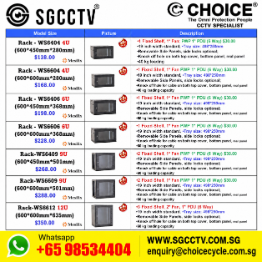
$198.00
HIKVISION SINGAPORE OFFICIAL PLANTINUM PARTNER
Supply and Maintenance HIKVISION CCTV IP Cameras, NVR, Turbo HD TVI Cameras, DVR, PTZ Cameras,
Access Control System, Video Intercom.
Sim Lim Square 02-81 10am-7pm Daily.
Whatsapp Enquiry Project +65 98534404, Technical Support +65 81120788, Site Visit Maintenance +65 81985572.
in stock
Server Room Security Singapore IT Room Server Room Secure Data Centre Access Control Fire Protection Network Security Temperature Monitor
IT Room Security, Data Centre Access Control, Fire Protection, Network Security & Temperature Monitoring
A Server Room Security System should protect more than the servers themselves. A properly designed IT room combines physical access control, CCTV surveillance, fire protection, environmental monitoring, network security and UPS backup power to reduce the risk of unauthorized access, equipment failure and operational downtime.
For Singapore offices, commercial buildings, factories, warehouses and data centres, server-room protection should be designed as a coordinated system rather than a collection of unrelated devices.
Key Areas of Server Room Protection
| Protection Area | Recommended Solution |
|---|---|
| Unauthorized Entry | Card / Biometric Access Control |
| Entry Monitoring | CCTV Camera & Recording |
| Door Security | Door Contact & Access Alarm |
| High Temperature | Temperature Sensor & Alert |
| Humidity | Temperature / Humidity Monitor |
| Water Leakage | Water Leak Detection Sensor |
| Smoke / Fire | Appropriate Fire Detection & Protection |
| Power Failure | UPS Backup System |
| Network Threats | Firewall, VLAN & Network Security |
| Equipment Protection | Lockable Server Rack |
| Network Availability | Managed Network / PoE Switch |
| Incident Notification | Remote Alarm & Monitoring |
Access Control for Server Rooms
Server rooms should normally be restricted to authorized personnel.
Depending on the security level, access can use RFID cards, PINs, fingerprints, facial recognition or multi-factor authentication. The system can maintain event records showing when authorized users enter the room.
For higher-security environments, the door can also incorporate a door-position sensor, allowing alerts for doors left open or abnormal access events.
CCTV Surveillance
CCTV provides visual verification of activity around server-room entrances and other appropriate critical areas.
A typical arrangement is:
Server Room Entrance → CCTV Camera → PoE Switch → NVR → Security Monitoring
CCTV can complement access-control logs by providing video evidence of who entered and what occurred around the protected area.
Camera positioning should be planned to provide useful coverage without unnecessarily capturing sensitive information displayed on server consoles or workstations.
Temperature & Humidity Monitoring
Temperature monitoring is critical because servers, network switches, PoE switches, UPS systems and other IT equipment continuously generate heat.
A dedicated environmental monitoring system can detect abnormal conditions and generate alerts before equipment reaches dangerous operating conditions.
Useful monitoring points can include:
Temperature • Humidity • Air-Conditioning Failure • Water Leakage • Door Status • Power Failure
Where appropriate, sensors should be installed at meaningful locations rather than relying solely on the room air-conditioner’s temperature display.
Fire Detection & Protection
Server and IT rooms require an appropriate fire-safety strategy based on the building and project requirements.
The solution may include suitable smoke/fire detection, alarm interfaces, emergency notification and fire-protection systems.
Fire-alarm and suppression systems are life-safety infrastructure and should be designed and installed according to the applicable Singapore requirements and project specifications by appropriately qualified parties.
A normal CCTV or IT alarm system should never be represented as a substitute for the required fire-protection system.
Network Security
Physical security alone cannot protect a server room.
Network infrastructure should also incorporate suitable cybersecurity controls such as firewalls, VLAN segmentation, secure administrator accounts, controlled remote access, firmware management and network monitoring.
A practical architecture could separate:
Corporate Network | CCTV Network | Access Control Network | Server/Management Network
Communication between security zones can then be controlled using firewall and access-control policies rather than allowing unrestricted traffic between all devices.
UPS Backup System
A server room should also consider the consequences of AC mains failure.
A properly sized UPS – Uninterruptible Power Supply can provide temporary backup power to critical equipment such as:
Servers • Firewall • Core Network Switch • CCTV NVR • Access Control • Network Equipment
UPS selection should consider the actual connected wattage, required backup runtime, battery configuration and future expansion.
For critical installations, UPS status and battery condition should also be monitored rather than waiting for a power failure to discover that the batteries have deteriorated.
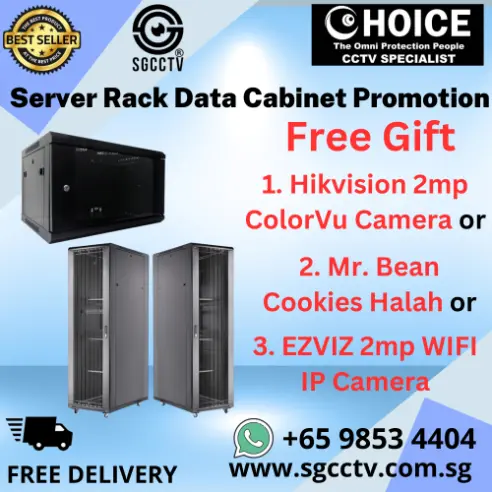
Secure Server Rack
Servers and network devices should be installed in an appropriately sized lockable server rack or data cabinet.
A professional rack helps provide:
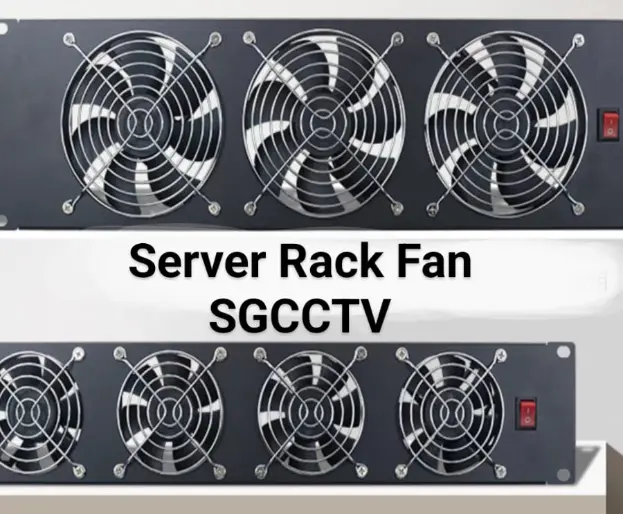
Physical Protection • Cable Management • Controlled Access • Ventilation • Equipment Organization • PDU Power Distribution
Heavier equipment such as UPS units should normally be positioned lower in the rack where compatible, while switches, patch panels and cable-management equipment can be arranged for convenient maintenance.
Recommended Security Architecture
                    SERVER / IT ROOM
                           │
        ┌──────────────────┼──────────────────┐
        │                  │                  │
 ACCESS CONTROL           CCTV         ENVIRONMENT
 Card / Face / PIN      IP Camera       MONITORING
        │                  │          Temp / Humidity
        │                  │          Water / Door
        └──────────────────┼──────────────────┘
                           │
                    NETWORK SWITCH
                           │
                    FIREWALL / VLAN
                           │
                  MANAGEMENT SERVER
                           │
                  REMOTE NOTIFICATION

POWER:
AC MAINS → UPS → PDU → SERVERS / SWITCHES /
FIREWALL / CCTV / CRITICAL IT EQUIPMENT
10 Important Benefits
A properly secured IT/server room can provide controlled physical access, CCTV verification, early temperature warnings, humidity monitoring, water-leak detection, fire-risk management, UPS backup, better network segmentation, centralized event monitoring and improved business continuity.
The objective is not merely to prevent theft. It is to identify abnormal conditions early enough to reduce the risk of equipment damage, data loss, network outages and prolonged business interruption.
15 SEO Keywords
- Server Room Security Singapore
- IT Room Security Singapore
- Secure Server Room Singapore
- Data Centre Security Singapore
- Data Centre Access Control Singapore
- Server Room Access Control System
- Server Room CCTV Monitoring
- Server Room Fire Protection Singapore
- Server Room Temperature Monitoring
- Data Centre Temperature Monitoring
- Server Room Humidity Monitoring
- Server Room Water Leak Detection
- Server Room Network Security
- Server Room UPS Backup System
- Server Room Security Solutions Singapore
SEO Title
Server Room Security Singapore | IT Room Access Control, CCTV, Fire Protection, Network Security & Temperature Monitoring
Meta Description
Server Room Security Singapore solutions for IT rooms and data centres including access control, CCTV monitoring, fire protection, temperature and humidity monitoring, water leak detection, network security, secure server racks and UPS backup systems.
#ServerRoomSecurity #ITRoomSecurity #DataCentreSecurity #AccessControl #CCTV #CCTVSingapore #FireProtection #NetworkSecurity #TemperatureMonitoring #EnvironmentalMonitoring #WaterLeakDetection #UPS #ServerRack #DataCentreSingapore #SGCCTV
Server Room Security Singapore IT Room Server Room Secure Data Centre Access Control Fire Protection Network Security Temperature Monitor
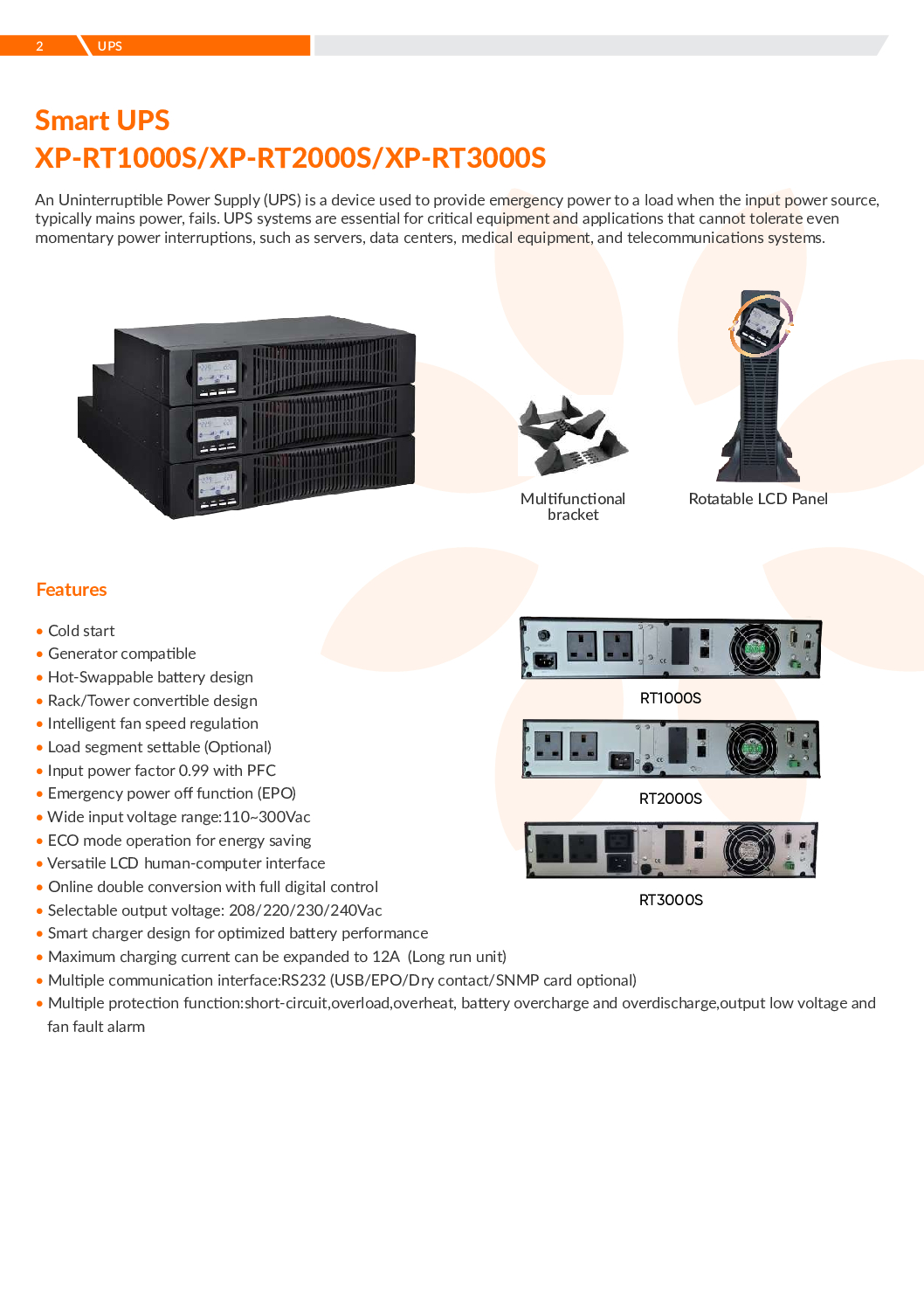
The KSTAR MESILIX XP-RT3000S 3KVA Online UPS is a professional 3000VA / 2700W online double-conversion UPS designed to provide clean, continuous and reliable backup power for servers, CCTV systems, NVRs, network switches, access control, telecommunications and other mission-critical electronic equipment.
Combined with the XP-RT72BC external battery solution and compatible UDC1-10K SNMP Network Card, the system can provide extended battery backup together with remote UPS monitoring and management over an IP network.
For businesses operating critical security and IT infrastructure, a UPS is more than temporary battery backup. It protects equipment against power interruption, voltage fluctuation and other power-quality problems that may cause servers, NVRs and network devices to shut down unexpectedly.
Server Room Security Singapore IT Room Server Room Secure Data Centre Access Control Fire Protection Network Security Temperature Monitor
- Brand: KSTAR / MESILIX
- Model: XP-RT3000S
- Capacity: 3000VA / 2700W
- UPS Type: Online Double Conversion
- Installation: Rack / Tower
- Wide Input Voltage: 110–300VAC
- Input Power Factor: Up to 0.99 with PFC
- Selectable Output: 200 / 208 / 220 / 230 / 240VAC
- Frequency Converter Mode: 50 / 60Hz
- ECO Energy-Saving Mode
- Emergency Power Off – EPO
- Generator Compatible
- Cold-Start Capability
- Intelligent Battery Charging
- Configurable Charging Current
- RS232 Communication
- USB Communication
- SNMP Network Monitoring Support
- Lithium Battery / BMS Support on applicable configuration
- Low-Priority Load Disconnection
- Suitable for 24/7 Critical Equipment
True Online Double-Conversion UPS
The major advantage of the XP-RT3000S is its online double-conversion architecture.
Unlike a basic standby UPS, an online UPS continuously conditions incoming power before supplying the connected critical equipment.
This makes it particularly suitable for:
- Servers
- CCTV NVRs
- RAID NVRs
- Network Switches
- Firewalls
- Routers
- Storage Systems
- Door Access Servers
- Video Management Servers
- Telecommunications Equipment
For critical security infrastructure, stable power can be just as important as the camera or server itself.
3KVA / 2700W Power Capacity
The XP-RT3000S provides:
3000VA / 2700W
of rated UPS capacity.
When sizing a UPS, do not calculate only according to the number of devices.
The actual load should be calculated from the combined power consumption of:
Server + NVR + PoE Switch + Router + Firewall + Storage + Monitor + Other Critical Equipment
UPS capacity should also include suitable operating headroom rather than continuously loading the UPS to its maximum rating.
XP-RT72BC External Battery Solution
For applications requiring longer backup duration, the UPS can be paired with the appropriate external battery configuration such as XP-RT72BC, subject to compatibility with the exact UPS version.
Additional battery capacity can extend operating time during a mains power failure.
This is particularly useful for:
- CCTV Command Centres
- Server Rooms
- Security Systems
- Network Infrastructure
- Industrial Sites
- Access Control Systems
- Remote Sites
Battery runtime depends heavily on the connected load, battery capacity, battery age, temperature and UPS configuration.
UPS Batteries Are Consumable Components
UPS batteries do not last forever.
Even when the UPS itself is functioning normally, ageing batteries gradually lose their ability to provide the original backup duration.
Common symptoms include:
- UPS Battery Alarm
- Battery Replacement Warning
- Very Short Backup Time
- UPS Immediately Shuts Down During Power Failure
- Battery Test Failure
- Battery Cannot Fully Charge
- Swollen Batteries
- Overheated Battery Pack
- Abnormal Battery Voltage
- Frequent UPS Beeping
Regular battery testing and preventive replacement are important for critical systems.
SNMP Network Card – Remote UPS Monitoring
A compatible UDC1-10K SNMP Network Card can allow the UPS to be monitored through the network.
Depending on the card, UPS and software configuration, administrators can monitor parameters such as:
- UPS Operating Status
- Input Voltage
- Output Voltage
- Load Percentage
- Battery Status
- Battery Capacity
- UPS Alarms
- Power Failure Events
- Communication Status
Network monitoring is particularly useful when the UPS is installed inside a server room or at a remote site without a technician permanently present.
Why Use SNMP for UPS?
Without network monitoring, a UPS problem may only become obvious when somebody physically sees or hears an alarm.
With SNMP monitoring, the UPS becomes part of the organisation’s network-management infrastructure.
A typical configuration is:
KSTAR UPS → UDC1-10K SNMP Card → LAN Switch → Network → Administrator / Monitoring System
This enables IT and security teams to monitor critical power infrastructure remotely.
Protect CCTV & Security Systems
A complete CCTV security system may contain:
CCTV Cameras → PoE Switch → NVR → Server → Network Switch → Router
If the NVR, switch or server loses power, multiple cameras can become unavailable even though the cameras themselves are perfectly operational.
UPS protection should therefore be considered for critical central equipment such as:
- NVR
- CCTV Server
- PoE Switch
- Core Network Switch
- Firewall
- Router
- Access Control Server
- HikCentral Server
- VMS Server
UPS Repair & Troubleshooting Singapore
Common UPS problems include:
- UPS Cannot Start
- UPS No Output
- Battery Fault
- Battery Replacement Alarm
- Short Backup Time
- UPS Overload
- UPS Overheating
- Cooling Fan Failure
- Charger Failure
- SNMP Communication Failure
- Network Card Offline
- UPS Bypass Alarm
- Abnormal Input Voltage
- Abnormal Output Voltage
- UPS Beeping Continuously
- Battery Pack Failure
A proper diagnosis should determine whether the problem originates from the UPS electronics, batteries, battery connection, charger, load, SNMP card or incoming electrical supply before replacing equipment.
UPS Battery Replacement
SGCCTV provides UPS battery replacement for compatible systems.
A professional replacement should include:
- Existing Battery Inspection
- Battery Voltage Testing
- Battery Condition Assessment
- Correct Battery Specification
- Battery Replacement
- Terminal Inspection
- UPS Battery Test
- Charging Verification
- Backup Function Test
- Alarm Checking
Battery quantities and specifications must always match the exact UPS and external battery-pack configuration.
Preventive Maintenance
UPS preventive maintenance can reduce the risk of unexpected failure.
Recommended checks include:
- Battery Health
- Battery Voltage
- Battery Age
- UPS Load Percentage
- Input Voltage
- Output Voltage
- Cooling Fans
- Ventilation
- UPS Alarms
- Event Logs
- SNMP Communication
- Physical Battery Condition
- Environmental Temperature
For critical server and security installations, waiting until the batteries completely fail can create unnecessary operational risk.
Ideal Applications
- Server Rooms
- CCTV Systems
- HIKVISION NVR
- Enterprise RAID NVR
- HikCentral Servers
- CCTV Command Centres
- Door Access Systems
- Network Switches
- Firewalls
- Routers
- NAS Storage
- Telecommunications
- Factories
- Warehouses
- Commercial Buildings
- Critical IT Infrastructure
SGCCTV UPS Repair & Battery Replacement Singapore
SGCCTV – Choicecycle CCTV Pte Ltd provides integrated power and security infrastructure services including:
- KSTAR UPS
- MESILIX UPS
- 1KVA / 2KVA / 3KVA UPS
- Online UPS
- UPS Battery Replacement
- External Battery Packs
- SNMP Network Cards
- UPS Network Monitoring
- UPS Troubleshooting
- UPS Repair & Replacement
- CCTV NVR Power Protection
- Server UPS
- Network Switch UPS
- Preventive Maintenance
- Technical Support
Website: https://sgcctv.com.sg
Email: enquiry@choicecycle.com.sg
WhatsApp: +65 98534404
Frequently Asked Questions
1. What is the KSTAR MESILIX XP-RT3000S?
The XP-RT3000S is a 3KVA / 3000VA, 2700W online double-conversion UPS suitable for servers, CCTV, NVRs, networking and other critical electronic equipment.
2. Is XP-RT3000S an online UPS?
Yes. It uses online double-conversion technology, providing continuous conditioned power to connected critical equipment.
3. Can the UPS be rack mounted?
Yes. The XP-RT3000S supports rack or tower installation, making it suitable for server racks and equipment rooms.
4. Can it protect CCTV and NVR systems?
Yes. It can protect compatible NVRs, CCTV servers, network switches, routers and other security infrastructure, provided the total connected load remains within the UPS capacity.
5. What is XP-RT72BC?
XP-RT72BC is an external battery solution used with compatible UPS configurations to increase available battery backup time.
6. Does the XP-RT3000S support SNMP?
Yes. The platform supports SNMP network communication, subject to installation of a compatible SNMP card.
7. What does a UPS SNMP card do?
An SNMP network card allows administrators to monitor UPS operating status and alarms remotely through an IP network and compatible monitoring platform.
8. How long will a 3KVA UPS provide backup power?
There is no single fixed runtime. Backup duration depends on actual equipment load, number and capacity of batteries, battery condition, battery age and UPS configuration.
9. When should UPS batteries be replaced?
Replacement should be based on battery condition and testing rather than waiting for total failure. Short backup time, battery alarms, failed self-tests, swelling or abnormal battery voltage are common warning signs.
10. Does SGCCTV provide KSTAR UPS repair and battery replacement?
Yes. SGCCTV Choicecycle Singapore provides UPS troubleshooting, battery replacement, SNMP configuration, UPS repair/replacement, preventive maintenance and power-protection solutions for CCTV, servers and network infrastructure.
#KSTAR #MESILIX #XPRT3000S #3KVAUPS #OnlineUPS #DoubleConversionUPS #UPSBattery #BatteryReplacement #SNMP #ServerUPS #CCTVUPS #UPSRepair #CCTVSingapore #SGCCTV #Choicecycle
KSTAR’s current 1–3kVA online platform confirms online double conversion, rack/tower installation, 110–300VAC wide input, ECO, EPO, generator compatibility, hot-swappable battery design and optional SNMP communication. (Kstar)
Server Room Security Singapore IT Room Server Room Secure Data Centre Access Control Fire Protection Network Security Temperature Monitor
The HIKVISION HikCentral Mini Cube Server is a compact all-in-one security management server designed to centralise CCTV video surveillance, access control, ANPR/LPR, facial recognition, people counting, alarms and intelligent security applications through the HikCentral platform.
Instead of operating separate software for CCTV cameras, door access, vehicle number plate recognition and intelligent analytics, HikCentral provides a centralised security management platform for operators, security command centres and building management teams.
The Mini Cube concept is particularly attractive for small and medium-sized installations that want a dedicated security server without deploying a conventional large rack-mounted enterprise server.
Key Applications
- CCTV Video Management
- Live View & Playback
- Centralised Multi-Camera Monitoring
- Door Access Management
- Access Control Events
- ANPR / LPR
- Vehicle Plate Search
- Facial Recognition
- Human Body Recognition
- People Counting
- Alarm & Event Management
- Smart Search
- Security Dashboard
- Centralised User Management
- Map-Based Security Management
Hikvision’s HikCentral Professional platform supports core Video and Access Control applications, while intelligent video functions can include face and ANPR applications depending on the connected equipment and activated licensing. (Hikvision)
One Server – Centralised Security Management
A conventional security installation may contain several independent systems:
CCTV Software
Door Access Software
ANPR / LPR Software
Facial Recognition
People Counting
Alarm Monitoring
HikCentral provides a platform for bringing compatible security applications together under centralised management.
A typical architecture can be:
CCTV Cameras + NVR + Door Access + ANPR Cameras + Facial Recognition Cameras → Network → HikCentral Mini Cube Server → Security Operator
This gives the operator a unified security management environment rather than repeatedly switching between unrelated applications.
CCTV Video Management
HikCentral provides professional video surveillance management functions such as:
- Multi-Camera Live View
- Recorded Video Playback
- Event Search
- Alarm Monitoring
- Camera Management
- User Permissions
- Security Maps
- Intelligent Search
- Remote Security Operations
Hikvision describes its current HikCentral Professional video application as supporting customised video views and fast event location using thumbnails, tags and smart search. (Hikvision)
Door Access Control Management
HikCentral can also integrate compatible HIKVISION access control equipment.
Access control capabilities can include:
- Door Management
- Personnel Management
- Card Access
- Facial Authentication
- Fingerprint Authentication
- PIN Access
- QR Code Credentials
- Multi-Door Interlocking
- Anti-Passback
- Multi-Factor Authentication
- Access Events
- Video Verification
This allows CCTV and door access events to be managed within the same security platform. (Hikvision)
ANPR / LPR Vehicle Recognition
Compatible HIKVISION ANPR / LPR cameras can be integrated for vehicle security applications.
Depending on the licensed configuration, applications can include:
- Automatic Number Plate Recognition
- Vehicle Entry Monitoring
- Vehicle Exit Monitoring
- Number Plate Search
- Vehicle List Management
- Plate Matched / Mismatched Alarms
- Vehicle Event Investigation
- Entrance & Exit Management
Hikvision’s licensing documentation specifies dedicated ANPR functionality for camera management, vehicle lists, historical number-plate searches and plate-match alarms. (Hikvision)
Facial Recognition
With compatible HIKVISION intelligent cameras and the appropriate HikCentral resources, facial recognition applications can provide:
- Face Capture
- Facial Search
- Person Investigation
- Face Comparison
- Access Control by Face
- Security Event Verification
The HikCentral Mini Cube manual specifically provides resource configuration for Facial and Human Body Recognition cameras, confirming that these intelligent camera resources can be managed through the platform when properly licensed and configured. (Hikvision)
People Counting & Business Intelligence
Compatible intelligent cameras can provide useful operational data beyond conventional CCTV surveillance.
Applications can include:
- People Counting
- Customer Traffic Analysis
- Queue Analysis
- Heat Mapping
- Occupancy Analysis
- Business Intelligence Reports
Hikvision documents people counting, queue statistics and heat-map analytics within the HikCentral ecosystem. Some reporting capabilities require the appropriate Business Intelligence module/license. (Hikvision)
Important – HikCentral Licensing
HikCentral Mini Cube should not be described simply as “No License Required.”
Hikvision states that after installation, the client has a temporary license covering a specified number of devices and limited functions.
For proper long-term deployment and additional functionality, the server can be activated using purchased license codes.
Licensing can depend on:
- Number of CCTV Channels
- Access Control Resources
- ANPR Cameras
- Facial / Human Body Recognition
- Business Intelligence
- Other HikCentral Applications
The advantage is that the system can be expanded according to project requirements rather than necessarily purchasing every application at the beginning. (Hikvision)
Pre-Installed & Pre-Configured Solution
SGCCTV can supply the HikCentral Mini Cube as a prepared security management solution with services such as:
- HikCentral Software Installation
- Windows Configuration
- Network Configuration
- CCTV Device Integration
- NVR Integration
- Door Access Integration
- ANPR Configuration
- Facial Recognition Configuration
- User Account Configuration
- License Activation
- Security Hardening
- System Testing
- Operator Training
This reduces the amount of onsite commissioning work compared with starting from a completely blank server.
Server Room Security Singapore IT Room Server Room Secure Data Centre Access Control Fire Protection Network Security Temperature Monitor
Why Use a Dedicated Mini Cube Server?
A dedicated HikCentral server provides several practical advantages:
- Centralised Security Management
- Compact Hardware
- Dedicated Security Platform
- Reduced Server-Room Space
- Lower Hardware Complexity
- Easier Deployment
- Easier Maintenance
- CCTV + Access Integration
- Expandable Licensing
- Suitable for SME & Enterprise Applications
Ideal Applications
The HIKVISION HikCentral Mini Cube Server is suitable for:
- Offices
- Factories
- Warehouses
- Condominiums
- Commercial Buildings
- Shopping Centres
- Schools
- Hospitals
- Hotels
- Car Parks
- Industrial Facilities
- Security Command Centres
- Building Management Offices
- Multi-Site CCTV Systems
- Enterprise Security Systems
SGCCTV – Choicecycle CCTV Pte Ltd provides complete HikCentral and integrated security solutions including:
- HikCentral Server Supply
- HikCentral Installation
- HikCentral License Activation
- CCTV Integration
- NVR Integration
- Door Access Integration
- ANPR / LPR Integration
- Facial Recognition Integration
- People Counting
- AI CCTV
- Network Configuration
- Server Rack Installation
- UPS Backup Power
- Cybersecurity Hardening
- Preventive Maintenance
- Remote Technical Support
- HikCentral Troubleshooting
Contact SGCCTV Singapore
Website: https://sgcctv.com.sg
Email: enquiry@choicecycle.com.sg
WhatsApp: +65 98534404
Frequently Asked Questions
1. What is the HIKVISION HikCentral Mini Cube Server?
HikCentral Mini Cube is a compact server solution designed to run the HikCentral security management platform for centralised management of compatible CCTV, access control and intelligent security applications.
2. Can HikCentral Mini Cube manage CCTV cameras?
Yes. HikCentral supports centralised CCTV management including live viewing, playback, events, alarms and video investigation.
3. Can it manage HIKVISION door access?
Yes. HikCentral supports compatible access control devices and functions such as personnel, doors, credentials, permissions, access events and video verification.
4. Does HikCentral support ANPR / LPR?
Yes. With compatible ANPR cameras and the appropriate licensing/configuration, HikCentral supports vehicle plate recognition, plate search, vehicle lists and related alarms.
5. Does it support facial recognition?
Yes. Compatible facial and human-body recognition cameras can be configured as intelligent resources in HikCentral, subject to the applicable licenses and system configuration.
6. Can it support people counting?
Yes. HikCentral supports people-counting applications with compatible intelligent cameras. Advanced Business Intelligence reporting may require an additional module/license.
7. Is HikCentral Mini Cube completely license-free?
No. Hikvision states that the software initially provides a temporary license for a specified number of devices and limited functions. Permanent and expanded functionality requires the appropriate license activation.
8. Can licenses be expanded later?
Yes. HikCentral uses modular licensing, so additional supported resources and applications can be activated according to project requirements.
9. Can SGCCTV pre-install and configure HikCentral?
Yes. SGCCTV can provide HikCentral server preparation, software configuration, network setup, device integration, license activation, testing and technical support.
10. Why choose SGCCTV for HikCentral Singapore?
SGCCTV provides integrated CCTV + HikCentral + Door Access + ANPR/LPR + Facial Recognition + Networking + Server + UPS solutions, allowing the complete security infrastructure to be designed, commissioned, troubleshot and maintained as one system.
#Hikvision #HikCentral #HikCentralProfessional #HikCentralMiniCube #VideoManagementSystem #VMS #AccessControl #ANPR #LPR #FacialRecognition #PeopleCounting #AICCTV #CCTVSingapore #SGCCTV #Choicecycle
For the product title, I recommend “HIKVISION HikCentral Mini Cube Server – Pre-Installed VMS | CCTV + Access Control + ANPR/LPR + Facial Recognition | License Expandable” rather than “No License.” Hikvision’s own Mini Cube documentation explicitly includes license activation and resource allocation. (Hikvision)
Hikvision HikCentral Professional official page
The HIKVISION DS-D5065UC-C is a professional 65-inch 4K UHD CCTV surveillance monitor engineered specifically for security monitoring, CCTV control rooms, command centres, guardhouses, security operation centres and other applications requiring reliable 24 hours × 7 days continuous operation.
Unlike an ordinary consumer television intended mainly for entertainment, the DS-D5065UC-C is designed for video security, high reliability and stability.
With a native 3840 × 2160 4K UHD resolution at 60Hz, 65-inch LED-backlit display, 350 cd/m² brightness, wide 178° horizontal and vertical viewing angles, narrow bezel and multiple video inputs, the DS-D5065UC-C provides a large professional display for viewing multiple CCTV cameras simultaneously.
Key Specifications
- Brand: HIKVISION
- Model: DS-D5065UC-C
- Type: Professional CCTV / Security Monitor
- Screen Size: 65 inches
- Resolution: 3840 × 2160 UHD 4K
- Refresh Rate: 60Hz
- Backlight: LED
- Brightness: 350 cd/m²
- Viewing Angle: 178° Horizontal / 178° Vertical
- Contrast Ratio: 1200:1
- Response Time: 8ms
- Color Depth: 8-bit
- Color Gamut: 72% NTSC
- Reliability: 7 × 24 Hours
- HDMI 2.0: 1 Port
- HDMI 1.4: 1 Port
- VGA: 1 Port
- Audio Input: 1 Port
- USB: 1 Port
- Built-In Speakers: 2 × 7W
- Power Supply: 100–240VAC, 50/60Hz
- Maximum Power Consumption: ≤190W
- Standby Consumption: ≤0.5W
- VESA Mount: 300 × 300mm
- Net Weight: Approximately 18.6kg without stand
Designed for CCTV Security – 24/7 Operation
One of the strongest advantages of the HIKVISION DS-D5065UC-C is its 7 × 24-hour reliability rating.
Security monitoring does not stop after office hours.
CCTV command centres may require live camera displays continuously:
24 Hours a Day × 7 Days a Week × 365 Days a Year
The DS-D5065UC-C is designed specifically for surveillance environments requiring high reliability and stability.
This makes it an excellent choice for:
- CCTV Control Rooms
- Security Command Centres
- Security Operations Centres
- Guardhouses
- Building Management Rooms
- Factory Security Rooms
- Data Centres
- Transport Facilities
- Industrial Facilities
- Enterprise Security Systems
65-Inch 4K UHD CCTV Display
The DS-D5065UC-C provides a native resolution of:
3840 × 2160 @ 60Hz
4K resolution provides four times the pixel count of Full HD 1080p.
For CCTV applications, the additional resolution is particularly valuable when displaying multiple high-resolution camera channels on one large screen.
For example, operators may display:
- 4-Camera View
- 9-Camera View
- 16-Camera View
- 25-Camera View
- 32-Camera View
- Alarm Pop-Up Windows
- Camera + Map Layouts
Actual multi-camera layouts depend on the connected NVR, decoder or video management system.
Wide 178° Viewing Angle
A security control room may have several operators viewing the same display from different positions.
The DS-D5065UC-C provides:
178° Horizontal Viewing Angle
178° Vertical Viewing Angle
This wide viewing angle helps maintain visibility when the monitor is viewed from the side rather than directly from the centre.
HDMI 2.0 for 4K CCTV
The monitor provides:
1 × HDMI 2.0
1 × HDMI 1.4
1 × VGA
This allows connection to compatible:
- HIKVISION NVR
- Enterprise NVR
- DVR
- CCTV Decoder
- Security Workstation
- PC
- Video Management Server
- Command Centre System
For full 4K display performance, the video source, output resolution and HDMI connection must also support the required 4K format.
Built-In Speakers
The DS-D5065UC-C includes 2 × 7W built-in speakers.
This is useful for CCTV applications involving compatible cameras with:
- Built-In Microphones
- Two-Way Audio
- Security Intercom
- Alarm Audio
- Recorded Audio Evidence
Audio availability depends on the complete camera, recorder and monitor configuration.
Security Command Center Application
A professional CCTV command centre can be configured as:
IP Cameras → PoE Switch → Network → NVR / CCTV Server → HDMI → HIKVISION DS-D5065UC-C
For larger enterprise systems:
Multiple CCTV Cameras → Fibre Network → Enterprise NVR / VMS Server → Decoder / Workstation → 65-Inch 4K Security Display
This provides operators with a centralised view of security cameras and alarms.
Ideal Applications
The HIKVISION DS-D5065UC-C is suitable for:
- CCTV Command Centres
- Security Control Rooms
- Guardhouses
- Commercial Buildings
- Factories
- Warehouses
- Hospitals
- Schools
- Universities
- Hotels
- Shopping Centres
- Car Parks
- Data Centres
- Transportation Facilities
- Government Facilities
- Industrial Plants
- Enterprise Security Operations
CCTV Monitor Repair & Replacement Singapore
A CCTV system may continue recording normally even when its monitor fails.
Common CCTV monitor problems include:
- Monitor No Power
- Black Screen
- No HDMI Signal
- Screen Flickering
- Display Lines
- Image Distortion
- HDMI Port Failure
- VGA Input Failure
- Backlight Failure
- Intermittent Display
- Monitor Automatically Shuts Down
- Incorrect Resolution
- NVR Display Not Showing
- Damaged Screen
- Ageing CCTV Monitor
Before replacing a monitor, technicians should determine whether the fault originates from:
Monitor → HDMI Cable → NVR HDMI Output → NVR → Power Supply
This avoids unnecessarily replacing equipment when the actual fault is elsewhere.
Replace Consumer TV with Professional CCTV Monitor
For continuous surveillance environments, a professional security monitor should be considered instead of selecting a display based only on screen size or consumer TV features.
The DS-D5065UC-C is specifically designed around:
- Video Security
- 24/7 Operation
- High Reliability
- Stable CCTV Display
- Wide Viewing Angles
- Multiple Video Inputs
- Large Multi-Camera Monitoring
This makes it particularly appropriate for permanent security monitoring installations.
SGCCTV Security Command Centre Solutions
SGCCTV – Choicecycle CCTV Pte Ltd provides integrated CCTV control-room and command-centre solutions including:
- HIKVISION CCTV Monitors
- 4K CCTV Displays
- CCTV Monitor Replacement
- Enterprise NVR
- RAID NVR
- CCTV Servers
- Video Management Systems
- AI CCTV Cameras
- PoE Network Switches
- Fibre Optic Networks
- Server Rack Installation
- UPS Backup Power
- CCTV Workstations
- CCTV Troubleshooting
- Preventive Maintenance
- Security System Repair & Replacement
Contact SGCCTV Choicecycle Singapore
Website: https://sgcctv.com.sg
Email: enquiry@choicecycle.com.sg
WhatsApp: +65 98534404
Frequently Asked Questions
1. What is the HIKVISION DS-D5065UC-C?
The DS-D5065UC-C is a professional 65-inch 4K surveillance monitor designed specifically for video security applications requiring high reliability and continuous operation.
2. Is DS-D5065UC-C a 4K monitor?
Yes. Its native resolution is 3840 × 2160 at 60Hz, providing 4K UHD display capability.
3. Can the DS-D5065UC-C operate 24/7?
Yes. Hikvision officially specifies its reliability as 7 × 24 hours, making it suitable for continuous CCTV monitoring.
4. Is it suitable for a CCTV command centre?
Yes. Its 65-inch screen, 4K resolution, wide viewing angle and 24/7 rating make it particularly suitable for CCTV command centres, control rooms and security operation centres.
5. What HDMI connections does it have?
The monitor provides 1 × HDMI 2.0 and 1 × HDMI 1.4, together with a VGA input.
6. Does the monitor have built-in speakers?
Yes. The DS-D5065UC-C includes two built-in 7W speakers.
7. What is the viewing angle?
It provides a wide 178° horizontal and 178° vertical viewing angle, useful when several security operators are viewing the same display.
8. Can it display a HIKVISION NVR?
Yes. A compatible HIKVISION NVR can be connected through HDMI. The available display resolution and multi-camera layout depend on the NVR and system configuration.
9. Can the monitor be wall mounted?
Yes. It supports a 300 × 300mm VESA mounting pattern. The wall structure and mounting bracket should be suitable for the monitor’s size and weight.
10. Does SGCCTV provide CCTV monitor repair and replacement?
Yes. SGCCTV Choicecycle Singapore provides CCTV monitor troubleshooting and replacement, NVR diagnostics, HDMI troubleshooting, command-centre upgrades, CCTV system installation, preventive maintenance and technical support.
#Hikvision #DSD5065UCC #65InchMonitor #4KMonitor #CCTVMonitor #24x7Monitor #SecurityMonitor #CommandCenter #ControlRoom #CCTVDisplay #CCTVRepair #SecuritySystem #CCTVSingapore #SGCCTV #Choicecycle
Hikvision’s official datasheet confirms the model is designed for video security and specifies 65-inch, 3840 × 2160 @ 60Hz, 350 cd/m², 178°/178° viewing, 7×24-hour operation, HDMI 2.0 + HDMI 1.4 and dual 7W speakers. (Hikvision)
Server Room Security Singapore IT Room Server Room Secure Data Centre Access Control Fire Protection Network Security Temperature Monitor


Nunc lacus elit, faucibus ac laoreet sed, dapibus ac mi. Maecenas eu ante a elit tempus fermentum. Aliquam commodo tincidunt semper. Phasellus accumsan, justo ac mollis pharetra, ex dui pharetra nisl, a scelerisque ipsum nulla ac sem. Cras eu risus urna. Duis lorem sapien, congue eget nisl sit amet, rutrum faucibus elit.
Donec accumsan auctor iaculis. Sed suscipit arcu ligula, at egestas magna molestie a. Proin ac ex maximus, ultrices justo eget, sodales orci. Aliquam egestas libero ac turpis pharetra, in vehicula lacus scelerisque. Vestibulum ut sem laoreet, feugiat tellus at, hendrerit arcu.
Nunc lacus elit, faucibus ac laoreet sed, dapibus ac mi. Maecenas eu ante a elit tempus fermentum. Aliquam commodo tincidunt semper. Phasellus accumsan, justo ac mollis pharetra, ex dui pharetra nisl, a scelerisque ipsum nulla ac sem. Cras eu risus urna. Duis lorem sapien, congue eget nisl sit amet, rutrum faucibus elit.

Reviews
There are no reviews yet.