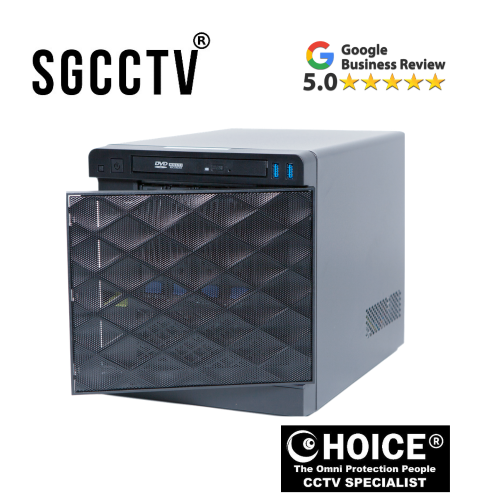

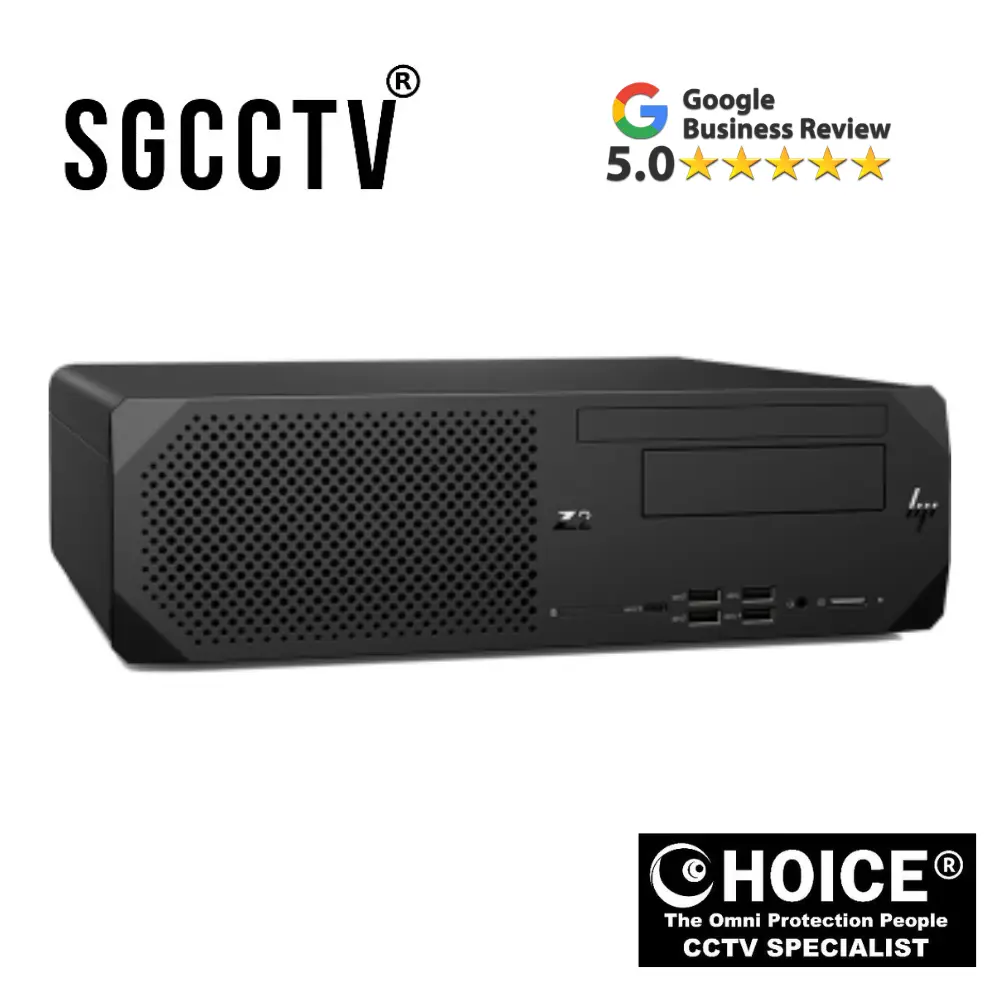
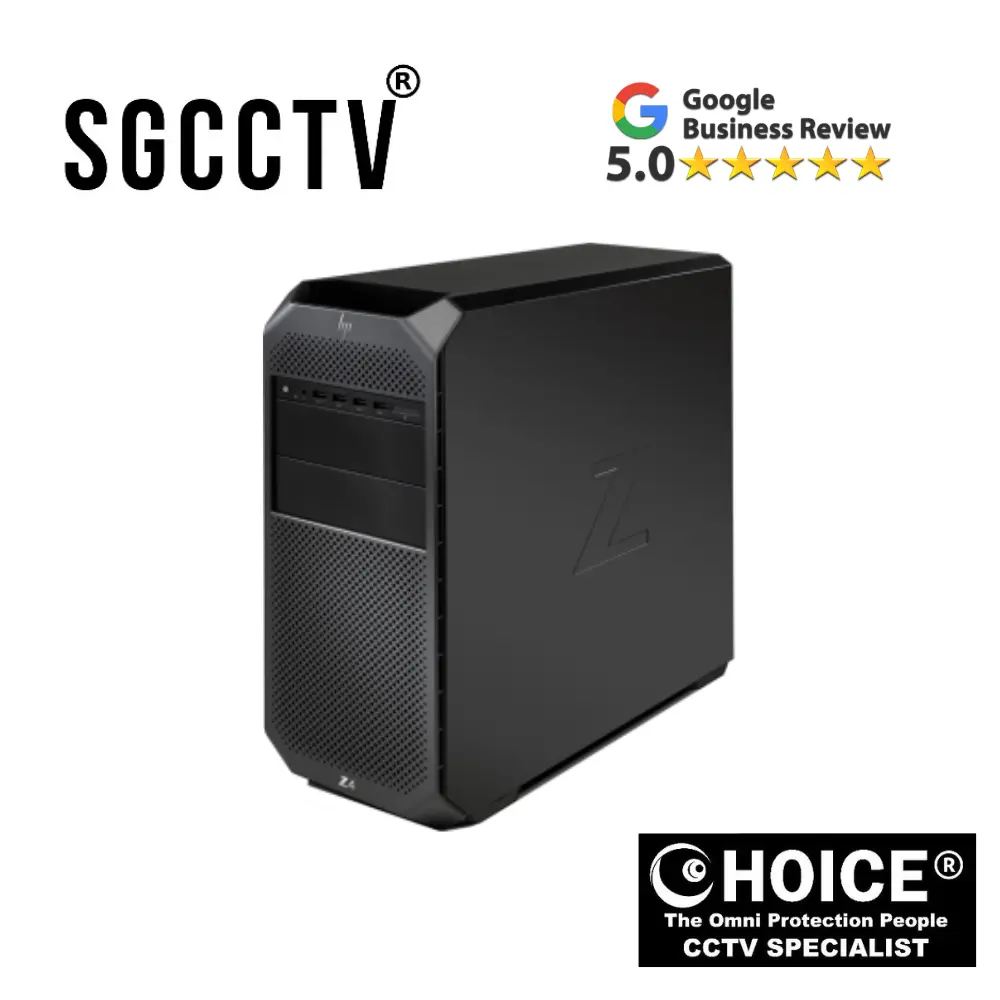
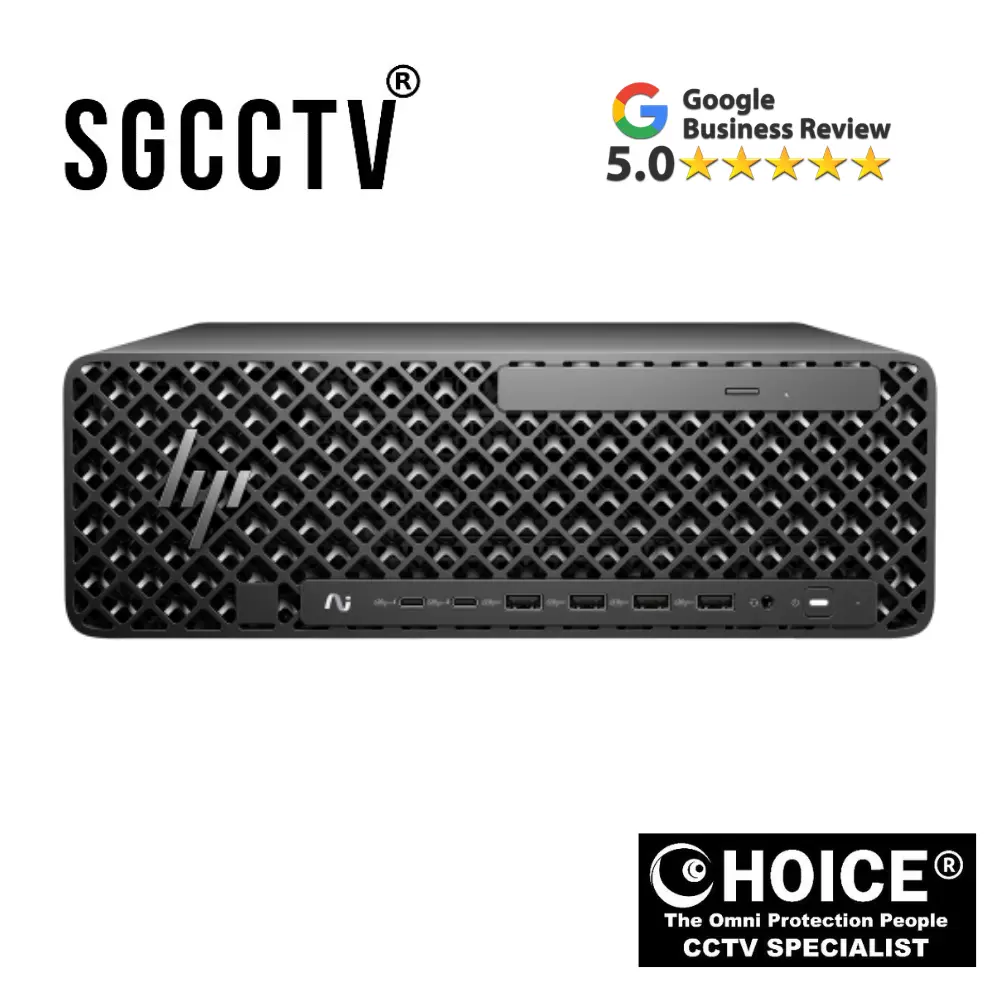
Secure Logiq Mini Qube The Secure Logiq Qube range has been designed to provide a standalone all in one server and client solution
Secure Logiq Mini Qube: The All-in-One Surveillance Workstation for Modern IP Video Systems
In today’s fast-paced and increasingly security-conscious world, organisations are under constant pressure to deploy surveillance systems that are not only reliable but also efficient, scalable, and easy to manage. As IP-based video surveillance continues to replace traditional analogue systems, the demand for high-performance yet compact hardware solutions has never been greater. Addressing this need is Secure Logiq, a specialist manufacturer renowned for designing purpose-built surveillance hardware. Among its most innovative offerings is the Mini Qube, part of the Secure Logiq Qube range, engineered to deliver a powerful, standalone, all-in-one server and client solution for modern IP video environments.
The Secure Logiq Mini Qube represents a new generation of surveillance workstations, combining advanced processing capabilities, intelligent design, and simplified deployment into a single compact unit. Designed specifically for small to medium-sized installations, the Mini Qube eliminates the complexity traditionally associated with surveillance systems by integrating server, storage, and client functionality into one device. This unified approach not only reduces hardware requirements but also streamlines installation, management, and maintenance—making it an ideal solution for businesses seeking efficiency without compromising performance.
The Evolution of Surveillance Hardware
To fully appreciate the value of the Mini Qube, it is important to understand the evolution of surveillance technology. Traditional CCTV systems relied on analogue cameras connected to digital video recorders (DVRs), requiring extensive cabling and offering limited scalability. As technology advanced, IP-based systems emerged, enabling higher resolutions, remote access, and advanced analytics. However, these benefits came with increased demands on hardware infrastructure.
Modern IP surveillance systems must process multiple high-definition video streams simultaneously, store large volumes of data, and provide real-time access to footage. Achieving this with conventional hardware often involves multiple components, including dedicated servers, storage arrays, and client workstations. This not only increases costs but also introduces complexity in deployment and maintenance.
The Secure Logiq Mini Qube addresses these challenges by offering a fully integrated solution that simplifies the entire surveillance ecosystem. By consolidating multiple functions into a single unit, it provides a more efficient and user-friendly alternative to traditional setups.
A True All-in-One Solution
At the heart of the Mini Qube’s design is its all-in-one architecture. Unlike conventional systems that require separate devices for recording, storage, and viewing, the Mini Qube combines all these capabilities into a single, compact workstation.
This integration offers several key advantages:
- Reduced hardware footprint: Fewer devices mean less space required for installation.
- Simplified setup: With everything in one unit, installation becomes faster and more straightforward.
- Lower costs: Eliminating the need for additional hardware reduces both initial investment and ongoing maintenance expenses.
- Improved efficiency: Integrated components communicate more effectively, reducing latency and improving performance.
For small and medium-sized businesses, this approach is particularly beneficial. Whether deployed in a retail store, office, or remote site, the Mini Qube provides a complete surveillance solution without the need for complex infrastructure.
Compact Design, Powerful Performance
One of the standout features of the Secure Logiq Mini Qube is its compact yet powerful design. Despite its small form factor, the system is engineered to deliver enterprise-grade performance, making it suitable for demanding surveillance environments.
The Mini Qube is built using carefully selected components that balance performance, efficiency, and reliability. Its compact chassis is designed to maximise space utilisation while maintaining optimal airflow and thermal management. This ensures that the system can operate continuously without overheating, even under heavy workloads.
The small footprint of the Mini Qube makes it ideal for installations where space is limited. It can be easily placed in back offices, server cabinets, or even discreetly within operational environments. This flexibility allows organisations to deploy high-performance surveillance systems without the need for dedicated server rooms.
Secure Logiq Mini Qube The Secure Logiq Qube range has been designed to provide a standalone all in one server and client solution
Optimised for Video Processing with Quicksync Technology
A key factor that sets the Mini Qube apart from generic workstations is its optimisation for Intel Quicksync technology. This hardware-based video acceleration feature plays a crucial role in enhancing system performance.
In a typical surveillance system, video encoding and decoding are among the most resource-intensive tasks. When handled solely by the CPU, these processes can quickly consume system resources, leading to performance bottlenecks. Quicksync addresses this issue by offloading video processing tasks to the integrated graphics processor.
This optimisation delivers several important benefits:
- Reduced CPU load, allowing the system to handle additional tasks
- Smooth playback of multiple video streams, even in high resolution
- Improved system stability, particularly during continuous operation
- Lower power consumption, contributing to energy efficiency
For users, this means a seamless experience when monitoring live feeds or reviewing recorded footage. Even in environments with multiple cameras, the Mini Qube maintains consistent performance without lag or delays.
Designed for Small to Medium Deployments
The Secure Logiq Mini Qube is specifically tailored for small to medium-sized surveillance deployments, making it an ideal choice for a wide range of applications.
These include:
- Retail stores
- Offices and corporate environments
- Educational institutions
- Healthcare facilities
- Warehouses and logistics centres
In each of these environments, the need for reliable, easy-to-manage surveillance is critical. The Mini Qube provides a solution that is both powerful and accessible, enabling organisations to implement effective security systems without the complexity of larger enterprise setups.
Scalable and Flexible Architecture
While the Mini Qube is designed for smaller deployments, it is also highly scalable, allowing organisations to expand their systems as needed. This flexibility ensures that the system can grow alongside the business, accommodating additional cameras, increased storage requirements, and new features.
The Mini Qube supports a range of configurations, enabling users to tailor the system to their specific needs. Whether prioritising storage capacity, processing power, or camera support, the system can be customised to deliver optimal performance.
This scalability makes the Mini Qube a future-proof investment, ensuring that organisations can adapt to changing requirements without the need for a complete system overhaul.
Reliable Storage and Data Management
Storage is a critical component of any surveillance system, and the Mini Qube is designed to handle this efficiently. With support for high-capacity drives, the system can store large volumes of video footage while maintaining quick access for playback and retrieval.
Advanced storage management features allow users to:
- Set retention policies for recorded footage
- Organise data by camera and time
- Quickly search and retrieve specific recordings
This ensures that important footage is always available when needed, whether for security investigations, compliance, or operational analysis.
Secure Logiq Mini Qube The Secure Logiq Qube range has been designed to provide a standalone all in one server and client solution
Seamless Integration with Video Management Software
The Mini Qube is compatible with leading video management software (VMS) platforms, providing users with the flexibility to choose the solution that best fits their needs. This open-platform approach ensures that organisations are not locked into a single ecosystem and can adapt their software as requirements evolve.
Through VMS, users can:
- Monitor live camera feeds
- Configure recording settings
- Access advanced analytics
- Manage system users and permissions
This integration enhances the overall functionality of the Mini Qube, transforming it into a comprehensive surveillance management system.
Simplified Installation and User Experience
One of the key advantages of the Mini Qube is its ease of installation and use. The all-in-one design reduces the number of components that need to be installed, simplifying the deployment process.
For installers and IT teams, this means:
- Faster setup times
- Reduced cabling and configuration
- Easier troubleshooting
For end users, the system offers an intuitive interface that makes it easy to monitor and manage surveillance operations. Even users with limited technical expertise can quickly learn to operate the system, reducing training requirements and improving overall efficiency.
Security and Reliability
In today’s digital landscape, security extends beyond physical surveillance to include cybersecurity. The Mini Qube is designed with this in mind, incorporating features that help protect both the system and the data it handles.
These include:
- Secure access controls
- Compatibility with encrypted connections
- Support for secure network configurations
Combined with its robust hardware design, these features ensure that the Mini Qube delivers reliable performance while safeguarding sensitive information.
Energy Efficiency and Sustainability
Energy efficiency is an increasingly important consideration for modern businesses. The Mini Qube’s optimisation for Quicksync technology and efficient hardware design contribute to lower power consumption compared to traditional multi-device setups.
This not only reduces operational costs but also supports sustainability initiatives, making the Mini Qube an environmentally responsible choice.
Real-World Applications
The versatility of the Secure Logiq Mini Qube makes it suitable for a wide range of real-world applications. In retail environments, it can be used to monitor store activity and prevent theft. In offices, it provides a reliable solution for securing premises and ensuring employee safety. In industrial settings, it supports operational monitoring and process optimisation.
In each case, the Mini Qube delivers a balance of performance, simplicity, and reliability that meets the specific needs of the environment.
Secure Logiq Mini Qube The Secure Logiq Qube range has been designed to provide a standalone all in one server and client solution
How the Secure Logiq Mini Qube Is Made
The Secure Logiq Mini Qube is not a general-purpose computer. It is a purpose-built surveillance workstation, engineered specifically for IP CCTV systems that require continuous recording, stable performance, and efficient video processing.
Unlike normal PCs that are assembled for everyday computing, the Mini Qube is designed from the ground up for 24/7 video surveillance workloads. Every stage of its design and manufacturing process focuses on reliability, efficiency, and long-term stability.
Below is a step-by-step breakdown of how it is made.
1. System Design (Engineering Phase)
The process starts with system engineers defining the purpose of the Mini Qube.
They design it specifically for:
- IP camera recording systems
- Video Management Software (VMS) platforms
- Multi-camera environments
- Continuous 24/7 operation
At this stage, engineers decide:
- Maximum number of cameras supported
- Expected video resolution (1080p, 4MP, 8MP, etc.)
- Storage capacity requirements
- Processing load for decoding video streams
👉 This is important because surveillance workloads are very different from normal computing tasks.
2. Component Selection (Critical Stage)
Once the system design is finalised, engineers choose industrial-grade hardware components.
🔹 Processor (CPU with Intel Quicksync)
The Mini Qube uses Intel CPUs that support Quicksync technology.
Why this matters:
- Handles video decoding efficiently
- Reduces CPU stress
- Improves multi-camera performance
Instead of relying on raw CPU power, the system uses hardware acceleration.
🔹 Memory (RAM)
High-quality RAM is selected for:
- Smooth video buffering
- Running VMS software
- Handling multiple camera streams
The memory is chosen for stability over long-term use, not just speed.
🔹 Storage (HDD + SSD)
Storage is designed for surveillance workloads:
- HDDs → long-term video recording
- SSDs → operating system and fast processing tasks
These drives are selected because they can handle:
- Constant writing
- Large video files
- Long retention periods
Secure Logiq Mini Qube The Secure Logiq Qube range has been designed to provide a standalone all in one server and client solution
🔹 Motherboard
A stable industrial motherboard is selected for:
- 24/7 uptime
- Multiple camera connections
- Network stability
BIOS settings are tuned for surveillance performance.
🔹 Cooling System
Because the system runs continuously, cooling is very important.
The Mini Qube uses:
- Optimised airflow design
- High-quality fans
- Thermal management layout
This ensures:
- Stable temperature
- Longer hardware lifespan
- No overheating during heavy load
3. Chassis Manufacturing (Physical Build)
The Mini Qube uses a compact industrial chassis, designed specifically for surveillance environments.
The chassis is built to:
- Save space
- Protect internal components
- Maintain airflow
- Support multiple storage drives
It is usually made from:
- Reinforced metal casing
- Heat-resistant materials
- Durable mounting structures
👉 This makes it suitable for offices, cabinets, and small server rooms.
4. Assembly Process
Once all components are ready, the system moves to assembly.
Technicians perform:
Step 1: Motherboard installation
- Mounted inside chassis
- Connected to power system
Step 2: CPU + Quicksync configuration
- Processor installed
- Thermal paste applied
- Cooling system attached
Step 3: Memory installation
- RAM modules fitted securely
Step 4: Storage setup
- HDDs installed for recording
- SSD installed for OS
Step 5: Cable management
- Power cables routed neatly
- Data cables secured for airflow
👉 Good assembly ensures long-term stability and reduces failure risk.
Secure Logiq Mini Qube The Secure Logiq Qube range has been designed to provide a standalone all in one server and client solution
5. Software Installation
After hardware assembly, the system is configured with software.
This includes:
- Operating system installation (Windows or Linux-based)
- Driver installation for CPU and video acceleration
- Quicksync activation
- Network configuration
Then engineers install or prepare compatibility for:
- Video Management Software (VMS)
- CCTV system integration tools
6. System Optimisation (Very Important Step)
This is what makes Secure Logiq different from normal PCs.
The Mini Qube is optimised specifically for surveillance workloads.
Optimisation includes:
- Enabling Intel Quicksync hardware acceleration
- Adjusting CPU performance settings
- Disabling unnecessary background processes
- Optimising disk writing speed for video recording
- Configuring network prioritisation for camera streams
👉 This step ensures smooth performance even under heavy load.
7. Testing Phase (Quality Control)
Before shipping, every Mini Qube goes through strict testing.
🔍 Performance Testing
- Multiple camera streams simulated
- High-resolution video playback tested
- Stress tests applied
🔍 Thermal Testing
- System run under full load
- Temperature monitored
- Cooling efficiency verified
🔍 Stability Testing
- 24–48 hour continuous operation
- No crash or slowdown allowed
🔍 Storage Testing
- Continuous writing simulation
- Drive health checks
👉 Only systems that pass all tests are approved.
8. Final Configuration (Pre-Deployment Setup)
Before delivery, the system is prepared for installation:
- Default VMS configuration (optional)
- Network settings pre-set (if required)
- Security settings applied
- User accounts configured
This allows installers to deploy faster on-site.
Secure Logiq Mini Qube The Secure Logiq Qube range has been designed to provide a standalone all in one server and client solution
How It Works After Installation (Simple View)
Once installed, the Mini Qube operates like this:
- IP cameras send video streams
- Mini Qube receives video via network switch
- Quicksync processes video efficiently
- Footage is stored on hard drives
- Users view live or recorded video through VMS
👉 Everything runs continuously in real time.
Why This Manufacturing Method Matters
Because of this design and build process, the Mini Qube:
- Runs reliably 24/7
- Handles multiple HD cameras smoothly
- Uses less power than traditional systems
- Requires minimal maintenance
- Delivers stable long-term performance
Final Summary
The Secure Logiq Mini Qube is made through a carefully controlled process that includes:
- Surveillance-focused system design
- Industrial-grade component selection
- Compact chassis engineering
- Precision hardware assembly
- Software installation and tuning
- Intensive performance testing
- Final optimisation for CCTV workloads
👉 The result is a purpose-built surveillance workstation, not a standard computer.
🔧 How to Install Secure Logiq Mini Qube
The Secure Logiq Mini Qube is designed as a plug-and-play surveillance workstation, but correct installation is still important to ensure stability, performance, and warranty protection.
🧰 Before You Start
Make sure you have:
- Mini Qube unit
- IP cameras installed and powered (PoE or external power)
- Network switch (PoE switch recommended)
- Monitor (HDMI/DisplayPort)
- Keyboard & mouse
- LAN cables
- Stable power source / UPS (recommended)
⚙️ Step-by-Step Installation Guide
1. Physical Placement
Place the Mini Qube in a safe location:
✔ Back office
✔ Server cabinet
✔ Control room
Important:
- Ensure good ventilation
- Avoid enclosed hot spaces
- Keep away from moisture and dust
👉 Heat management is important for 24/7 operation.
Secure Logiq Mini Qube The Secure Logiq Qube range has been designed to provide a standalone all in one server and client solution
2. Connect Hardware
Connect the following:
- 🔌 Power cable → wall socket or UPS
- 🖥 Monitor → HDMI/DisplayPort
- ⌨️ Keyboard & mouse → USB ports
- 🌐 LAN cable → network switch
3. Connect IP Cameras
Cameras should be connected like this:
IP Cameras → PoE Switch → Mini Qube
Notes:
- All devices must be on the same network
- Use Cat5e or Cat6 cables
- Label camera ports for easier setup
4. Power On System
- Turn on Mini Qube
- System boots into operating system
- Wait for startup and drivers to load
👉 Pre-configured systems may already include VMS software.
5. Network Setup
Set IP configuration:
Option A: DHCP (Auto)
- Router assigns IP automatically
Option B: Static IP (Recommended)
Set manually:
- IP Address
- Subnet Mask
- Gateway
👉 Static IP is more stable for CCTV systems.
Secure Logiq Mini Qube The Secure Logiq Qube range has been designed to provide a standalone all in one server and client solution
6. Install / Open Video Management Software (VMS)
The Mini Qube works with common VMS platforms like:
- Milestone
- Genetec
- HikCentral
- Other ONVIF-compatible systems
Steps:
- Open VMS software
- Log in as admin
- Go to device/camera manager
7. Add Cameras
Inside VMS:
- Click “Add Camera”
- Enter camera IP
- Input username & password
- Select ONVIF or manufacturer protocol
- Repeat for all cameras
👉 Cameras should appear in live view after connection.
8. Enable Intel Quicksync (IMPORTANT)
To ensure smooth performance:
- Go to VMS settings
- Enable hardware acceleration
- Select Intel Quicksync / GPU decoding
👉 This allows:
- Smooth playback
- Low CPU usage
- Multiple camera streams
9. Configure Recording Settings
Set how video is stored:
Options:
- Continuous recording (24/7)
- Motion detection recording
- Scheduled recording
Also set:
- Storage location (HDD)
- Retention period (e.g. 7, 14, 30 days)
- Overwrite settings (when full)
Secure Logiq Mini Qube The Secure Logiq Qube range has been designed to provide a standalone all in one server and client solution
10. Live View Setup
Create camera layouts:
- 4-view
- 9-view
- 16-view
- Custom grid
👉 This is used for monitoring control rooms or security desks.
11. User Accounts & Security
Set user roles:
- Admin → full control
- Operator → live view only
- Viewer → playback only
Security tips:
- Change default passwords
- Use strong credentials
- Disable unused accounts
12. Remote Access (Optional)
To view CCTV remotely:
Option 1: LAN Access
- Same network access via software
Option 2: Internet Access
- Port forwarding OR VPN (recommended)
👉 VPN is safer and more secure.
🛠️ Final Testing Checklist
Before completing installation:
✔ All cameras online
✔ Live view working
✔ Recording active
✔ Playback tested
✔ Storage writing correctly
✔ Quicksync enabled
✔ Remote access (if required)
⚠️ Common Installation Mistakes
Avoid these issues:
❌ Mixing different network IP ranges
❌ Not enabling Quicksync
❌ Weak or reused passwords
❌ Overloaded PoE switch
❌ Poor ventilation
❌ Incorrect camera credentials
Secure Logiq Mini Qube The Secure Logiq Qube range has been designed to provide a standalone all in one server and client solution
🛡️ Secure Logiq Warranty (Important)
The Mini Qube comes with manufacturer warranty support, which typically covers hardware defects and system reliability under normal use conditions.
📦 What Warranty Covers
✔ Hardware defects (CPU, motherboard, RAM)
✔ Storage failures (HDD/SSD under warranty period)
✔ Power supply failure
✔ Manufacturing faults
✔ System instability caused by hardware
❌ What Warranty Does NOT Cover
✘ Physical damage (drops, water, fire)
✘ Improper installation
✘ Incorrect voltage / power surge damage
✘ Unauthorized hardware modification
✘ Software misuse or corrupted OS due to user error
✘ Virus or malware infections
⏱️ Warranty Period (Typical Industry Standard)
Depending on configuration and supplier:
- Standard warranty: 1 to 3 years hardware support
- Optional extended warranty may be available
👉 Always confirm exact warranty with your distributor or supplier.
🔧 Warranty Support Includes
- Hardware replacement (if faulty)
- Remote technical troubleshooting
- Firmware/software support (limited)
- Diagnostic checks
📍 Important Warranty Condition
To keep warranty valid:
✔ Use approved components
✔ Maintain proper cooling
✔ Use UPS or stable power supply
✔ Do not open system without authorization
✔ Install supported VMS software only
Secure Logiq Mini Qube The Secure Logiq Qube range has been designed to provide a standalone all in one server and client solution
Why Buy from ChoiceCycle
Choosing the right security partner is just as important as choosing the right product. When you buy from ChoiceCycle, you are not just purchasing CCTV equipment—you are getting a complete security solution backed by experience, technical expertise, and reliable after-sales support.
Located in the heart of Singapore’s largest IT hub, ChoiceCycle CCTV Pte Ltd has become a trusted name for CCTV systems, IP cameras, access control, and integrated security solutions for homes, offices, and commercial projects.
1. Established Security Specialist
ChoiceCycle has been operating since 2003, building over two decades of experience in the security industry. This long-term presence means:
- Deep technical knowledge of CCTV systems
- Proven installation experience across many industries
- Strong understanding of real-world security challenges
👉 You are buying from a specialist, not a general electronics retailer
2. Complete One-Stop Security Solution
At ChoiceCycle, customers can get everything under one roof:
- IP CCTV systems
- DVR / NVR recording systems
- Access control systems
- Intercom systems
- Installation & maintenance services
👉 This saves time, cost, and hassle by avoiding multiple suppliers.
3. Professional Installation & Support
One of the strongest reasons to buy from ChoiceCycle is end-to-end service:
- On-site installation
- System configuration
- Troubleshooting support
- After-sales maintenance
👉 This ensures your system works properly from day one and continues running smoothly.
4. Trusted by Businesses & Home Users
ChoiceCycle supports a wide range of clients:
- Retail shops
- Offices
- Warehouses
- Schools
- Residential homes
👉 Whether it is a small setup or a large system, solutions are tailored to each project.
5. Located in Sim Lim Square for Easy Access
ChoiceCycle operates in Singapore’s main electronics hub:
📍 Sim Lim Square, Rochor Canal Road
📞 +65 9853 4404
Secure Logiq Mini Qube The Secure Logiq Qube range has been designed to provide a standalone all in one server and client solution


Nunc lacus elit, faucibus ac laoreet sed, dapibus ac mi. Maecenas eu ante a elit tempus fermentum. Aliquam commodo tincidunt semper. Phasellus accumsan, justo ac mollis pharetra, ex dui pharetra nisl, a scelerisque ipsum nulla ac sem. Cras eu risus urna. Duis lorem sapien, congue eget nisl sit amet, rutrum faucibus elit.
Donec accumsan auctor iaculis. Sed suscipit arcu ligula, at egestas magna molestie a. Proin ac ex maximus, ultrices justo eget, sodales orci. Aliquam egestas libero ac turpis pharetra, in vehicula lacus scelerisque. Vestibulum ut sem laoreet, feugiat tellus at, hendrerit arcu.
Nunc lacus elit, faucibus ac laoreet sed, dapibus ac mi. Maecenas eu ante a elit tempus fermentum. Aliquam commodo tincidunt semper. Phasellus accumsan, justo ac mollis pharetra, ex dui pharetra nisl, a scelerisque ipsum nulla ac sem. Cras eu risus urna. Duis lorem sapien, congue eget nisl sit amet, rutrum faucibus elit.