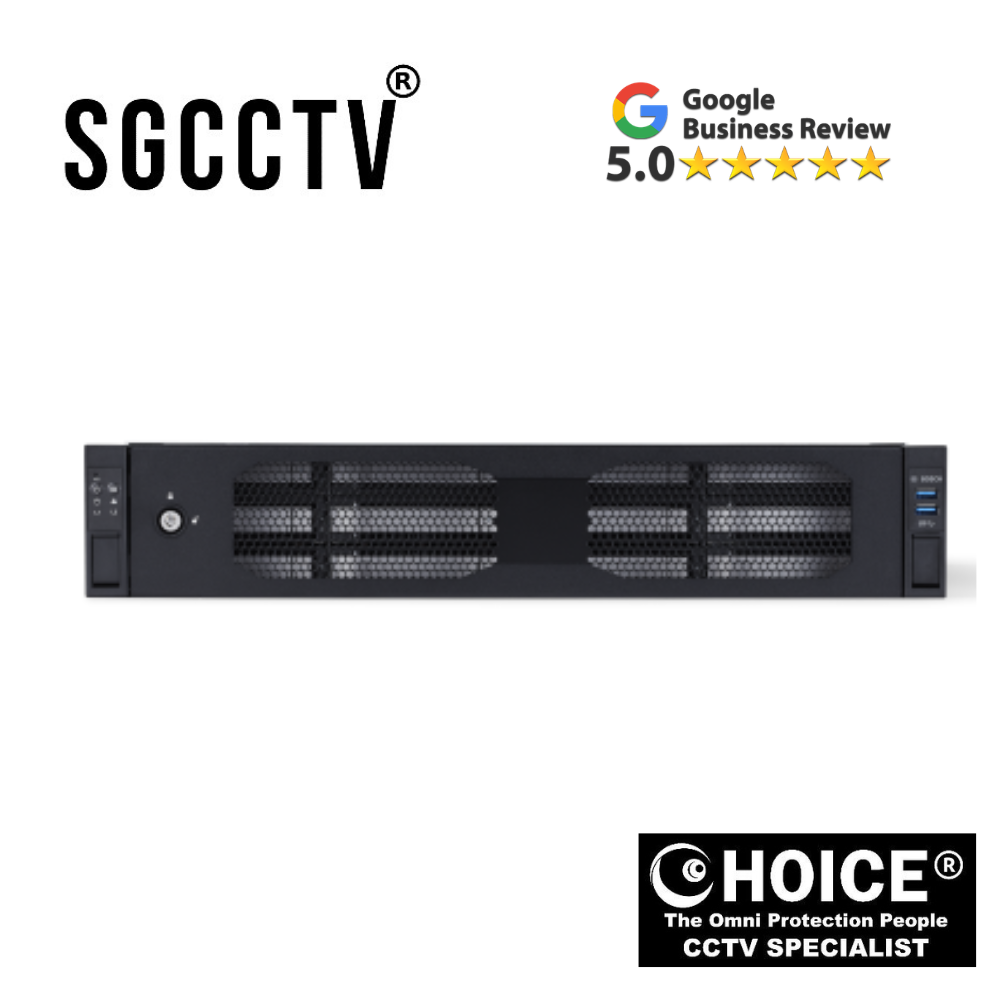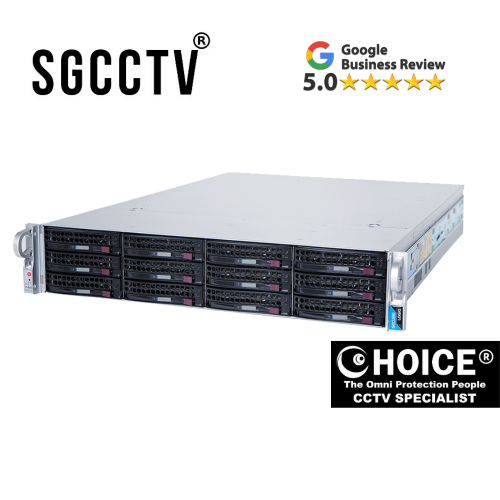

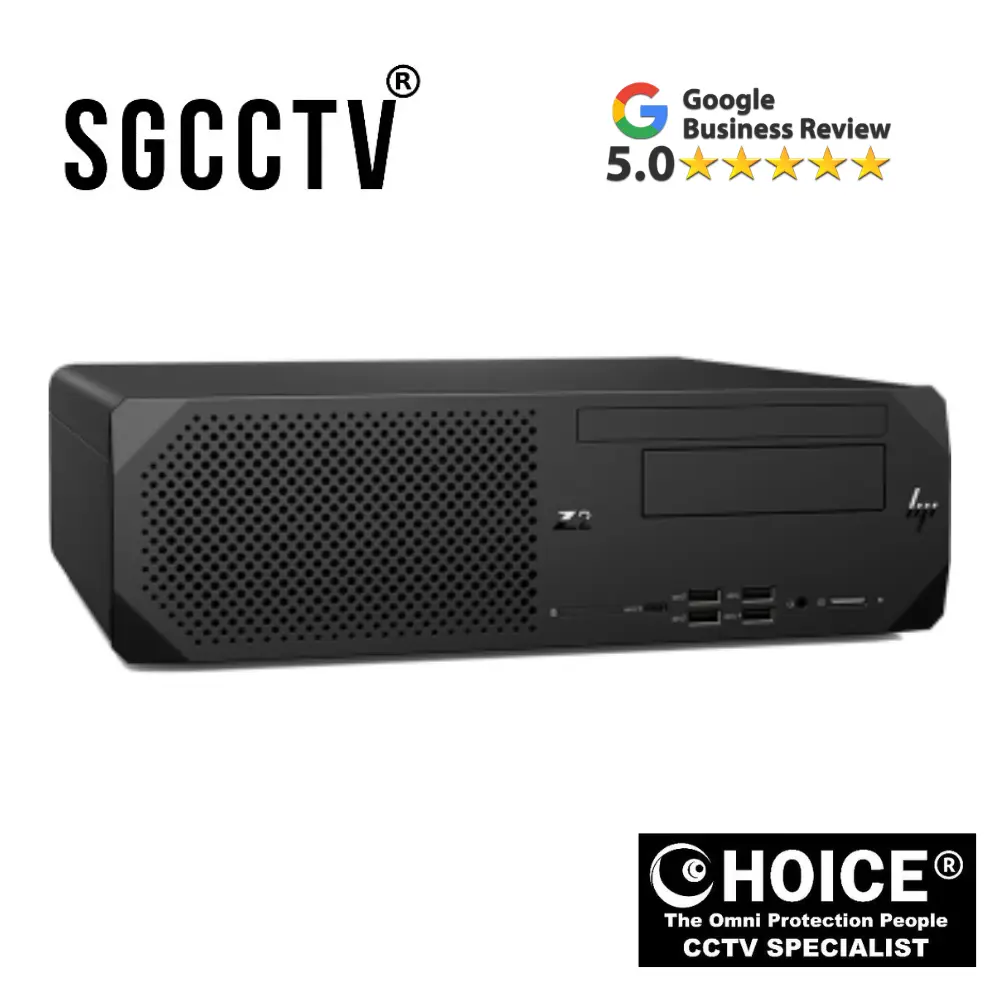
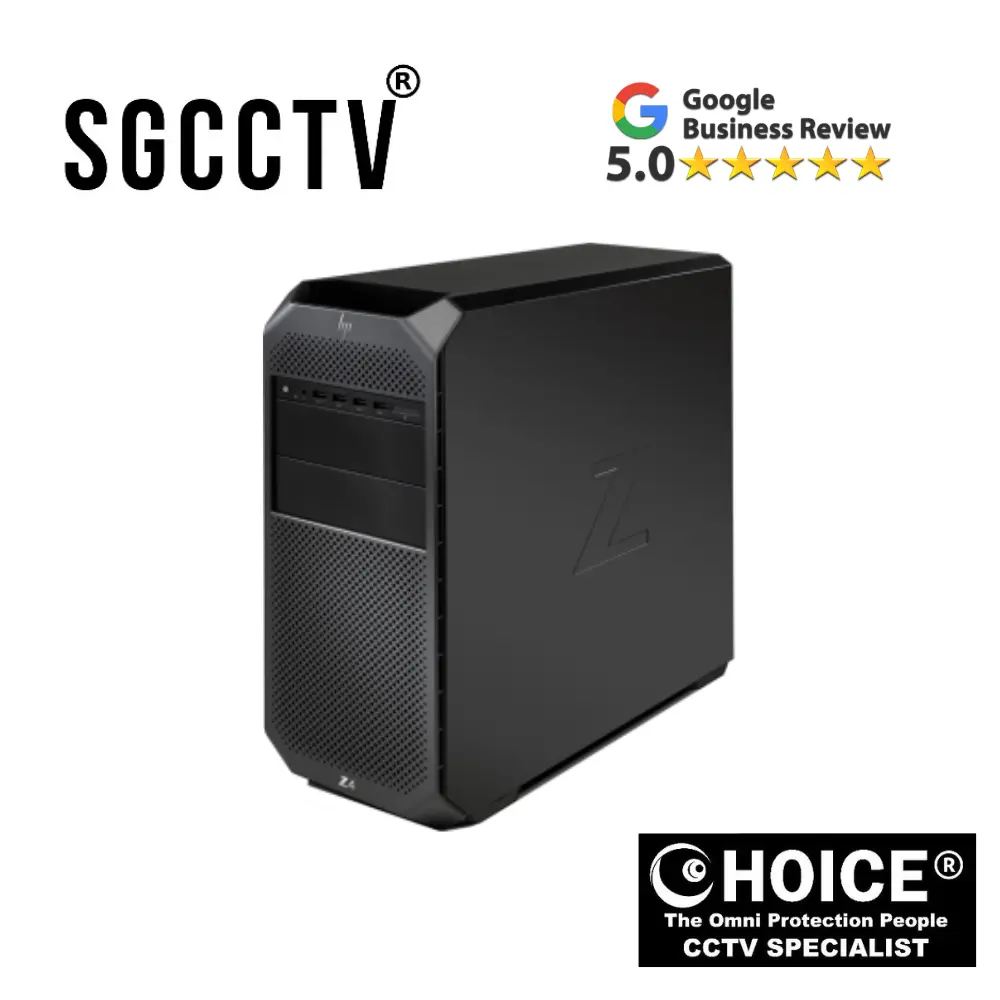
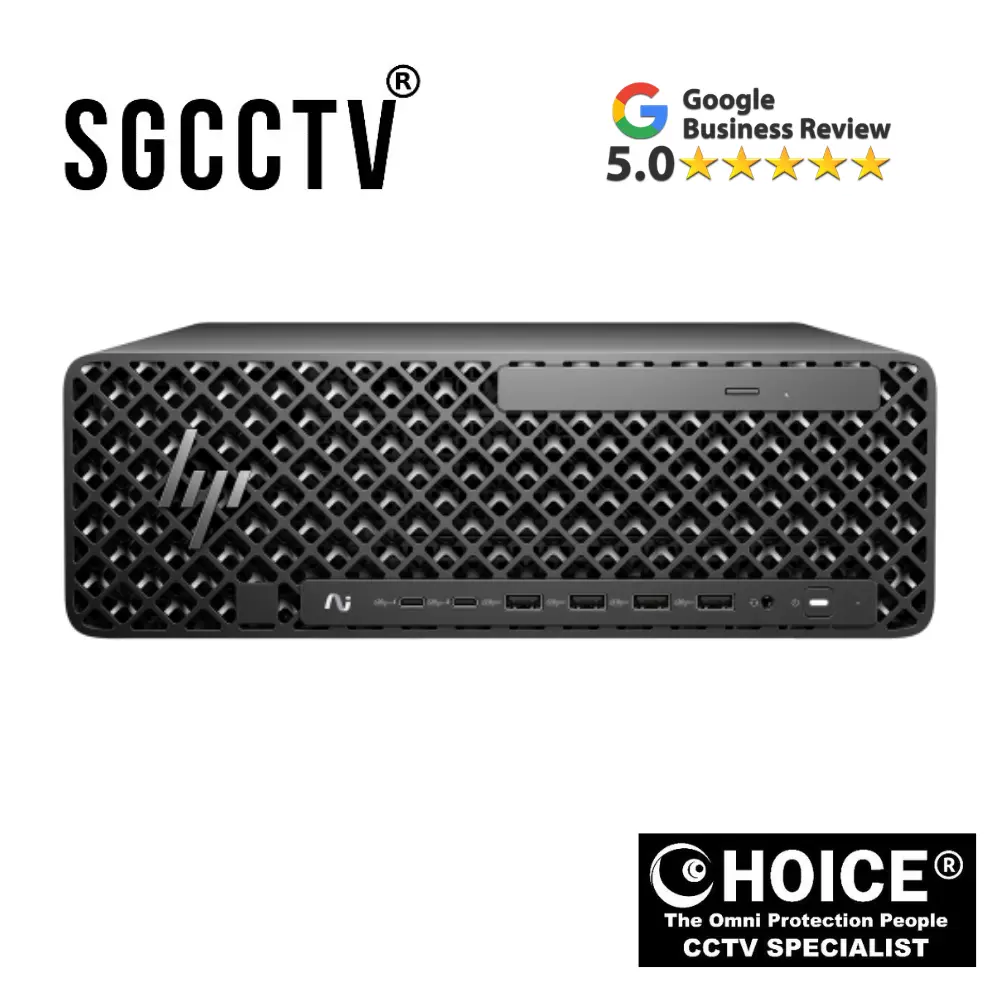
Secure Logiq Quicksync Optimised Workstations The Secure Logiq Qube range offers an all-in-one server and client solution tailored for small
Secure Logiq Quicksync Optimised Workstations: A Complete Introduction to the Qube All-in-One Surveillance Solution
In today’s rapidly evolving security landscape, organisations are increasingly turning to intelligent, high-performance surveillance systems to protect their people, property, and operations. As IP-based video surveillance becomes the industry standard, the demand for reliable, efficient, and scalable hardware solutions continues to grow. At the forefront of this shift is Secure Logiq, a specialist manufacturer renowned for delivering purpose-built surveillance hardware. Among its most innovative offerings is the Qube range of Quicksync optimised workstations, designed as a powerful all-in-one server and client solution tailored specifically for small to medium-sized deployments.
The Secure Logiq Qube range represents a significant step forward in simplifying surveillance infrastructure without compromising on performance. By integrating server, storage, and client functionality into a single compact unit, these workstations eliminate the need for complex multi-device setups. This streamlined approach not only reduces installation time and cost but also enhances system reliability and usability. For businesses seeking a cost-effective yet high-performance surveillance solution, the Qube range stands out as a compelling choice.
The Evolution of IP Surveillance and the Need for Optimised Workstations
Traditional CCTV systems relied heavily on analogue technology, requiring extensive cabling and dedicated recording devices. However, the transition to IP surveillance has introduced new opportunities—and new challenges. Modern systems now support high-definition and ultra-high-definition video streams, advanced analytics, and remote accessibility. While these capabilities offer significant advantages, they also place increased demands on hardware performance.
This is where Quicksync optimised workstations come into play. Intel Quicksync technology enables hardware-accelerated video encoding and decoding, allowing systems to process large volumes of video data efficiently. In a surveillance environment, where multiple cameras may be streaming simultaneously, this optimisation is critical. Without it, systems can quickly become overwhelmed, leading to lag, dropped frames, and reduced reliability.
The Secure Logiq Qube range is specifically engineered to address these challenges. By leveraging Quicksync technology, these workstations deliver smooth video playback, efficient recording, and responsive system performance—even under heavy workloads. This makes them ideal for environments where reliability and real-time monitoring are essential.
What Makes the Secure Logiq Qube Range Unique?
The defining characteristic of the Qube range is its all-in-one architecture. Unlike traditional setups that require separate servers, storage arrays, and client machines, the Qube consolidates all these components into a single device. This design offers several key advantages:
First, it significantly reduces the complexity of deployment. With fewer components to install and configure, organisations can get their surveillance systems up and running more quickly. This is particularly beneficial for small and medium-sized businesses that may not have extensive IT resources.
Second, the integrated design enhances system efficiency. By housing all components within a single unit, the Qube minimises latency and ensures seamless communication between the server and client functions. This results in faster access to live and recorded video, improving the overall user experience.
Third, the compact form factor makes the Qube suitable for a wide range of installation environments. Whether deployed in a retail back office, a small server room, or a remote site, the system’s space-saving design ensures it can be installed بسهولة without requiring dedicated infrastructure.
Harnessing the Power of Intel Quicksync Technology
At the heart of the Secure Logiq Qube workstations is Intel Quicksync technology, a hardware-based video processing feature that plays a crucial role in optimising system performance. In a typical surveillance system, video encoding and decoding are among the most resource-intensive tasks. When handled solely by the CPU, these processes can quickly consume available resources, limiting the system’s ability to handle additional workloads.
Quicksync addresses this issue by offloading video processing tasks to the integrated graphics processor. This not only frees up CPU resources but also enables more efficient handling of high-resolution video streams. The result is a system that can support more cameras, deliver smoother playback, and maintain consistent performance over time.
For users, this translates into tangible benefits. Security personnel can monitor live feeds without experiencing lag or stuttering, review recorded footage quickly, and respond to incidents in real time. In high-pressure situations where every second counts, this level of performance can make a critical difference.
Secure Logiq Quicksync Optimised Workstations The Secure Logiq Qube range offers an all-in-one server and client solution tailored for small
Designed for Small to Medium-Sized Deployments
The Secure Logiq Qube range is specifically tailored for small to medium-sized surveillance deployments, making it an ideal solution for a wide variety of industries. From retail stores and office buildings to schools and healthcare facilities, these environments require reliable surveillance systems that are easy to deploy and manage.
One of the key advantages of the Qube range is its scalability. While designed for smaller deployments, the system can be configured to support a growing number of cameras and storage requirements. This ensures that organisations can start with a solution that meets their current needs and expand as their operations evolve.
In addition, the Qube workstations are compatible with leading video management software platforms, allowing users to select the solution that best fits their requirements. This flexibility ensures that the system can be tailored to specific use cases, whether prioritising advanced analytics, integration with other security systems, or ease of use.
Storage, Performance, and Reliability in One Compact Unit
Effective storage management is a critical component of any surveillance system. High-resolution video footage can quickly consume large amounts of storage space, making it essential to have a system that can handle data efficiently. The Secure Logiq Qube range is designed with this in mind, offering robust storage capabilities that ensure reliable recording and easy retrieval of footage.
In addition to storage, the system’s performance and reliability are key considerations. Surveillance systems are often required to operate continuously, sometimes in demanding environments. The Qube workstations are built using high-quality components that ensure long-term durability and consistent performance. This reduces the risk of downtime and minimises the need for frequent maintenance, resulting in a lower total cost of ownership.
Simplifying Installation and System Management
One of the standout features of the Secure Logiq Qube range is its ease of installation and management. By consolidating multiple components into a single unit, the system reduces the complexity typically associated with surveillance deployments. This not only saves time during installation but also simplifies ongoing maintenance and support.
For IT teams and system integrators, this means fewer devices to manage and troubleshoot. For end users, it translates into a more intuitive and user-friendly experience. The ability to access live and recorded video directly from the system eliminates the need for additional client machines, further streamlining the workflow.
Security and Future-Proofing
In an era where cybersecurity is a growing concern, the Secure Logiq Qube range is designed with security in mind. As IP-based systems are inherently connected to networks, they must be protected against potential threats. The Qube workstations support secure configurations and are compatible with trusted software platforms that prioritise data protection and system integrity.
Looking ahead, the Qube range is also built to support future advancements in surveillance technology. As camera resolutions continue to increase and new features such as artificial intelligence and machine learning become more prevalent, having a system that can adapt to these changes is essential. The Qube workstations provide the performance and flexibility needed to accommodate these developments, ensuring long-term value for organisations.
Why Choose Secure Logiq Qube Workstations?
Choosing the right hardware is a critical decision when implementing a surveillance system. The Secure Logiq Qube range offers a unique combination of performance, simplicity, and scalability that sets it apart from traditional solutions. By leveraging Quicksync technology and an all-in-one design, it delivers a powerful yet efficient platform for managing IP video systems.
For small to medium-sized organisations, the benefits are clear:
- Reduced hardware complexity
- Faster deployment and lower installation costs
- Reliable performance with hardware-accelerated video processing
- Scalable architecture to support future growth
- Compact design suitable for space-constrained environments
These advantages make the Qube range an ideal choice for businesses looking to enhance their security infrastructure without the overhead of a complex, multi-device system.
Conclusion
The Secure Logiq Qube range of Quicksync optimised workstations represents a modern approach to surveillance hardware design. By combining server and client functionality into a single, compact unit and leveraging advanced video processing technology, it addresses the key challenges faced by today’s surveillance systems.
As organisations continue to adopt IP-based security solutions, the need for efficient, reliable, and easy-to-manage hardware will only increase. The Qube range meets these demands head-on, offering a solution that is not only capable of handling current requirements but also prepared for future advancements.
For businesses seeking a dependable, high-performance surveillance platform, the Secure Logiq Qube workstations provide a smart, scalable, and forward-thinking solution—one that simplifies complexity while delivering exceptional results.
Secure Logiq Quicksync Optimised Workstations The Secure Logiq Qube range offers an all-in-one server and client solution tailored for small
How Secure Logiq Quicksync Optimised Workstations Are Made and How They Work
The Secure Logiq Qube range of Quicksync optimised workstations represents a highly specialised category of surveillance hardware engineered to meet the growing demands of IP-based video systems. Unlike general-purpose computers, these workstations are purpose-built for continuous video processing, storage, and monitoring. Understanding how these systems are made—and how they function—provides valuable insight into why they are so effective in modern surveillance environments.
This guide explores both aspects in depth: the design and manufacturing process behind the Qube workstations, and the technical mechanisms that enable them to operate efficiently as all-in-one server and client solutions.
Part 1: How Secure Logiq Qube Workstations Are Made
Purpose-Driven Engineering and Design
The development of a Qube workstation begins with a clear objective: to create a compact, high-performance system capable of handling multiple IP video streams reliably over long periods. Engineers at Secure Logiq design these systems specifically for video surveillance workloads, which differ significantly from typical computing tasks.
Unlike office PCs that handle intermittent workloads (documents, browsing, emails), surveillance systems must:
- Operate 24/7 without interruption
- Process continuous video streams
- Store large volumes of data
- Deliver real-time playback and analytics
Because of these requirements, every component in the Qube workstation is selected and configured with performance consistency, thermal stability, and reliability in mind.
Hardware Component Selection
The manufacturing process begins with careful selection of enterprise-grade components. Each component plays a specific role in ensuring the system performs optimally under surveillance workloads.
1. Processor (CPU with Intel Quicksync)
At the core of the system is an Intel processor that supports Quicksync technology. This is a critical design decision. Instead of relying purely on raw CPU power, the system leverages integrated graphics for video processing.
This enables:
- Hardware-accelerated decoding of video streams
- Reduced CPU load
- Efficient handling of multiple camera feeds
The CPU is chosen not just for speed, but for its balance between processing power, efficiency, and thermal output.
2. Graphics and Video Acceleration (Quicksync)
Unlike gaming or rendering systems that use dedicated GPUs, Qube workstations rely on integrated GPU acceleration via Quicksync. This is more efficient for surveillance workloads because:
- Video decoding is offloaded from the CPU
- Power consumption is reduced
- Heat generation is minimised
- System stability improves over long periods
This optimisation is central to how the product is designed and built.
3. Memory (RAM)
The system includes high-capacity RAM to support:
- Video buffering
- Simultaneous playback streams
- VMS (Video Management Software) operations
Memory is selected for reliability and speed, ensuring smooth multitasking between recording, playback, and system processes.
4. Storage Systems
Storage is one of the most critical elements in a surveillance workstation. Qube systems are built with:
- High-capacity HDDs for long-term video storage
- SSDs for operating system and fast access tasks
The storage subsystem is designed for:
- Continuous writing (video recording)
- Data redundancy (depending on configuration)
- Fast retrieval for playback
Drives are typically enterprise-grade, built to withstand constant read/write cycles.
Secure Logiq Quicksync Optimised Workstations The Secure Logiq Qube range offers an all-in-one server and client solution tailored for small
5. Motherboard and System Integration
The motherboard acts as the backbone of the system, connecting all components. In Qube systems, it is chosen for:
- Stability under continuous operation
- Compatibility with selected CPU and storage
- Support for multiple network interfaces
Engineers optimise BIOS and firmware settings to ensure maximum efficiency and reliability.
6. Cooling and Thermal Management
Because surveillance systems run continuously, thermal design is crucial. The Qube range uses:
- Optimised airflow chassis
- High-quality fans
- Heat sinks for CPU and critical components
Effective cooling ensures:
- Stable performance
- Longer component lifespan
- Reduced risk of overheating-related failures
7. Chassis and Form Factor
The physical design of the Qube workstation focuses on:
- Compact size
- Durability
- Ease of installation
Despite its small footprint, the chassis is engineered to:
- Accommodate multiple drives
- Maintain proper airflow
- Protect internal components
Assembly and Quality Control
Once components are selected, the system moves to assembly. This involves:
- Installing and securing all hardware components
- Connecting storage, power, and cooling systems
- Applying thermal solutions (paste, cooling mounts)
- Cable management for optimal airflow
After assembly, each unit undergoes rigorous testing, including:
- Burn-in testing (continuous operation under load)
- Video processing simulations
- Thermal performance checks
- Compatibility testing with VMS platforms
Only after passing these tests is the system approved for deployment.
Software Installation and Optimisation
The final stage of manufacturing involves software configuration. This includes:
- Installing the operating system
- Optimising system settings for surveillance workloads
- Configuring drivers for Quicksync acceleration
- Testing compatibility with video management software
The system is delivered as a ready-to-deploy solution, reducing setup time for end users.
Part 2: How Secure Logiq Qube Workstations Work
Overview of System Functionality
At a high level, the Qube workstation functions as:
- A server (recording and storing video)
- A client (displaying and managing video)
This dual functionality is what makes it an all-in-one solution.
Step 1: Video Capture from IP Cameras
The process begins with IP cameras installed across a site. These cameras:
- Capture video footage
- Encode it digitally (usually in H.264 or H.265 format)
- Transmit it over a network
The Qube workstation receives these streams via network interfaces.
Secure Logiq Quicksync Optimised Workstations The Secure Logiq Qube range offers an all-in-one server and client solution tailored for small
Step 2: Video Decoding with Quicksync
Once the video streams reach the system, they must be decoded for viewing and processing.
This is where Quicksync technology plays a key role:
- The integrated GPU handles video decoding
- CPU usage is significantly reduced
- Multiple streams can be processed simultaneously
This allows the system to handle:
- Live viewing of many cameras
- Smooth playback without lag
Step 3: Video Recording and Storage
Simultaneously, the system records incoming video streams to storage.
This involves:
- Writing data continuously to HDDs
- Organising footage by time, camera, and event
- Managing storage allocation and retention policies
Advanced systems may include:
- Motion detection recording
- Scheduled recording
- Event-triggered recording
Step 4: Video Management Software (VMS)
The core of system operation is the Video Management Software.
The VMS:
- Controls camera connections
- Manages recording settings
- Provides user interface for monitoring
- Enables playback and search functions
Users interact with the system through this software to:
- View live feeds
- Review past footage
- Export video clips
Step 5: Client Functionality (User Interaction)
Because the Qube is an all-in-one workstation, it also acts as a client interface.
Users can:
- Connect a monitor directly to the system
- View multiple camera feeds in real time
- Control cameras (pan, tilt, zoom if supported)
This eliminates the need for separate client PCs.
Step 6: Playback and Retrieval
When reviewing footage, the system:
- Retrieves stored video from disks
- Decodes it using Quicksync
- Displays it smoothly to the user
Even with large amounts of stored data, the system is designed for:
- Fast search
- Smooth playback
- Minimal delay
Secure Logiq Quicksync Optimised Workstations The Secure Logiq Qube range offers an all-in-one server and client solution tailored for small
Step 7: System Optimisation and Load Balancing
The Qube workstation continuously manages system resources:
- CPU handles general processing
- GPU (Quicksync) handles video tasks
- RAM buffers active processes
- Storage manages data flow
This balanced workload ensures:
- Stable performance
- Efficient resource usage
- Long-term reliability
Step 8: Network and Remote Access
The system can also be accessed remotely via network connections.
This enables:
- Off-site monitoring
- Remote playback
- System management from anywhere
Security features ensure:
- Controlled access
- Data protection
- Secure communication
Why This Design Works So Well
The effectiveness of the Secure Logiq Qube range comes from integration and optimisation.
Instead of:
- Multiple separate devices
- Complex configurations
- High power consumption
You get:
- A single, efficient unit
- Optimised video processing
- Simplified deployment
Real-World Example
Imagine a retail store with 25 IP cameras.
With a traditional system:
- Separate server for recording
- Separate PC for monitoring
- Complex installation
With a Qube workstation:
- One device handles everything
- Cameras connect directly
- Staff can monitor and review footage instantly
This simplicity is what makes the system so valuable.
Conclusion
The Secure Logiq Qube Quicksync optimised workstation is not just a piece of hardware—it is a carefully engineered solution built specifically for the demands of modern surveillance systems.
From its manufacturing process—where each component is selected for reliability and performance—to its operational design—where Quicksync technology enables efficient video processing—the system is optimised at every level.
By combining server and client functionality into a single compact unit, it simplifies deployment, reduces costs, and delivers consistent, high-quality performance. Whether used in retail, corporate, or industrial environments, the Qube workstation provides a robust and scalable platform for managing IP video surveillance.
In a world where security systems must be both powerful and easy to manage, the Secure Logiq Qube range stands out as a smart, efficient, and future-ready solution.
How It Works (Simple Explanation)
Think of the Secure Logiq Qube as three systems in one box:
- Server → records video from cameras
- Storage → saves footage
- Client (viewer) → lets you watch and control cameras
🔄 Basic Workflow
1. Cameras Send Video
- IP cameras capture footage
- They compress it (H.264 / H.265)
- Send it over the network (LAN)
2. Qube Receives the Streams
- The Qube connects to the same network
- It receives video streams from all cameras
Secure Logiq Quicksync Optimised Workstations The Secure Logiq Qube range offers an all-in-one server and client solution tailored for small
3. Quicksync Handles Video Processing
- Built-in Intel graphics (Quicksync) decodes video
- This reduces CPU usage
- Allows smooth playback of multiple cameras
👉 Result: No lag even with many cameras
4. Video is Stored
- Footage is saved to internal hard drives
- Organised by:
- Camera
- Date/time
- Events (motion, alarms)
5. You View & Control Everything
- Connect a monitor directly OR access remotely
- Use Video Management Software (VMS) to:
- Watch live cameras
- Playback recordings
- Export footage
How to Install Secure Logiq Qube
🧰 What You Need Before Starting
- IP cameras installed and powered
- Network switch (PoE if cameras need power)
- Monitor, keyboard, mouse
- Network cables
- Qube unit
Step 1: Physical Setup
1. Place the Qube
- Install in:
- Server room OR
- Secure cabinet OR
- Back office
- Ensure:
- Good airflow
- No overheating
2. Connect Hardware
Plug in:
- Power cable
- Monitor (HDMI/DisplayPort)
- Keyboard & mouse
- Ethernet cable → to network switch
3. Connect Cameras
- Cameras → connect to switch
- Switch → connected to Qube
👉 All devices must be on the same network
Step 2: Power On & Initial Boot
- Turn on the Qube
- System boots into OS (usually Windows or Linux-based)
- Pre-installed drivers + optimisation already done
Step 3: Assign IP Address
Option A: DHCP (automatic)
- Router assigns IP
- Check using:
- Network settings
- Or router admin page
Option B: Static IP (recommended)
Set manually:
- IP address (e.g. 192.168.1.100)
- Subnet mask
- Gateway
👉 Important for stable camera connections
Secure Logiq Quicksync Optimised Workstations The Secure Logiq Qube range offers an all-in-one server and client solution tailored for small
How to Configure the System
Step 4: Install / Open VMS Software
The Qube works with VMS platforms like:
- Milestone
- Genetec
- HikCentral
- Or others
What to do:
- Launch pre-installed VMS
OR - Install your chosen VMS
Step 5: Add Cameras
Inside the VMS:
- Go to “Add Camera”
- Enter:
- Camera IP address
- Username/password
- Choose protocol:
- ONVIF (common standard)
👉 Repeat for all cameras
Step 6: Configure Recording
Set how video is stored:
Options:
- Continuous recording (24/7)
- Motion-based recording
- Scheduled recording
Also configure:
- Storage location (HDD)
- Retention period (e.g. 30 days)
Step 7: Enable Quicksync (Important)
In VMS settings:
- Enable hardware acceleration
- Select:
- Intel GPU / Quicksync
👉 This is what gives you smooth performance
Step 8: Set Up Live View
- Create camera layout (grid view)
- Example:
- 4 cameras
- 9 cameras
- 16 cameras
Step 9: Configure Users & Permissions
Create accounts:
- Admin → full access
- Operator → view only
Set:
- Passwords
- Access levels
Step 10: Remote Access Setup
To view cameras remotely:
Option 1: Local network access
- Use Qube IP in browser or client app
Option 2: External access
- Configure:
- Port forwarding on router
- OR VPN (recommended for security)
Secure Logiq Quicksync Optimised Workstations The Secure Logiq Qube range offers an all-in-one server and client solution tailored for small
Testing the System
Before going live:
✅ Check live video from all cameras
✅ Test playback
✅ Test recording
✅ Simulate motion detection
✅ Check storage usage
Common Setup Mistakes (Avoid These)
❌ Cameras on different subnet
❌ Not enabling Quicksync
❌ Weak passwords
❌ No storage limit → disks fill up
❌ Poor cooling (causes overheating)
Secure Logiq Quicksync Optimised Workstations The Secure Logiq Qube range offers an all-in-one server and client solution tailored for small
Example Setup (Real Scenario)
Small Office (20 Cameras)
- Install cameras around office
- Connect to PoE switch
- Connect switch → Qube
- Add cameras in VMS
- Set recording:
- Motion-based
- 30-day retention
- Create live view grid
- Enable remote access
👉 Done — fully working system in a few hours
Why It’s Easy Compared to Traditional Systems
Traditional setup:
- Separate server
- Separate storage
- Separate viewing PC
Qube setup:
- Everything in one box
- Faster install
- Less wiring
- Easier maintenance
Maintenance Tips
To keep it running smoothly:
- Clean dust every few months
- Check disk health
- Update VMS software
- Monitor CPU/GPU usage
- Backup important footage
Secure Logiq Quicksync Optimised Workstations The Secure Logiq Qube range offers an all-in-one server and client solution tailored for small
Final Summary
The Secure Logiq Qube workstation works by:
- Receiving video from IP cameras
- Using Quicksync to process video efficiently
- Storing footage internally
- Letting users monitor and control everything from one system
Installation is straightforward:
- Connect hardware
- Set network
- Add cameras
- Configure recording
- Enable Quicksync
- Set up viewing & access
Why Buy from ChoiceCycle?
Choosing the right security provider is just as important as choosing the right product. With over two decades of experience, ChoiceCycle has built a solid reputation as a trusted provider of CCTV, access control, and integrated security solutions across Singapore and the region.
1. Over 20 Years of Proven Experience
ChoiceCycle was founded in 2003 and has grown from a small shop into a recognised security solutions provider serving both residential and commercial clients.
- Extensive industry knowledge
- Experience across thousands of installations
- Strong understanding of real-world security needs
👉 This means you’re working with a company that knows what works—not just what sells.
2. One-Stop Security Solutions Provider
ChoiceCycle offers a complete end-to-end security ecosystem, including:
- CCTV systems (IP cameras, NVRs, DVRs)
- Access control and door entry systems
- Alarm systems
- UPS and backup power solutions
- Installation, repair, and maintenance
Secure Logiq Quicksync Optimised Workstations The Secure Logiq Qube range offers an all-in-one server and client solution tailored for small
👉 Instead of dealing with multiple vendors, you get everything from one reliable source.
3. Strong Reputation for Customer Service
Customer feedback consistently highlights:
- Friendly and knowledgeable staff
- Clear explanations of products
- Reliable after-sales support
👉 Many buyers value not just the product—but the support after purchase, which ChoiceCycle is known for delivering.
4. Affordable and Transparent Pricing
ChoiceCycle positions itself as offering:
- Affordable security solutions
- Transparent pricing
- Options for different budgets
👉 This makes it suitable for:
- Small businesses
- Offices
- Retail shops
- Home users
5. Trusted by Over 1,000 Clients
Since its establishment, ChoiceCycle has served over 1,000 customers, expanding across retail and corporate sectors.
👉 This track record shows:
- Proven reliability
- Consistent delivery
- Long-term customer trust
6. Regional Presence & Growth
ChoiceCycle has expanded beyond Singapore into:
- Malaysia
- Indonesia
👉 This indicates:
- Business stability
- Growing brand credibility
- Ability to handle larger projects
7. Authorised Distribution & Quality Products
ChoiceCycle distributes well-known security brands and has been entrusted as a distributor for Certis security equipment.
👉 You’re not getting unknown or unreliable products—
you’re getting tested, industry-recognised solutions.
Secure Logiq Quicksync Optimised Workstations The Secure Logiq Qube range offers an all-in-one server and client solution tailored for small
8. Customised Solutions (Not One-Size-Fits-All)
Every business has different security needs. ChoiceCycle focuses on:
- Tailored system design
- Site-specific recommendations
- Scalable solutions
👉 Whether it’s:
- A small office
- Retail shop
- Warehouse
- Multi-site business
You get a system designed for your exact requirements.
9. Installation + Technical Expertise
ChoiceCycle is not just a reseller—it also provides:
- Professional installation
- System configuration
- Troubleshooting and repairs
👉 This ensures:
- Proper setup from day one
- Fewer technical issues
- Better system performance
Secure Logiq Quicksync Optimised Workstations The Secure Logiq Qube range offers an all-in-one server and client solution tailored for small
10. Convenient Location & Accessibility
Located in Sim Lim Square, Singapore’s major IT hub:
- Easy access to showroom
- Hands-on product demonstrations
- Immediate support availability
👉 You can see and test before buying, which builds confidence.
11. Strong Focus on Customer Satisfaction
ChoiceCycle emphasises:
- Long-term relationships
- After-sales support
- Ongoing technical assistance
Customers report:
- Quick responses via WhatsApp
- Helpful guidance even after installation
Our Location
ChoiceCycle CCTV Pte Ltd is conveniently located in the heart of Singapore’s well-known IT and electronics hub, making it easily accessible for both individuals and businesses.
📍 Address
Sim Lim Square
1 Rochor Canal Road
Singapore 188504
🕒 Opening Hours
- Monday – Saturday: 11:00 AM – 7:00 PM
- Sunday & Public Holidays: Closed
Secure Logiq Quicksync Optimised Workstations The Secure Logiq Qube range offers an all-in-one server and client solution tailored for small


Nunc lacus elit, faucibus ac laoreet sed, dapibus ac mi. Maecenas eu ante a elit tempus fermentum. Aliquam commodo tincidunt semper. Phasellus accumsan, justo ac mollis pharetra, ex dui pharetra nisl, a scelerisque ipsum nulla ac sem. Cras eu risus urna. Duis lorem sapien, congue eget nisl sit amet, rutrum faucibus elit.
Donec accumsan auctor iaculis. Sed suscipit arcu ligula, at egestas magna molestie a. Proin ac ex maximus, ultrices justo eget, sodales orci. Aliquam egestas libero ac turpis pharetra, in vehicula lacus scelerisque. Vestibulum ut sem laoreet, feugiat tellus at, hendrerit arcu.
Nunc lacus elit, faucibus ac laoreet sed, dapibus ac mi. Maecenas eu ante a elit tempus fermentum. Aliquam commodo tincidunt semper. Phasellus accumsan, justo ac mollis pharetra, ex dui pharetra nisl, a scelerisque ipsum nulla ac sem. Cras eu risus urna. Duis lorem sapien, congue eget nisl sit amet, rutrum faucibus elit.