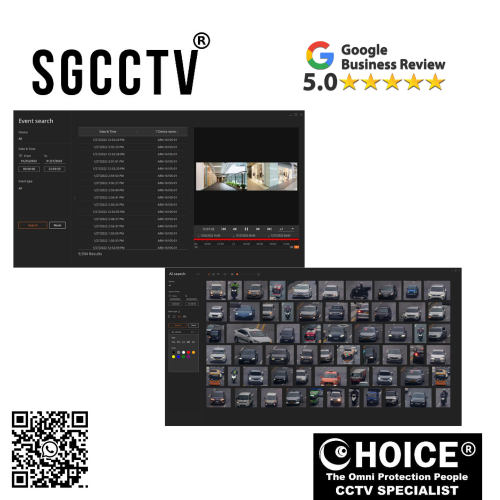

Hanwha Wisenet Viewer NVR/DVR Management Software Easy and intuitive UIFlexible channel division and custom layout Fisheye dewarping NEW DB
$1000.00
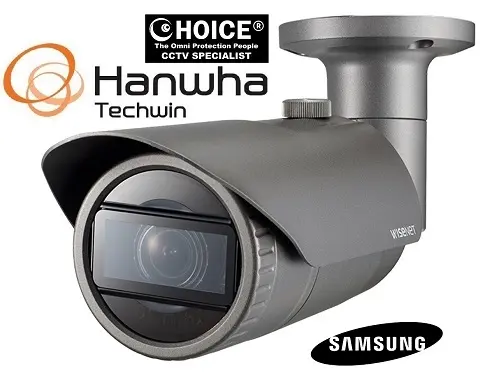
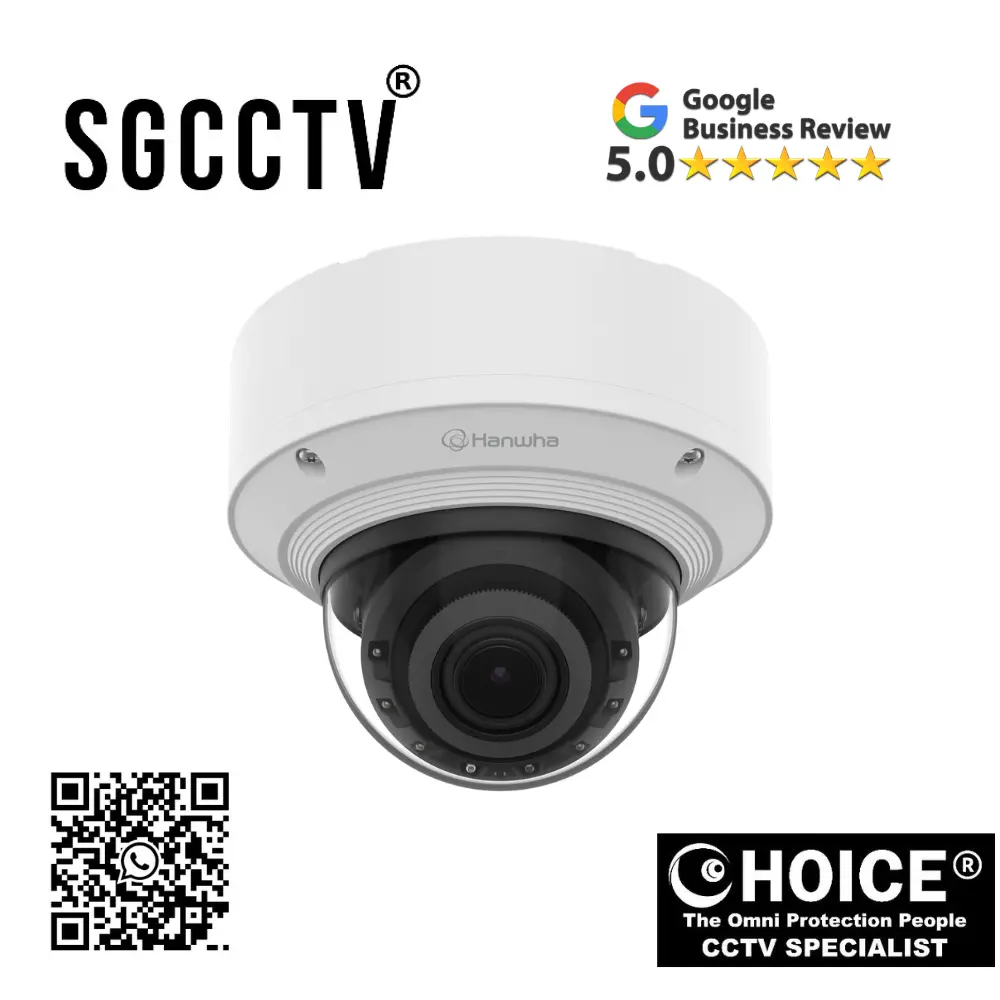
WISENET HANWHA SAMSUNG SECURITY SYSTEM
Widely deployed in Shopping Malls, Residential, Commercial, Office, Warehouse.
Specialist in all Security System CCTV Camera Door Access Alarm Switch
Technical Support at Sim Lim Square 02-81 11am~7pm Daily +65 98534404 +65 81985572
Hanwha Wisenet Viewer NVR/DVR Management Software Easy and intuitive UIFlexible channel division and custom layout Fisheye dewarping NEW
Introduction to Hanwha Wisenet Viewer
In today’s security industry, surveillance hardware alone is not enough. Modern CCTV systems require intelligent, user-friendly, and highly scalable management software to maximize efficiency, security, and operational control. This is where Hanwha Wisenet Viewer NVR/DVR Management Software stands out as a powerful, professional-grade video management platform designed to centralize surveillance operations while maintaining simplicity and performance.
Hanwha Vision (formerly Hanwha Techwin) has built a global reputation for producing enterprise-level surveillance technologies trusted in transportation, retail, industrial facilities, education, commercial properties, and government sectors. Wisenet Viewer is one of its most practical software solutions, developed to provide seamless management of Hanwha NVRs, DVRs, IP cameras, and hybrid systems from a unified interface.
Hanwha Wisenet Viewer combines easy and intuitive UI, flexible channel division, custom layout design, and fisheye dewarping technology to deliver both accessibility for beginners and advanced tools for professionals. Whether you are managing a small office with 4 cameras or a large enterprise with hundreds of channels, Wisenet Viewer is engineered to improve monitoring efficiency, reduce operator fatigue, and provide superior situational awareness.
What is Hanwha Wisenet Viewer?
Hanwha Wisenet Viewer is a dedicated surveillance management software platform that allows users to:
- Monitor live video from multiple NVR/DVR/IP camera systems
- Playback recorded footage
- Manage multi-site surveillance systems
- Configure devices remotely
- Customize viewing layouts
- Use fisheye camera dewarping
- Control PTZ functions
- Export recordings
- Receive event notifications
- Centralize surveillance operations
This software acts as the command center of your CCTV ecosystem, making it easier to control, monitor, and optimize security systems from a single dashboard.
Easy and Intuitive User Interface (UI)
One of the biggest strengths of Hanwha Wisenet Viewer is its user-friendly design. Many enterprise surveillance systems can feel overly technical, cluttered, or difficult to learn, but Wisenet Viewer focuses on accessibility.
Key UI Highlights:
1. Clean Dashboard Structure
The software interface is organized logically with:
- Live View
- Playback
- Event Management
- Device List
- Layout Controls
- Configuration Settings
This minimizes confusion and improves operator speed.
2. Drag-and-Drop Camera Placement
Users can simply drag cameras into custom layouts, reducing setup complexity.
3. Quick Access Toolbar
Frequently used functions such as snapshot, digital zoom, playback, and recording export are accessible immediately.
4. Multi-Language Support
Ideal for international deployment and diverse workforce environments.
5. Beginner-Friendly Learning Curve
Even users without extensive technical CCTV knowledge can adapt quickly.
This intuitive design is especially beneficial for:
- Security guards
- Reception monitoring
- Retail managers
- School security teams
- Small business owners
Hanwha Wisenet Viewer NVR/DVR Management Software Easy and intuitive UIFlexible channel division and custom layout Fisheye dewarping NEW
Flexible Channel Division for Efficient Monitoring
Hanwha Wisenet Viewer offers exceptional flexibility in how channels are displayed, making it suitable for both small and large systems.
Common Channel Division Options:
- 1-channel full screen
- 4-channel grid
- 9-channel grid
- 16-channel grid
- 25-channel grid
- 36-channel grid
- Custom divisions
Why Flexible Channel Division Matters:
Better Operator Focus
Users can prioritize key cameras while maintaining visibility of secondary feeds.
Industry Applications:
Retail:
Main entrance + cashier + stock room + parking lot
Warehouse:
Loading dock + inventory aisles + perimeter
School:
Main gate + hallways + classrooms + parking
Transport:
Platform + ticketing + public access
Reduced Blind Spots
Custom grids improve surveillance efficiency.
Hanwha Wisenet Viewer NVR/DVR Management Software Easy and intuitive UIFlexible channel division and custom layout Fisheye dewarping NEW
Custom Layout Capabilities
Custom layouts are one of the most practical features of Wisenet Viewer.
Benefits:
1. Personalized Monitoring
Operators can create layouts based on:
- Building floor
- Department
- Security priority
- Event type
2. Multi-Monitor Support
Security control rooms can assign different layouts across multiple screens.
3. Saved Presets
Users can switch instantly between:
- Day mode
- Night mode
- Emergency mode
- Perimeter mode
4. Group Monitoring
Ideal for franchises or multiple branches.
Advanced Fisheye Dewarping Technology
Fisheye cameras provide broad panoramic coverage, but raw fisheye footage can appear distorted. Hanwha Wisenet Viewer solves this with integrated fisheye dewarping.
What is Fisheye Dewarping?
It digitally transforms distorted fisheye images into usable views.
Supported Modes:
- Single panorama
- Double panorama
- Quad view
- PTZ virtual view
Key Advantages:
360° Coverage Without Distortion
Monitor large open spaces clearly.
Fewer Cameras Needed
One fisheye camera can replace multiple standard cameras.
Cost Savings
Lower hardware and installation expenses.
Better Investigation
Recorded fisheye footage can be reviewed in corrected formats.
Ideal Environments:
- Shopping malls
- Warehouses
- Airports
- Hotels
- Lobbies
- Large offices
Hanwha Wisenet Viewer NVR/DVR Management Software Easy and intuitive UIFlexible channel division and custom layout Fisheye dewarping NEW
Centralized NVR/DVR Management
Wisenet Viewer allows centralized control over multiple devices.
Functions:
- Device registration
- Remote firmware updates
- Health monitoring
- Recording configuration
- User permissions
- Alarm integration
This is highly useful for:
- Security integrators
- Corporate IT teams
- Franchise businesses
- Multi-branch operations
Playback and Investigation Features
A surveillance platform is only as useful as its playback tools.
Playback Strengths:
Timeline Search
Quickly jump to events.
Motion Search
Find movement faster.
Bookmarking
Mark incidents for future review.
Exporting
Save evidence for legal or internal use.
Snapshot Capture
Extract still images instantly.
PTZ Control Integration
For compatible Hanwha PTZ cameras, Wisenet Viewer provides:
- Pan
- Tilt
- Zoom
- Preset tours
- Guard tours
- Auto tracking support
This improves:
- Perimeter security
- Traffic monitoring
- Industrial site coverage
Hanwha Wisenet Viewer NVR/DVR Management Software Easy and intuitive UIFlexible channel division and custom layout Fisheye dewarping NEW
Security & User Access Control
Hanwha understands cybersecurity.
Security Features:
- Password protection
- Role-based permissions
- Audit logs
- Device authentication
- Secure communication
This makes it suitable for:
- Government
- Financial institutions
- Critical infrastructure
Performance Optimization
Wisenet Viewer is optimized for:
- Low-latency monitoring
- Efficient decoding
- Stable long-term operation
- Multi-device compatibility
Who Should Use Hanwha Wisenet Viewer?
Small Businesses:
Easy operation without needing advanced IT staff.
Large Enterprises:
Scalable and multi-site ready.
Security Integrators:
Professional deployment.
Schools:
Campus safety.
Retail Chains:
Branch management.
Warehouses:
Operational security.
Hanwha Wisenet Viewer NVR/DVR Management Software Easy and intuitive UIFlexible channel division and custom layout Fisheye dewarping NEW
Why Choose Hanwha Wisenet Viewer Over Generic CCTV Software?
Hanwha Advantages:
Better Hanwha Hardware Compatibility
Optimized integration.
Superior UI Design
Less operator fatigue.
Professional Fisheye Tools
Advanced correction.
Enterprise Reliability
Trusted global brand.
Flexible Layout Customization
Tailored monitoring.
Common Challenges & Solutions
Issue: Device Not Detected
Fix:
- Check IP subnet
- Verify firewall
- Confirm credentials
Issue: Lagging Video
Fix:
- Lower substream
- Upgrade GPU
- Check network bandwidth
Issue: Fisheye Distortion
Fix:
- Enable dewarping mode
- Update software
Issue: Playback Missing
Fix:
- Verify HDD
- Check recording schedule
Future-Ready Surveillance
Hanwha Wisenet Viewer supports the transition toward:
- AI analytics
- Smart city integration
- Cloud surveillance
- Hybrid deployments
This ensures long-term value.
Hanwha Wisenet Viewer NVR/DVR Management Software Easy and intuitive UIFlexible channel division and custom layout Fisheye dewarping NEW
Conclusion
Hanwha Wisenet Viewer is far more than just NVR/DVR software—it is a complete surveillance management ecosystem that combines usability, scalability, and professional-grade functionality. Its easy and intuitive UI, flexible channel division, custom layouts, and fisheye dewarping make it a standout solution for organizations that demand reliability without sacrificing operational simplicity.
Whether you are a small business owner looking for manageable CCTV software or a large enterprise requiring centralized security operations, Hanwha Wisenet Viewer delivers a balanced combination of power and accessibility.
By simplifying surveillance while enhancing advanced monitoring capabilities, Hanwha Wisenet Viewer helps security teams stay proactive, organized, and efficient in an increasingly demanding security environment.
Key Features at a Glance:
- Easy intuitive interface
- Flexible channel division
- Custom layout support
- Advanced fisheye dewarping
- Multi-site management
- Playback & export tools
- PTZ integration
- Secure user controls
- Enterprise scalability
Who Will Buy Hanwha Wisenet Viewer NVR/DVR Management Software?
Hanwha Wisenet Viewer is designed for users who need centralized CCTV control, efficient live monitoring, flexible layouts, and reliable playback across Hanwha-compatible NVR/DVR systems. Hanwha positions it as an easy-to-use management platform with flexible viewing grids, custom layouts, fisheye dewarping, multi-monitor support, playback tools, and advanced permissions—making it especially useful for operational environments where multiple cameras or sites need organized oversight.
1. Small Business Owners (Shops, Cafés, Offices, Clinics)
Why They Buy:
- Easy UI without steep training
- View entrances, cashier, storage, and customer zones
- Playback for theft, disputes, or incidents
- Cost-effective management without enterprise VMS complexity
Best For:
- Retail stores
- Clinics
- Tuition centers
- Offices
- Warehouses
Example:
A convenience store owner can monitor cashier, front entrance, back door, and stockroom from one dashboard.
2. Security Guard Teams & Monitoring Rooms
Why They Buy:
- Flexible channel division for many cameras
- Multiple monitor support
- Fast event search
- PTZ controls
- Custom layouts for patrol zones
Best For:
- Condo security rooms
- Hotels
- Commercial towers
- Factories
- Industrial compounds
Example:
A condo guardhouse can monitor lift lobbies, carparks, visitor gates, and perimeter fencing in one interface.
Hanwha Wisenet Viewer NVR/DVR Management Software Easy and intuitive UIFlexible channel division and custom layout Fisheye dewarping NEW
3. Multi-Branch Businesses & Franchise Operators
Why They Buy:
- Centralized management across locations
- Remote DDNS/P2P connectivity
- Layout presets by branch
- Easier investigations from HQ
Best For:
- Retail chains
- F&B franchises
- Tuition groups
- Logistics branches
Example:
An owner with 10 stores can monitor multiple branches from one workstation instead of separate systems.
4. Warehouses & Logistics Companies
Why They Buy:
- Large camera deployments
- Fisheye dewarping for wide areas
- Timeline search for shipment issues
- Event logs
- Playback sync
Best For:
- Loading bays
- Storage aisles
- Delivery checkpoints
- Inventory zones
Example:
If stock goes missing, management can track movement from receiving dock to dispatch.
5. Schools, Universities & Training Centers
Why They Buy:
- Hallway monitoring
- Entry/exit security
- Multi-building oversight
- Role-based access for admins
Best For:
- Schools
- Campuses
- Dormitories
- Childcare centers
Example:
Administrators can isolate incidents in corridors, gates, or parking zones quickly.
Hanwha Wisenet Viewer NVR/DVR Management Software Easy and intuitive UIFlexible channel division and custom layout Fisheye dewarping NEW
6. Government, Critical Infrastructure & High-Security Sites
Why They Buy:
- Permission control
- Audit logs
- Device health dashboard
- Advanced operator efficiency
- Reliable enterprise deployment
Best For:
- Transport hubs
- Municipal buildings
- Data centers
- Utilities
- Public facilities
Example:
Large organizations often need system accountability, operator logs, and secure surveillance operations.
7. CCTV Installers & System Integrators
Why They Buy:
- Easy deployment
- Client-friendly UI
- Hanwha ecosystem compatibility
- Lower training time
- Professional presentation
Why It Helps Installers:
- Faster handover to customers
- Reduced support calls
- Better long-term client retention
Example:
A CCTV contractor can install Hanwha NVRs and provide clients with an easier software ecosystem.
8. Property Managers
Why They Buy:
- Tenant safety
- Visitor management
- Parking surveillance
- Lift lobby coverage
- Maintenance oversight
Best For:
- Mixed developments
- Apartments
- Office towers
- Shopping centers
Hanwha Wisenet Viewer NVR/DVR Management Software Easy and intuitive UIFlexible channel division and custom layout Fisheye dewarping NEW
Who Should NOT Buy It?
Hanwha Wisenet Viewer may not be ideal for:
- Users with non-compatible camera ecosystems only
- Very small single-camera home users
- Users wanting full cloud-native VMS instead of recorder-centric software
- DIY users who prefer simple app-only setups
Ideal Buyer Profiles Summary
Buy This If You Need:
Operational Simplicity:
- Easy monitoring
- Custom layouts
- Playback tools
Scale:
- Multiple branches
- Multi-site management
- Security rooms
Advanced Features:
- Fisheye dewarping
- Event rules
- Multi-monitor support
Industry-Specific Buyers
| Industry | Why It Fits |
|---|---|
| Retail | Loss prevention, cashier monitoring |
| Warehousing | Inventory and loading oversight |
| Education | Campus security |
| Hospitality | Guest and facility monitoring |
| Commercial Offices | Employee and access security |
| Industrial | Large-scale perimeter management |
| Government | Secure, auditable surveillance |
Bottom Line
Hanwha Wisenet Viewer is best for businesses, institutions, security teams, and installers who need more than basic CCTV viewing. It is especially valuable for users who prioritize:
- Ease of use
- Flexible monitoring
- Scalable deployment
- Professional surveillance control
If your environment has multiple cameras, multiple zones, or multiple sites, Wisenet Viewer becomes a powerful operational tool rather than just a viewing app. For serious CCTV users, it can significantly improve monitoring efficiency and incident response.


Nunc lacus elit, faucibus ac laoreet sed, dapibus ac mi. Maecenas eu ante a elit tempus fermentum. Aliquam commodo tincidunt semper. Phasellus accumsan, justo ac mollis pharetra, ex dui pharetra nisl, a scelerisque ipsum nulla ac sem. Cras eu risus urna. Duis lorem sapien, congue eget nisl sit amet, rutrum faucibus elit.
Donec accumsan auctor iaculis. Sed suscipit arcu ligula, at egestas magna molestie a. Proin ac ex maximus, ultrices justo eget, sodales orci. Aliquam egestas libero ac turpis pharetra, in vehicula lacus scelerisque. Vestibulum ut sem laoreet, feugiat tellus at, hendrerit arcu.
Nunc lacus elit, faucibus ac laoreet sed, dapibus ac mi. Maecenas eu ante a elit tempus fermentum. Aliquam commodo tincidunt semper. Phasellus accumsan, justo ac mollis pharetra, ex dui pharetra nisl, a scelerisque ipsum nulla ac sem. Cras eu risus urna. Duis lorem sapien, congue eget nisl sit amet, rutrum faucibus elit.
Related Products
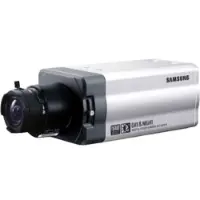
WISENET Samsung Box Camera SCC-B2391P Super HAD CCD 480TVL Sensor Home Office Shop Factory CCTV Camera Repair Replace Upgrade CCTV Security System DC12V
Save34.1%Save $30.00Only$58.00 Original price was: $88.00.$58.00Current price is: $58.00.