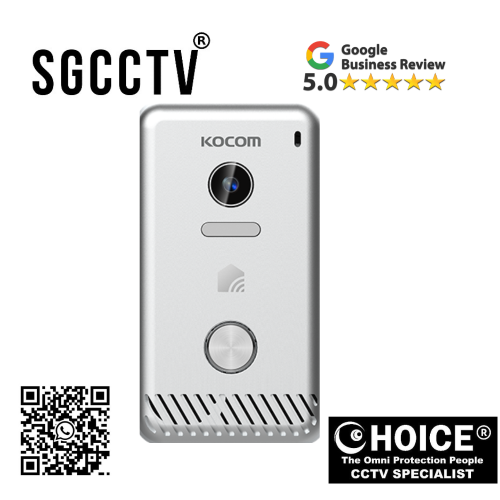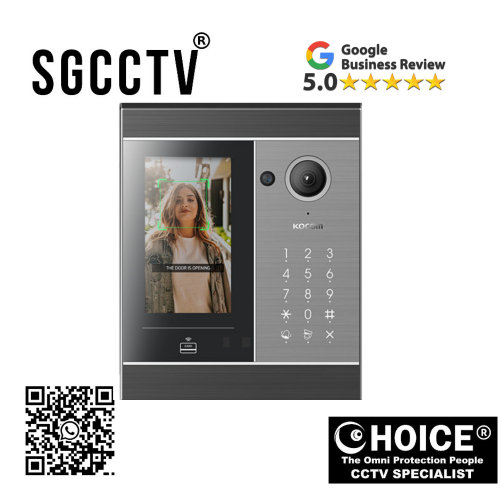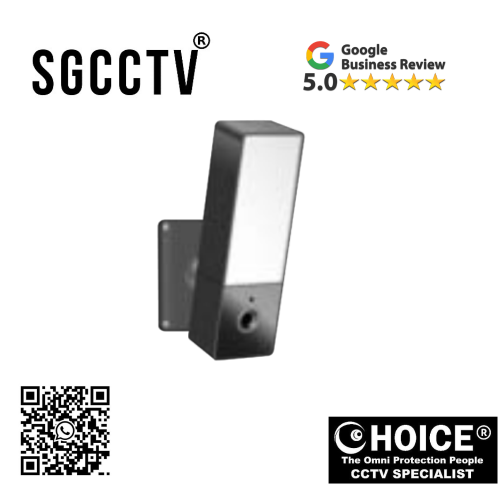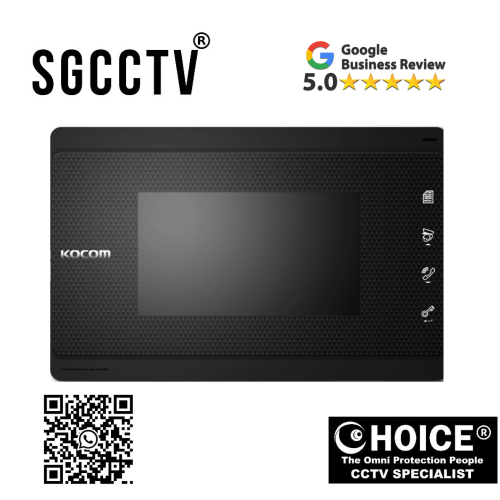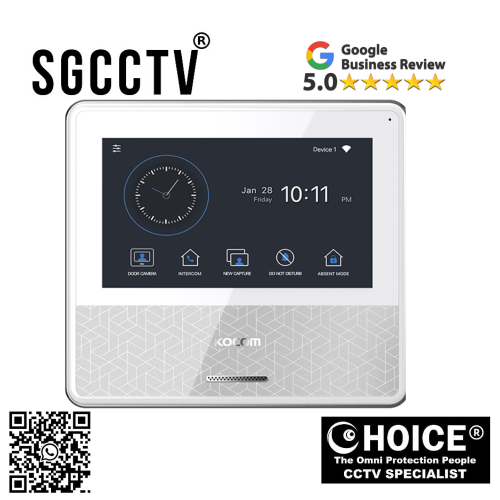
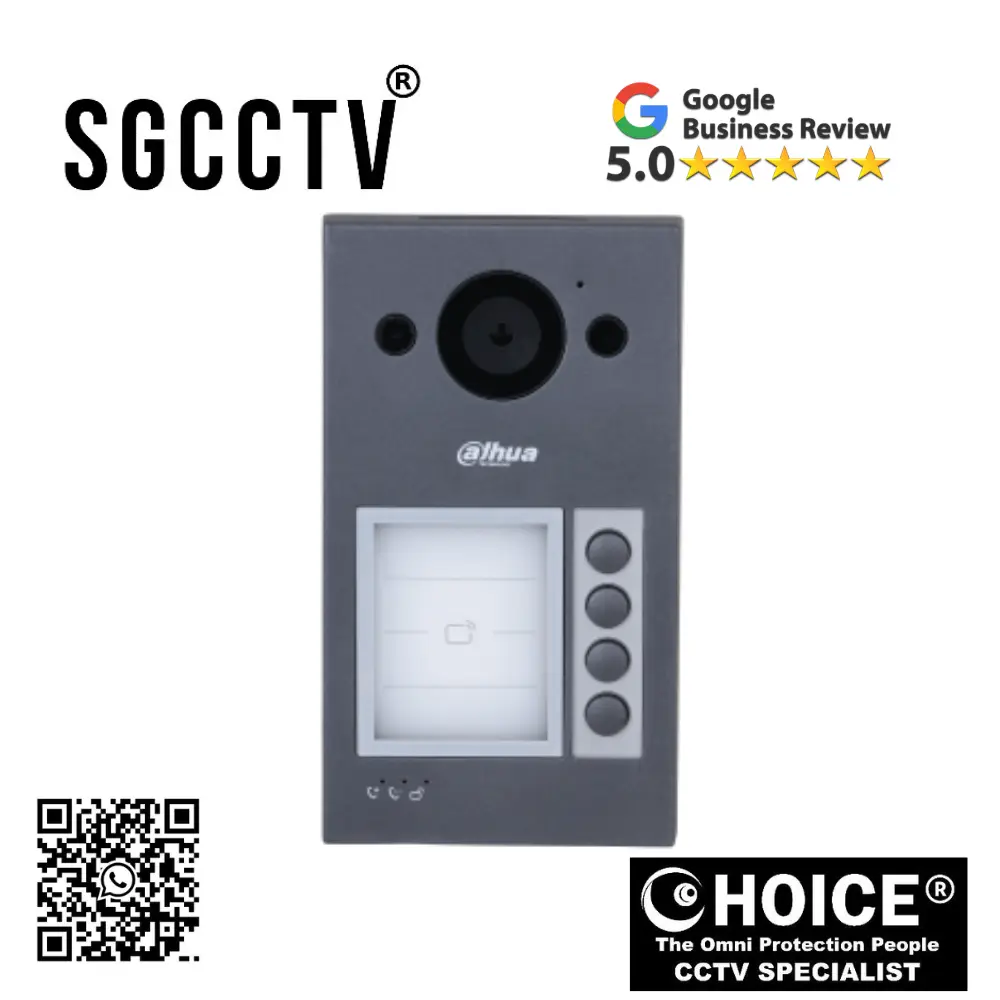
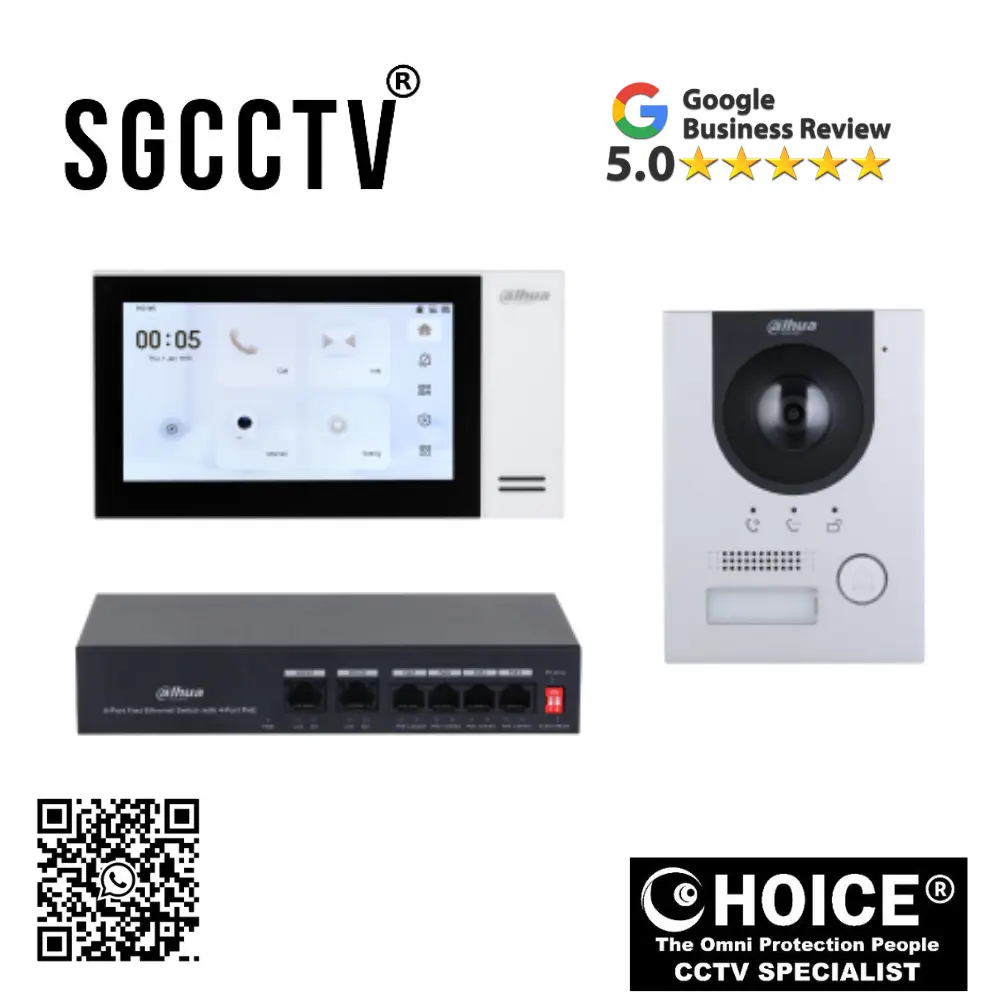

KOCOM INTERCOM KCV-S701IPOE IP Video Phone/PoE Type 7″ Color digital LCD monitor Door camera monitoring from Smartphone NEW DB
$572.50
Supply and Maintenance HIKVISION CCTV IP Cameras, NVR, Turbo HD TVI Cameras, DVR, PTZ Cameras,
Access Control System, Video Intercom.
Sim Lim Square 02-81 10am-7pm Daily.
Whatsapp Enquiry Project +65 98534404, Technical Support +65 81120788, Site Visit Maintenance +65 81985572.
KOCOM INTERCOM KCV-S701IPOE IP Video Phone/PoE Type 7″ Color digital LCD monitor Door camera monitoring from Smartphone NEW
Introduction: Advanced Smart Security Meets Modern Communication
In today’s world, security, convenience, and smart home integration are no longer luxuries—they are necessities. Whether you are managing a residential property, office, retail outlet, warehouse, condominium, or commercial facility, having a reliable video intercom system can significantly improve safety, visitor management, and access control. The KOCOM KCV-S701IPOE IP Video Phone / PoE Type 7″ Color Digital LCD Monitor is a premium-grade smart intercom solution designed to meet modern communication and security demands.
Built with cutting-edge IP technology, elegant touchscreen functionality, Power over Ethernet (PoE) simplicity, and smartphone connectivity, the KCV-S701IPOE offers users a next-generation communication system that goes far beyond traditional doorbells or analog intercoms. It combines high-quality video surveillance, crystal-clear two-way communication, remote monitoring, and mobile integration into one intelligent platform.
This advanced indoor monitor serves as the control center of your entrance security system, allowing homeowners, office managers, and building operators to visually verify visitors, communicate in real-time, remotely unlock compatible door systems, and monitor connected door cameras directly from their smartphones—whether they are at home, at work, or overseas.
For Singapore homes, HDB flats, landed properties, offices, schools, factories, and commercial spaces, the KOCOM KCV-S701IPOE is especially relevant because it supports modern networking infrastructure while minimizing installation complexity through PoE technology.
KOCOM INTERCOM KCV-S701IPOE IP Video Phone/PoE Type 7″ Color digital LCD monitor Door camera monitoring from Smartphone NEW
What Is the KOCOM KCV-S701IPOE?
The KOCOM KCV-S701IPOE is a sophisticated IP-based indoor video phone monitor equipped with:
- 7-inch color digital LCD display
- IP network communication
- PoE (Power over Ethernet) support
- Smartphone remote monitoring
- Door camera live view
- Visitor call answering
- Two-way communication
- Integration with door stations
- Modern sleek interior design
- Security-focused access management
Unlike traditional intercom systems that only provide voice communication, this model enables visual identification and remote interaction, greatly improving safety and convenience.
Key Features of KOCOM KCV-S701IPOE
1. Large 7-Inch Color Digital LCD Display
The 7-inch display provides clear, vibrant visuals for visitor verification. This larger screen size is ideal for:
- Elderly users needing better visibility
- Family homes
- Office reception
- Apartment access
- Security stations
The display quality ensures facial recognition is easier, improving decision-making before granting access.
2. PoE Technology (Power over Ethernet)
One of the biggest advantages of the KCV-S701IPOE is PoE support.
Benefits:
- Single cable for power + data
- Cleaner installation
- Reduced wiring costs
- Better cable management
- Easier upgrades
- Stable network communication
For installers and property developers, PoE drastically reduces infrastructure complications.
3. Smartphone Monitoring
This feature transforms the KOCOM intercom into a smart home security device.
Users can:
- View door camera remotely
- Answer visitors from anywhere
- Monitor deliveries
- Communicate with guests
- Improve parcel security
- Check suspicious activity
This is particularly valuable for:
- Working professionals
- Frequent travelers
- Airbnb hosts
- Offices
- Parents monitoring children arrivals
KOCOM INTERCOM KCV-S701IPOE IP Video Phone/PoE Type 7″ Color digital LCD monitor Door camera monitoring from Smartphone NEW
4. Modern IP-Based Communication
IP systems outperform analog systems because they offer:
- Better image quality
- Greater scalability
- Remote access
- Network integration
- Future-proof technology
Why Buy KOCOM KCV-S701IPOE?
Enhanced Security
Visual confirmation reduces unauthorized access.
Convenience
Answer your door from your phone.
Professional Appearance
Ideal for premium homes and offices.
Smart Property Value
Increases property modernization.
Easy Installation
PoE saves time and labor.
Who Should Buy This Product?
Residential:
- HDB homeowners
- Condominiums
- Landed houses
- Apartments
Commercial:
- Offices
- Warehouses
- Clinics
- Tuition centers
- Hotels
Industrial:
- Factories
- Restricted access facilities
KOCOM INTERCOM KCV-S701IPOE IP Video Phone/PoE Type 7″ Color digital LCD monitor Door camera monitoring from Smartphone NEW
Installation Overview
Step 1: Plan Device Location
Install monitor at eye level indoors.
Step 2: Network Cabling
Use Cat5e/Cat6 cable.
Step 3: PoE Switch or Injector
Connect to network.
Step 4: Pair Door Camera
Configure IP address.
Step 5: Smartphone App Setup
Connect mobile device.
Step 6: Testing
Verify:
- Video
- Audio
- Notifications
- Door release
Common Issues & Troubleshooting
No Power
Cause: PoE switch issue
Fix: Check PoE injector or switch wattage
No Video
Cause: Network mismatch
Fix: Verify IP settings
Smartphone App Not Connecting
Cause: Router/firewall issue
Fix: Port forwarding or app config
Audio Delay
Cause: Weak network
Fix: Upgrade router bandwidth
KOCOM INTERCOM KCV-S701IPOE IP Video Phone/PoE Type 7″ Color digital LCD monitor Door camera monitoring from Smartphone NEW
KOCOM vs Traditional Intercom
KOCOM Advantages:
- IP technology
- Smartphone support
- Remote viewing
- PoE
- Better scalability
Design & Build Quality
KOCOM products are known for:
- Korean engineering
- Modern aesthetics
- Durable hardware
- User-friendly UI
Its slim design suits:
- Luxury homes
- Corporate offices
- Modern interiors
SEO Benefits for Property Developers
Installing smart intercom systems like KOCOM can help market:
- Smart homes
- Secure offices
- Premium condos
Long-Term Value
This is not just an intercom—it is:
- Security
- Access control
- Communication
- Smart property enhancement
Warranty & After-Sales
Warranty often depends on supplier and region, but professional authorized sellers typically provide local warranty support and installation guidance.
Always buy from a trusted supplier for:
- Genuine units
- Installation
- Configuration
- Technical support
Why Buy from Choicecycle (SGCCTV Singapore)?
When investing in a professional-grade smart intercom like the KOCOM KCV-S701IPOE, choosing the right supplier matters just as much as choosing the product itself.
Choicecycle Benefits:
- Professional consultation
- Genuine security products
- Installation support
- Networking assistance
- CCTV & intercom expertise
- Singapore local support
- Sim Lim Square trusted store
Whether you are upgrading your home, office, or commercial property, Choicecycle helps ensure proper compatibility, setup, and long-term performance.
KOCOM INTERCOM KCV-S701IPOE IP Video Phone/PoE Type 7″ Color digital LCD monitor Door camera monitoring from Smartphone NEW
Final Conclusion
The KOCOM KCV-S701IPOE IP Video Phone / PoE Type 7″ Color Digital LCD Monitor is an intelligent investment for anyone seeking advanced visitor management, smart access control, and enhanced security. Combining a large LCD display, PoE simplicity, smartphone integration, and reliable IP technology, it offers the perfect blend of safety, convenience, and modern living.
For homeowners, businesses, and property developers, this system delivers long-term value, stronger protection, and future-ready communication infrastructure.
If you want a smart intercom system that combines convenience, security, and professionalism, the KOCOM KCV-S701IPOE is a strong choice.
Why This Product Is Good
1. Smart Remote Access From Anywhere
One of the biggest advantages is smartphone integration. You can:
- Answer visitors remotely
- View your door camera live
- Open the door from your phone
- Monitor deliveries or guests even when outside
This is especially useful for:
- Working professionals
- Families with children
- Condo owners
- Airbnb or rental property hosts
- Small offices
Why it matters: You are not tied to the indoor monitor—you stay connected wherever you are.
2. PoE Makes Installation Cleaner & Easier
Power over Ethernet means one RJ45/Cat5e cable handles both power and communication.
Benefits:
- Less wiring mess
- Faster setup
- Lower installation cost
- More stable than many Wi-Fi-only systems
- Better for new homes or office renovations
Why it matters: Installers save time, and users get a more reliable system.
3. Large 7” Color LCD Display
The 7-inch screen gives:
- Better facial recognition
- Easier visitor verification
- Clearer viewing for elderly users
- More premium user experience
Why it matters: Bigger display = better security decisions before opening doors.
KOCOM INTERCOM KCV-S701IPOE IP Video Phone/PoE Type 7″ Color digital LCD monitor Door camera monitoring from Smartphone NEW
4. Expandable for Bigger Properties
KOCOM supports expansion up to:
- 4 monitors
- 2 door cameras
- 2 CCTV cameras
Why it matters: Great for landed houses, duplexes, offices, or properties needing multiple viewing points.
5. Security Sensor Compatibility
The system can integrate with security sensors for broader smart-home security.
Why it matters: It is more than a doorbell—it becomes part of your property protection system.
6. User-Friendly Interface
Features like:
- OSD menu
- Icon-based controls
- Touchscreen GUI
- Do Not Disturb mode
- Absent mode
- Auto still image capture
Why it matters: Easier daily use for homeowners and office staff.
Who Benefits Most?
Best for:
Homes
- HDB
- Condo
- Landed homes
Business
- Offices
- Clinics
- Warehouses
- Tuition centers
Property developers
- Smart apartment projects
- Modern gated communities
Real Strengths vs Basic Intercoms
Compared to standard analog systems:
KOCOM KCV-S701IPOE offers:
- Smartphone control
- PoE
- IP networking
- Better scalability
- App ecosystem
- Modern smart-home capability
KOCOM INTERCOM KCV-S701IPOE IP Video Phone/PoE Type 7″ Color digital LCD monitor Door camera monitoring from Smartphone NEW
Potential Things to Consider
May not be ideal if:
- You only need a very basic low-cost intercom
- Your network setup is poor
- You want continuous CCTV recording (it’s primarily a videophone/intercom, not a full surveillance NVR)
How to Set Up KOCOM KCV-S701IPOE IP Video Phone / PoE Type (Step-by-Step Installation Guide)
Setting up the KOCOM KCV-S701IPOE properly is important to ensure stable video calls, smartphone monitoring, door release functions, and smooth communication between your indoor monitor and outdoor door station. The good news is that because this model supports PoE (Power over Ethernet), installation is usually cleaner and easier than older analog intercom systems.
Before You Start: What You Need
Basic Equipment:
Main Components:
- KOCOM KCV-S701IPOE indoor monitor
- Compatible KOCOM IP door camera / outdoor station
- PoE switch or PoE injector (IEEE 802.3af compatible)
- Cat5e or Cat6 LAN cable
- Router / Internet connection
- Smartphone (for app monitoring)
- Wall mounting bracket
- Screwdriver
- Drill (if wall mounting)
Step 1: Choose the Installation Location
Indoor Monitor Placement:
Install the monitor:
Best practices:
- Near the main entrance area
- Eye level (about 145–155cm from floor)
- Away from direct sunlight
- Away from strong moisture or heat
- Near network cable route
Why:
Good placement improves visibility, touchscreen usability, and cable management.
Step 2: Install the Outdoor Door Camera
Position:
- Near gate or main door
- Height: approximately 140–150cm
- Protected from heavy rain if possible
- Ensure visitor face is centered
Important:
Avoid pointing directly at sunlight to reduce glare.
KOCOM INTERCOM KCV-S701IPOE IP Video Phone/PoE Type 7″ Color digital LCD monitor Door camera monitoring from Smartphone NEW
Step 3: Run Network Cable (Cat5e/Cat6)
This is one of the most important steps.
Connect:
From:
PoE switch / injector
To:
Indoor monitor + outdoor door station
Cable Tips:
- Use Cat6 for longer stability
- Avoid running near high-voltage electrical lines
- Keep cable protected in conduit outdoors
Step 4: Connect Power via PoE
Because this is a PoE model:
Option A: PoE Switch
Best for:
- Multiple monitors
- Smart home systems
- Office setup
Connect:
Router → PoE Switch → KCV-S701IPOE + Door Camera
Option B: PoE Injector
Best for:
- Single home installation
- Smaller setups
Connect:
Router → PoE Injector → Monitor
Step 5: Power On the Monitor
Once connected:
- Screen should boot automatically
- KOCOM logo appears
- Initial setup menu loads
KOCOM INTERCOM KCV-S701IPOE IP Video Phone/PoE Type 7″ Color digital LCD monitor Door camera monitoring from Smartphone NEW
Step 6: Configure Network Settings
Access:
Settings → Network → IP Settings
Choose:
DHCP (Recommended for beginners)
- Auto IP assignment
- Easier setup
Static IP (Advanced)
Use if:
- Larger network
- Multiple devices
- Port forwarding required
Example:
IP: 192.168.1.150
Gateway: 192.168.1.1
DNS: 8.8.8.8
Step 7: Pair Indoor Monitor With Door Camera
Usually:
Settings → Device Registration → Add Door Station
Process:
- Search device on network
- Select door station
- Pair
- Test live video
Check:
- Video feed
- Audio
- Doorbell trigger
- Unlock command
Step 8: Smartphone App Setup
KOCOM supports remote smartphone monitoring.
General process:
- Download official KOCOM app
- Connect phone to same Wi-Fi initially
- Register device
- Scan QR code / enter device ID
- Create account
- Enable notifications
Test:
- Visitor call push notification
- Live door camera
- Two-way talk
- Door unlock
KOCOM INTERCOM KCV-S701IPOE IP Video Phone/PoE Type 7″ Color digital LCD monitor Door camera monitoring from Smartphone NEW
Step 9: Configure Door Unlock (If Connected)
If your setup includes:
- Electric strike lock
- Magnetic lock
- Gate opener
Configure:
Monitor → Access Control → Relay Settings
Safety:
Make sure voltage matches lock system.
Step 10: Test Everything
Full checklist:
Visitor presses button:
✔ Indoor monitor rings
✔ Video appears
✔ Audio works
✔ Smartphone receives alert
✔ Door unlock works
✔ Image recording works (if enabled)
Advanced Settings You Should Enable
1. Do Not Disturb Mode
Useful at night
2. Auto Snapshot
Captures missed visitors
3. Motion Detection (if supported)
4. Firmware Updates
Check for latest KOCOM software
Common Installation Mistakes
Problem: No Power
Cause:
Wrong switch / non-PoE switch
Fix:
Use IEEE 802.3af PoE
KOCOM INTERCOM KCV-S701IPOE IP Video Phone/PoE Type 7″ Color digital LCD monitor Door camera monitoring from Smartphone NEW
Problem: No Video
Cause:
Incorrect IP pairing
Fix:
Check same network subnet
Problem: Smartphone Not Working
Cause:
Router firewall / app config
Fix:
Enable internet access + notifications
Problem: Audio Echo
Cause:
Speaker too loud
Fix:
Reduce volume or reposition
Best Setup for Singapore Homes
HDB / Condo:
- 1 indoor monitor
- 1 outdoor camera
- PoE injector
Landed:
- PoE switch
- Multiple monitors
- Gate + main door integration
Office:
- Multi-monitor
- Reception + warehouse doors
- VLAN or static IP
Maintenance Tips
Every 3–6 months:
- Clean screen
- Check door camera lens
- Test app
- Update firmware
- Inspect LAN cable
Is Self-Install or Professional Install Better?
Self-Install:
Good if:
- You know networking
- Simple home use
KOCOM INTERCOM KCV-S701IPOE IP Video Phone/PoE Type 7″ Color digital LCD monitor Door camera monitoring from Smartphone NEW
Professional Install:
Better if:
- Door lock integration
- Condo/office
- Multiple stations
- Router config
- Long cable routes
Why:
Professional setup reduces:
- Wiring faults
- IP conflict
- Relay errors
- Poor camera angles
Final Setup Advice
For best performance:
Use:
✔ Cat6 cable
✔ Good router
✔ Surge protector
✔ UPS backup (optional)
✔ Professional installer for larger systems
Final Conclusion
The KOCOM KCV-S701IPOE is designed to be easier than many traditional intercoms because PoE simplifies wiring, but correct network setup is key. Once properly installed, it gives:
You get:
- Smart remote monitoring
- Secure visitor verification
- Mobile access
- Better convenience
- Modern property security
A properly configured system can serve homes or businesses reliably for years.
KOCOM INTERCOM KCV-S701IPOE IP Video Phone/PoE Type 7″ Color digital LCD monitor Door camera monitoring from Smartphone NEW
How the KOCOM KCV-S701IPOE Is Made – Inside the Engineering, Design & Manufacturing of a Smart IP Video Intercom
The KOCOM KCV-S701IPOE IP Video Phone / PoE Type 7” Color Digital LCD Monitor may look simple on the wall, but behind that sleek touchscreen is a carefully engineered combination of electronics manufacturing, software integration, industrial design, network communication technology, and security engineering.
This product is not just a screen—it is a full smart communication device designed to combine:
Main technologies:
- Video display
- Touchscreen interface
- Audio communication
- Network communication (IP)
- PoE power management
- Smartphone integration
- Door access control
- Home security interoperability
To understand why this product performs well, it helps to know how it is actually made from concept to finished product.
Stage 1: Product Concept & Design Engineering
Before manufacturing begins, KOCOM’s product engineers first design the product based on market demand.
Key Design Goals:
KOCOM engineers focus on:
- Home security
- Visitor management
- User-friendly touchscreen
- Clean modern appearance
- Smart home integration
- Easy installer deployment
- Reliable long-term operation
Important questions they solve:
- How large should the screen be?
- How can power + network be simplified?
- How can smartphone control be integrated?
- How can heat be managed?
- How can installation fit homes and offices?
Result:
A 7-inch IP-based indoor monitor with PoE and app control.
KOCOM INTERCOM KCV-S701IPOE IP Video Phone/PoE Type 7″ Color digital LCD monitor Door camera monitoring from Smartphone NEW
Stage 2: Industrial Design (Outer Body Construction)
The physical body of the KCV-S701IPOE is designed for both aesthetics and durability.
Materials Used:
Common components:
- ABS or polycarbonate housing
- Tempered display cover
- LCD module
- Internal PCB chassis
- Speaker mesh
- Mounting bracket
Why ABS/polycarbonate?
Because it offers:
✔ Lightweight design
✔ Heat resistance
✔ Electrical insulation
✔ Impact resistance
✔ Clean premium finish
Manufacturing Process:
Plastic Injection Molding
Molten plastic is injected into steel molds to create:
- Front housing
- Rear housing
- Button frames
- Mount brackets
Why this matters:
Precision molding ensures:
- Tight fit
- Professional appearance
- Wall stability
- Long-term durability
KOCOM INTERCOM KCV-S701IPOE IP Video Phone/PoE Type 7″ Color digital LCD monitor Door camera monitoring from Smartphone NEW
Stage 3: LCD Screen Production
The 7-inch color LCD is one of the core components.
Display Layers:
Includes:
- LCD glass substrate
- Polarizer layers
- LED backlight
- Touch sensor panel
- Driver IC
Screen Manufacturing:
Process:
- Glass cutting
- TFT transistor layering
- Liquid crystal insertion
- Color filter application
- Backlight integration
- Touch digitizer bonding
Result:
A bright, responsive display suitable for:
- Visitor face recognition
- UI controls
- Security alerts
Stage 4: PCB (Printed Circuit Board) Manufacturing
This is the “brain” of the intercom.
PCB Contains:
- CPU / processor
- Memory
- PoE controller
- Ethernet controller
- Audio IC
- Video decoder
- Wi-Fi/app communication logic (depending on architecture)
- Relay output control
- Firmware storage
How PCB Is Made:
SMT (Surface Mount Technology):
Automated robotic machines place tiny components on boards.
Steps:
- Copper circuit printing
- Solder paste application
- Robotic chip placement
- Reflow oven soldering
- Inspection
- Firmware flashing
KOCOM INTERCOM KCV-S701IPOE IP Video Phone/PoE Type 7″ Color digital LCD monitor Door camera monitoring from Smartphone NEW
Why this is important:
Quality PCB production determines:
✔ System stability
✔ Video quality
✔ App reliability
✔ Long-term lifespan
Stage 5: PoE Engineering
One major reason this product stands out is PoE support.
P=VIP = VIP=VI
What Happens Inside:
The device includes:
- PoE PD controller
- Voltage conversion circuits
- Surge protection
- Ethernet isolation transformer
Purpose:
PoE allows one LAN cable to provide:
- Power
- Data
Benefits:
- Cleaner installation
- Lower wiring cost
- Professional deployment
Stage 6: Audio System Development
A video intercom is useless without clear communication.
Internal Audio Components:
- Microphone
- Speaker
- Echo cancellation IC
- Noise reduction
- Amplifier
Audio Tuning:
KOCOM engineers optimize:
For:
- Voice clarity
- Outdoor noise resistance
- Echo suppression
- Volume balance
This matters because:
Door stations often face:
- Wind
- Traffic
- Rain
- Construction noise
KOCOM INTERCOM KCV-S701IPOE IP Video Phone/PoE Type 7″ Color digital LCD monitor Door camera monitoring from Smartphone NEW
Stage 7: Firmware & Software Development
This is where the device becomes “smart.”
Firmware Controls:
- UI menus
- Doorbell response
- Video switching
- App pairing
- Push alerts
- Door unlock
- Security settings
- Networking
Development Process:
Engineers use:
- Embedded Linux / RTOS platforms
- UI programming
- Network stack
- Security protocols
- Mobile integration APIs
Why firmware quality matters:
Bad firmware causes:
✘ Crashes
✘ Delay
✘ App failure
✘ Security vulnerabilities
Good firmware creates:
✔ Smooth touchscreen
✔ Fast alerts
✔ Stable remote access
Stage 8: Smartphone Integration
This is one of the most modern parts of production.
App Ecosystem:
The KOCOM system is designed to communicate with:
- Cloud servers
- Home Wi-Fi
- Push notification systems
Includes:
- QR registration
- Device authentication
- Encryption
- User accounts
Stage 9: Assembly Line Manufacturing
Once all components are ready:
Final Assembly:
Workers or robotic lines:
- Install PCB
- Mount LCD
- Connect touch layer
- Add speaker
- Add microphone
- Close housing
- Quality test
- Firmware flash
- Package
KOCOM INTERCOM KCV-S701IPOE IP Video Phone/PoE Type 7″ Color digital LCD monitor Door camera monitoring from Smartphone NEW
Stage 10: Quality Control Testing
Before shipping, each unit undergoes testing.
Tests include:
Hardware:
- Screen
- Audio
- Ethernet
- PoE voltage
- Heat
Software:
- UI
- App
- Pairing
- Relay unlock
- Firmware boot
Physical:
- Button durability
- Mount fit
- Packaging integrity
Stage 11: Safety Certifications
For international markets, products may undergo:
- CE
- FCC
- RoHS
- Electrical safety
- EMC compliance
Why:
To ensure:
✔ Safe operation
✔ Network reliability
✔ Low interference
Why Build Quality Matters
A well-made smart intercom lasts longer because:
Better manufacturing means:
- Stable video
- Fewer failures
- Better heat control
- Cleaner touchscreen
- Reliable app use
KOCOM INTERCOM KCV-S701IPOE IP Video Phone/PoE Type 7″ Color digital LCD monitor Door camera monitoring from Smartphone NEW
Common Weak Points in Poorly Made Intercoms
Cheap systems often fail due to:
Problems:
- Weak PCB soldering
- Bad app support
- Poor microphones
- Inferior LCD panels
- No surge protection
KOCOM’s better engineering generally focuses on integrated smart-home usability.
How Long Can It Last?
With proper installation:
Typical lifespan:
- 5–10 years residential
- 3–7 years heavy commercial
- Longer with maintenance
Environmental Protection
Good manufacturing also considers:
- Heat dissipation
- Dust resistance
- Electrical protection
- Voltage regulation
Final Conclusion
The KOCOM KCV-S701IPOE is made through a sophisticated process combining:
It is built from:
✔ Precision plastic molding
✔ LCD engineering
✔ PCB electronics
✔ PoE networking
✔ Embedded software
✔ Smart app ecosystems
✔ Security design
This is why it functions as more than just an intercom—it becomes a smart security and communication hub for modern homes and businesses.
Its value comes not only from appearance but from the engineering behind:
Core strengths:
- Smart communication
- Reliable networking
- Cleaner installation
- Security integration
- Future-ready convenience
KOCOM INTERCOM KCV-S701IPOE IP Video Phone/PoE Type 7″ Color digital LCD monitor Door camera monitoring from Smartphone NEW
Contact Choicecycle (SGCCTV Singapore)
For more information about the KOCOM KCV-S701IPOE IP Video Phone / PoE Type Intercom System or other CCTV, smart security, and intercom solutions, contact us today.
SGCCTV Choicecycle
Sim Lim Square #02-81, Singapore
WhatsApp: +65 9853 4404
Email: enquiry@choicecycle.com.sg
Website: https://sgcctv.com.sg
Operating Hours: 11 AM – 8 PM

Donec accumsan auctor iaculis. Sed suscipit arcu ligula, at egestas magna molestie a. Proin ac ex maximus, ultrices justo eget, sodales orci. Aliquam egestas libero ac turpis pharetra, in vehicula lacus scelerisque. Vestibulum ut sem laoreet, feugiat tellus at, hendrerit arcu..


Nunc lacus elit, faucibus ac laoreet sed, dapibus ac mi. Maecenas eu ante a elit tempus fermentum. Aliquam commodo tincidunt semper. Phasellus accumsan, justo ac mollis pharetra, ex dui pharetra nisl, a scelerisque ipsum nulla ac sem. Cras eu risus urna. Duis lorem sapien, congue eget nisl sit amet, rutrum faucibus elit.
Donec accumsan auctor iaculis. Sed suscipit arcu ligula, at egestas magna molestie a. Proin ac ex maximus, ultrices justo eget, sodales orci. Aliquam egestas libero ac turpis pharetra, in vehicula lacus scelerisque. Vestibulum ut sem laoreet, feugiat tellus at, hendrerit arcu.
Nunc lacus elit, faucibus ac laoreet sed, dapibus ac mi. Maecenas eu ante a elit tempus fermentum. Aliquam commodo tincidunt semper. Phasellus accumsan, justo ac mollis pharetra, ex dui pharetra nisl, a scelerisque ipsum nulla ac sem. Cras eu risus urna. Duis lorem sapien, congue eget nisl sit amet, rutrum faucibus elit.