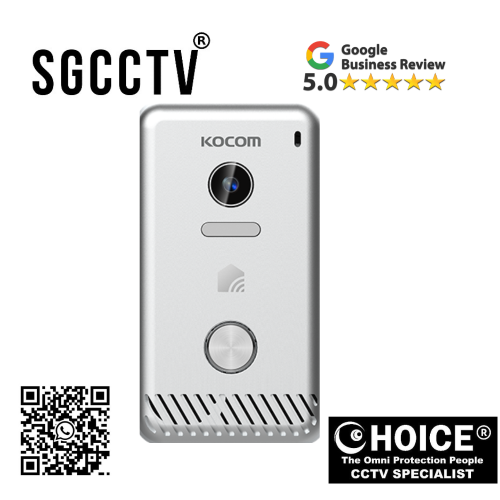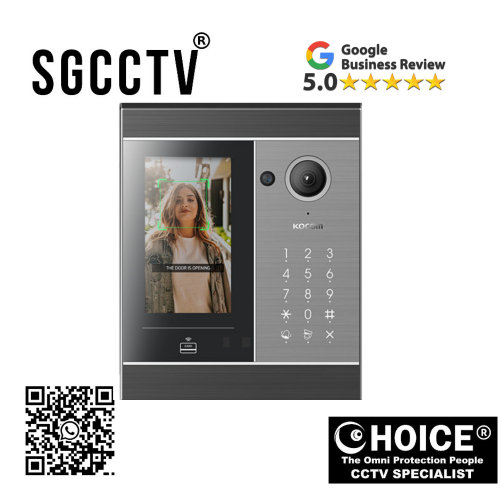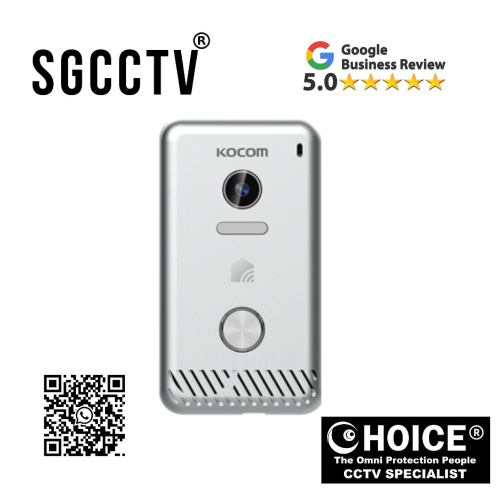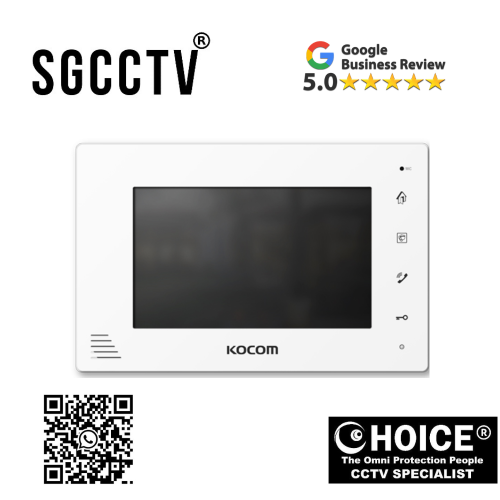

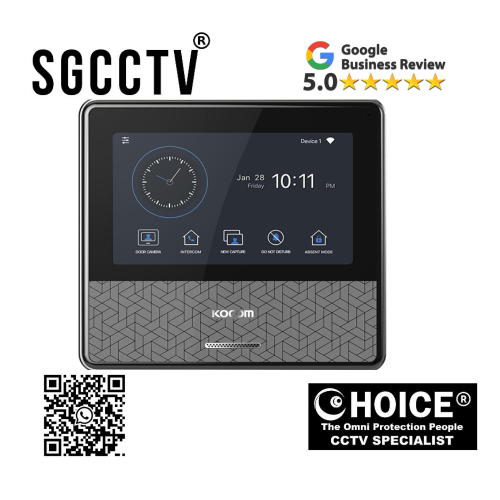
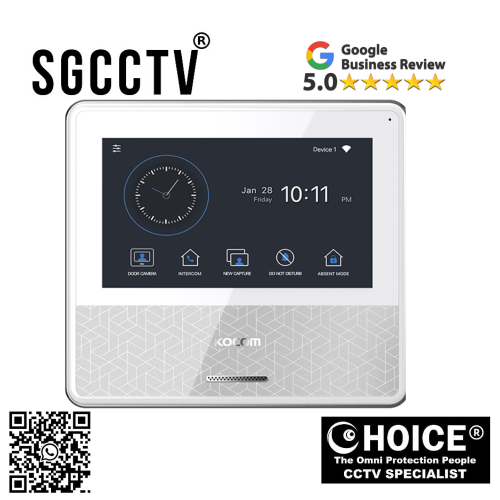
KOCOM MONITOR KCV-C374 7″ Color digital LCD monitor Easy to operate using OSD menu and icon button Simple & Compact design NEW DB
$615.00
Supply and Maintenance HIKVISION CCTV IP Cameras, NVR, Turbo HD TVI Cameras, DVR, PTZ Cameras,
Access Control System, Video Intercom.
Sim Lim Square 02-81 10am-7pm Daily.
Whatsapp Enquiry Project +65 98534404, Technical Support +65 81120788, Site Visit Maintenance +65 81985572.
KOCOM MONITOR KCV-C374 7″ Color digital LCD monitor Easy to operate using OSD menu and icon button Simple & Compact design NEW
The KOCOM KCV-C374 7 Inch Color Digital LCD Monitor is a modern indoor video intercom monitor designed for homes, apartments, offices, condominiums, and commercial buildings that require secure and convenient visitor communication. Featuring a 7-inch color digital LCD display, intuitive OSD menu navigation, icon-based controls, and a compact minimalist design, the KCV-C374 delivers a reliable and user-friendly experience for both residential and commercial users.
As modern buildings continue to prioritize security, convenience, and smart communication, indoor monitors like the KCV-C374 have become an essential component of video intercom systems. Whether installed in a landed house, HDB apartment, condominium unit, office entrance, or gated property, this KOCOM monitor allows users to communicate with visitors clearly and efficiently while maintaining building security.
The KCV-C374 is built with simplicity and practicality in mind. Unlike bulky or complicated indoor monitors, this model combines sleek aesthetics with easy operation, making it suitable for users of all ages. The icon-based interface and OSD menu system ensure quick access to settings and functions without requiring advanced technical knowledge.
Why the KOCOM KCV-C374 Is Popular in Modern Buildings
One of the biggest reasons users choose the KCV-C374 is its balance between functionality, affordability, and ease of use. Many property owners do not require overly complicated intercom systems with excessive features. Instead, they want a stable, dependable monitor that provides clear communication and simple visitor management.
The KCV-C374 fulfills these needs perfectly.
Its 7-inch LCD screen provides comfortable visibility without occupying excessive wall space. The monitor is compact enough for apartments and smaller homes while still delivering a sufficiently large viewing area for clear visitor identification.
The system is especially useful in environments where quick communication and ease of operation are important. Elderly users, children, office receptionists, and security personnel can all operate the monitor with minimal learning time.
Key Features of the KOCOM KCV-C374 Monitor
1. 7-Inch Color Digital LCD Display
The KCV-C374 features a high-quality 7-inch digital LCD monitor that displays visitors clearly. The screen size provides a practical balance between visibility and compact installation.
Benefits include:
- Clear visitor identification
- Better image visibility
- Comfortable viewing angle
- Suitable for indoor environments
- Modern display quality
The display allows users to identify visitors before granting access, improving safety and convenience.
KOCOM MONITOR KCV-C374 7″ Color digital LCD monitor Easy to operate using OSD menu and icon button Simple & Compact design NEW
2. Easy-to-Use OSD Menu
One of the strongest advantages of the KCV-C374 is its intuitive OSD (On-Screen Display) menu system.
The OSD menu allows users to adjust:
- Brightness
- Contrast
- Audio volume
- Ring settings
- Display preferences
- Screen adjustments
Unlike older intercom systems with confusing button combinations, the KCV-C374 offers a user-friendly graphical interface.
This is especially important for:
- Elderly homeowners
- Office staff
- Apartment residents
- Property management users
The menu system helps reduce operational confusion and improves overall usability.
3. Icon Button Navigation
The monitor uses icon-based buttons that make operation simple and intuitive.
Advantages include:
- Quick recognition
- Easy operation
- Reduced learning curve
- Better accessibility
- Cleaner interface design
Instead of relying heavily on text labels, the icon buttons simplify everyday usage for users from different language backgrounds.
4. Simple and Compact Design
The KCV-C374 is designed with modern minimalist aesthetics.
Its slim and compact appearance allows it to blend naturally into:
- Apartments
- Condominiums
- Modern homes
- Offices
- Reception counters
- Security rooms
The monitor does not appear bulky or industrial, making it ideal for interior-conscious environments.
Its compact footprint also makes wall installation easier in areas with limited space.
Why Buy the KOCOM KCV-C374?
Enhanced Security
The primary purpose of a video intercom monitor is improving security.
With the KCV-C374, users can:
- Verify visitors visually
- Communicate before opening doors
- Reduce unauthorized access
- Improve entry management
- Increase resident confidence
This is especially useful for:
- Families
- Elderly residents
- Children staying home alone
- Small offices
- Condominium units
Convenient Visitor Communication
Traditional doorbells provide no visual confirmation.
The KCV-C374 allows:
- Real-time visitor communication
- Quick visitor identification
- Better package delivery management
- Easier communication with guests
This improves convenience for daily living.
KOCOM MONITOR KCV-C374 7″ Color digital LCD monitor Easy to operate using OSD menu and icon button Simple & Compact design NEW
Professional Indoor Appearance
The modern compact design complements contemporary interiors.
Whether installed in:
- Luxury condominiums
- HDB flats
- Landed homes
- Commercial offices
the monitor maintains a professional and clean appearance.
User-Friendly Operation
Many intercom systems fail because users find them too complicated.
The KCV-C374 avoids this issue through:
- Simple controls
- Easy navigation
- Clear interface
- Logical menu structure
This improves long-term usability and customer satisfaction.
Who Should Buy the KOCOM KCV-C374?
Homeowners
Families benefit from:
- Visitor verification
- Increased safety
- Simple operation
- Better home communication
The monitor is particularly useful for homes with children or elderly residents.
Condominium Residents
Condominium units often require:
- Controlled visitor access
- Package verification
- Visitor monitoring
- Building communication
The KCV-C374 is highly suitable for condo living.
Apartment Owners
Apartment residents appreciate:
- Compact installation
- Modern appearance
- Easy visitor interaction
- Affordable security enhancement
Offices
Small offices and reception areas can use the monitor for:
- Visitor screening
- Controlled entry
- Reception convenience
- Professional front desk communication
KOCOM MONITOR KCV-C374 7″ Color digital LCD monitor Easy to operate using OSD menu and icon button Simple & Compact design NEW
Property Developers
Developers often select KOCOM systems because they offer:
- Stable operation
- Easy installation
- Clean aesthetics
- Reliable long-term performance
Installation Guide for KOCOM KCV-C374
Step 1 – Choose Installation Location
Install the monitor:
- Near the main entrance
- At comfortable viewing height
- Away from direct sunlight
- Near power and communication wiring
Step 2 – Prepare Wall Mounting
Secure the mounting bracket firmly onto the wall.
Ensure:
- Proper alignment
- Stable support
- Clean cable routing
Step 3 – Connect Wiring
The monitor connects to:
- Door station
- Power supply
- Communication lines
Proper cable management helps ensure stable performance.
Step 4 – Configure Display Settings
Using the OSD menu:
- Adjust brightness
- Configure audio
- Set ring volume
- Test communication
Step 5 – Test the System
Verify:
- Video clarity
- Audio quality
- Door communication
- Button functionality
KOCOM MONITOR KCV-C374 7″ Color digital LCD monitor Easy to operate using OSD menu and icon button Simple & Compact design NEW
Common Installation Mistakes
Incorrect Wiring
Poor wiring can cause:
- No display
- Audio problems
- Intermittent communication
Always follow wiring diagrams carefully.
Weak Power Supply
Unstable power may cause:
- Screen flickering
- Random rebooting
- System instability
Use recommended power specifications.
Improper Mounting Height
Installing too high or low reduces usability.
Recommended height:
- Comfortable eye level for users
Common Issues and Solutions
No Display on Monitor
Possible causes:
- Power issue
- Loose cable
- Faulty connection
Solution:
- Check power supply
- Inspect wiring
- Restart system
No Audio Communication
Possible causes:
- Volume muted
- Wiring issue
- Faulty microphone connection
Solution:
- Adjust volume settings
- Inspect cables
- Test door station
KOCOM MONITOR KCV-C374 7″ Color digital LCD monitor Easy to operate using OSD menu and icon button Simple & Compact design NEW
Poor Video Quality
Possible causes:
- Interference
- Weak signal
- Camera issue
Solution:
- Check cable quality
- Avoid power interference
- Clean camera lens
Buttons Not Responding
Possible causes:
- Dirt accumulation
- Hardware wear
- Internal faults
Solution:
- Clean button area
- Restart monitor
- Contact installer if needed
Benefits of Choosing KOCOM Intercom Systems
KOCOM is widely recognized for producing:
- Reliable intercom systems
- User-friendly designs
- Stable communication solutions
- Long-term durability
The company focuses on practical solutions rather than unnecessary complexity.
This makes KOCOM popular in:
- Residential projects
- Apartment buildings
- Commercial offices
- Security installations
KOCOM KCV-C374 vs Traditional Audio Intercoms
| Feature | KCV-C374 | Traditional Audio Intercom |
|---|---|---|
| Video Verification | Yes | No |
| LCD Display | Yes | No |
| Modern Design | Yes | Limited |
| Easy OSD Settings | Yes | Basic |
| Visitor Identification | Excellent | Audio only |
| Security Level | Higher | Lower |
The visual verification capability alone makes the KCV-C374 a major upgrade over older audio-only systems.
KOCOM MONITOR KCV-C374 7″ Color digital LCD monitor Easy to operate using OSD menu and icon button Simple & Compact design NEW
KCV-C374 vs Generic Cheap Monitors
Many low-cost monitors may appear attractive initially but often suffer from:
- Poor display quality
- Weak audio
- Unstable operation
- Limited lifespan
- Complicated menus
The KCV-C374 offers better:
- Reliability
- User experience
- Long-term stability
- Brand support
- Installation flexibility
Design Philosophy Behind the KCV-C374
The KCV-C374 is designed around:
- Simplicity
- Reliability
- Accessibility
- Compactness
- Ease of operation
This design approach ensures:
- Lower maintenance
- Better user satisfaction
- Reduced confusion
- Faster learning curve
Maintenance Tips
To keep the monitor operating properly:
Clean Regularly
Use a soft dry cloth to clean:
- LCD screen
- Buttons
- Surface dust
Avoid Moisture
Do not expose the monitor to:
- Water
- Excess humidity
- Condensation
Check Wiring Periodically
Loose connections can affect:
- Video quality
- Audio clarity
- System stability
Avoid Strong Impact
Prevent:
- Screen damage
- Internal component failure
- Cracked housing
KOCOM MONITOR KCV-C374 7″ Color digital LCD monitor Easy to operate using OSD menu and icon button Simple & Compact design NEW
Expected Lifespan
With proper installation and maintenance, the KCV-C374 can operate reliably for many years.
Factors affecting lifespan include:
- Installation quality
- Environmental conditions
- Electrical stability
- Daily usage
Proper care significantly improves long-term reliability.
Why KOCOM Remains Popular in Singapore
KOCOM systems remain popular due to:
- Stable performance
- Easy operation
- Suitable compact designs
- Compatibility with modern buildings
- Practical functionality
Singapore property owners often prefer intercom systems that:
- Work reliably
- Look modern
- Require minimal maintenance
- Are easy for all family members to use
The KCV-C374 fits these requirements well.
Final Thoughts on the KOCOM KCV-C374
The KOCOM KCV-C374 7 Inch Color Digital LCD Monitor is an excellent choice for users seeking a dependable, easy-to-operate, and visually modern video intercom monitor.
Its:
- 7-inch color LCD display
- User-friendly OSD menu
- Icon button navigation
- Compact design
- Stable communication performance
make it suitable for homes, apartments, condominiums, offices, and commercial buildings.
Whether you are upgrading an older intercom system or installing a new security communication solution, the KCV-C374 offers a practical balance between simplicity, performance, and modern aesthetics.
How the KOCOM KCV-C374 7″ Color Digital LCD Monitor Works
The KOCOM KCV-C374 7 Inch Color Digital LCD Monitor works as the indoor control and viewing unit of a video intercom system. It allows users inside a home, office, apartment, or condominium to see visitors, communicate with them, and manage door access safely and conveniently.
The system is designed to connect with:
- Outdoor door camera/intercom panel
- Indoor monitor
- Power supply
- Door lock system (optional)
When someone presses the call button at the outdoor door station, the KCV-C374 monitor inside the building activates automatically and displays live video from the outdoor camera.
Basic Working Principle of the KCV-C374
The monitor works through communication between the indoor unit and outdoor door camera.
Step-by-Step Operation Flow
Step 1 – Visitor Presses the Door Bell
A visitor arrives at the entrance and presses the call button on the outdoor KOCOM door station.
This action sends a signal to the indoor KCV-C374 monitor.
Step 2 – Monitor Rings Indoors
The KCV-C374 immediately:
- Rings like a doorbell
- Activates the LCD screen
- Displays live video from the outdoor camera
The user inside the building can now see who is outside.
Step 3 – Live Video Appears on Screen
The 7-inch color LCD monitor shows real-time video from the connected door camera.
This allows users to:
- Identify visitors
- Verify delivery personnel
- Check unknown visitors
- Improve home security
The live video feature is one of the biggest advantages compared to traditional audio-only intercom systems.
Step 4 – Two-Way Communication Starts
The monitor includes built-in speaker and microphone functions.
Users can:
- Speak to visitors
- Listen to visitor responses
- Communicate without opening the door
This works similarly to a hands-free communication system.
Step 5 – Door Unlock Function (If Connected)
If the system is connected to an electronic door lock, users can unlock the door directly from the monitor.
This is commonly used in:
- Apartments
- Condominiums
- Offices
- Gated homes
The indoor user simply presses the unlock button on the monitor.
The monitor then sends a signal to the electronic lock system to release the door temporarily.
KOCOM MONITOR KCV-C374 7″ Color digital LCD monitor Easy to operate using OSD menu and icon button Simple & Compact design NEW
Main Components That Make the System Work
1. Outdoor Door Camera
The outdoor station includes:
- Camera
- Call button
- Microphone
- Speaker
- Sometimes RFID or keypad functions
This unit captures the visitor’s image and audio.
2. Indoor KCV-C374 Monitor
The indoor monitor:
- Displays video
- Plays visitor audio
- Sends voice back to the outdoor panel
- Controls access functions
It acts as the control center of the intercom system.
3. Communication Wiring
The monitor and outdoor station communicate through signal wiring.
These cables carry:
- Video signal
- Audio signal
- Power communication
- Door release commands
Stable wiring is important for clear video and audio performance.
4. Power Supply
The system requires power to operate.
The power supply provides electricity to:
- Monitor
- Camera
- Communication circuitry
- Optional door lock
Without stable power, the system cannot function correctly.
How the LCD Screen Works
The KCV-C374 uses a digital LCD display.
The screen works by:
- Receiving video signals from the outdoor camera
- Processing the image
- Displaying real-time visuals on the monitor
The 7-inch size provides:
- Comfortable viewing
- Clear visitor identification
- Easy operation for elderly users
The digital screen helps users verify visitors safely before opening the door.
KOCOM MONITOR KCV-C374 7″ Color digital LCD monitor Easy to operate using OSD menu and icon button Simple & Compact design NEW
How the Audio Communication Works
The monitor includes:
- Built-in microphone
- Built-in speaker
When the user speaks:
- Voice enters the monitor microphone
- Signal travels to the outdoor station
- Visitor hears the audio through the outdoor speaker
When the visitor responds:
- Outdoor microphone captures sound
- Audio signal travels back indoors
- User hears the response through the monitor speaker
This creates full two-way communication.
How the OSD Menu Works
The OSD (On-Screen Display) menu is the control interface of the monitor.
Users can adjust:
- Brightness
- Contrast
- Ring volume
- Display settings
- Communication settings
The menu appears directly on the LCD screen.
Navigation is performed using icon buttons on the monitor.
This makes operation simple and user-friendly.
How the Icon Buttons Work
The KCV-C374 uses icon-based controls instead of complicated text menus.
Each icon represents a function such as:
- Talk
- Unlock
- Monitor view
- Menu
- Volume
This simplifies daily use because users can quickly recognize each function visually.
How Monitoring Mode Works
Some intercom systems allow manual camera viewing even when nobody presses the bell.
In monitoring mode:
- User presses the monitor button
- Outdoor camera activates
- Live entrance view appears
This allows homeowners to check outside anytime.
Useful for:
- Night security checks
- Checking deliveries
- Monitoring entrances
KOCOM MONITOR KCV-C374 7″ Color digital LCD monitor Easy to operate using OSD menu and icon button Simple & Compact design NEW
How the Door Unlock Feature Works
If connected to an electronic lock:
- Visitor calls
- User verifies visitor
- User presses unlock icon
- Monitor sends electrical signal
- Door lock releases temporarily
This creates secure controlled entry.
How the Compact Design Helps Daily Usage
The compact design is not only for appearance.
It also improves:
- Wall space efficiency
- Easier installation
- Cleaner room aesthetics
- Comfortable operation
This makes the KCV-C374 ideal for:
- Condominiums
- Apartments
- Small offices
- Modern homes
How the System Improves Security
The KCV-C374 improves security by allowing visual confirmation before entry.
Benefits include:
- Reduced stranger access
- Better visitor verification
- Safer package handling
- Increased family safety
Users no longer need to open doors blindly.
How the System Works During Power Failure
Depending on installation type:
- Some systems stop operating fully
- Some may use backup power supplies
Without power:
- Screen may not activate
- Door unlock may not work
- Communication may stop
Professional installation often includes stable power protection.
KOCOM MONITOR KCV-C374 7″ Color digital LCD monitor Easy to operate using OSD menu and icon button Simple & Compact design NEW
Common Working Problems and Causes
No Video Display
Possible reasons:
- Loose cable
- Camera failure
- Power issue
No Audio
Possible reasons:
- Speaker issue
- Wiring fault
- Volume muted
Door Unlock Not Working
Possible reasons:
- Lock wiring problem
- Power issue
- Relay failure
Screen Flickering
Possible reasons:
- Weak power supply
- Electrical interference
- Poor cable quality
KOCOM MONITOR KCV-C374 7″ Color digital LCD monitor Easy to operate using OSD menu and icon button Simple & Compact design NEW
Why Users Like the KCV-C374 Working System
Users appreciate the system because it is:
- Simple
- Fast
- Reliable
- Easy to learn
- Easy to maintain
The interface avoids unnecessary complexity.
This is especially useful for:
- Elderly users
- Families
- Office staff
- Apartment residents
Real-Life Usage Examples
Home Use
A family can:
- See who is at the gate
- Speak safely before opening
- Unlock remotely
Condominium Use
Residents can:
- Verify deliveries
- Manage visitors
- Improve entry security
Office Use
Reception staff can:
- Screen visitors
- Communicate quickly
- Manage office access
Final Summary
The KOCOM KCV-C374 7 Inch Color Digital LCD Monitor works as the indoor communication and monitoring center of a video intercom system.
It operates by:
- Receiving calls from the outdoor station
- Displaying live video
- Supporting two-way communication
- Allowing optional door unlocking
- Providing easy menu navigation through icon controls
Its simple design, clear display, and easy operation make it highly suitable for modern homes, apartments, offices, and condominiums.
KOCOM KCV-C374 7″ Color Digital LCD Monitor Warranty Guide
The KOCOM KCV-C374 7 Inch Color Digital LCD Monitor is designed for long-term daily operation in residential and commercial environments. Like most professional intercom and security communication products, the monitor is typically covered by a manufacturer or distributor warranty against manufacturing defects and hardware faults under normal usage conditions.
Warranty coverage may vary depending on:
- Country of purchase
- Authorized distributor policies
- Installer support package
- Commercial or residential deployment
- Project-based agreements
What the Warranty Usually Covers
Most KOCOM intercom monitor warranties generally cover:
- Manufacturing defects
- Internal hardware failure
- Factory-related electrical faults
- LCD display defects
- Audio communication issues caused by factory defects
- Button malfunction under normal use
- Power-related internal component failures
If the monitor stops functioning properly due to factory-related issues during the warranty period, repair or replacement support may be available.
Common Hardware Parts Covered
LCD Display Problems
Warranty may cover:
- Dead screen
- No image output
- Severe display malfunction
- Internal display failure
However, physical damage such as cracked screens is usually not covered.
KOCOM MONITOR KCV-C374 7″ Color digital LCD monitor Easy to operate using OSD menu and icon button Simple & Compact design NEW
Internal Audio Components
Coverage may include:
- Faulty microphone
- Faulty speaker
- Internal audio board issues
This applies only when faults are caused by manufacturing defects.
Mainboard Failure
The internal control board is one of the most important components.
Warranty may cover:
- Sudden hardware failure
- Boot failure
- Non-responsive system boards
- Internal circuitry defects
Power Circuit Failure
If the monitor cannot power on due to:
- Factory electrical defects
- Internal power regulation failure
the warranty may apply.
What Is Usually NOT Covered
Most warranties do not cover damage caused by improper handling or external factors.
Physical Damage
Not typically covered:
- Cracked screen
- Broken casing
- Water damage
- Impact damage
- Scratches
Improper Installation
Damage caused by:
- Incorrect wiring
- Wrong voltage
- Poor installation
- Unstable power connection
may void the warranty.
Professional installation is strongly recommended.
KOCOM MONITOR KCV-C374 7″ Color digital LCD monitor Easy to operate using OSD menu and icon button Simple & Compact design NEW
Lightning or Power Surge Damage
Electrical surges caused by:
- Lightning
- Unstable power
- Improper grounding
are usually excluded from warranty coverage.
Using surge protection is highly recommended.
Water or Moisture Damage
The KCV-C374 is designed for indoor use.
Damage caused by:
- Water exposure
- Humidity
- Condensation
is generally not covered.
Unauthorized Modification
Warranty may become void if:
- Device is opened by unauthorized personnel
- Internal modifications are made
- Non-approved repairs are attempted
Typical Warranty Period
The warranty period depends on:
- Supplier policy
- Regional distributor support
- Project contract terms
Many intercom systems commonly provide:
- 1-year warranty
- 12-month hardware warranty
- Extended support options through installers
Some professional installers may also provide:
- On-site support
- Maintenance packages
- Extended service agreements
KOCOM MONITOR KCV-C374 7″ Color digital LCD monitor Easy to operate using OSD menu and icon button Simple & Compact design NEW
Why Professional Installation Matters for Warranty
Professional installation helps protect warranty validity.
A certified installer ensures:
- Proper voltage connection
- Correct wiring
- Safe mounting
- Stable operation
- Reduced electrical risk
Improper installation is one of the biggest causes of intercom failure.
Signs You May Need Warranty Service
Screen Not Turning On
Possible hardware fault if:
- Power supply is stable
- Wiring is correct
- Screen remains blank
No Audio Communication
If both:
- Microphone
- Speaker
stop working despite correct installation, hardware inspection may be needed.
Frozen or Non-Responsive Buttons
If icon buttons stop responding during normal use, internal board issues may exist.
Random Rebooting
Frequent restarting may indicate:
- Internal power circuit fault
- Mainboard problem
KOCOM MONITOR KCV-C374 7″ Color digital LCD monitor Easy to operate using OSD menu and icon button Simple & Compact design NEW
How to Maintain the Monitor and Reduce Warranty Issues
Keep the Monitor Dry
Avoid:
- Water exposure
- Excess humidity
- Steam-heavy environments
Use Stable Power
Recommended:
- Surge protector
- Stable electrical supply
- Proper grounding
This helps protect internal circuitry.
Clean Carefully
Use:
- Soft microfiber cloth
- Dry cleaning method
Avoid:
- Chemical cleaners
- Excess moisture
Avoid Physical Impact
Do not:
- Hit the monitor
- Apply pressure to the LCD
- Pull cables aggressively
Importance of Buying from Authorized Sellers
Purchasing from trusted suppliers helps ensure:
- Genuine products
- Proper warranty support
- Technical assistance
- Installation guidance
- After-sales service
Authorized suppliers can also help:
- Verify warranty status
- Arrange repairs
- Provide replacement parts
Why Long-Term Reliability Matters
The KCV-C374 is often installed in:
- Homes
- Condominiums
- Offices
- Apartments
- Security entrances
These environments require stable daily operation.
Reliable intercom systems reduce:
- Visitor management problems
- Security risks
- Maintenance costs
- Downtime
Expected Product Lifespan
With proper installation and maintenance, the KCV-C374 can operate for many years.
Factors affecting lifespan:
- Installation quality
- Usage frequency
- Environmental conditions
- Electrical stability
Proper care helps maximize performance and durability.
Recommended Protection Accessories
To improve long-term reliability:
- Use surge protection
- Ensure stable power supply
- Install proper grounding
- Use quality cabling
- Avoid moisture exposure
These steps reduce hardware stress and improve operational lifespan.
Final Thoughts
The KOCOM KCV-C374 7 Inch Color Digital LCD Monitor is built for reliable indoor intercom communication and security monitoring. Warranty coverage generally protects against manufacturing defects and hardware-related faults under normal operating conditions.
To maximize product lifespan and maintain warranty support:
- Use professional installation
- Maintain stable electrical power
- Avoid moisture exposure
- Prevent physical damage
- Purchase from trusted suppliers
Proper care and installation can help ensure smooth long-term operation for residential and commercial intercom applications.
KOCOM MONITOR KCV-C374 7″ Color digital LCD monitor Easy to operate using OSD menu and icon button Simple & Compact design NEW
Contact Choicecycle (SGCCTV Singapore)
For more information about the KOCOM KCV-C374 7″ Color Digital LCD Monitor or other intercom and security solutions, contact us today.
SGCCTV Choicecycle
Sim Lim Square #02-81, Singapore
WhatsApp: +65 9853 4404
Email: enquiry@choicecycle.com.sg
Website: https://sgcctv.com.sg
Operating Hours: 11 AM – 8 PM

Donec accumsan auctor iaculis. Sed suscipit arcu ligula, at egestas magna molestie a. Proin ac ex maximus, ultrices justo eget, sodales orci. Aliquam egestas libero ac turpis pharetra, in vehicula lacus scelerisque. Vestibulum ut sem laoreet, feugiat tellus at, hendrerit arcu..


Nunc lacus elit, faucibus ac laoreet sed, dapibus ac mi. Maecenas eu ante a elit tempus fermentum. Aliquam commodo tincidunt semper. Phasellus accumsan, justo ac mollis pharetra, ex dui pharetra nisl, a scelerisque ipsum nulla ac sem. Cras eu risus urna. Duis lorem sapien, congue eget nisl sit amet, rutrum faucibus elit.
Donec accumsan auctor iaculis. Sed suscipit arcu ligula, at egestas magna molestie a. Proin ac ex maximus, ultrices justo eget, sodales orci. Aliquam egestas libero ac turpis pharetra, in vehicula lacus scelerisque. Vestibulum ut sem laoreet, feugiat tellus at, hendrerit arcu.
Nunc lacus elit, faucibus ac laoreet sed, dapibus ac mi. Maecenas eu ante a elit tempus fermentum. Aliquam commodo tincidunt semper. Phasellus accumsan, justo ac mollis pharetra, ex dui pharetra nisl, a scelerisque ipsum nulla ac sem. Cras eu risus urna. Duis lorem sapien, congue eget nisl sit amet, rutrum faucibus elit.