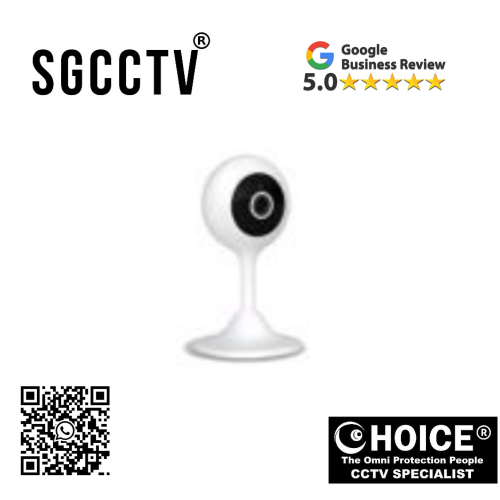


KOCOM WiFi Home Camera KC-S3 control 360 Two-way audio Auto tracking/human detection Motion detection Alarm push NEW DB
$205.00
Supply and Maintenance HIKVISION CCTV IP Cameras, NVR, Turbo HD TVI Cameras, DVR, PTZ Cameras,
Access Control System, Video Intercom.
Sim Lim Square 02-81 10am-7pm Daily.
Whatsapp Enquiry Project +65 98534404, Technical Support +65 81120788, Site Visit Maintenance +65 81985572.
KOCOM WiFi Home Camera KC-S3 control 360 Two-way audio Auto tracking/human detection Motion detection Alarm push NEW
Introduction: KOCOM KC-S3 – Smart Indoor Security Built for Modern Homes
In an era where home security, family safety, and remote monitoring have become essential parts of daily life, the demand for intelligent surveillance systems continues to grow. Whether you are a homeowner protecting your loved ones, a parent monitoring children, a pet owner checking on animals, or a small business owner safeguarding indoor spaces, the KOCOM WiFi Home Camera KC-S3 offers a practical, advanced, and user-friendly smart security solution.
The KOCOM KC-S3 is a next-generation indoor WiFi smart camera engineered to combine 360° control, two-way audio, auto tracking, human detection AI, motion detection alerts, and real-time alarm push notifications into one compact device. Designed for convenience and performance, this camera allows users to monitor their homes remotely via smartphone while enjoying wide-area surveillance coverage without the complexity of traditional CCTV systems.
Unlike basic fixed-angle cameras that only monitor one direction, the KC-S3’s rotating surveillance system enables users to actively control viewing angles and reduce blind spots. Combined with AI-powered human detection and smart motion analysis, this camera provides more accurate alerts while minimizing unnecessary false alarms.
For today’s connected lifestyle, the KC-S3 delivers more than just video—it provides communication, awareness, and peace of mind.
Key Highlights of KOCOM WiFi Home Camera KC-S3
1. 360° Smart Viewing Coverage
The KC-S3 offers wide-area visual control, helping users monitor more space with fewer blind spots.
Benefits:
- Broader room coverage
- Better indoor surveillance
- Improved child and pet monitoring
- Fewer dead zones
KOCOM WiFi Home Camera KC-S3 control 360 Two-way audio Auto tracking/human detection Motion detection Alarm push NEW
2. Two-Way Audio Communication
Built-in microphone and speaker technology allow users to communicate remotely.
Common Uses:
- Speak to family members
- Calm pets
- Check on elderly relatives
- Greet visitors
- Warn intruders
3. Auto Tracking Technology
When motion is detected, the KC-S3 can intelligently follow moving subjects.
Why This Matters:
- Keeps suspicious movement in frame
- Improves security awareness
- Enhances monitoring accuracy
KOCOM WiFi Home Camera KC-S3 control 360 Two-way audio Auto tracking/human detection Motion detection Alarm push NEW
4. Human Detection AI
Traditional motion sensors may trigger alerts from shadows, fans, or curtains. Human detection technology helps improve accuracy.
Advantages:
- Fewer false alarms
- Smarter notifications
- Better security response
5. Motion Detection Alarm Push Notifications
Instant alerts sent to your smartphone keep you informed in real time.
Ideal For:
- Travel monitoring
- Working parents
- Home-alone children
- Elderly care
KOCOM WiFi Home Camera KC-S3 control 360 Two-way audio Auto tracking/human detection Motion detection Alarm push NEW
Why Choose KOCOM KC-S3 Over Traditional CCTV?
Traditional CCTV systems often require:
- DVR/NVR systems
- Complex wiring
- Professional installation
- Larger budgets
The KC-S3 simplifies security by offering:
WiFi Convenience
Smartphone Access
Quick Setup
Smart AI Features
Affordable Home Monitoring
This makes it ideal for modern users who want security without technical complexity.
Who Should Buy the KOCOM KC-S3?
Families
Monitor children, living rooms, and entrances.
Parents
Use as a baby room or nanny monitor.
Pet Owners
Check on pets remotely.
Elderly Caregivers
Support senior safety.
Small Businesses
Monitor reception or office interiors.
Students & Renters
Easy, portable, and apartment-friendly.
KOCOM WiFi Home Camera KC-S3 control 360 Two-way audio Auto tracking/human detection Motion detection Alarm push NEW
Smart Home Integration & Remote Access
One of the biggest strengths of the KC-S3 is its WiFi-enabled smart integration.
Main Features:
- Mobile app remote viewing
- Real-time alerts
- PTZ control
- Playback access
- Voice communication
This ensures users can stay connected from almost anywhere.
KC-S3 Indoor Security Benefits
Child Monitoring
Parents can:
- Watch sleeping babies
- Monitor homework rooms
- Speak remotely
Pet Monitoring
Pet owners can:
- Observe behavior
- Speak to pets
- Detect unusual activity
KOCOM WiFi Home Camera KC-S3 control 360 Two-way audio Auto tracking/human detection Motion detection Alarm push NEW
Elderly Monitoring
Family members can:
- Ensure safety
- Check movement
- Communicate instantly
Design & Build Quality
KOCOM is recognized for practical smart home innovation, and the KC-S3 reflects this through:
Compact Modern Design
- Space-saving
- Indoor aesthetic
- Flexible placement
Durable Housing
Often designed using strong plastic housing with thermal management considerations.
Installation Guide for KOCOM KC-S3
Step 1: Choose Placement
Best locations:
- Living room
- Nursery
- Hallway
- Office
- Bedroom
Step 2: Connect Power
Use original adapter.
Step 3: Download KOCOM App
Install compatible smart home app.
Step 4: Connect to WiFi
Typically optimized for 2.4GHz networks.
Step 5: Pair Device
Follow QR code or setup instructions.
KOCOM WiFi Home Camera KC-S3 control 360 Two-way audio Auto tracking/human detection Motion detection Alarm push NEW
Common Setup Mistakes to Avoid
Avoid:
- Weak WiFi signal
- Wrong password
- 5GHz-only connection
- Poor camera angle
- Direct sunlight on lens
Common Problems & Solutions
Problem 1: Camera Offline
Fix:
- Restart router
- Reset camera
- Check power source
Problem 2: False Motion Alerts
Fix:
- Adjust sensitivity
- Enable human detection
- Avoid moving curtains
Problem 3: Audio Delay
Fix:
- Improve WiFi speed
- Update firmware
- Reduce network congestion
Problem 4: Auto Tracking Not Working
Fix:
- Enable feature in app
- Check software updates
- Reset settings
KOCOM WiFi Home Camera KC-S3 control 360 Two-way audio Auto tracking/human detection Motion detection Alarm push NEW
KC-S3 vs Standard Fixed WiFi Cameras
| Feature | KC-S3 | Basic Camera |
|---|---|---|
| 360° Viewing | Yes | Limited |
| Two-Way Audio | Yes | Sometimes |
| Human Detection | Yes | Basic |
| Auto Tracking | Yes | Rare |
| Alarm Push | Yes | Basic |
How KOCOM KC-S3 Is Manufactured
The KC-S3 is the result of advanced product engineering involving:
Key Manufacturing Components:
Lens Module
CMOS Sensor
WiFi Chipset
Audio Circuit
AI Detection Software
Motion Sensors
Housing Assembly
Production Process Overview:
- Product concept design
- Lens calibration
- PCB board production
- PTZ motor integration
- WiFi system installation
- Firmware programming
- App ecosystem development
- Quality control
KOCOM WiFi Home Camera KC-S3 control 360 Two-way audio Auto tracking/human detection Motion detection Alarm push NEW
Why KOCOM Is a Trusted Smart Home Brand
KOCOM has long been associated with:
- Smart intercoms
- Home automation
- Security systems
- Consumer-friendly interfaces
This brand trust adds confidence for users seeking practical security.
Long-Term Value of KC-S3
Buying a smart camera is not just about surveillance—it is about:
Family safety
Convenience
Awareness
Peace of mind
Remote accessibility
Maintenance Tips for Longer Lifespan
Recommended:
- Clean lens monthly
- Update firmware
- Use surge protection
- Maintain strong WiFi
- Avoid moisture
Expected Product Lifespan
With proper indoor use:
Estimated lifespan: 3–7 years
Depends on:
- PTZ usage frequency
- Power quality
- Firmware support
- Environment
SEO Keywords for KOCOM KC-S3
- KOCOM KC-S3 WiFi Home Camera
- KOCOM KC-S3 360 Camera
- KOCOM Smart Home Camera
- KOCOM Auto Tracking Camera
- KOCOM Human Detection Camera
- KOCOM Indoor Security Camera Singapore
Why KOCOM KC-S3 Is Worth Buying
Main Advantages:
Smart AI
Indoor flexibility
Easy installation
Family-focused features
Cost-effective home security
For homeowners seeking a practical smart security solution without the complexity of commercial CCTV, the KC-S3 offers strong value.
KOCOM WiFi Home Camera KC-S3 control 360 Two-way audio Auto tracking/human detection Motion detection Alarm push NEW
Final Verdict: Is the KOCOM KC-S3 a Good Buy?
Yes — especially for families, apartment users, parents, pet owners, and small offices looking for modern smart indoor surveillance.
Its blend of:
- 360° coverage
- Human detection
- Motion alerts
- Auto tracking
- Two-way audio
makes it a reliable smart home security option.
If you want affordable, user-friendly, AI-enhanced indoor security, the KOCOM WiFi Home Camera KC-S3 is a compelling solution.
How the KOCOM WiFi Home Camera KC-S3 Is Made | Complete Engineering, Design & Manufacturing Guide for 360° Smart Security Cameras
Introduction: The Technology Behind the KOCOM KC-S3 Smart Home Camera
The KOCOM WiFi Home Camera KC-S3 may appear simple from the outside—a sleek indoor camera with 360° control, two-way audio, auto tracking, human detection, motion alerts, and alarm push notifications—but behind this compact design is a highly sophisticated combination of electronics engineering, AI software, wireless communication, optics, mechanical movement systems, and product safety testing.
Modern smart home cameras like the KC-S3 are not manufactured like traditional webcams or basic surveillance cameras. They are designed as connected AI-powered smart devices capable of real-time communication, motion analysis, remote access, and automated response.
This means that building a product like the KC-S3 requires expertise from:
Industrial Designers
Electrical Engineers
Software Developers
AI Specialists
Optics Engineers
Wireless Communication Experts
Mechanical Assembly Teams
This guide explains how the KC-S3 is designed, developed, manufactured, assembled, tested, and delivered as a modern home security solution.
KOCOM WiFi Home Camera KC-S3 control 360 Two-way audio Auto tracking/human detection Motion detection Alarm push NEW
Stage 1: Product Planning & Market Research
Before production begins, KOCOM starts with extensive planning.
Research Objectives:
KOCOM analyzes:
- Smart home trends
- Family safety needs
- Indoor monitoring demand
- Pet surveillance growth
- Baby monitoring requirements
- Elderly care applications
KOCOM WiFi Home Camera KC-S3 control 360 Two-way audio Auto tracking/human detection Motion detection Alarm push NEW
Competitive Product Comparison
KOCOM studies competitor categories such as:
- Hikvision WiFi indoor cameras
- EZVIZ PT cameras
- Xiaomi home cameras
- TP-Link Tapo indoor cameras
Product Goals for KC-S3:
Affordable pricing
360° room coverage
AI human detection
Smartphone connectivity
Two-way communication
Easy setup
This stage determines the hardware blueprint, software ecosystem, and final product positioning.
KOCOM WiFi Home Camera KC-S3 control 360 Two-way audio Auto tracking/human detection Motion detection Alarm push NEW
Stage 2: Industrial Design & Physical Appearance
The next step is designing the KC-S3’s external form.
Material Selection
Most KC-S3 smart cameras use carefully selected materials such as:
ABS Plastic
Used because it offers:
- Durability
- Heat resistance
- Lightweight structure
- Cost efficiency
- Smooth molding capability
KOCOM WiFi Home Camera KC-S3 control 360 Two-way audio Auto tracking/human detection Motion detection Alarm push NEW
Polycarbonate Components
Commonly used for:
- Lens protection
- IR sensor windows
- Transparent covers
Why the KC-S3 Shape Matters
Its rounded rotating design is engineered for:
Smooth motorized movement
Better room coverage
Stable center of gravity
Attractive home-friendly appearance
Efficient wireless signal distribution
This design helps the camera blend naturally into modern homes while maximizing surveillance performance.
Stage 3: Optical System Development (Camera Lens & Sensor)
The camera’s ability to “see” depends heavily on its imaging hardware.
KOCOM WiFi Home Camera KC-S3 control 360 Two-way audio Auto tracking/human detection Motion detection Alarm push NEW
Main Optical Components:
1. CMOS Image Sensor
This is the digital eye of the KC-S3.
Purpose:
- Captures visual information
- Converts light into digital image signals
- Supports day/night functionality
- Enables HD clarity
Typical Manufacturers:
- Sony
- OmniVision
- SmartSens
2. Lens Module
The lens controls:
Viewing angle
Image sharpness
Focus quality
Light transmission
Lens Manufacturing Process:
- Precision molding
- Glass/plastic shaping
- Anti-glare coating
- Focus calibration
- Dust-resistant sealing
Stage 4: PTZ Mechanical System Engineering
One of the biggest features of the KC-S3 is its motorized viewing capability.
PTZ Components Include:
Pan Motor (left/right movement)
Tilt Motor (up/down movement)
Gear assemblies
Position sensors
Motion controllers
KOCOM WiFi Home Camera KC-S3 control 360 Two-way audio Auto tracking/human detection Motion detection Alarm push NEW
Engineering Priorities:
The PTZ system must:
Rotate smoothly
Stay quiet
Use minimal energy
Resist long-term wear
Maintain accuracy
This requires high-precision miniaturized motor technology.
Stage 5: Printed Circuit Board (PCB) Manufacturing
The PCB is essentially the brain of the KC-S3.
Main PCB Components:
Main processor / SoC
WiFi communication module
RAM / memory storage
Audio processor
Motion detection chipset
Voltage regulators
Security encryption modules
PCB Manufacturing Process
Step 1: Digital Circuit Design
Engineers create layouts using CAD systems.
Step 2: Copper Trace Printing
Electrical pathways are embedded.
Step 3: Surface Mount Technology (SMT)
Robotic systems install:
- Chips
- Capacitors
- Sensors
- WiFi modules
Step 4: Solder Reflow
Components are permanently connected.
Stage 6: Wireless WiFi System Integration
The KC-S3’s remote features depend on stable wireless networking.
KOCOM WiFi Home Camera KC-S3 control 360 Two-way audio Auto tracking/human detection Motion detection Alarm push NEW
WiFi Hardware Includes:
RF antenna
2.4GHz compatibility
Signal amplifiers
Data encryption systems
Security Features:
WPA/WPA2 protocols
App authentication
QR pairing
Cloud communication security
This stage ensures users can safely access their camera remotely.
Stage 7: Audio System Production
Two-way audio requires both listening and speaking capabilities.
Audio Components:
MEMS Microphone
Captures room sound.
Miniature Speaker
Projects remote voice.
Engineering Goals:
Echo cancellation
Background noise reduction
Voice clarity
Low power consumption
This allows smooth communication between user and home.
KOCOM WiFi Home Camera KC-S3 control 360 Two-way audio Auto tracking/human detection Motion detection Alarm push NEW
Stage 8: Infrared Night Vision Manufacturing
Smart indoor security must also work in darkness.
IR Night Vision System Includes:
Infrared LEDs
IR cut filter
Light sensors
Process:
LED placement
Heat testing
Sensor calibration
Day/night switching tests
This ensures nighttime monitoring remains functional.
Stage 9: AI Software Development
This is where the KC-S3 becomes “smart.”
Human Detection AI
Engineers develop software that distinguishes:
Humans
Pets
Curtains
Shadows
Environmental motion
Development Process:
- Image dataset collection
- Motion behavior training
- AI model testing
- Firmware optimization
Auto Tracking System
When movement is detected:
Subject identified
Motion path calculated
PTZ motors activated
Camera follows movement
This requires real-time synchronization between:
Sensor + AI + Processor + Motor
Stage 10: Mobile App Development
Without software, hardware loses convenience.
App Features:
Live view
Motion alerts
PTZ controls
Playback
Voice communication
Firmware updates
Development Priorities:
Android compatibility
iOS compatibility
User-friendly UI
Cloud server integration
Privacy security
Stage 11: Full Product Assembly
Once all parts are ready, assembly begins.
Assembly Steps:
Outer shell preparation
Lens insertion
Sensor mounting
PCB placement
PTZ motor connection
Speaker and microphone integration
Antenna installation
Cable management
Housing closure
Stage 12: Firmware Installation
Every KC-S3 receives internal operating software controlling:
Motion detection
PTZ response
Human AI
Alarm push
WiFi communication
Audio
Stage 13: Quality Assurance Testing
This stage ensures reliability.
Main Tests:
Rotation durability
WiFi stability
Audio clarity
Night vision performance
Heat resistance
Motion detection accuracy
Drop/shipping safety
Stage 14: Certification & Compliance
To sell internationally, cameras often undergo:
CE
FCC
RoHS
Regional safety standards
These certifications confirm:
Electrical safety
Wireless compliance
Environmental regulations
Stage 15: Packaging & Logistics
After production:
Products are packaged with:
Camera
Adapter
Manual
Mounting kit
QR setup guide
Distribution:
Retailers
Security stores
Online marketplaces
Local distributors
Common Manufacturing Challenges
1. Cost vs Feature Balance
Adding AI + PTZ while keeping pricing affordable.
2. Cybersecurity
Smart cameras must resist hacking.
3. Motor Durability
Frequent movement creates wear.
4. Heat Management
Compact devices require cooling efficiency.
Sustainability in Production
Modern production may include:
Lower energy chips
Recyclable plastics
Smaller packaging
Reduced standby power
Why Manufacturing Quality Matters
Higher-quality production often means:
Better image clarity
Longer motor lifespan
More stable WiFi
Better software support
Improved safety
Final Thoughts: KC-S3 Is More Than a Camera
The KOCOM KC-S3 is a combination of:
AI Technology
Mechanical Engineering
Wireless Networking
Audio Systems
Imaging Science
Software Ecosystems
It is designed to serve as a smart indoor guardian for families, businesses, and connected homes.
Understanding how it is made helps buyers appreciate:
Product quality
Feature complexity
Value
Reliability
Long-term performance
Why Buy From Choicecycle (SGCCTV Singapore)?
Choosing the right seller matters just as much as choosing the right product. Buying from a trusted Singapore supplier can improve:
Warranty support
Product guidance
Local technical support
Installation assistance
KOCOM WiFi Home Camera KC-S3 Warranty Guide | What Buyers Should Know Before Purchase
Introduction: Understanding KOCOM KC-S3 Warranty Coverage
When purchasing a smart indoor security camera like the KOCOM WiFi Home Camera KC-S3, warranty coverage is one of the most important factors after features, performance, and price. While buyers often focus on 360° control, two-way audio, auto tracking, human detection, and motion alarm push notifications, understanding the warranty helps protect your investment and gives peace of mind.
Because warranty terms can vary depending on:
Country
Distributor
Seller
Retail platform
Local consumer protection laws
there is often no single universal warranty period publicly stated for every KC-S3 sold globally. In many cases, KOCOM products are supported through regional distributors or local authorized resellers.
Typical Warranty Expectation for KOCOM KC-S3
Common Industry Standard:
For indoor WiFi smart home cameras in this category, buyers typically receive:
Standard Coverage:
1-Year Limited Warranty (Most Common)
This is often the default for consumer-grade smart cameras unless extended by local sellers.
What a Standard Warranty Usually Covers
Manufacturing Defects:
- Faulty internal electronics
- PCB hardware failure
- Sensor malfunction
- PTZ motor defects under normal use
- WiFi module failure (non-user damage)
- Factory-installed firmware issues
PTZ Motor Coverage
Because the KC-S3 includes 360° movement, PTZ motor health is critical.
May Be Covered If:
- Motor stops rotating under normal conditions
- Factory defect causes improper movement
- Internal mechanical issue occurs without physical damage
Audio System Warranty
Usually Covers:
- Speaker failure
- Microphone malfunction
- Internal communication defects
Motion Detection & Human Detection
Software-related AI issues may depend on firmware support rather than traditional hardware warranty.
What Warranty Usually Does NOT Cover
Physical Damage:
Common Exclusions:
- Drops
- Cracks
- Broken lens
- Water damage
- Fire damage
- Electrical surges
- Incorrect adapter use
Environmental Damage:
Indoor cameras like KC-S3 are usually not intended for:
Outdoor rain
High humidity
Direct water exposure
Excessive heat
Damage from these conditions may void warranty.
Unauthorized Modifications
Warranty may be voided if:
Device opened by user
Non-approved repair
Modified firmware
Third-party hardware tampering
Power-Related Issues
Using:
Wrong voltage
Cheap adapters
Poor surge protection
may cause warranty rejection.
Local Seller Warranty vs Overseas Marketplace Warranty
Buying Local (Recommended)
Benefits:
- Faster support
- Easier replacement
- Singapore consumer protection
- Physical store assistance
KOCOM WiFi Home Camera KC-S3 control 360 Two-way audio Auto tracking/human detection Motion detection Alarm push NEW
Buying Overseas:
Risks:
- Return shipping costs
- Longer response times
- Region-specific firmware issues
- Difficult warranty claims
Extended Warranty Possibilities
Some sellers may offer:
18 months
2 years
Store replacement plans
Always verify:
Is it manufacturer warranty or seller warranty?
Best Questions to Ask Before Buying
Ask:
- How long is the warranty?
- Is this official KOCOM stock?
- Is PTZ motor included?
- Is software support included?
- Is this local Singapore warranty?
- Who handles repair?
Warranty Claim Requirements
Usually, buyers should keep:
Receipt / Invoice
Product serial number
Warranty card
Original packaging (sometimes helpful)
KOCOM WiFi Home Camera KC-S3 control 360 Two-way audio Auto tracking/human detection Motion detection Alarm push NEW
How to Protect Your KC-S3 Warranty
1. Use Original Adapter
Incorrect power can damage components.
2. Keep Firmware Updated
Outdated software may cause issues.
3. Avoid Moisture
Indoor use only unless specified.
4. Use Surge Protection
Protect from voltage spikes.
5. Proper Installation
Avoid unstable mounting.
Expected Product Lifespan Beyond Warranty
Even if warranty is only 1 year, many smart home cameras can last:
Estimated Lifespan:
3–7 years
Depends on:
PTZ usage frequency
Heat exposure
Power quality
Firmware support
WiFi stability
Common Warranty Claim Scenarios
Scenario 1: Camera Won’t Power On
May Be Covered:
If no physical damage or wrong adapter use.
KOCOM WiFi Home Camera KC-S3 control 360 Two-way audio Auto tracking/human detection Motion detection Alarm push NEW
Scenario 2: PTZ Stops Rotating
May Be Covered:
If caused by factory defect.
Scenario 3: WiFi Disconnects
May Depend:
Hardware fault may qualify, router issues may not.
Scenario 4: Cracked Housing
Usually Not Covered:
Physical damage often excluded.
Signs of a Reliable Seller
Choose sellers offering:
Clear invoice
Product authenticity
Local contact
Support hotline
Installation guidance
Why Warranty Matters for Smart Cameras
Because smart cameras combine:
Hardware
Software
Networking
AI
support quality matters as much as product quality.
KOCOM Global Support
For official international product or distributor support, KOCOM’s regional channels may provide the most accurate guidance depending on your purchase source.
Final Verdict: What Warranty Should You Expect?
Realistically:
Most buyers should expect approximately 1 year limited warranty unless local seller states otherwise.
Best Practice:
Always confirm warranty directly with your supplier before purchase.
Why Buying From Choicecycle (SGCCTV Singapore) Can Help
Buying local may provide:
Product consultation
Local support
Easier troubleshooting
Faster warranty assistance
Singapore-based after-sales support
KOCOM WiFi Home Camera KC-S3 control 360 Two-way audio Auto tracking/human detection Motion detection Alarm push NEW
Contact Choicecycle (SGCCTV Singapore)
SGCCTV Choicecycle
Sim Lim Square #02-81, Singapore
WhatsApp: +65 9853 4404
Email: enquiry@choicecycle.com.sg
Website: https://sgcctv.com.sg
Operating Hours: 11 AM – 8 PM

Donec accumsan auctor iaculis. Sed suscipit arcu ligula, at egestas magna molestie a. Proin ac ex maximus, ultrices justo eget, sodales orci. Aliquam egestas libero ac turpis pharetra, in vehicula lacus scelerisque. Vestibulum ut sem laoreet, feugiat tellus at, hendrerit arcu..


Nunc lacus elit, faucibus ac laoreet sed, dapibus ac mi. Maecenas eu ante a elit tempus fermentum. Aliquam commodo tincidunt semper. Phasellus accumsan, justo ac mollis pharetra, ex dui pharetra nisl, a scelerisque ipsum nulla ac sem. Cras eu risus urna. Duis lorem sapien, congue eget nisl sit amet, rutrum faucibus elit.
Donec accumsan auctor iaculis. Sed suscipit arcu ligula, at egestas magna molestie a. Proin ac ex maximus, ultrices justo eget, sodales orci. Aliquam egestas libero ac turpis pharetra, in vehicula lacus scelerisque. Vestibulum ut sem laoreet, feugiat tellus at, hendrerit arcu.
Nunc lacus elit, faucibus ac laoreet sed, dapibus ac mi. Maecenas eu ante a elit tempus fermentum. Aliquam commodo tincidunt semper. Phasellus accumsan, justo ac mollis pharetra, ex dui pharetra nisl, a scelerisque ipsum nulla ac sem. Cras eu risus urna. Duis lorem sapien, congue eget nisl sit amet, rutrum faucibus elit.