

TP-Link EasyCam C420 VIGI 2MP Full-Color Turret Network Camera
TP-LINK PREMIUM PARTNERS SINGAPORE
Supply and Maintenance TP-LINK CCTV IP Cameras, NVR, DVR, PTZ Cameras,
Access Control System, Video Intercom.
1 Rochor Canal Road, Sim Lim Square 02-81 10am-7pm Daily.
Whatsapp Enquiry Project +65 98534404, Technical Support +65 81120788, Site Visit Maintenance +65 81985572.
TP-Link EasyCam C420 Singapore VIGI 2MP Full-Color Turret Network Camera | Superior Color Clarity and Intelligent Motion Detection
The TP-Link EasyCam C420 Singapore is a premium security solution designed to deliver crystal-clear, full-color video surveillance in an industrial turret housing. This device combines high-resolution imaging with smart detection algorithms to keep your property secure around the clock. By monitoring your premises effectively, you gain peace of mind and actionable data regarding your surroundings. In the fast-paced environment of Singapore, where security is paramount for both residential and commercial properties, this camera stands out as a reliable guardian. It provides continuous recording capabilities that ensure no critical moments are missed, whether it is a delivery arriving at an HDB flat or a vehicle entering a warehouse bay.
This introduction sets the stage for understanding why this specific model has become a preferred choice for security professionals and homeowners alike in the region.
Key Features of the TP-Link EasyCam C420 Singapore
- VIGI 2MP Full Color Turret Design: The camera features a sleek, modern turret casing that offers robust protection against harsh weather conditions while delivering high-definition visual clarity.
- Advanced Smart Detection: Equipped with intelligent algorithms, the device can distinguish between humans and vehicles, significantly reducing false alarms caused by leaves swaying in the wind or shadows passing over the sensor.
- Full-Color Night Vision: Unlike standard infrared cameras that turn black and white at night, this model utilizes integrated white LEDs to illuminate the scene in full color even in low-light environments, allowing for better identification of license plates or clothing colors.
- Wide Dynamic Range (WDR): The built-in WDR technology ensures that images remain clear and balanced even when there are strong light sources nearby, preventing backlit subjects from appearing silhouetted against the background.
- Voice Two-Way Communication: With a built-in microphone and speaker, this camera allows you to communicate with visitors or security personnel remotely via the VIGI app, adding an interactive layer to your passive surveillance system.
- High Compression Efficiency: Utilizing H.265+ compression standards, the camera reduces bandwidth usage and storage requirements by up to 50% without compromising video quality, making it ideal for cloud storage or local NVR setups.
- IP67 Rated Weatherproofing: Designed to withstand heavy monsoon rains and intense tropical sun common in Singapore, the enclosure is dust-tight and waterproof, ensuring long-term reliability outdoors.
- Easy Mobile Management: You can view live feeds, playback recordings, and configure settings directly through a smartphone using the VIGI App or Web UI, providing total control from anywhere in the world.
Technical Specifications
| Specification | Detail |
|---|---|
| Image Sensor | 1/3″ Progressive Scan CMOS |
| Max Resolution | 1920×1080 (Full HD) |
| Lens Type | Fixed Focal Lens 2.8mm or 4mm |
| IR Range | Up to 98 ft (30 meters) with White Light assist |
| Video Compression | H.265/H.265+/H.264/H.264+ |
| Audio Input | Built-in Microphone (8KHz sampling) |
| Power Supply | PoE Power Port (802.3af class 0) |
| Network Interface | 1 RJ45 10/100M Self-Adaptive Ethernet Port |
| Operating Temp | -30 °C to 60 °C (-22 °F to 140 °F) |
| Dimensions | Ø4.2 × 3.1 in (Ø107.9 × 79.8 mm) |
| Certifications | CE, KC, VCCI, BSMI, ONVIF |
| Frame Rate | Up to 25fps Main Stream, 30fps Sub-Stream |
| Video Bit Rate | Main Stream: 256 Kbps to 4 Mbps |
Applications and Use Cases in Singapore
This versatile surveillance device is perfectly suited for the diverse architectural landscape of Singapore. In a typical HDB flat or condominium, residents can install this camera at their front door or common corridor entrance to monitor deliveries and visitors securely. The compact turret design fits seamlessly into narrow balconies or wall-mounted brackets without obstructing natural light or ventilation. Its ability to operate in full color even during heavy rain makes it an excellent choice for Singapore’s humid tropical climate, ensuring that images remain clear regardless of the weather conditions.
Warehouse and Factory
For industrial facilities such as warehouses or factories in Singapore, this camera provides comprehensive monitoring of loading bays and storage areas. The wide dynamic range helps operators see clearly even when facing bright outdoor light or internal high-bay lighting. The smart motion detection capability can alert security guards immediately if unauthorized personnel attempt to enter restricted zones during night shifts.
Retail Stores
Retail shops in Singapore, from small mom-and-pop stores to larger malls, benefit immensely from the video quality of this device. It helps store owners monitor inventory movement and identify potential shoplifting incidents with high resolution. The built-in microphone allows staff to speak to customers remotely if a doorbell is triggered, or to issue verbal warnings to suspicious individuals before they can commit a crime.
Office Buildings
Offices often face security challenges regarding package theft in lobbies and parking areas. This camera can be positioned to cover reception desks or main entrances, acting as a deterrent for visitors and a tool for investigation if packages are stolen. Its IP67 rating ensures it survives the occasional tropical downpour common near Singapore office blocks without malfunctioning.
Car Parks
Monitoring car parks is critical to prevent vehicle break-ins or vandalism. The camera’s infrared night vision and white light illumination allow security teams to read license plates even in poorly lit parking garages. The ability to detect human presence ensures that the system remains active even when there are no cars moving, maintaining 24/7 vigilance for parked vehicles.
Why Choose the TP-Link EasyCam C420 Singapore
Choosing the TP-Link EasyCam C420 Singapore means selecting a product engineered specifically to handle the rigorous demands of our local environment. The tropical climate of Singapore presents unique challenges for electronic equipment, including high humidity levels and sudden temperature fluctuations. This camera is built with materials and enclosures that resist corrosion and fogging, ensuring it remains operational year-round without degradation. Furthermore, compliance with local regulations is essential; this device supports PDPA-compliant storage solutions, ensuring your footage is handled securely and legally according to Singapore’s strict data protection guidelines.
The power efficiency of the unit is another significant advantage for Singaporean businesses looking to lower energy costs. By utilizing PoE (Power over Ethernet) technology, a single cable provides both data transmission and electrical power, simplifying cabling requirements in older buildings where new wiring is difficult. Additionally, the camera’s compatibility with VIGI Cloud VMS allows users to store footage safely off-site, which is crucial for small businesses that may not have extensive on-premise server infrastructure. This ensures business continuity even if a local disaster occurs.
Installation Guide
Installing the TP-Link EasyCam C420 Singapore is designed to be straightforward for both IT professionals and DIY enthusiasts. For the most reliable power delivery, we recommend using a PoE (Power over Ethernet) injector or switch. This method eliminates the need for a separate 12V DC power adapter, reducing clutter and potential connection points that could fail. You simply connect one end of an Ethernet cable to your router or network switch, and the other end to the camera’s RJ45 port.
Once connected to the network, you can configure the device by accessing its web interface or using the dedicated VIGI configuration tool. This allows you to set up motion detection zones, adjust sensitivity levels, and enable smart alerts. For best results, mount the camera at a height of approximately 2 to 3 meters to capture a wide field of view while avoiding direct sunlight on the lens, which could cause glare. The mounting bracket is adjustable, allowing for precise tilting and rotation to cover specific areas like driveway entrances or side gates.
Repair and Maintenance
Maintaining your security system ensures it remains effective over its lifespan. Regularly cleaning the lens with a soft, dry cloth is essential to prevent dust from accumulating in Singapore’s dusty urban environment, which could obscure details in the video feed. If you notice the camera not connecting to your network, check the Ethernet cable connection and ensure your router is providing a stable Internet connection.
Common issues include false motion alerts caused by moving branches or construction sites nearby. To resolve this, you can adjust the detection zones within the app settings to exclude these areas from monitoring. Firmware updates should be performed periodically to ensure security patches are applied and new features are available. If the camera stops recording despite power being supplied, check the PoE port on your switch for functionality.
Where to Buy the EasyCam C420 in Singapore
SGCCTV — Authorised Hikvision & Dahua Dealer Singapore
Address: 1 Rochor Canal Road, Sim Lim Square #02-81, Singapore
Email: enquiry@choicecycle.com.sg
WhatsApp: +65 98534404 (24 hours)
Operating Hours: 10:00 AM – 7:00 PM daily
Website: https://sgcctv.com.sg
To purchase this premium surveillance equipment, please contact SGCCTV directly. We are a dedicated specialist retailer located at 1 Rochor Canal Road, Sim Lim Square #02-81, Singapore 188504. Our team is ready to assist you with any technical queries or installation advice you may need. For pricing inquiries or to check current availability on specific models, please contact us via WhatsApp at +65 98534404.
We also provide excellent after-sales support through our dedicated line +65 81120788 for technical issues and +65 81985572 for site visits or maintenance services. You can reach our sales team via email at enquiry@choicecycle.com.sg for formal inquiries. Our website, https://sgcctv.com.sg, serves as a hub for all your security needs. We operate daily from 10:00 AM to 7:00 PM, ensuring you can get assistance whenever you need it. Trust SGCCTV for authentic TP-Link products and professional support tailored to the Singapore market.
Frequently Asked Questions
How do I connect this camera to my existing router?
To connect the TP-Link EasyCam C420 Singapore to your home or office network, you will need a standard Ethernet cable. Plug one end into your computer or PoE switch and the other into the camera’s port. Ensure your router supports DHCP so it can automatically assign an IP address to the device.
Can I view the footage on my phone if I am traveling?
Yes, this is one of the primary advantages of using the VIGI ecosystem. You can download the official app and log in with your credentials to stream live video from anywhere in the world. This remote viewing capability ensures you stay connected to what is happening at your property regardless of your location.
Is the camera suitable for outdoor use in heavy rain?
Absolutely, the device is rated IP67 for dustproof and waterproof performance. It is designed to withstand the heavy monsoon rains typical of Singapore. However, we recommend mounting it under a slight overhang or using a protective mount if extreme weather conditions persist, ensuring longevity.
What kind of storage is required for the video recordings?
The camera does not come with internal storage, so you must connect an external network video recorder (NVR) or use cloud storage services provided by TP-Link. You can also configure it to email snapshots upon detection. The choice depends on whether you prefer local hard drive storage for privacy or cloud backup for accessibility.
Does the camera support night vision without IR light?
The standard mode uses infrared (IR) LEDs which turn black and white. However, this model features an upgraded white light illuminator. If enabled, it provides full-colored video at night, though this consumes more power. You can toggle the switch between IR and White Light modes in the app settings.
What is the warranty period for this product?
While specific terms depend on the distributor agreement, SGCCTV sells genuine TP-Link products which typically come with a manufacturer’s warranty. Please contact our customer support specifically to discuss the valid warranty coverage and how to claim it if you experience hardware defects upon arrival.
Can I detect human faces rather than just general motion?
The smart algorithm focuses on classifying humans versus vehicles to reduce false alarms from trees or shadows. However, specific facial recognition features may require additional software modules or higher-tier analytics packages. This base model focuses on intrusion detection and presence awareness rather than deep biometric analysis.
Why is my image appearing grainy at night?
Graininess often occurs if the camera is placed in a position where the lens receives direct light or if the bit rate is set too low. Try adjusting the exposure settings and ensure the “Backlight Compensation” is enabled if there are windows nearby. Increasing the video quality resolution to 1080p on your NVR can also help improve clarity.
How many cameras can I connect to one router?
A standard home router can handle several devices, but it is best not to overload a single port. If you have multiple cameras, use a PoE switch or a dedicated NVR with built-in ports to manage the traffic efficiently. This prevents latency issues and ensures your video streams remain smooth and uninterrupted.
Is this camera compatible with ONVIF standards?
Yes, the device supports ONVIF Profile S and T, making it interoperable with third-party NVRs and VMS software that adhere to these industry standards. This flexibility allows you to mix and match hardware from different brands if your system design requires diverse components.
Related Products
The TP-Link EasyCam C420 Singapore represents an excellent balance of performance and value for modern surveillance needs. Whether you are securing a residential home or monitoring a commercial warehouse, this camera offers the reliability and features required to keep your assets safe. We invite you to contact us today to discuss your specific requirements and get a tailored solution.
TP-Link EasyCam C420: Frequently Asked Questions
Where can I buy the TP-Link EasyCam C420?
You can buy the TP-Link EasyCam C420 from SGCCTV at Sim Lim Square #02-81, or order online.
Is the TP-Link EasyCam C420 suitable for outdoor use?
Yes — the TP-Link EasyCam C420 is built for Singapore’s tropical, humid weather.
Does the TP-Link EasyCam C420 come with a warranty?
Every TP-Link EasyCam C420 includes local warranty support from SGCCTV. Our team will confirm the exact coverage when you enquire.
How much does the TP-Link EasyCam C420 cost?
WhatsApp +65 98534404 for the best price on the TP-Link EasyCam C420 today.
Can SGCCTV install the TP-Link EasyCam C420?
Yes, SGCCTV offers professional installation for the TP-Link EasyCam C420 across Singapore.
Is the TP-Link EasyCam C420 available?
Availability of the TP-Link EasyCam C420 is confirmed by our team — WhatsApp +65 98534404 and we will check the current position for you.
What resolution does the TP-Link EasyCam C420 record?
The TP-Link EasyCam C420 captures sharp, detailed footage well suited to Singapore homes and businesses.
Does the TP-Link EasyCam C420 work at night?
Yes, the TP-Link EasyCam C420 delivers clear low-light footage, tested for Singapore conditions.
Can I view the TP-Link EasyCam C420 on my phone?
You can monitor the TP-Link EasyCam C420 remotely from anywhere in Singapore via the mobile app.
What warranty covers the TP-Link EasyCam C420?
The TP-Link EasyCam C420 is backed by local warranty support from SGCCTV in Singapore.
Why buy the TP-Link EasyCam C420 from SGCCTV?
SGCCTV is a trusted Singapore dealer offering the TP-Link EasyCam C420 at the best price with expert support.


Nunc lacus elit, faucibus ac laoreet sed, dapibus ac mi. Maecenas eu ante a elit tempus fermentum. Aliquam commodo tincidunt semper. Phasellus accumsan, justo ac mollis pharetra, ex dui pharetra nisl, a scelerisque ipsum nulla ac sem. Cras eu risus urna. Duis lorem sapien, congue eget nisl sit amet, rutrum faucibus elit.
Donec accumsan auctor iaculis. Sed suscipit arcu ligula, at egestas magna molestie a. Proin ac ex maximus, ultrices justo eget, sodales orci. Aliquam egestas libero ac turpis pharetra, in vehicula lacus scelerisque. Vestibulum ut sem laoreet, feugiat tellus at, hendrerit arcu.
Nunc lacus elit, faucibus ac laoreet sed, dapibus ac mi. Maecenas eu ante a elit tempus fermentum. Aliquam commodo tincidunt semper. Phasellus accumsan, justo ac mollis pharetra, ex dui pharetra nisl, a scelerisque ipsum nulla ac sem. Cras eu risus urna. Duis lorem sapien, congue eget nisl sit amet, rutrum faucibus elit.
Related Products
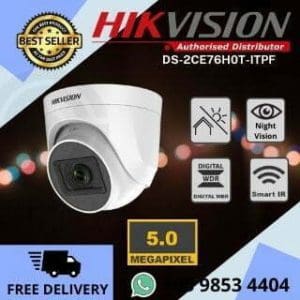
Hikvision Camera 5MP 3K DS-2CE76H0T-ITPF CCTV Camera DOME Night Vision Sim Lim Square CCTV Shop CCTV Camera Upgrade Repair
Save22.2%Save $20.00Only$70.00 Original price was: $90.00.$70.00Current price is: $70.00.
Reviews
There are no reviews yet.