

A NEW VERSION UPGRADE PACKAGE IS DETECTED UPGRADE NOW Firmware Upgrade Advisory for Security Systems Maintenance services
in stock
$8.00
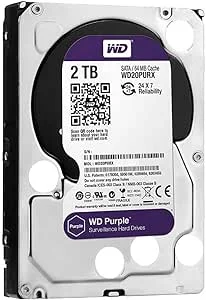
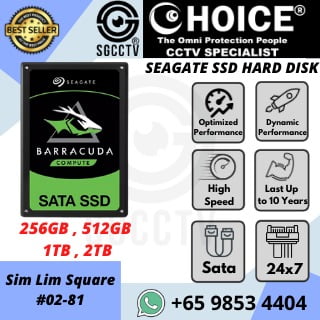
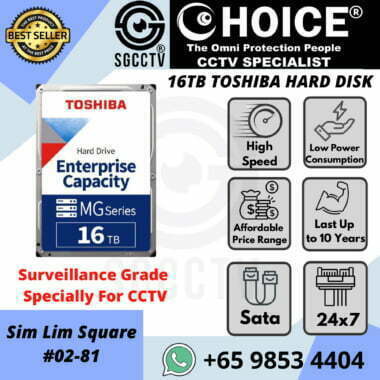
SEAGGATE WESTERN DIGITAL Surveillance Grade Hard disk Promotion.
Widely deployed in Shopping Malls, Residential, Commercial, Office, Warehouse.
Compatible with ALL DVR & NVR ONVIF protocols.
Great Technical Support at Sim Lim Square 02-81 11am~7pm Daily +65 98534404
in stock
A NEW VERSION UPGRADE PACKAGE IS DETECTED UPGRADE NOW Firmware Upgrade Advisory for Security Systems Maintenance services
Firmware Upgrade Advisory for Security Systems
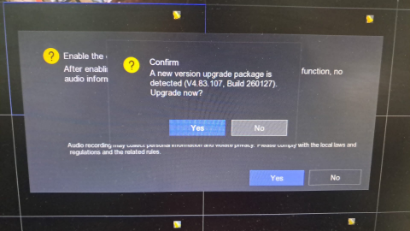
“A new version upgrade package is detected. Upgrade now?”
Before clicking “Upgrade”, consider whether the system is currently operating normally.
For CCTV systems, NVRs, DVRs, Access Control Systems, Intercoms, and Network Switches, upgrading firmware always carries some risk. While firmware updates may provide new features, bug fixes, or security enhancements, there is also a possibility of compatibility issues, configuration loss, device malfunction, or system instability after the upgrade.
If your security system is functioning properly and there is no critical security vulnerability or required feature update, it is often advisable to wait before upgrading immediately.
Our recommendation:
✅ Wait approximately 2–3 months after a new firmware release.
✅ Allow other users and system integrators to test the firmware in real-world deployments.
✅ Monitor manufacturer announcements, forums, and technical bulletins for any reported issues.
✅ Verify that the firmware is specifically designed for your exact model and hardware version.
During the first few months after release, manufacturers may discover bugs, compatibility issues, or unexpected system behavior. If problems are identified, firmware may be revised, corrected, or withdrawn by the manufacturer.
Please note that if a firmware upgrade fails or causes system instability, recovery may require:
- On-site troubleshooting
- Device reconfiguration
- Firmware recovery procedures
- System restoration
- Possible downtime of security services
These recovery services may incur additional charges.
Rule of Thumb:
“If the system is stable, secure, and meeting operational requirements, do not rush to upgrade. Upgrade only when there is a clear business, security, or operational benefit.”
For professional firmware upgrade assessment, backup, recovery, and security system maintenance services:
Website: https://sgcctv.com.sg
Email: enquiry@choicecycle.com.sg
WhatsApp: +65 98534404
A NEW VERSION UPGRADE PACKAGE IS DETECTED. UPGRADE NOW Firmware Upgrade Advisory for Security Systems Maintenance services
20 Common Firmware Upgrade FAQ for CCTV, NVR, DVR & Access Control Systems
Firmware Upgrade Frequently Asked Questions (FAQ)
1. What is firmware?
Firmware is the internal software that controls how a device operates, including CCTV cameras, NVRs, DVRs, access control systems, network switches, and intercom systems.
2. Should I upgrade firmware immediately when a new version is released?
Not necessarily. If the system is operating normally, it is often advisable to wait until the firmware has been tested by other users and system integrators.
3. What are the benefits of firmware upgrades?
Firmware updates may provide security patches, bug fixes, performance improvements, compatibility enhancements, and new features.
4. What are the risks of firmware upgrades?
Potential risks include system instability, configuration loss, compatibility issues, failed upgrades, device malfunction, or temporary service interruption.
5. Can a firmware upgrade erase my recordings?
Normally, recordings are preserved. However, configuration settings or storage devices may require verification after an upgrade.
6. Can firmware upgrades cause CCTV cameras to go offline?
Yes. In some cases, camera communication protocols, IP settings, or compatibility issues may cause cameras to disconnect after an upgrade.
7. Can I downgrade firmware if problems occur?
Some manufacturers allow downgrades, while others restrict them. Downgrading may not always be possible.
8. Why does my NVR ask me to upgrade firmware?
Manufacturers periodically release updates to improve performance, security, and compatibility with newer devices.
9. How long should I wait before installing a new firmware version?
Many system integrators recommend waiting 2–3 months to observe feedback and identify any reported issues.
10. What should I do before upgrading firmware?
Always back up system configurations, export settings, document passwords, and verify device compatibility.
11. Can a power failure during firmware upgrade damage the device?
Yes. Power interruption during firmware installation may corrupt the firmware and require recovery procedures.
12. Will firmware upgrades improve camera image quality?
Sometimes. Certain updates may optimize image processing, but improvements vary depending on the device and firmware release.
13. Do firmware upgrades improve cybersecurity?
Yes. Security patches often address vulnerabilities and strengthen protection against unauthorized access.
14. Can firmware upgrades affect mobile app connectivity?
Yes. Occasionally, older mobile apps may require updates to remain compatible with newer firmware versions.
15. Should all devices be upgraded at the same time?
Not always. Large systems often follow a staged upgrade process to reduce operational risks.
16. Why did my access control system stop working after an upgrade?
Configuration changes, database compatibility issues, or firmware bugs may affect system operation after upgrading.
17. Is firmware upgrade covered under warranty?
Firmware installation is usually supported by manufacturers, but recovery work due to failed upgrades may not always be covered.
18. Can old devices support the latest firmware?
Not necessarily. Some older hardware platforms may not support newer firmware releases.
19. When is firmware upgrade strongly recommended?
When addressing critical cybersecurity vulnerabilities, manufacturer advisories, major bugs, or compatibility requirements.
20. What is the safest approach to firmware upgrades?
Verify compatibility, perform backups, review release notes, wait for field testing feedback, and engage a qualified technician when necessary.
Need Professional Assistance?
SGCCTV provides:
- Firmware Upgrade Assessment
- CCTV Maintenance Services
- Hikvision & Dahua Support
- NVR & DVR Troubleshooting
- Access Control System Maintenance
- Network Switch Configuration
- Security System Recovery Services
Website: https://sgcctv.com.sg
Email: enquiry@choicecycle.com.sg
WhatsApp: +65 98534404
A NEW VERSION UPGRADE PACKAGE IS DETECTED. UPGRADE NOW Firmware Upgrade Advisory for Security Systems Maintenance services
1. Collection from SGCCTV Choicecycle Sim Lim Square CCTV SPECIALIST #02-81 11am~8pm. Whatsapp 98534404 for stock level before visit. 2. Payment by PayNow 201207820G
UNV CCTV Camera Packages :
CCTV Camera Package 4MP-4CAM Uniview UNVP4 || CCTV Camera Package 4MP-6CAM Uniview UNVP6 ||
CCTV Camera Package 4MP-8CAM Uniview UNVP8 || CCTV Camera Package 4MP-12CAM Uniview UNVP12 ||
CCTV Camera Package 4MP-16CAM Uniview UNVP16 ||
UNV Camera and PTZ :
UNV IP CAMERA DOME IPC322LB-ADF28K-H || UNV IP CAMERA DOME IPC3535LB-ADZK-H Uniview ||
UNV IP CAMERA PTZ IPC6424SR-X25-VF ||
UNV IP CAMERA WIFI BULLET IPC2122LB-AF28 UNIVIEW ||
UNV NVR :
UNV POE NETWORK NVR NVR301-04S3-P4 ||
UNV POE NETWORK NVR NVR516-E-R Uniview ||
UNV UNIVIEW NVR SETUP VIDEO GUIDE UNIARCH : CCTV NVR UNIARCH NVR-108E-P8 NVR-104E-P4 UNIVIEW ||
 When a CCTV DVR overwrites data, the old footage is typically lost and cannot be recovered unless it was backed up to an external storage device or cloud service before being overwritten.
 When a CCTV DVR overwrites data, the old footage is typically lost and cannot be recovered unless it was backed up to an external storage device or cloud service before being overwritten.
A NEW VERSION UPGRADE PACKAGE IS DETECTED UPGRADE NOW Firmware Upgrade Advisory for Security Systems Maintenance services


Nunc lacus elit, faucibus ac laoreet sed, dapibus ac mi. Maecenas eu ante a elit tempus fermentum. Aliquam commodo tincidunt semper. Phasellus accumsan, justo ac mollis pharetra, ex dui pharetra nisl, a scelerisque ipsum nulla ac sem. Cras eu risus urna. Duis lorem sapien, congue eget nisl sit amet, rutrum faucibus elit.
Donec accumsan auctor iaculis. Sed suscipit arcu ligula, at egestas magna molestie a. Proin ac ex maximus, ultrices justo eget, sodales orci. Aliquam egestas libero ac turpis pharetra, in vehicula lacus scelerisque. Vestibulum ut sem laoreet, feugiat tellus at, hendrerit arcu.
Nunc lacus elit, faucibus ac laoreet sed, dapibus ac mi. Maecenas eu ante a elit tempus fermentum. Aliquam commodo tincidunt semper. Phasellus accumsan, justo ac mollis pharetra, ex dui pharetra nisl, a scelerisque ipsum nulla ac sem. Cras eu risus urna. Duis lorem sapien, congue eget nisl sit amet, rutrum faucibus elit.
Related Products
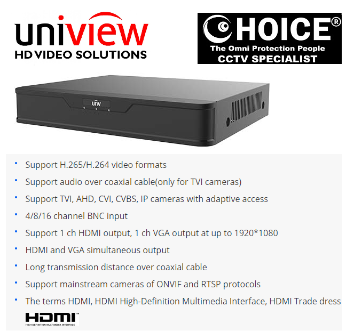
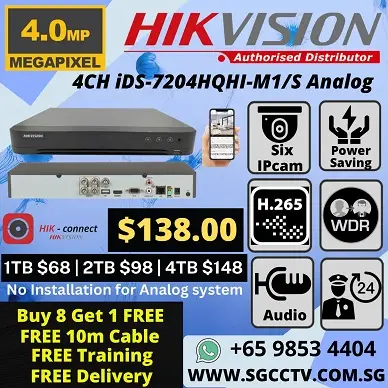
CCTV DVR Hikvision DS-7204HQHI-K1S 8ch 1080p 1U H.265 DVR with VGA HDMI Network Port RJ45 Mobile APP CCTV Camera Repair Replace Upgrade Door Access Control
Save50.7%Save $142.00Only$138.00 Original price was: $280.00.$138.00Current price is: $138.00.


Reviews
There are no reviews yet.