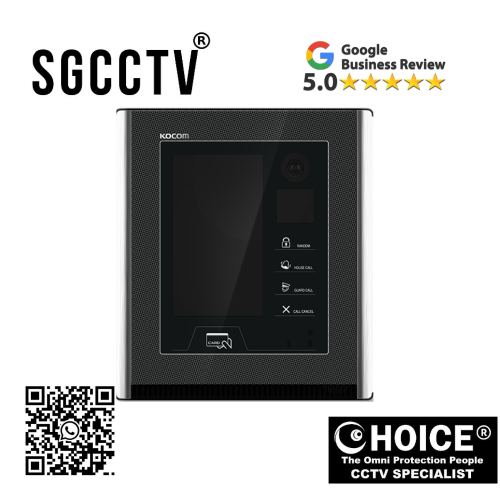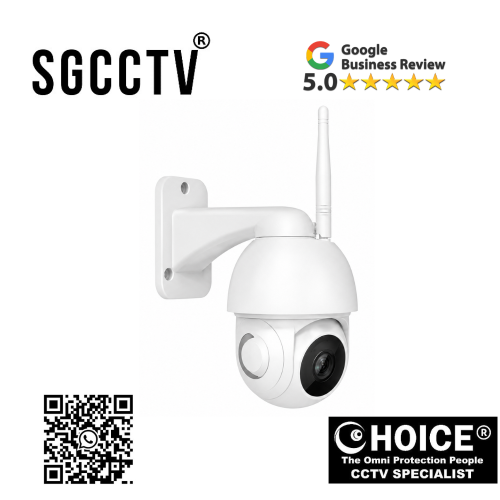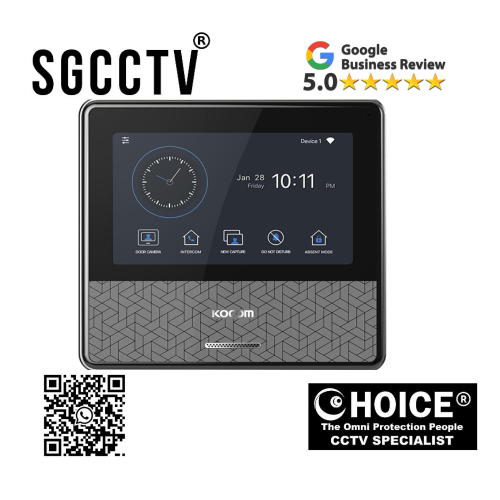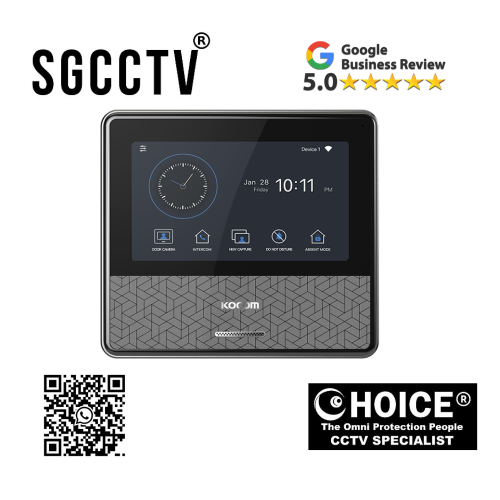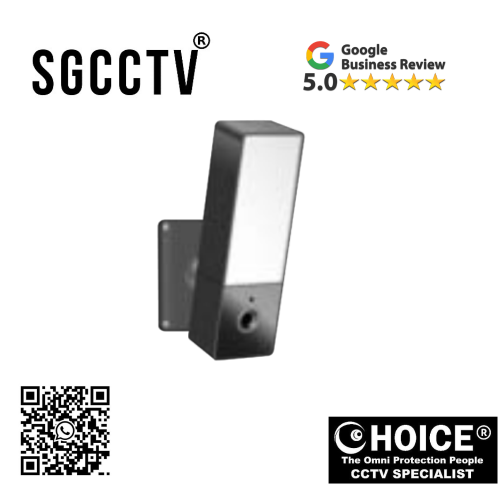
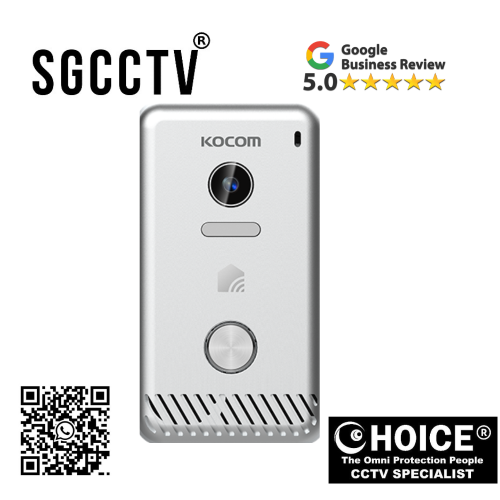


KOCOM WiFi Outdoor Waterproof (with LED) KC-D5 Support two-way intercom Support switch on/off light real-time switch/timer switch NEW DB
$360.00
Supply and Maintenance HIKVISION CCTV IP Cameras, NVR, Turbo HD TVI Cameras, DVR, PTZ Cameras,
Access Control System, Video Intercom.
Sim Lim Square 02-81 10am-7pm Daily.
Whatsapp Enquiry Project +65 98534404, Technical Support +65 81120788, Site Visit Maintenance +65 81985572.
KOCOM WiFi Outdoor Waterproof (with LED) KC-D5 Support two-way intercom Support switch on/off light real-time switch/timer switch NEW
Introduction: KOCOM KC-D5 – Smarter Outdoor Security with Lighting, Communication & Waterproof Protection
In today’s connected world, outdoor security is no longer limited to basic CCTV recording. Modern homeowners, business owners, landlords, and property managers need intelligent systems that not only monitor but also communicate, illuminate, and actively protect. The KOCOM WiFi Outdoor Waterproof Camera KC-D5 (with LED) is designed to meet those demands by combining advanced outdoor surveillance with smart LED lighting control, two-way intercom communication, waterproof durability, and real-time smart switching functions.
The KOCOM KC-D5 is more than a security camera—it is an integrated smart outdoor protection system that offers:
WiFi connectivity
Waterproof outdoor durability
Built-in LED light
Real-time light switch on/off
Timer switch scheduling
Two-way intercom
Remote monitoring
This combination makes it ideal for homes, landed properties, offices, warehouses, gates, driveways, retail stores, and outdoor entry points.
Unlike conventional outdoor cameras that simply record footage, the KC-D5 adds interactive communication and smart lighting control, allowing users to not only monitor but also speak to visitors, deter suspicious individuals, and manage outdoor illumination remotely.
For users seeking modern smart security with convenience, visibility, and proactive protection, the KC-D5 stands out as a highly practical outdoor solution.
KOCOM WiFi Outdoor Waterproof (with LED) KC-D5 Support two-way intercom Support switch on/off light real-time switch/timer switch NEW
Key Highlights of KOCOM KC-D5 WiFi Outdoor Waterproof Camera
1. Outdoor Waterproof Protection
Designed for outdoor conditions, the KC-D5 is built to handle environmental challenges such as:
Rain
Humidity
Heat
Dust
Daily weather exposure
This makes it suitable for:
- Main gates
- Driveways
- Backyard entrances
- Outdoor corridors
- Shopfronts
2. Built-In LED Security Lighting
The KC-D5 includes integrated LED illumination, adding a powerful extra layer of security.
Benefits:
Enhanced night visibility
Visitor identification
Intruder deterrence
Smart convenience
Reduced need for separate lighting fixtures
Unlike basic outdoor cameras, this dual-purpose design provides both surveillance and active environmental lighting.
3. Real-Time Switch On/Off Control
Users can control lighting instantly through connected smart systems.
Advantages:
Turn on lights remotely
Turn off lights when not needed
Save electricity
Improve home automation
Increase convenience
KOCOM WiFi Outdoor Waterproof (with LED) KC-D5 Support two-way intercom Support switch on/off light real-time switch/timer switch NEW
4. Timer Switch Function
Scheduling light operation improves automation and security.
Examples:
- Turn on lights at sunset
- Turn off at sunrise
- Scheduled nighttime illumination
- Vacation security automation
This function helps make your property appear occupied even when you are away.
5. Two-Way Intercom Communication
One of the most valuable features of the KC-D5 is built-in intercom capability.
Practical Uses:
Speak to delivery drivers
Greet guests remotely
Warn suspicious visitors
Communicate with family outside
Manage gate entry
This transforms the KC-D5 from passive monitoring into an active security solution.
Why KOCOM KC-D5 Is More Than a Standard Outdoor Camera
Traditional outdoor CCTV systems often provide:
Recording only
Limited remote communication
Separate lighting systems
More installation complexity
The KC-D5 integrates:
Surveillance
Lighting
Voice communication
Smart control
Weather resistance
This all-in-one design can reduce equipment costs while improving security efficiency.
KOCOM WiFi Outdoor Waterproof (with LED) KC-D5 Support two-way intercom Support switch on/off light real-time switch/timer switch NEW
Best Use Cases for KOCOM KC-D5
Residential Homes
Main gates
Porch
Car porch
Side entrances
Garden pathways
Small Businesses
Shopfronts
Rear loading zones
Staff entrances
Outdoor cash handling points
Offices & Commercial Spaces
Visitor checkpoints
Parking lots
Outdoor corridors
Smart Security for Families
Child Safety
Monitor children outdoors.
Elderly Safety
Watch outdoor movement.
Delivery Management
Communicate with drivers even when away.
KOCOM WiFi Outdoor Waterproof (with LED) KC-D5 Support two-way intercom Support switch on/off light real-time switch/timer switch NEW
LED Security Lighting as a Crime Deterrent
Outdoor intrusions often occur in dark zones.
LED Benefits:
Illuminates movement
Startles trespassers
Improves image clarity
Supports evidence capture
The combination of light + camera + communication creates stronger deterrence than surveillance alone.
Design & Build Quality
KOCOM is known for practical smart home and intercom innovation.
KC-D5 Construction Priorities:
Weather-sealed body
Durable outer shell
Waterproof design
Heat-resistant materials
Secure mounting
How the KC-D5 Is Built
Main Components:
Waterproof housing
HD camera sensor
LED light array
WiFi module
Speaker
Microphone
Smart relay switch system
Control firmware
KOCOM WiFi Outdoor Waterproof (with LED) KC-D5 Support two-way intercom Support switch on/off light real-time switch/timer switch NEW
Manufacturing Process Overview:
Stage 1: Product planning
Stage 2: Outdoor enclosure engineering
Stage 3: Camera lens integration
Stage 4: Waterproof sealing
Stage 5: LED lighting system installation
Stage 6: Audio system integration
Stage 7: WiFi software programming
Stage 8: Quality assurance testing
Installation Guide for KOCOM KC-D5
Step 1: Select Proper Mounting Position
Recommended:
- Front gate
- Main entrance
- Car porch
- Outdoor wall
- Side access
Step 2: Secure Stable Power Source
Ensure proper weather-protected power connection.
Step 3: Connect to WiFi
Use stable 2.4GHz connectivity where applicable.
Step 4: Configure App Settings
Light timer
Motion alerts
Two-way intercom
Notification preferences
KOCOM WiFi Outdoor Waterproof (with LED) KC-D5 Support two-way intercom Support switch on/off light real-time switch/timer switch NEW
Common Installation Mistakes to Avoid
Poor WiFi range
Incorrect waterproof cable sealing
Wrong light timer settings
Overexposure from direct sunlight
Poor angle placement
Common Problems & Solutions
Problem 1: LED Not Turning On
Fix:
- Check app settings
- Verify timer
- Confirm power source
Problem 2: Camera Offline
Fix:
- Restart router
- Improve WiFi signal
- Reset device
Problem 3: Audio Not Working
Fix:
- Check microphone permissions
- Update firmware
- Inspect speaker output
Problem 4: Water Condensation
Fix:
- Check seal integrity
- Verify waterproof installation
- Avoid improper mounting angles
KOCOM WiFi Outdoor Waterproof (with LED) KC-D5 Support two-way intercom Support switch on/off light real-time switch/timer switch NEW
KC-D5 vs Standard Outdoor Camera
| Feature | KC-D5 | Basic Outdoor Camera |
|---|---|---|
| Waterproof | Yes | Varies |
| LED Light | Yes | Usually No |
| Two-Way Intercom | Yes | Sometimes |
| Timer Switch | Yes | Rare |
| Remote Light Control | Yes | Rare |
Why Smart Lighting Matters for Security
Lighting can:
Improve visibility
Deter crime
Support family safety
Enhance outdoor navigation
Save energy with automation
Who Should Buy KOCOM KC-D5?
Ideal Buyers:
Homeowners
Shop owners
Property managers
Small office operators
Families
Warehouse operators
Long-Term Benefits
Better than standalone systems because:
Camera + Light + Communication + Smart Control
KOCOM WiFi Outdoor Waterproof (with LED) KC-D5 Support two-way intercom Support switch on/off light real-time switch/timer switch NEW
Maintenance Tips
Clean lens monthly
Inspect waterproof seals
Update firmware
Test LED regularly
Check WiFi strength
Protect power source
Expected Lifespan
With proper installation:
Estimated lifespan: 3–7 years
Depends on:
Weather exposure
Power quality
LED usage
Firmware support
Maintenance
SEO Keywords for KOCOM KC-D5
- KOCOM KC-D5 WiFi Outdoor Camera
- KOCOM Waterproof LED Security Camera
- KOCOM Outdoor Smart Camera
- KC-D5 Two-Way Intercom Camera
- KOCOM Smart Outdoor Security
- KOCOM LED Camera Singapore
Final Verdict: Is KOCOM KC-D5 Worth Buying?
Yes — especially for users who want outdoor surveillance combined with lighting and smart communication.
Its strongest advantages include:
Outdoor waterproof reliability
Built-in LED security
Real-time switch control
Timer automation
Two-way intercom
For homeowners and businesses seeking an all-in-one outdoor smart security system, the KC-D5 offers excellent functionality and convenience.
KOCOM WiFi Outdoor Waterproof (with LED) KC-D5 Support two-way intercom Support switch on/off light real-time switch/timer switch NEW
Why Buy From Choicecycle (SGCCTV Singapore)?
Buying from a trusted Singapore supplier can improve:
Product support
Local guidance
Installation assistance
Warranty support
Security consultation
How to Set Up KOCOM WiFi Outdoor Waterproof Camera KC-D5 (with LED) | Complete Installation, WiFi Configuration, LED Switch Setup & Two-Way Intercom Guide
Introduction: Setting Up the KOCOM KC-D5 for Maximum Outdoor Security
The KOCOM WiFi Outdoor Waterproof Camera KC-D5 (with LED) is more than a standard outdoor camera—it combines:
Outdoor waterproof surveillance
Smart WiFi monitoring
Two-way intercom
Built-in LED light
Real-time light switch
Timer automation
To get the best performance, proper setup is essential. Correct installation affects:
WiFi stability
Waterproof safety
Motion detection reliability
LED lighting control
Audio clarity
Long-term lifespan
This guide walks you step-by-step through the full setup process for homeowners, offices, shops, and installers.
KOCOM WiFi Outdoor Waterproof (with LED) KC-D5 Support two-way intercom Support switch on/off light real-time switch/timer switch NEW
Before You Start: What’s Usually Included
Typical Box Contents:
KC-D5 Outdoor Camera Unit
Mounting bracket
Power adapter / power connection cable
Waterproof cable seals or connectors
Screws & wall plugs
User manual
QR code / setup guide
Tools You May Need:
Drill
Screwdriver
Ladder
Waterproof electrical tape
Stable WiFi network
Smartphone
Step 1: Choose the Best Installation Location
Ideal Placement Areas:
Main gate
Front door
Driveway
Car porch
Backyard
Side entrance
Shopfront
KOCOM WiFi Outdoor Waterproof (with LED) KC-D5 Support two-way intercom Support switch on/off light real-time switch/timer switch NEW
Important Placement Tips:
Install at:
2.5–3.5 meters height (recommended)
This helps:
Better viewing angle
Reduced tampering risk
Improved LED spread
Clearer facial capture
Avoid Installing:
Behind thick metal
Directly facing harsh sun
Weak WiFi dead zones
Areas with standing water
Step 2: Check WiFi Signal Strength Before Mounting
Because KC-D5 uses WiFi, signal quality matters.
Test:
Stand at the intended location with your phone.
You want:
Stable 2.4GHz WiFi signal
Why 2.4GHz?
Many smart cameras work better on:
Longer range
Better wall penetration
If Signal Is Weak:
Move router closer
Use WiFi extender
Mesh network
Outdoor access point
KOCOM WiFi Outdoor Waterproof (with LED) KC-D5 Support two-way intercom Support switch on/off light real-time switch/timer switch NEW
Step 3: Mount the Camera Physically
Installation Process:
1. Mark screw holes
Use bracket template.
2. Drill holes
Use wall-appropriate drill bit.
3. Insert wall plugs
For concrete or brick.
4. Secure bracket
Tighten firmly.
5. Attach KC-D5
Lock camera securely.
Important:
Ensure tilt angle covers:
- Visitor face
- Gate access
- Delivery area
- Driveway
Step 4: Waterproof Power & Cable Protection
Because this is an outdoor device, waterproofing is critical.
Key Safety Rules:
Protect:
Power adapter
Junction points
Cable connectors
KOCOM WiFi Outdoor Waterproof (with LED) KC-D5 Support two-way intercom Support switch on/off light real-time switch/timer switch NEW
Recommended:
Waterproof junction box
Silicone sealing
Weatherproof tape
Avoid:
Exposed plugs in rain
Loose cable joints
Open connectors
Step 5: Power On the KC-D5
Once powered:
LED indicator may flash
Startup tone may sound
Camera enters pairing mode
If No Power:
Check:
- Adapter voltage
- Outlet
- Cable seal
- Fuse
Step 6: Download the KOCOM App
On Your Smartphone:
Android: Google Play
iPhone: App Store
Search for:
Official KOCOM smart home / camera app
KOCOM WiFi Outdoor Waterproof (with LED) KC-D5 Support two-way intercom Support switch on/off light real-time switch/timer switch NEW
App Setup:
Register account
Verify email/phone
Enable notifications
Step 7: Pair Camera to WiFi
Common Pairing Methods:
QR code scan
Device hotspot
Manual WiFi entry
Standard Method:
1. Select “Add Device”
2. Choose Outdoor Camera
3. Enter WiFi password
4. Scan QR code
5. Wait for connection
Common WiFi Issues:
Problem:
Camera not connecting
Fix:
- Use 2.4GHz
- Correct password
- Reset camera
- Move closer to router
KOCOM WiFi Outdoor Waterproof (with LED) KC-D5 Support two-way intercom Support switch on/off light real-time switch/timer switch NEW
Step 8: Configure LED Light Functions
One of KC-D5’s best features is smart light control.
Main LED Modes:
Manual ON/OFF
Motion-triggered light
Timer switch
Scheduled activation
Setup Example:
Sunset to Sunrise Security:
Light ON: 7 PM
Light OFF: 6 AM
Benefits:
Security
Convenience
Energy savings
Step 9: Set Up Two-Way Intercom
In App:
Enable microphone
Enable speaker
Test communication
Best Practices:
Speak clearly
Reduce background noise
Test with visitor outside
KOCOM WiFi Outdoor Waterproof (with LED) KC-D5 Support two-way intercom Support switch on/off light real-time switch/timer switch NEW
Common Audio Problems:
Echo:
Lower speaker volume
Delay:
Improve WiFi speed
Step 10: Motion Detection Configuration
Recommended Settings:
Human detection ON
Sensitivity Medium
Push alerts ON
Too Many False Alerts?
Reduce:
- Sensitivity
- Street-facing angle
- Tree movement exposure
Step 11: Recording & Storage Setup
Depending on model support:
SD card
Cloud storage
Event snapshots
If Using SD Card:
Format inside app
Use recommended class speed
Install securely
KOCOM WiFi Outdoor Waterproof (with LED) KC-D5 Support two-way intercom Support switch on/off light real-time switch/timer switch NEW
Step 12: Night Vision & LED Testing
Test at Night:
LED brightness
Facial clarity
Motion response
App notifications
Ideal Test:
Walk to your gate after dark.
Maintenance Checklist After Setup
Monthly:
Clean lens
Check waterproof seals
Test LED
Test microphone
Review app updates
Common Problems & Troubleshooting
Problem 1: Camera Offline
Fix:
- Reboot router
- Check power
- Reset device
Problem 2: LED Not Switching
Fix:
- Check timer settings
- App permissions
- Firmware update
Problem 3: Poor Audio
Fix:
- Reduce wind exposure
- Adjust speaker
- Update software
Problem 4: Water Fogging
Fix:
- Improve sealing
- Check gasket
- Use proper junction box
Professional Installer vs DIY
DIY:
Good for:
- Basic wall mount
- Strong WiFi zones
- Safe power source
Professional Installation:
Better for:
- Complex outdoor power
- Multi-device systems
- Waterproof reliability
- Gate integration
KOCOM WiFi Outdoor Waterproof (with LED) KC-D5 Support two-way intercom Support switch on/off light real-time switch/timer switch NEW
Security Best Practices
Change default password
Enable firmware updates
Use strong WiFi password
Secure mounting screws
Test alerts regularly
Final Setup Goal
When properly installed, your KC-D5 should provide:
Full Outdoor Protection:
Live video
LED deterrence
Smart scheduling
Remote communication
Visitor awareness
Final Verdict
The KOCOM KC-D5 can be a powerful outdoor smart security system when installed correctly. Proper setup ensures:
Better safety
Better durability
Better performance
Better remote convenience
KOCOM WiFi Outdoor Waterproof Camera KC-D5 Warranty Guide | LED Security Camera Coverage, Warranty Terms & After-Sales Support
Introduction: Why Warranty Matters for the KOCOM KC-D5
The KOCOM KC-D5 WiFi Outdoor Waterproof Camera with LED, two-way intercom, real-time light switch, and timer control is designed as an advanced outdoor smart security product. Because it combines:
Outdoor waterproof housing
Camera system
LED lighting
WiFi communication
Audio intercom
Smart switching electronics
understanding warranty coverage is especially important. Outdoor devices face more environmental stress than indoor cameras, so warranty protection helps buyers safeguard their investment.
KOCOM’s official global site emphasizes smart home and security product support through regional distributors and authorized sellers, but warranty terms may vary by country, distributor, and reseller channel.
Typical KOCOM Warranty Expectation
For many KOCOM product categories sold through authorized distributors, 2-year manufacturer warranty coverage is commonly referenced by regional dealers for KOCOM systems, though exact KC-D5 coverage should always be confirmed with the specific seller. A KOCOM distributor listing for KOCOM intercom products explicitly states a 2-year Manufacturer Warranty (with labor exclusions depending on installer).
Realistic Buyer Expectation:
Commonly Expected:
1–2 Year Limited Warranty
(depending on reseller / region / installer)
What Warranty Usually Covers
Hardware Manufacturing Defects:
May include:
- Camera sensor failure
- LED light malfunction
- WiFi hardware defects
- Internal PCB failure
- Speaker or microphone defects
- Smart switch relay failure
- Factory-sealed waterproof body defects
LED System Coverage
Because the KC-D5 includes smart LED lighting:
Usually Covered If:
- LED fails under normal use
- Switch relay malfunctions
- Factory timer function defect
Two-Way Intercom Coverage
May Cover:
- Built-in microphone failure
- Speaker malfunction
- Internal audio board issues
Waterproof Housing Coverage
Important:
Waterproof warranty often covers factory seal or manufacturing defects—not improper installation.
KOCOM WiFi Outdoor Waterproof (with LED) KC-D5 Support two-way intercom Support switch on/off light real-time switch/timer switch NEW
What Warranty Usually Does NOT Cover
Common Exclusions:
Physical damage
Improper installation
Water ingress due to bad sealing
Lightning or power surge damage
Wrong adapter use
DIY wiring mistakes
External cable corrosion
Vandalism
Outdoor-Specific Risks That May Void Warranty
1. Poor Waterproofing Installation
If cable joints are not sealed correctly.
2. Exposed Power Adapter
Outdoor plug exposure may cause damage.
3. Electrical Overload
Using unstable power sources.
4. Unauthorized Repair
Opening sealed housing can void coverage.
Labor vs Product Warranty
Some distributors distinguish between:
Product warranty
Installation labor warranty
For example:
Product hardware may be covered,
but labor, freight, or third-party installation may not be.
Best Questions to Ask Before Buying KC-D5
Ask Seller:
Is this official KOCOM stock?
Is warranty 1 year or 2 years?
Does waterproof failure count?
Is LED included in warranty?
Is installer labor covered?
Is this local Singapore warranty?
Recommended Warranty Documentation
Always keep:
Receipt / invoice
Warranty card
Serial number
Installer details
App registration
How to Protect Your KC-D5 Warranty
1. Use Correct Power Supply
Always use approved adapter.
2. Install Waterproof Junction Box
Protects wiring and connectors.
3. Surge Protection
Outdoor electronics are vulnerable to voltage spikes.
4. Update Firmware
Software support may improve reliability.
5. Professional Installation
Especially important for:
Gate systems
Outdoor walls
Rain-exposed zones
KOCOM WiFi Outdoor Waterproof (with LED) KC-D5 Support two-way intercom Support switch on/off light real-time switch/timer switch NEW
Expected Product Lifespan Beyond Warranty
Even with 1–2 year warranty, properly installed outdoor smart cameras may last:
Estimated Lifespan:
3–7 years
Depends on:
Weather exposure
Waterproof quality
LED usage
Electrical stability
Maintenance
Common Warranty Claim Scenarios
Scenario 1: LED Stops Working
May Be Covered:
If factory defect.
Scenario 2: Camera Offline
Depends:
Hardware issue may qualify; WiFi/router issue may not.
Scenario 3: Water Damage
Often NOT Covered:
If caused by poor installation.
Scenario 4: Microphone Failure
Usually Covered:
If internal defect.
Why Buying Local Matters
Purchasing from a trusted local supplier can improve:
Faster claims
Local support
Easier replacement
Installation guidance
Better troubleshooting
Final Verdict: What Warranty Should You Expect?
Most realistic expectation:
1–2 year limited warranty depending on reseller and installation source.
Best Practice:
Always confirm directly with your supplier before purchase, especially for:
Waterproof conditions
LED system
Labor support
Freight claims
KOCOM WiFi Outdoor Waterproof (with LED) KC-D5 Support two-way intercom Support switch on/off light real-time switch/timer switch NEW
Contact Choicecycle (SGCCTV Singapore)
SGCCTV Choicecycle
Sim Lim Square #02-81, Singapore
WhatsApp: +65 9853 4404
Email: enquiry@choicecycle.com.sg
Website: https://sgcctv.com.sg
Operating Hours: 11 AM – 8 PM

Donec accumsan auctor iaculis. Sed suscipit arcu ligula, at egestas magna molestie a. Proin ac ex maximus, ultrices justo eget, sodales orci. Aliquam egestas libero ac turpis pharetra, in vehicula lacus scelerisque. Vestibulum ut sem laoreet, feugiat tellus at, hendrerit arcu..


Nunc lacus elit, faucibus ac laoreet sed, dapibus ac mi. Maecenas eu ante a elit tempus fermentum. Aliquam commodo tincidunt semper. Phasellus accumsan, justo ac mollis pharetra, ex dui pharetra nisl, a scelerisque ipsum nulla ac sem. Cras eu risus urna. Duis lorem sapien, congue eget nisl sit amet, rutrum faucibus elit.
Donec accumsan auctor iaculis. Sed suscipit arcu ligula, at egestas magna molestie a. Proin ac ex maximus, ultrices justo eget, sodales orci. Aliquam egestas libero ac turpis pharetra, in vehicula lacus scelerisque. Vestibulum ut sem laoreet, feugiat tellus at, hendrerit arcu.
Nunc lacus elit, faucibus ac laoreet sed, dapibus ac mi. Maecenas eu ante a elit tempus fermentum. Aliquam commodo tincidunt semper. Phasellus accumsan, justo ac mollis pharetra, ex dui pharetra nisl, a scelerisque ipsum nulla ac sem. Cras eu risus urna. Duis lorem sapien, congue eget nisl sit amet, rutrum faucibus elit.