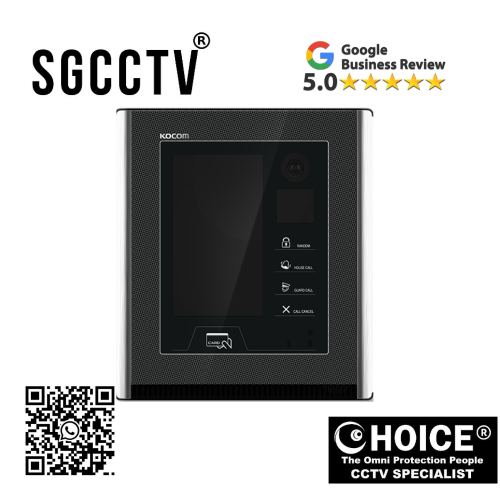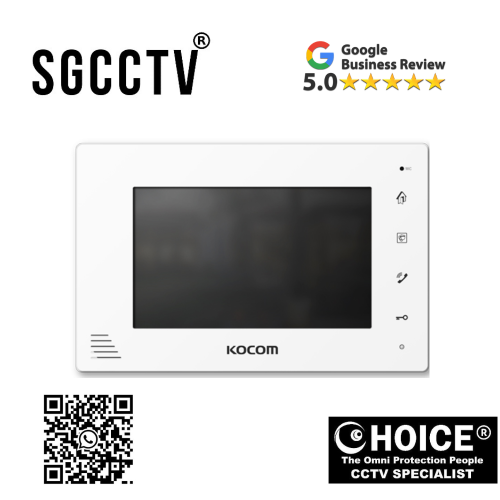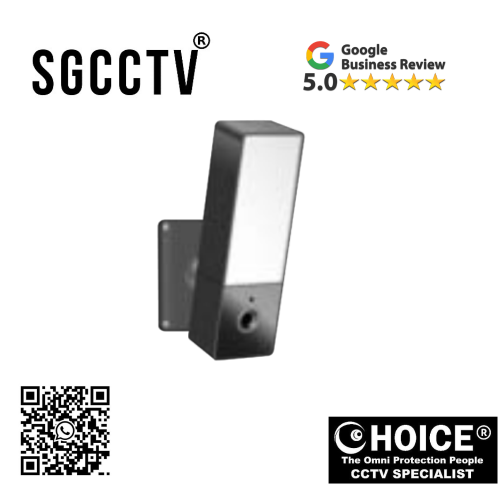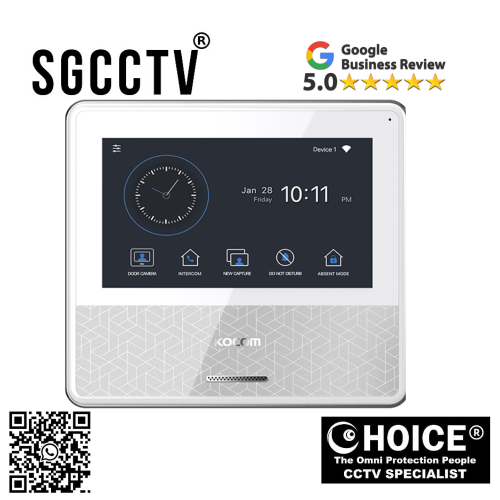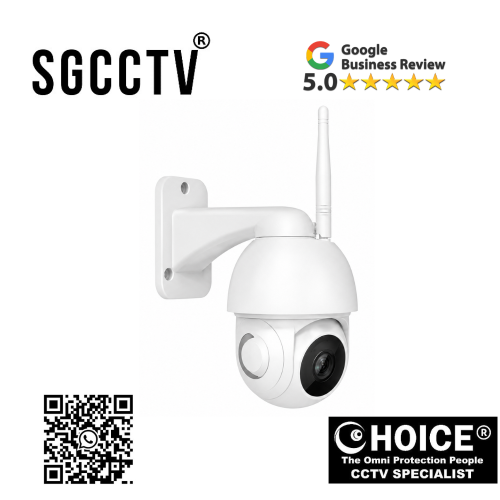
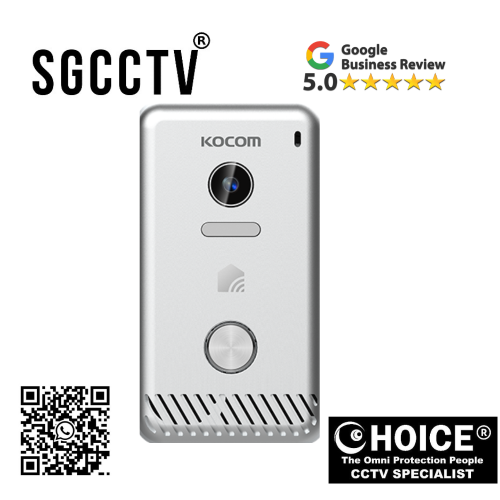
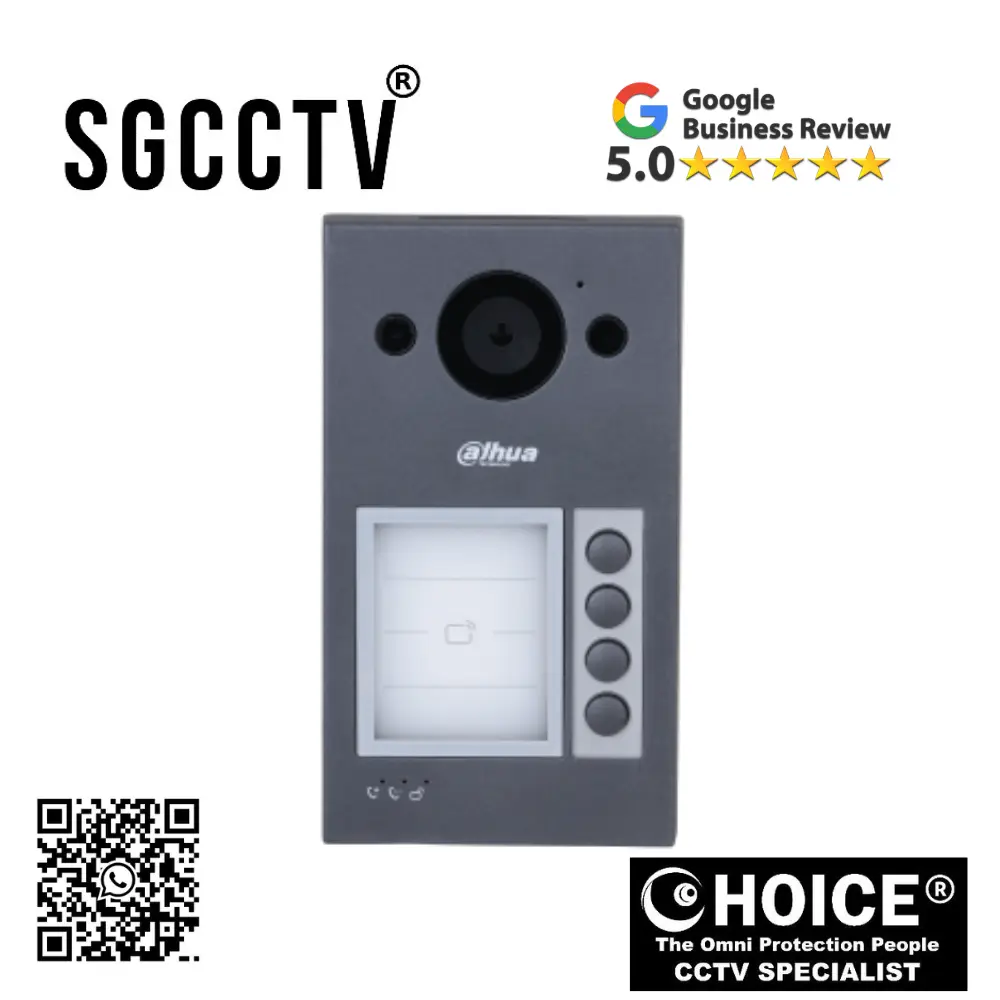


KOCOM WiFi Outdoor Waterproof PTZ KC-G1 PTZ Control 360 Two-Way audio Motion Detection Alarm Push Night Vision Support Max 128GB SD NEW DB
$360.00
Supply and Maintenance HIKVISION CCTV IP Cameras, NVR, Turbo HD TVI Cameras, DVR, PTZ Cameras,
Access Control System, Video Intercom.
Sim Lim Square 02-81 10am-7pm Daily.
Whatsapp Enquiry Project +65 98534404, Technical Support +65 81120788, Site Visit Maintenance +65 81985572.
KOCOM WiFi Outdoor Waterproof PTZ KC-G1 PTZ Control 360 Two-Way audio Motion Detection Alarm Push Night Vision Support Max 128GB SD NEW
Introduction: KOCOM KC-G1 – Advanced Outdoor Smart Security for Modern Homes & Businesses
In today’s world, outdoor security is no longer just about installing a camera and hoping it records enough footage when something happens. Property owners now demand smarter protection—security systems that can actively monitor, rotate, communicate, detect movement, alert users instantly, and provide reliable night surveillance regardless of weather conditions. The KOCOM WiFi Outdoor Waterproof PTZ KC-G1 is built to answer those demands.
The KOCOM KC-G1 is a next-generation outdoor WiFi PTZ security camera designed for users who want 360° PTZ control, two-way audio communication, motion detection, alarm push notifications, night vision, and local storage support up to 128GB SD card—all inside a waterproof outdoor-ready design.
Unlike traditional fixed-angle cameras that leave blind spots or require multiple devices to cover large outdoor spaces, the KC-G1 provides flexible panoramic security through motorized PTZ technology. This means users can remotely rotate the camera, monitor wider areas, and actively respond to suspicious events in real time.
For homeowners, small businesses, warehouses, driveways, shopfronts, farms, parking zones, and gate entrances, the KC-G1 offers practical smart surveillance with affordability, flexibility, and modern convenience.
Key Highlights of KOCOM KC-G1 WiFi Outdoor Waterproof PTZ Camera
1. 360° PTZ Control for Wide Outdoor Coverage
One of the KC-G1’s most powerful features is its PTZ (Pan-Tilt-Zoom) capability.
Benefits:
Wider viewing angle
Reduced blind spots
Remote directional control
Better perimeter monitoring
One camera covering larger spaces
This makes it especially useful for:
- Driveways
- Main gates
- Car parks
- Gardens
- Outdoor corridors
- Loading bays
KOCOM WiFi Outdoor Waterproof PTZ KC-G1 PTZ Control 360 Two-Way audio Motion Detection Alarm Push Night Vision Support Max 128GB SD NEW
2. Waterproof Outdoor Durability
Outdoor security devices must survive environmental exposure.
KC-G1 Designed For:
Rain
Humidity
Dust
Heat
Daily outdoor use
This weather-resistant design makes it suitable for year-round security.
3. Two-Way Audio Communication
Modern security is not just about seeing—it is also about interacting.
Two-Way Audio Allows:
Speaking to delivery personnel
Greeting visitors
Warning suspicious strangers
Communicating with family outdoors
Managing gate access remotely
This transforms the KC-G1 from a passive recorder into an active security device.
4. Motion Detection with Alarm Push
The KC-G1 detects movement and sends notifications directly to your smartphone.
Advantages:
Immediate awareness
Remote response
Vacation security
Real-time alerts
Family safety
This helps users stay informed even while away from home.
5. Night Vision Security
Outdoor threats do not stop after sunset.
KC-G1 Night Vision Benefits:
Monitor dark zones
Capture nighttime movement
Improve perimeter safety
Support 24/7 surveillance
Night vision is essential for:
Homes
Shops
Warehouses
Parking areas
KOCOM WiFi Outdoor Waterproof PTZ KC-G1 PTZ Control 360 Two-Way audio Motion Detection Alarm Push Night Vision Support Max 128GB SD NEW
6. Local Storage Support Up to 128GB SD Card
Storage flexibility matters.
Benefits:
Local recording
Event playback
Lower cloud dependence
Cost-effective surveillance
Backup evidence
This allows users to maintain footage without immediate subscription costs.
Why Choose KOCOM KC-G1 Over Standard Outdoor Cameras?
Traditional outdoor CCTV often means:
Fixed angles
More blind spots
Limited remote communication
Separate DVR systems
Complex wiring
The KC-G1 simplifies security through:
WiFi connectivity
PTZ flexibility
SD card recording
Smart app access
Motion alerts
Who Should Buy KOCOM KC-G1?
Homeowners
Gate security
Driveway monitoring
Outdoor perimeter
KOCOM WiFi Outdoor Waterproof PTZ KC-G1 PTZ Control 360 Two-Way audio Motion Detection Alarm Push Night Vision Support Max 128GB SD NEW
Small Businesses
Shop entrances
Parking areas
Outdoor stock zones
Offices
Staff entrances
Visitor checkpoints
Farms & Larger Properties
Yard surveillance
Equipment zones
Design & Build Quality
KOCOM is known for combining smart home functionality with practical design.
KC-G1 Physical Priorities:
Outdoor waterproof housing
PTZ motor durability
Night vision system
WiFi antenna stability
Secure mount design
How the KC-G1 Is Manufactured
Creating a smart outdoor PTZ camera involves multiple advanced technologies.
Main Components:
HD image sensor
Waterproof shell
PTZ motors
IR LEDs
WiFi module
Speaker & microphone
SD card controller
Motion detection software
KOCOM WiFi Outdoor Waterproof PTZ KC-G1 PTZ Control 360 Two-Way audio Motion Detection Alarm Push Night Vision Support Max 128GB SD NEW
Production Stages:
Stage 1: Product design
Stage 2: Housing engineering
Stage 3: Lens calibration
Stage 4: PTZ motor installation
Stage 5: Waterproof sealing
Stage 6: Firmware programming
Stage 7: Quality testing
Best Installation Locations
Recommended:
Main gate
Driveway
Car porch
Warehouse exterior
Shopfront
Backyard
Loading dock
Installation Height:
2.5–4 meters ideal
This helps:
Better field of view
Tamper resistance
PTZ efficiency
KOCOM WiFi Outdoor Waterproof PTZ KC-G1 PTZ Control 360 Two-Way audio Motion Detection Alarm Push Night Vision Support Max 128GB SD NEW
KC-G1 Smart App Features
Common Functions:
Live viewing
PTZ control
Motion alert setup
SD playback
Two-way talk
Night mode
Common Problems & Solutions
Problem 1: Camera Offline
Fix:
- Check WiFi
- Restart router
- Improve signal
- Reset device
Problem 2: PTZ Not Rotating
Fix:
- Firmware update
- Motor calibration
- App restart
Problem 3: SD Card Not Detected
Fix:
- Format card
- Use supported class
- Max 128GB verified
Problem 4: Poor Night Vision
Fix:
- Clean IR lens
- Avoid reflective surfaces
- Adjust mounting angle
KC-G1 vs Basic Outdoor Camera
| Feature | KC-G1 | Basic Camera |
|---|---|---|
| PTZ 360° | Yes | Usually No |
| Waterproof | Yes | Varies |
| Two-Way Audio | Yes | Limited |
| Night Vision | Yes | Yes |
| Motion Alert | Yes | Basic |
| SD Storage | Up to 128GB | Varies |
KOCOM WiFi Outdoor Waterproof PTZ KC-G1 PTZ Control 360 Two-Way audio Motion Detection Alarm Push Night Vision Support Max 128GB SD NEW
Security Advantages
KC-G1 Delivers:
Wider visibility
Active communication
Flexible control
Better night safety
Local recording
Maintenance Tips
Clean lens monthly
Check waterproof seals
Test SD card
Update firmware
Inspect mount stability
Expected Lifespan
With proper installation:
Estimated lifespan: 3–7 years
Depends on:
Weather
PTZ use
Power quality
Maintenance
KOCOM WiFi Outdoor Waterproof PTZ KC-G1 PTZ Control 360 Two-Way audio Motion Detection Alarm Push Night Vision Support Max 128GB SD NEW
Why KOCOM KC-G1 Is Valuable
Because it combines:
PTZ
Outdoor durability
Smart alerts
Local storage
Communication
into one practical outdoor security platform.
Final Verdict: Is KOCOM KC-G1 Worth Buying?
Yes — especially for users seeking affordable smart outdoor surveillance with PTZ flexibility and active security features.
Its biggest strengths include:
360° PTZ coverage
Waterproof outdoor design
Night vision
Motion alerts
Two-way audio
128GB SD support
For homes and businesses wanting broader outdoor coverage without complex enterprise CCTV costs, the KC-G1 is a practical smart security investment.
Why Buy From Choicecycle (SGCCTV Singapore)?
Buying from a trusted local supplier can help with:
Product guidance
Installation advice
Warranty support
Local troubleshooting
Smart security expertise
KOCOM WiFi Outdoor Waterproof PTZ KC-G1 PTZ Control 360 Two-Way audio Motion Detection Alarm Push Night Vision Support Max 128GB SD NEW
How to Set Up KOCOM WiFi Outdoor Waterproof PTZ KC-G1 | Full Installation, WiFi Configuration, PTZ Setup, Motion Detection, Night Vision & SD Card Guide
Introduction: Proper KC-G1 Setup for Maximum Outdoor Security Performance
The KOCOM WiFi Outdoor Waterproof PTZ KC-G1 is designed to provide:
360° PTZ control
Outdoor waterproof surveillance
Two-way audio
Motion detection
Alarm push notifications
Night vision
Up to 128GB SD card local storage
Because the KC-G1 combines smart networking, motorized movement, outdoor installation, and recording, correct setup is critical for:
Better image coverage
Reliable WiFi
Waterproof safety
Motion accuracy
Stable PTZ control
Long-term durability
This guide covers everything from physical installation to mobile app pairing and smart feature optimization.
Before You Begin: What’s Usually in the Box
Common Package Contents:
KC-G1 Outdoor PTZ Camera
Mounting bracket
Screws & wall plugs
Power adapter / power cable
Waterproof connector kit
Quick start guide
QR code pairing label
Tools You May Need:
Drill
Screwdriver
Ladder
Waterproof junction box
Electrical tape / silicone sealant
Smartphone
Stable WiFi
KOCOM WiFi Outdoor Waterproof PTZ KC-G1 PTZ Control 360 Two-Way audio Motion Detection Alarm Push Night Vision Support Max 128GB SD NEW
Step 1: Choose the Best Installation Location
Recommended Outdoor Locations:
Main gate
Driveway
Car porch
Shopfront
Warehouse entrance
Backyard
Outdoor corridor
Ideal Mounting Height:
2.5 to 4 meters
Why:
Better PTZ field of view
Reduced tampering
Better facial recognition
Improved night vision spread
Avoid Installing:
Weak WiFi zones
Under direct floodlight glare
Loose unstable walls
Poor drainage zones
Direct obstruction by trees or metal
Step 2: Test WiFi Signal Before Mounting
Because KC-G1 relies on WiFi for smart functions:
Use Your Smartphone:
Stand where the camera will be installed.
Recommended:
Strong 2.4GHz signal
KOCOM WiFi Outdoor Waterproof PTZ KC-G1 PTZ Control 360 Two-Way audio Motion Detection Alarm Push Night Vision Support Max 128GB SD NEW
Why 2.4GHz?
Longer range
Better wall penetration
More stable for outdoor smart cameras
If Signal Is Weak:
Add WiFi extender
Mesh router
Outdoor AP
Router repositioning
Step 3: Prepare SD Card (Optional but Recommended)
The KC-G1 supports:
Up to 128GB microSD
Best Practice:
Use Class 10 or better
Format card before use
Insert before final mounting
SD Benefits:
Local recording
Motion playback
Backup storage
KOCOM WiFi Outdoor Waterproof PTZ KC-G1 PTZ Control 360 Two-Way audio Motion Detection Alarm Push Night Vision Support Max 128GB SD NEW
Step 4: Physical Mounting Installation
Installation Process:
1. Mark screw positions
2. Drill mounting holes
3. Insert wall plugs
4. Secure bracket
5. Attach camera body
6. Tighten anti-drop screws
Positioning Tips:
Cover:
- Entry path
- Visitor face
- Vehicle access
- Package drop zone
Step 5: Waterproof Power Connection
Outdoor setup requires extra care.
Important:
Protect:
- Adapter
- Cable joints
- LAN/reset access points
Recommended:
Waterproof junction box
Silicone sealant
Weatherproof tape
Avoid:
Open sockets
Hanging connectors
Exposed reset cables
KOCOM WiFi Outdoor Waterproof PTZ KC-G1 PTZ Control 360 Two-Way audio Motion Detection Alarm Push Night Vision Support Max 128GB SD NEW
Step 6: Power On the KC-G1
Once powered:
Camera may rotate/self-test
LED indicator may flash
Voice prompt may activate
This usually means pairing mode is ready.
If No Power:
Check:
- Outlet
- Adapter
- Voltage
- Waterproof connector
Step 7: Download the KOCOM Smart App
On Android or iPhone:
Search for:
Official KOCOM smart home app
Setup:
Register account
Verify login
Enable:
- Notifications
- Microphone
- Camera permissions
Step 8: Add KC-G1 to the App
Typical Pairing Methods:
QR code scan
WiFi hotspot pairing
Manual setup
KOCOM WiFi Outdoor Waterproof PTZ KC-G1 PTZ Control 360 Two-Way audio Motion Detection Alarm Push Night Vision Support Max 128GB SD NEW
Standard Setup:
1. Tap “Add Device”
2. Select Outdoor PTZ Camera
3. Enter WiFi password
4. Scan QR code
5. Wait for pairing
Common Pairing Issues:
Camera Not Found:
Fix:
- Reset camera
- Use 2.4GHz only
- Move phone closer
- Check password
Step 9: Configure PTZ Controls
Once online:
Test:
- Left
- Right
- Up
- Down
PTZ Tips:
Set patrol points:
- Gate
- Driveway
- Side access
- Vehicle area
This allows faster monitoring.
Step 10: Set Up Motion Detection
Recommended:
Human detection ON (if available)
Sensitivity Medium
Alarm push ON
KOCOM WiFi Outdoor Waterproof PTZ KC-G1 PTZ Control 360 Two-Way audio Motion Detection Alarm Push Night Vision Support Max 128GB SD NEW
Too Many Alerts?
Reduce:
- Sensitivity
- Road exposure
- Tree movement
- Animal zones
Step 11: Configure Night Vision
Test at Night:
IR clarity
Vehicle detection
Face visibility
Reflection issues
Tips:
Avoid pointing directly at reflective metal gates.
Step 12: Set Up Two-Way Audio
Enable:
Microphone
Speaker
Test:
Speak from app
Confirm outdoor sound clarity
Best For:
Delivery instructions
Visitor communication
Warning intruders
KOCOM WiFi Outdoor Waterproof PTZ KC-G1 PTZ Control 360 Two-Way audio Motion Detection Alarm Push Night Vision Support Max 128GB SD NEW
Step 13: SD Card Recording Setup
In App:
Format SD card
Set recording mode:
- Continuous
- Motion only
- Scheduled
Best Option:
Motion + Event recording
Saves storage while preserving important clips.
Step 14: Firmware Update
Important:
Check for latest firmware immediately after setup.
Benefits:
Security patches
PTZ stability
Better motion detection
WiFi improvements
Step 15: Final Security Optimization
Change Default Password
Use:
Strong password + app account protection
Recommended:
Enable:
- Push alerts
- Device sharing (family only)
- Login verification
Common Problems & Solutions
Problem 1: Camera Offline
Fix:
- Reboot router
- Check adapter
- Improve WiFi
KOCOM WiFi Outdoor Waterproof PTZ KC-G1 PTZ Control 360 Two-Way audio Motion Detection Alarm Push Night Vision Support Max 128GB SD NEW
Problem 2: PTZ Not Moving
Fix:
- Restart app
- Firmware update
- Motor reset
Problem 3: SD Card Error
Fix:
- Reformat
- Replace with Class 10
- Confirm capacity under 128GB
Problem 4: Poor Night Vision
Fix:
- Clean lens
- Adjust angle
- Reduce nearby glare
DIY vs Professional Installation
DIY:
Suitable For:
- Small homes
- Basic wall mount
- Stable WiFi
Professional Installation:
Better For:
- High walls
- Gate systems
- Complex waterproofing
- Commercial sites
Maintenance Checklist
Monthly:
Clean lens
Check mount
Test PTZ
Inspect seals
Review recordings
KOCOM WiFi Outdoor Waterproof PTZ KC-G1 PTZ Control 360 Two-Way audio Motion Detection Alarm Push Night Vision Support Max 128GB SD NEW
Every 3–6 Months:
Firmware updates
SD health check
Waterproof seal inspection
Final Setup Goal
Your KC-G1 should provide:
Complete Outdoor Smart Security:
Live PTZ monitoring
Motion alerts
Night surveillance
Two-way communication
Local storage
Remote control
Final Verdict
When properly installed, the KOCOM KC-G1 can serve as a powerful all-in-one outdoor surveillance system for homes and businesses. Proper setup ensures:
Better security
Better durability
Better coverage
Better user experience
How the KOCOM WiFi Outdoor Waterproof PTZ KC-G1 Is Made | Full Manufacturing, Engineering & Design Guide for Smart 360° Outdoor Security Cameras
Introduction: The Advanced Technology Behind the KOCOM KC-G1
The KOCOM WiFi Outdoor Waterproof PTZ KC-G1 may look like a compact outdoor surveillance device, but behind its sleek weatherproof housing is a highly engineered smart security system combining:
360° PTZ mechanics
Waterproof outdoor design
WiFi communication
Night vision
Motion detection
Two-way audio
Local SD recording support
Modern outdoor PTZ cameras like the KC-G1 are far more advanced than basic CCTV cameras. They combine mechanical engineering, electronics manufacturing, optics science, wireless networking, AI software logic, environmental protection design, and smart app ecosystems into one integrated product.
To create a product like the KC-G1, manufacturers rely on:
Product designers
Mechanical engineers
Electronics specialists
PCB developers
Optics engineers
Waterproofing experts
Firmware developers
Quality control teams
This guide explains how the KC-G1 is conceptualized, engineered, assembled, tested, and prepared for real-world outdoor security.
KOCOM WiFi Outdoor Waterproof PTZ KC-G1 PTZ Control 360 Two-Way audio Motion Detection Alarm Push Night Vision Support Max 128GB SD NEW
Stage 1: Product Planning & Market Research
Before any hardware is manufactured, KOCOM begins with strategic product planning.
Market Research Focus:
Outdoor security demand
Smart home growth
Property surveillance needs
Driveway & gate protection
WiFi security trends
PTZ consumer demand
Main Product Goals:
KOCOM KC-G1 Must Deliver:
Outdoor durability
360° coverage
Easy WiFi setup
Affordable pricing
Smart motion alerts
SD card flexibility
Competitor Benchmarking
KOCOM studies competing categories such as:
Hikvision outdoor PTZ
EZVIZ outdoor smart cameras
TP-Link Tapo outdoor systems
Xiaomi PTZ cameras
This stage determines pricing, features, design priorities, and target customers.
Stage 2: Industrial Design & Physical Engineering
Once planning is complete, the physical design process begins.
Exterior Housing Materials
Common Materials:
ABS Plastic
Used for:
Lightweight structure
Heat resistance
Cost efficiency
Moldability
Polycarbonate
Used for:
Lens protection
LED covers
IR windows
Rubber Gaskets & Silicone Seals
Critical for:
Waterproofing
Dust resistance
Cable protection
Why Outdoor Design Is More Complex
Unlike indoor cameras, the KC-G1 must survive:
Rain
UV exposure
Humidity
Dust
Temperature fluctuations
This means its housing requires stronger sealing and weather-focused engineering.
KOCOM WiFi Outdoor Waterproof PTZ KC-G1 PTZ Control 360 Two-Way audio Motion Detection Alarm Push Night Vision Support Max 128GB SD NEW
Stage 3: Optical System Manufacturing
The camera’s “vision” system is one of its most important components.
Main Optical Components:
1. CMOS Image Sensor
This captures outdoor video.
Responsibilities:
Daylight clarity
Night imaging
Motion analysis
HD recording
2. Lens Assembly
The lens determines:
Viewing angle
Zoom clarity
Focus precision
Light transmission
Lens Production:
Precision shaping
Coating
Anti-reflection treatment
Dust-resistant sealing
Alignment calibration
Stage 4: PTZ Mechanical Engineering
The KC-G1’s standout feature is its motorized movement system.
PTZ Components:
Horizontal motor
Vertical motor
Gear assemblies
Position sensors
Rotation controllers
Engineering Challenges:
Smooth movement
Quiet operation
Low energy use
Weather resistance
Long-term durability
PTZ Weatherproofing
Outdoor PTZ cameras require sealed motor compartments to prevent:
Water ingress
Corrosion
Dust damage
KOCOM WiFi Outdoor Waterproof PTZ KC-G1 PTZ Control 360 Two-Way audio Motion Detection Alarm Push Night Vision Support Max 128GB SD NEW
Stage 5: PCB Manufacturing (The Camera’s Brain)
The Printed Circuit Board controls nearly every smart feature.
PCB Contains:
Main processor (SoC)
WiFi chipset
Motion detection controller
Audio processor
SD card interface
Power regulators
Night vision controls
PCB Production Process:
Step 1: Digital design
Step 2: Copper trace manufacturing
Step 3: SMT robotic chip placement
Step 4: Solder reflow
Step 5: Circuit verification
Stage 6: WiFi Communication System
WiFi is central to KC-G1’s smart functions.
WiFi Module Includes:
RF antenna
2.4GHz communication
Encryption protocols
App integration firmware
Security Protocols:
WPA/WPA2
Password authentication
QR code pairing
Cloud communication
This allows users to access live outdoor security remotely.
KOCOM WiFi Outdoor Waterproof PTZ KC-G1 PTZ Control 360 Two-Way audio Motion Detection Alarm Push Night Vision Support Max 128GB SD NEW
Stage 7: Night Vision Engineering
Outdoor security must work day and night.
Night Vision Components:
IR LEDs
Light sensors
IR cut filter
Production Process:
IR LED placement
Heat testing
Lens calibration
Darkness switching tests
Goal:
Clear visibility in low light
Reduced overexposure
Reliable nighttime detection
Stage 8: Audio System Development
Two-way communication requires:
Speaker:
Outdoor voice output
Microphone:
Outdoor sound capture
KOCOM WiFi Outdoor Waterproof PTZ KC-G1 PTZ Control 360 Two-Way audio Motion Detection Alarm Push Night Vision Support Max 128GB SD NEW
Engineering Priorities:
Wind noise reduction
Echo control
Weather resistance
Speech clarity
Stage 9: SD Card Recording Integration
The KC-G1 supports:
Up to 128GB microSD
Requires:
Storage controller
Recording firmware
Playback software
Data protection logic
Why This Matters:
Local evidence
Cost savings
Offline backup
Stage 10: Motion Detection Software
Motion detection transforms passive surveillance into active alerting.
Detection Logic:
Pixel movement analysis
Motion zones
Alert triggers
Push notifications
KOCOM WiFi Outdoor Waterproof PTZ KC-G1 PTZ Control 360 Two-Way audio Motion Detection Alarm Push Night Vision Support Max 128GB SD NEW
Advanced Systems May Include:
Human filtering
Sensitivity control
Stage 11: Mobile App Ecosystem
The camera hardware is only useful if users can control it easily.
App Features:
Live view
PTZ control
Alarm settings
Audio communication
SD playback
Firmware updates
Development Focus:
Android
iOS
User security
Ease of use
Stage 12: Assembly Line Production
After all components are ready:
Main Assembly Steps:
Housing preparation
Lens mounting
Sensor placement
PCB installation
PTZ motor integration
IR LED assembly
Audio system connection
Waterproof sealing
Final closure
KOCOM WiFi Outdoor Waterproof PTZ KC-G1 PTZ Control 360 Two-Way audio Motion Detection Alarm Push Night Vision Support Max 128GB SD NEW
Stage 13: Waterproof Testing
One of the most critical outdoor stages.
Common Tests:
Rain simulation
Seal pressure
Dust ingress
Heat cycling
Humidity endurance
Goal:
Ensure outdoor reliability.
Stage 14: Firmware Installation
Each KC-G1 receives firmware controlling:
PTZ
Motion alerts
WiFi
SD recording
Audio
Night vision
Stage 15: Quality Control
Before shipping, cameras undergo:
PTZ movement test
WiFi test
Night vision test
Audio test
Waterproof inspection
SD compatibility test
KOCOM WiFi Outdoor Waterproof PTZ KC-G1 PTZ Control 360 Two-Way audio Motion Detection Alarm Push Night Vision Support Max 128GB SD NEW
Stage 16: Packaging & Distribution
Package Usually Includes:
Camera
Adapter
Bracket
Manual
Waterproof accessories
Common Manufacturing Challenges
1. Waterproofing Without Overheating
Outdoor sealing must still allow heat control.
2. PTZ Durability
Motors must withstand weather.
3. WiFi Stability Outdoors
Signal interference can affect performance.
4. Cost Control
Balancing features and affordability.
Sustainability Considerations
Modern manufacturers may improve:
Lower power chips
Recyclable plastics
Efficient packaging
KOCOM WiFi Outdoor Waterproof PTZ KC-G1 PTZ Control 360 Two-Way audio Motion Detection Alarm Push Night Vision Support Max 128GB SD NEW
Why Understanding Manufacturing Matters
Knowing how the KC-G1 is made helps buyers understand:
Product quality
Lifespan
Installation importance
Weather durability
Real value
Final Thought: KC-G1 Is a Complete Outdoor Security System
The KOCOM KC-G1 is not simply a camera—it is a combination of:
Smart software
Mechanical PTZ
Wireless communication
Waterproof engineering
Audio technology
Night surveillance
This integrated system is designed to protect homes and businesses with broader visibility and smarter control.
KOCOM WiFi Outdoor Waterproof PTZ KC-G1 PTZ Control 360 Two-Way audio Motion Detection Alarm Push Night Vision Support Max 128GB SD NEW
Contact Choicecycle (SGCCTV Singapore)
SGCCTV Choicecycle
Sim Lim Square #02-81, Singapore
WhatsApp: +65 9853 4404
Email: enquiry@choicecycle.com.sg
Website: https://sgcctv.com.sg
Operating Hours: 11 AM – 8 PM

Donec accumsan auctor iaculis. Sed suscipit arcu ligula, at egestas magna molestie a. Proin ac ex maximus, ultrices justo eget, sodales orci. Aliquam egestas libero ac turpis pharetra, in vehicula lacus scelerisque. Vestibulum ut sem laoreet, feugiat tellus at, hendrerit arcu..


Nunc lacus elit, faucibus ac laoreet sed, dapibus ac mi. Maecenas eu ante a elit tempus fermentum. Aliquam commodo tincidunt semper. Phasellus accumsan, justo ac mollis pharetra, ex dui pharetra nisl, a scelerisque ipsum nulla ac sem. Cras eu risus urna. Duis lorem sapien, congue eget nisl sit amet, rutrum faucibus elit.
Donec accumsan auctor iaculis. Sed suscipit arcu ligula, at egestas magna molestie a. Proin ac ex maximus, ultrices justo eget, sodales orci. Aliquam egestas libero ac turpis pharetra, in vehicula lacus scelerisque. Vestibulum ut sem laoreet, feugiat tellus at, hendrerit arcu.
Nunc lacus elit, faucibus ac laoreet sed, dapibus ac mi. Maecenas eu ante a elit tempus fermentum. Aliquam commodo tincidunt semper. Phasellus accumsan, justo ac mollis pharetra, ex dui pharetra nisl, a scelerisque ipsum nulla ac sem. Cras eu risus urna. Duis lorem sapien, congue eget nisl sit amet, rutrum faucibus elit.