KOCOM KCV-S701POE KC-S81MPOE IP Door Camera IP PoE House Call function High Resolution Video Transmission Intercom Singapore
$780.00
Supply and Maintenance HIKVISION CCTV IP Cameras, NVR, Turbo HD TVI Cameras, DVR, PTZ Cameras,
Access Control System, Video Intercom.
Sim Lim Square 02-81 10am-7pm Daily.
Whatsapp Enquiry Project +65 98534404, Technical Support +65 81120788, Site Visit Maintenance +65 81985572.
KOCOM KCV-S701POE KC-S81MPOE IP Door Camera IP PoE House Call function High Resolution Video Transmission Intercom Singapore
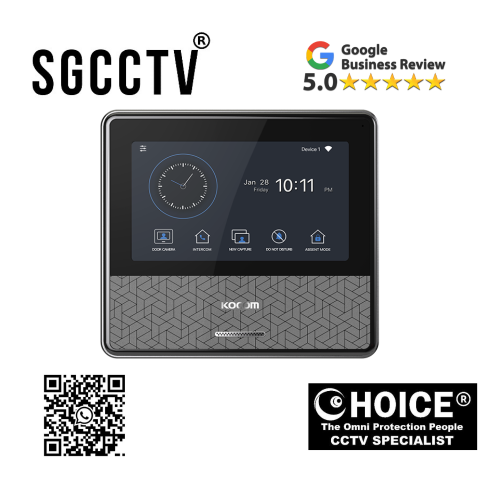
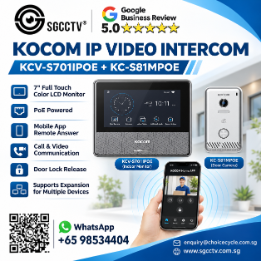
7″ Full Touch LCD • IP PoE • House Call Function • High-Resolution Video Transmission • KOCOM Home Mobile App • Door Release
The KOCOM KCV-S701IPOE + KC-S81MPOE IP Video Intercom is a fully digital PoE video door-phone solution designed for landed houses, private residences, offices and other controlled entrances.
The system combines the KCV-S701IPOE 7-inch full-touch indoor monitor with the KC-S81MPOE IP door camera. Key functions include visitor calling, high-resolution video transmission, two-way communication, night-time visitor identification, smartphone remote answering through the KOCOM Home app, door release and multi-device expansion.
KOCOM’s current product information confirms the KCV-S701IPOE and KC-S81MPOE remain part of its IP video-phone ecosystem. kocom.com
Full Specifications
| Specification | KCV-S701IPOE Indoor Monitor | KC-S81MPOE Door Camera |
|---|---|---|
| Product Type | IP Video Phone Monitor | IP Door Camera |
| Display | 7″ Color LCD | — |
| Interface | Full Touch / GUI | Call Button |
| Communication | Hands-Free Video Intercom | Two-Way Audio / Video |
| Power | PoE DC48V, IEEE 802.3af | PoE DC48V, IEEE 802.3af |
| Power Consumption | Approx. 3W standby / 7W full load | Max. 3W |
| Network Cabling | UTP CAT5e or higher | Ethernet / PoE |
| Mobile App | KOCOM Home | Through system |
| Remote Visitor Answer | Yes | Yes |
| Remote Door Release | Supported | Door-lock interface available |
| Door Monitoring | Yes | Yes |
| House Call Function | Yes | Yes |
| Night Visitor Identification | Via door camera | Yes |
| Camera Viewing Angle | — | 110° diagonal |
| Operating Temperature | 0°C to +40°C | -10°C to +50°C |
| Installation | Surface Mount | Surface Mount |
| Dimensions | 197 × 176 × 23mm | 70 × 125 × 21mm |
| Expansion | Up to 4 monitors, 2 door cameras and 2 CCTV cameras | Up to 2 door cameras in supported system |
The official KOCOM catalogue specifies CAT5e or higher cabling, PoE and expansion up to four monitors, two door cameras and two CCTV cameras. kocom.co.kr
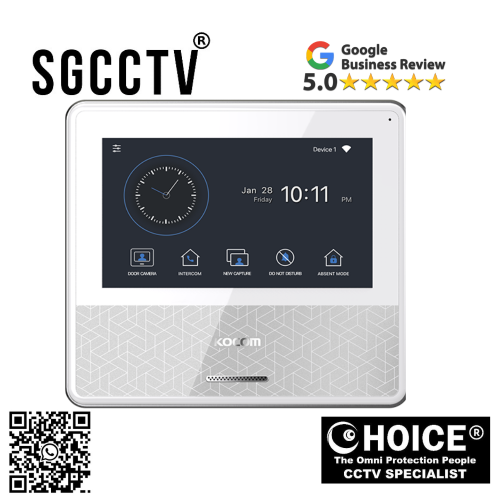
7-Inch Full Touch Color LCD Monitor
The KCV-S701IPOE features a:
7″ Full Touch Color LCD
The graphical user interface provides convenient control of the video-intercom system from inside the property.
Users can manage functions such as:
Visitor Calls
Door Camera Monitoring
Video Communication
Door Release
System Settings
Do Not Disturb Mode
Absent Mode
The system can also automatically capture still images, with KOCOM specifying storage of up to 50 captured images in its product catalogue. kocom.co.kr
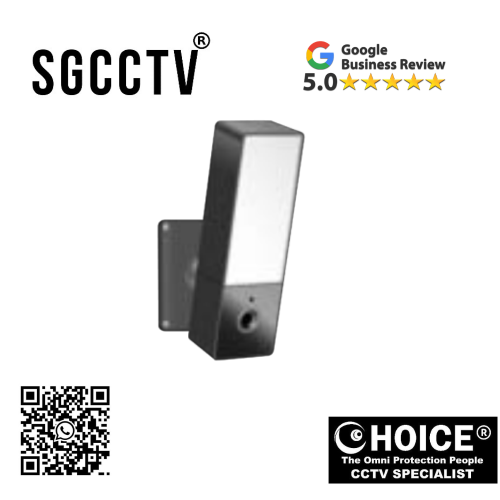
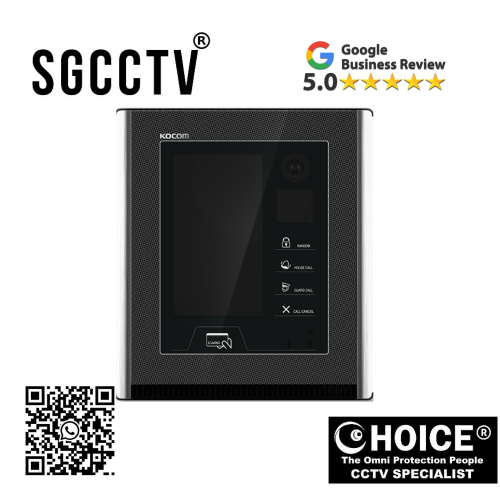
KC-S81MPOE IP Door Camera
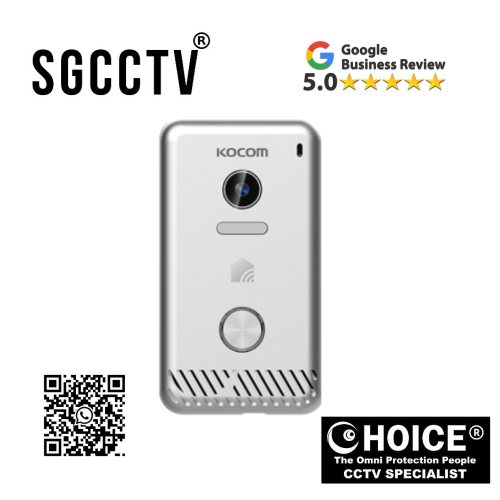
The KC-S81MPOE is the outdoor-side visitor station designed to work with the KCV-S701IPOE.
Its main functions include:
House Call Function
Visitors press the call button to contact occupants inside the property.
High-Resolution Video Transmission
Video is transmitted digitally through the IP network to the indoor monitor.
Night-Time Visitor Identification
The door station includes illumination to assist visitor identification under low-light conditions.
110° Viewing Angle
The approximately 110° diagonal lens angle provides a useful entrance overview. kocom.com
How the KOCOM House Call Function Works
The visitor experience is straightforward:
Visitor Arrives
↓
Presses KC-S81MPOE Call Button
↓
KCV-S701IPOE Indoor Monitor Rings
↓
Visitor Image Appears
↓
Occupant Answers
↓
Two-Way Conversation
↓
Door Released if Authorized
This allows occupants to identify visitors before granting access.
KOCOM Home Mobile App
A major advantage of the IP system is integration with the:
KOCOM Home App
When correctly connected to the network and cloud service, users can answer compatible intercom calls from their smartphone.
Typical operation:
Visitor Presses Doorbell
↓
Intercom Call Generated
↓
KOCOM Home App
↓
View Visitor
↓
Communicate
↓
Remote Door Release
KOCOM specifically lists smartphone call answering, door opening and door-camera monitoring among the KCV-S701IPOE’s functions. kocom.com
IP PoE – Power over Ethernet
Both the monitor and door station use:
PoE DC48V – IEEE 802.3af
This allows compatible devices to receive:
Network Data
Electrical Power
through Ethernet infrastructure.
A typical professional installation is:
Internet Router
↓
PoE Network Switch
↓
CAT5e / CAT6 Structured Cabling
↙︎ ↘︎
KCV-S701IPOE KC-S81MPOE
For new installations, CAT6 solid-copper structured cabling is a practical choice even though KOCOM specifies CAT5e or higher.
Expandable IP Intercom System
The KCV-S701IPOE is not limited to a simple one-monitor/one-door configuration.
KOCOM specifies expansion up to:
4 × Indoor Monitors
2 × Door Cameras
2 × IP CCTV Cameras
This makes the system suitable for larger landed houses or properties with multiple monitoring points. kocom.co.kr
Example:
Front Gate Door Camera
+
Side Entrance Door Camera
↓
PoE Network
↓
Living Room Monitor
+
Master Bedroom Monitor
+
Study Monitor
+
Other Supported Monitor
CCTV Camera Integration
The KOCOM system can accommodate up to two compatible IP CCTV cameras in the supported configuration.
This allows the indoor monitor to provide additional security views beyond the door station.
For example:
CCTV Camera 1
Front Gate Overview
CCTV Camera 2
Driveway / Car Porch
KC-S81MPOE
Visitor Door Station
KCV-S701IPOE
Central Indoor Display
This can provide a more complete security view for landed properties.
Electronic Door Lock Release
The system can interface with an electronic locking solution so an authorized occupant can release the entrance after confirming the visitor.
Possible applications include:
Electric Strike
Electromagnetic Lock
Electric Gate Interface
Compatible Electronic Lock
Important Installation Requirement
The lock should not simply be connected without checking the required interface.
KOCOM’s installation documentation specifies use of its appropriate relay arrangement when connecting AC or DC electric locks to the relevant door-lock terminal. Incorrect direct connection may damage the equipment. ManualsLib
Professional installation should therefore consider:
Lock type
Lock voltage/current
Fail-safe vs fail-secure operation
Relay interface
Dedicated lock power supply
Exit button
Emergency release requirements
Recommended Landed House Design
For a Singapore landed house, a practical design can be:
Front Gate
KC-S81MPOE IP Door Camera
↓
CAT6
PoE Network Switch
↓
Living Room
KCV-S701IPOE 7″ Monitor
Smartphone
KOCOM Home App
Gate / Door
Electronic Lock Release
For better security, add:
CCTV Cameras
+
NVR Recording
+
Door Access Control
+
UPS Backup
UPS Backup Recommended
Because this is an IP/PoE system, the network infrastructure becomes part of the intercom system.
A professional installation should consider:
AC Supply
↓
UPS
↓
PoE Switch
↓
KOCOM Intercom
and:
UPS
↓
Router / ONT
↓
Internet Connection
This is important because powering only the intercom devices does not guarantee mobile-app operation during a power failure if the router or internet equipment has already shut down.
Important Cabling Requirement
KOCOM specifies UTP CAT5e or higher, and its installation documentation indicates a maximum total wiring length of 80m between the PoE source and monitor for the documented configuration. Scribd
For professional installations:
Use full-copper CAT6
Avoid CCA cable
Test all network links
Check PoE voltage drop
Keep connections accessible
Use proper RJ45 termination
For long-distance gates, confirm the actual cable route before installation.
Outdoor Installation Consideration
The KC-S81MPOE should not automatically be marketed as a fully weatherproof IP65/IP66 outdoor station unless the exact installation documentation confirms that rating.
KOCOM documentation shows an optional sun visor, and installation guidance warns against exposure to heavy direct rain. Therefore, for gate-post installation, provide appropriate weather protection and mounting design. ManualsLib
This is especially important in Singapore’s heavy-rain environment.
Suitable Applications
The KOCOM KCV-S701IPOE + KC-S81MPOE system is ideal for:
Landed Houses
Terrace Houses
Semi-Detached Houses
Bungalows
Private Residential Entrances
Home Gates
Offices
Reception Entrances
Small Commercial Buildings
Controlled Access Doors
10 Key Benefits
- 7-inch full-touch color LCD monitor
- Fully digital IP video intercom
- IEEE 802.3af PoE operation
- KC-S81MPOE house call function
- High-resolution video transmission
- Night-time visitor identification
- KOCOM Home smartphone remote answering
- Remote door-release capability
- Expandable up to 4 monitors + 2 door cameras + 2 CCTV cameras
- Excellent solution for Singapore landed-house entrance security
10 Frequently Asked Questions
1. What is KOCOM KCV-S701IPOE?
The KCV-S701IPOE is a 7-inch full-touch IP video-phone monitor supporting PoE, visitor communication, door-camera monitoring, smartphone connectivity and door release.
2. What is KC-S81MPOE?
The KC-S81MPOE is KOCOM’s PoE IP door camera featuring a call button, high-resolution video transmission, night-time visitor identification and approximately 110° diagonal viewing angle.
3. Does KOCOM KCV-S701IPOE support PoE?
Yes. Both the KCV-S701IPOE and KC-S81MPOE use 48V PoE based on IEEE 802.3af. kocom.com
4. Can I answer the KOCOM intercom from my mobile phone?
Yes. The KCV-S701IPOE supports the KOCOM Home mobile app, allowing compatible remote visitor communication and door-control functions when properly configured.
5. What cable should be used?
KOCOM specifies UTP CAT5e or higher. For new professional installations, quality full-copper CAT6 is a suitable choice.
6. Can the system open an electric gate or door?
Yes, a compatible door-release arrangement can be integrated. The correct relay, power supply and lock/gate interface must be selected for the actual equipment.
7. Can I install multiple indoor monitors?
Yes. KOCOM specifies expansion up to four KCV-S701IPOE monitors in the supported system configuration.
8. Can CCTV cameras be displayed on the KOCOM monitor?
The documented system architecture supports up to two compatible IP CCTV cameras, providing additional surveillance views on the intercom system. kocom.co.kr
9. Can KC-S81MPOE be installed directly in heavy rain?
It should be installed with appropriate protection. Do not assume an IP65/IP66 weatherproof rating without confirmation. For exposed gate posts, a suitable visor, enclosure or sheltered mounting position is recommended.
10. Where to Buy KOCOM KCV-S701IPOE + KC-S81MPOE in Singapore?
SGCCTV / Choicecycle CCTV Pte Ltd supplies KOCOM IP video intercom, CCTV, door access, PoE networking and complete security-system solutions in Singapore.
WhatsApp: +65 98534404
Email: enquiry@choicecycle.com.sg
Website: WWW.SGCCTV.COM.SG
Recommended SEO Product Title
KOCOM KCV-S701IPOE + KC-S81MPOE Singapore – IP PoE Video Intercom Door Camera, 7″ Touch Monitor, House Call & Mobile App
Meta Description
KOCOM KCV-S701IPOE + KC-S81MPOE IP Video Intercom Singapore with 7-inch full-touch monitor, PoE door camera, house call function, high-resolution video transmission, KOCOM Home mobile app, remote visitor answering, night visitor identification and door release.
KOCOM KCV-S701IPOE Singapore, KOCOM KCV-S701POE, KC-S81MPOE Singapore, KOCOM IP Door Camera, KOCOM IP Video Intercom Singapore, KOCOM Video Door Phone, KOCOM PoE Intercom, KOCOM House Call Function, KOCOM High Resolution Video Intercom, KOCOM Home App, Mobile App Video Intercom, PoE Door Camera Singapore, IP Intercom Singapore, 7 Inch Video Intercom, Touch Screen Intercom, Landed House Intercom Singapore, Gate Intercom Singapore, Door Phone Singapore, Home Intercom Singapore, Electronic Door Lock Intercom, CAT6 Video Intercom, KOCOM Singapore, SGCCTV KOCOM.
#KOCOM #KCVS701IPOE #KCS81MPOE #KOCOMIntercom #VideoIntercom #IPIntercom #PoEIntercom #DoorCamera #VideoDoorPhone #SmartHome #LandedHouse #HomeSecurity #IntercomSingapore #SecuritySingapore #SGCCTV
/SGCCTV /seo /speccheck /compatibility /design /quotation /sales
KOCOM KCV-S701POE KC-S81MPOE IP Door Camera IP PoE House Call function High Resolution Video Transmission Intercom Singapore
The KOCOM KC-S81MPOE IP Door Camera (1M Pixel) / PoE Type is designed specifically to meet these growing security and communication demands. Combining 1-megapixel high-resolution video transmission, Power over Ethernet (PoE) convenience, house call function, and IP-based smart communication, this door camera is far more than a standard intercom doorbell—it is an intelligent property access solution built for modern lifestyles and professional environments.
Manufactured with KOCOM’s long-standing expertise in intercom and communication systems, the KC-S81MPOE is engineered to deliver clear visitor identification, dependable communication, streamlined installation, and scalable network integration. In today’s environment where security, convenience, and digital accessibility matter more than ever, this product provides users with a practical yet powerful solution for controlling access, verifying visitors, and improving overall entrance security.
For property owners in Singapore and beyond, especially those upgrading to smart security ecosystems, the KC-S81MPOE offers a future-ready solution that aligns with both residential and commercial demands.
What Is the KOCOM KC-S81MPOE?
The KC-S81MPOE is an IP-based outdoor door camera station that acts as the external communication and visual monitoring unit for compatible KOCOM intercom systems.
Main Functions:
It provides:
- High-resolution 1MP video
- Visitor call function (house call)
- Two-way communication
- PoE support
- IP network communication
- Real-time visitor identification
- Integration with indoor monitors
- Smartphone-access compatibility (depending on system)
- Entrance monitoring
- Door station security
Unlike traditional analog door stations that often suffer from lower video quality and more complicated wiring, the KC-S81MPOE offers a cleaner, smarter, and more advanced installation approach.
Why IP Door Cameras Matter Today
Traditional doorbells or low-end analog intercoms may alert you when someone is at your door, but they often fail in key areas:
Common limitations:
- Poor image quality
- Limited distance
- Weak audio
- No scalability
- More wiring
- Less smart integration
The KC-S81MPOE solves these problems by introducing:
Major upgrades:
✔ Digital network communication
✔ Clearer video
✔ Better visitor identification
✔ Simplified PoE wiring
✔ Modern smart property compatibility
This makes it highly suitable for modern homes and businesses seeking both convenience and stronger security.
Key Features of the KOCOM KC-S81MPOE
1. 1-Megapixel High-Resolution Video Transmission
One of the strongest features of this IP door camera is its improved image clarity.
Benefits:
Users can:
- Identify faces more clearly
- Verify delivery personnel
- Screen unknown visitors
- Improve entrance monitoring
- Enhance security decision-making
Why this matters:
In access control, visual clarity is critical. A blurry visitor image can reduce security effectiveness, while high-resolution imaging improves confidence and response.
For homes, offices, and commercial properties, 1MP offers practical clarity without excessive network strain.
2. PoE (Power over Ethernet) Simplicity
PoE is one of the most installer-friendly features.
What PoE Does:
A single Ethernet cable handles:
Both:
- Power
- Data transmission
Advantages:
For installers:
- Less cable clutter
- Faster setup
- Lower labor cost
- Easier maintenance
- Cleaner wall finish
For owners:
- More reliable power source
- Stable communication
- Better long-term infrastructure
This is particularly useful for:
Ideal environments:
- HDB upgrades
- Condo retrofits
- New landed houses
- Offices
- Security gate systems
3. House Call Function
The house call function allows visitors to directly communicate with the indoor monitor.
How it works:
Visitor presses call button:
✔ Indoor monitor rings
✔ Live camera feed activates
✔ Homeowner answers
✔ Two-way communication begins
Why it matters:
This transforms a basic doorbell into an intelligent communication system.
4. Modern IP Communication
Because this is IP-based:
It supports:
- Better scalability
- Network integration
- Digital communication
- Cleaner long-distance transmission
- Smart system interoperability
Compared to analog systems, IP architecture offers more flexibility for future upgrades.
5. Durable Outdoor Security Design
As an outdoor station, KC-S81MPOE is designed for entrance deployment.
Key outdoor considerations:
- Weather resistance
- Daily visitor use
- Stable communication
- Camera durability
- Security positioning
This makes it suitable for:
Common installations:
- Main gates
- Condo entrances
- Apartment doors
- Office entrances
- Warehouse entry points
Why Buy the KC-S81MPOE?
Stronger Security
Visual verification before granting access.
Professional Visitor Management
Ideal for homes and business operations.
Better Installation Efficiency
PoE reduces setup complexity.
Smart Property Upgrade
Modernizes your access control system.
Long-Term Value
Works as part of a broader smart security ecosystem.
Who Should Buy This Product?
Residential:
Perfect for:
- HDB homeowners
- Condo owners
- Landed property owners
- Apartments
- Smart home users
Commercial:
Excellent for:
- Offices
- Clinics
- Tuition centers
- Retail shops
- Warehouses
Industrial:
Useful for:
- Restricted access gates
- Factories
- Staff entrances
Installation Overview
Step 1:
Select entrance mounting point.
Step 2:
Install at visitor face height.
Step 3:
Connect Cat5e/Cat6 cable.
Step 4:
Link to PoE switch.
Step 5:
Pair with indoor monitor.
Step 6:
Test:
- Video
- Audio
- Call
- Door release
Common Problems & Solutions
Problem: No Video
Cause:
IP mismatch
Fix:
Check network settings
Problem: No Power
Cause:
Incorrect PoE switch
Fix:
Verify IEEE PoE standard
Problem: Poor Audio
Cause:
Environmental noise
Fix:
Adjust placement
Problem: Button Not Triggering
Cause:
Wiring issue
Fix:
Check RJ45 termination
KC-S81MPOE vs Traditional Analog Door Cameras
KC-S81MPOE Advantages:
✔ Better video
✔ PoE
✔ Cleaner wiring
✔ Digital communication
✔ Better scalability
✔ Modern smart integration
KOCOM INTERCOM KC-S81MPOE IP Door Camera PoE Type House call function High resolution video transmission NEW
Why KOCOM Stands Out
KOCOM has built a reputation for:
Strengths:
- Intercom expertise
- Modern product design
- User-focused interfaces
- Reliable communication systems
Long-Term Business Value
For developers and installers:
This product helps:
- Improve project quality
- Add smart home appeal
- Increase property value
- Strengthen access control
Final Conclusion
The KOCOM KC-S81MPOE IP Door Camera (1M Pixel) / PoE Type is an excellent choice for anyone seeking a balance of:
It delivers:
✔ Security
✔ Visitor communication
✔ Installation efficiency
✔ Smart property compatibility
✔ Modern design
For homes, offices, and businesses, it provides a dependable entrance communication platform that improves safety while simplifying access control.
If you want a modern, network-ready, PoE-enabled IP door camera that strengthens both property security and convenience, the KC-S81MPOE is a practical and future-focused investment.
How to Set Up KOCOM KC-S81MPOE IP Door Camera PoE Type – Complete Installation & Configuration Guide
The KOCOM KC-S81MPOE IP Door Camera is designed to be the outdoor security and visitor communication point of your KOCOM IP intercom system. Proper setup is essential to ensure:
Your system works correctly for:
✔ Visitor call function
✔ High-resolution video transmission
✔ Indoor monitor communication
✔ Smartphone integration (if system supported)
✔ Door access control
✔ Stable long-term security
Because this is a PoE (Power over Ethernet) IP device, setup is generally easier and cleaner than traditional analog systems—but correct network planning is still very important.
This guide covers physical installation, network setup, pairing, testing, and troubleshooting.
Before Installation: What You Need
Main Equipment:
Required:
- KOCOM KC-S81MPOE IP Door Camera
- Compatible KOCOM indoor monitor
- PoE switch or PoE injector (IEEE 802.3af or compatible)
- Cat5e / Cat6 LAN cable
- Router
- Screwdriver
- Drill
- Wall plugs
- Mounting screws
- Smartphone (for smart features if applicable)
KOCOM INTERCOM KC-S81MPOE IP Door Camera PoE Type House call function High resolution video transmission NEW
Step 1: Choose the Correct Installation Location
Best Placement:
Install the outdoor camera:
- Near main gate / front door
- At visitor face height (about 140–150cm)
- Under shade if possible
- Away from direct heavy rain
- Avoid strong backlight or direct sunlight
Why placement matters:
Good placement improves:
✔ Facial recognition
✔ Audio quality
✔ Visitor visibility
✔ Weather durability
Step 2: Mount the Door Camera Bracket
Process:
Basic steps:
- Mark drill holes
- Drill wall
- Insert wall plugs
- Pull LAN cable through wall
- Secure bracket
- Attach camera body
Installer Tip:
For landed homes or exposed gates:
Use:
- Waterproof silicone sealing
- Outdoor conduit
- Surge protector
Step 3: Run Network Cable (Cat5e or Cat6)
The KC-S81MPOE uses Ethernet for:
Both:
- Power
- Data
Recommended:
Use:
Cat6 for:
- Better shielding
- Longer cable runs
- More stable performance
Cable Safety:
Avoid:
✘ Running beside high-voltage wires
✘ Loose exposed cable
✘ Sharp bends
KOCOM INTERCOM KC-S81MPOE IP Door Camera PoE Type House call function High resolution video transmission NEW
Step 4: Connect to PoE Switch or Injector
Option A: PoE Switch (Recommended)
Best for:
- Multiple devices
- Home + gate + CCTV
- Office systems
Connection:
Router → PoE Switch → KC-S81MPOE + Indoor Monitor
Option B: PoE Injector
Best for:
- Single house setup
- Budget installation
Connection:
Router → PoE Injector → Door Camera
Step 5: Power On & Device Boot
Once LAN cable is connected:
Check:
✔ LED indicator
✔ Device startup
✔ Network light
If no power:
Check:
- PoE compatibility
- RJ45 crimping
- Cable damage
Step 6: Configure Network Settings
Default Setup:
Many users start with DHCP.
Benefits:
✔ Auto IP
✔ Easy beginner setup
Advanced:
Static IP is better for:
- Larger homes
- Offices
- Multiple monitors
- VLAN setups
Example:
IP Address: 192.168.1.120
Gateway: 192.168.1.1
DNS: 8.8.8.8
Important:
Ensure:
Door camera + monitor are on same subnet
KOCOM INTERCOM KC-S81MPOE IP Door Camera PoE Type House call function High resolution video transmission NEW
Step 7: Pair With KOCOM Indoor Monitor
Indoor Monitor Menu:
Settings → Device Registration → Add Door Camera
Process:
- Scan network
- Select KC-S81MPOE
- Pair
- Confirm video
- Confirm audio
Test:
Press house call button:
✔ Indoor monitor rings
✔ Live video appears
✔ Two-way talk works
Step 8: Configure Door Unlock (If Connected)
If connected to:
- Electric strike
- Magnetic lock
- Gate relay
Setup:
Indoor monitor → Access Control → Relay
Safety:
Check:
✔ Voltage
✔ Relay type
✔ Lock compatibility
Step 9: Smartphone Setup (If Your KOCOM Ecosystem Supports App)
Process:
- Download KOCOM app
- Register account
- Add device
- Scan QR / serial
- Connect Wi-Fi
- Enable notifications
Benefits:
✔ Remote visitor alerts
✔ Mobile monitoring
✔ Visitor communication
Step 10: Final Testing Checklist
Test every function:
Door camera:
✔ Video quality
✔ Audio
✔ Call button
✔ Night visibility
Indoor monitor:
✔ Ring
✔ Display
✔ Unlock
App:
✔ Push notifications
✔ Remote answer
KOCOM INTERCOM KC-S81MPOE IP Door Camera PoE Type House call function High resolution video transmission NEW
Advanced Installer Tips
For HDB / Condo:
Best:
- PoE injector
- Single indoor monitor
For Landed:
Better:
- PoE switch
- Multiple indoor units
- Gate relay integration
For Office:
Ideal:
- VLAN
- Static IP
- Multiple call stations
Common Problems & Fixes
Problem: No Indoor Ring
Cause:
Wrong pairing
Fix:
Re-register device
Problem: No Video
Cause:
IP conflict
Fix:
Check DHCP / static IP
Problem: Door Unlock Not Working
Cause:
Relay mismatch
Fix:
Verify NO/NC settings
KOCOM INTERCOM KC-S81MPOE IP Door Camera PoE Type House call function High resolution video transmission NEW
Problem: Audio Distortion
Cause:
Environmental noise
Fix:
Reposition or adjust gain
Problem: Device Offline
Cause:
PoE failure / network issue
Fix:
Check cable + switch
Maintenance Guide
Every 3–6 Months:
Check:
✔ Lens cleaning
✔ LAN cable
✔ Weather seal
✔ Firmware
✔ Call button
Weather Protection Tips
Because this is outdoor:
Protect from:
- Heavy rain
- Direct sun
- Salt corrosion (marine)
- Lightning surges
Professional Installation vs DIY
DIY:
Good if:
✔ Basic networking
✔ Single door setup
Professional:
Better if:
✔ Gate automation
✔ Multiple units
✔ Business systems
✔ Long cable runs
KOCOM INTERCOM KC-S81MPOE IP Door Camera (1M Pixel) / PoE Type House call function High resolution video transmission NEW
Why Professional Setup Can Save Money
A poor installation may cause:
Problems:
✘ Moisture damage
✘ IP conflict
✘ Relay failure
✘ Visitor audio issues
Professional installers reduce these risks.
Final Conclusion
The KOCOM KC-S81MPOE IP Door Camera is designed for modern, reliable entrance security, and proper setup ensures you maximize:
You gain:
✔ High-resolution visitor monitoring
✔ Reliable communication
✔ Smart security
✔ Cleaner installation
✔ Long-term convenience
With correct placement, stable PoE, proper pairing, and regular maintenance, this system can deliver dependable performance for homes, condos, offices, and commercial sites for years.
How the KOCOM KC-S81MPOE IP Door Camera Is Made – Engineering, Manufacturing & Smart Security Technology Explained
The KOCOM KC-S81MPOE IP Door Camera (1M Pixel) / PoE Type may appear to be a compact outdoor visitor station, but behind its sleek housing is a sophisticated combination of optical engineering, IP communication systems, electronics manufacturing, weather-resistant design, access control integration, and smart security development.
This device is more than just a doorbell camera—it is a purpose-built IP entrance communication and security terminal designed to function as the front-end access point of a smart property system.
To create a product like the KC-S81MPOE, manufacturers combine:
Core engineering fields:
✔ Industrial design
✔ Camera optics
✔ Microelectronics
✔ PCB development
✔ PoE networking
✔ Audio communication
✔ Environmental durability
✔ Firmware programming
✔ Security integration
Understanding how this product is made helps explain why it offers better reliability, image quality, and convenience than many traditional analog intercom systems.
KOCOM INTERCOM KC-S81MPOE IP Door Camera (1M Pixel) / PoE Type House call function High resolution video transmission NEW
Stage 1: Product Research & Security Design Concept
Before physical production begins, KOCOM engineers first define the product’s purpose.
Main Goals:
Engineers design the product to provide:
- Visitor identification
- House call communication
- Clear video transmission
- Outdoor durability
- Easy installation
- PoE compatibility
- Smart monitor integration
- Modern property security
Design Questions:
Key considerations:
- What camera resolution is practical?
- How can one cable simplify installation?
- How should audio remain clear outdoors?
- How can weather resistance be improved?
- How should the unit integrate with indoor monitors?
Final Result:
A 1MP IP door camera with PoE and smart communication capability.
Stage 2: Outer Housing Manufacturing (Industrial Design)
Because the KC-S81MPOE is installed outdoors, its outer body must be durable, secure, and weather-aware.
Common Materials:
Housing may include:
- ABS polycarbonate
- Reinforced thermoplastic
- UV-resistant coating
- Metal reinforcement brackets
- Rubber gaskets
- Protective lens cover
Why these materials?
Benefits:
✔ Heat resistance
✔ Rain resistance
✔ Impact durability
✔ Electrical insulation
✔ UV protection
✔ Lightweight design
Manufacturing Method:
Plastic Injection Molding
This is the main process used to create:
Parts such as:
- Front faceplate
- Camera frame
- Call button housing
- Rear shell
How it works:
- Plastic pellets heated
- Melted material injected into precision steel molds
- Mold cools
- Housing removed
- Trim + polish
- Surface finishing
Why this matters:
Precision molding ensures:
✔ Tight sealing
✔ Better weather resistance
✔ Professional appearance
✔ Reliable mounting
Stage 3: Camera Lens & Optical System Production
One of the key components is the 1MP camera module.
Camera Components:
Includes:
- CMOS image sensor
- Lens assembly
- IR support (depending model)
- Image processor
- Focus calibration
- Protective lens shield
KOCOM INTERCOM KC-S81MPOE IP Door Camera (1M Pixel) / PoE Type House call function High resolution video transmission NEW
Manufacturing Process:
Lens Assembly:
Steps:
- Lens shaping
- Sensor placement
- Optical calibration
- Focus adjustment
- Resolution testing
Why this matters:
A properly manufactured lens system affects:
✔ Visitor facial clarity
✔ Motion detection
✔ Day/night performance
✔ Image sharpness
Stage 4: PCB (Printed Circuit Board) Engineering
This is the main electronic control center.
PCB Controls:
Functions include:
- Video signal processing
- Ethernet communication
- PoE power conversion
- Audio communication
- Call button response
- Access relay communication
- Firmware storage
PCB Manufacturing:
SMT (Surface Mount Technology)
Robotic machines place micro-components onto boards.
Process:
- Circuit board printing
- Solder paste
- Chip placement
- Reflow soldering
- Inspection
- Firmware upload
Why PCB quality matters:
Good PCB engineering improves:
✔ Stable communication
✔ Clear video
✔ Reliable power
✔ Long lifespan
Stage 5: PoE Power System Development
One of the biggest technical strengths is PoE support.
P=VIP = VIP=VI
Internal PoE Components:
Includes:
- Ethernet transformer
- PoE PD controller
- Voltage regulator
- Surge protection
- Circuit isolation
KOCOM INTERCOM KC-S81MPOE IP Door Camera (1M Pixel) / PoE Type House call function High resolution video transmission NEW
Why PoE matters:
Advantages:
✔ One cable setup
✔ Lower installation cost
✔ Cleaner infrastructure
✔ Better network integration
Stage 6: Audio Engineering
A door camera must not only show visitors—it must communicate clearly.
Audio Components:
Includes:
- Outdoor microphone
- Speaker
- Echo cancellation
- Noise filtering
- Amplifier
Audio Design Challenges:
Outdoor units face:
Common issues:
- Traffic noise
- Wind
- Rain
- Echo
- Gate vibration
Engineering Solution:
KOCOM tunes microphone sensitivity and speaker output for practical visitor communication.
Stage 7: House Call Button Manufacturing
The call button is a critical physical interface.
Button Design:
Must provide:
✔ Tactile response
✔ Water resistance
✔ Long lifespan
✔ LED feedback
Testing:
Manufacturers often cycle buttons thousands of times to simulate real-world use.
Stage 8: Firmware Programming
Firmware is the software brain that controls:
Functions:
- Visitor call initiation
- Camera streaming
- IP communication
- Indoor monitor pairing
- Door release trigger
- Device identification
Firmware Development Includes:
Programming:
- UI communication
- Device protocols
- Security logic
- Network communication
- Call timing
Why firmware quality matters:
Poor firmware can cause:
✘ Delayed calls
✘ Failed pairing
✘ Security bugs
Strong firmware improves:
✔ Faster response
✔ Better compatibility
✔ Stable operation
Stage 9: Weatherproofing & Outdoor Protection
Outdoor devices require environmental protection.
Protective features:
Often include:
- Sealed joints
- Water-resistant casing
- Dust barriers
- UV coating
- Corrosion-resistant screws
Why:
Outdoor exposure includes:
- Rain
- Heat
- Humidity
- Dust
- Salt air (marine environments)
Stage 10: Final Assembly Process
Assembly Line:
Steps:
- Install PCB
- Install camera
- Add microphone
- Add speaker
- Install call button
- Seal housing
- Connect Ethernet port
- Firmware load
- Quality testing
- Packaging
Stage 11: Quality Control Testing
Every unit should be tested for:
Hardware:
✔ Video clarity
✔ Audio
✔ Ethernet
✔ PoE
✔ Call button
Environmental:
✔ Heat
✔ Moisture
✔ Vibration
Software:
✔ Pairing
✔ Call trigger
✔ Door release
Stage 12: Packaging & Distribution
Final packaging protects:
Against:
- Static
- Moisture
- Shipping shock
Product Lifespan
With proper installation:
Typical service life:
- 5–8 years residential
- 3–6 years heavy commercial
- Longer with maintenance
Why Build Quality Matters
Well-manufactured IP door cameras generally offer:
Better:
✔ Video clarity
✔ Visitor reliability
✔ Installation efficiency
✔ Outdoor durability
Poor-quality systems often fail from:
✘ Cheap plastics
✘ Weak waterproofing
✘ Low-grade PCB
✘ Poor firmware
Final Conclusion
The KOCOM KC-S81MPOE is made through a highly coordinated process involving:
It combines:
✔ Precision plastic molding
✔ Optical engineering
✔ PCB electronics
✔ PoE technology
✔ Smart firmware
✔ Outdoor security design
This careful manufacturing process is why it functions as a dependable smart entrance device rather than just a basic doorbell.
For homes, offices, and commercial buildings, it delivers:
Main advantages:
✔ Smart access
✔ Better security
✔ Cleaner setup
✔ Visitor communication
✔ Future-ready infrastructure
Contact Choicecycle (SGCCTV Singapore)
For more information about the KOCOM KC-S81MPOE IP Door Camera, professional installation, or complete smart intercom and CCTV solutions:
SGCCTV Choicecycle
Sim Lim Square #02-81, Singapore
WhatsApp: +65 9853 4404
Email: enquiry@choicecycle.com.sg
Website: https://sgcctv.com.sg
Operating Hours: 11 AM – 8 PM
KOCOM KCV-S701POE KC-S81MPOE IP Door Camera IP PoE House Call function High Resolution Video Transmission Intercom Singapore

Donec accumsan auctor iaculis. Sed suscipit arcu ligula, at egestas magna molestie a. Proin ac ex maximus, ultrices justo eget, sodales orci. Aliquam egestas libero ac turpis pharetra, in vehicula lacus scelerisque. Vestibulum ut sem laoreet, feugiat tellus at, hendrerit arcu..


Nunc lacus elit, faucibus ac laoreet sed, dapibus ac mi. Maecenas eu ante a elit tempus fermentum. Aliquam commodo tincidunt semper. Phasellus accumsan, justo ac mollis pharetra, ex dui pharetra nisl, a scelerisque ipsum nulla ac sem. Cras eu risus urna. Duis lorem sapien, congue eget nisl sit amet, rutrum faucibus elit.
Donec accumsan auctor iaculis. Sed suscipit arcu ligula, at egestas magna molestie a. Proin ac ex maximus, ultrices justo eget, sodales orci. Aliquam egestas libero ac turpis pharetra, in vehicula lacus scelerisque. Vestibulum ut sem laoreet, feugiat tellus at, hendrerit arcu.
Nunc lacus elit, faucibus ac laoreet sed, dapibus ac mi. Maecenas eu ante a elit tempus fermentum. Aliquam commodo tincidunt semper. Phasellus accumsan, justo ac mollis pharetra, ex dui pharetra nisl, a scelerisque ipsum nulla ac sem. Cras eu risus urna. Duis lorem sapien, congue eget nisl sit amet, rutrum faucibus elit.